
1. Introduction
This manual provides essential information for the safe and efficient use of your Sonim XP10 XP9900 rugged smartphone. The Sonim XP10 is designed for demanding environments, offering 5G performance and ultra-rugged durability. Please read this manual thoroughly before operating the device.
2. Product Overview
The Sonim XP10 is built to withstand extreme conditions while providing advanced smartphone functionalities.

Image 2.1: Rear view of the Sonim XP10 smartphone, showing the camera module and charging contacts.

Image 2.2: Front view of the Sonim XP10, illustrating the powerful 100dB+ speakers and noise cancellation technology for clear audio in noisy environments.

Image 2.3: Rear view of the Sonim XP10, emphasizing the long-lasting 5000mAh battery designed to power applications and functions for extended work shifts.

Image 2.4: Side view of the Sonim XP10, indicating the Sonim SecureAudio™ Connector for reliable audio accessory connections.

Image 2.5: Front view of the Sonim XP10, highlighting its compliance with industry-leading Rugged Performance Standards, including MIL-STD-810H for extreme conditions.

Image 2.6: Front view of the Sonim XP10, showcasing the larger 5.5-inch intuitive touchscreen for easy access and interaction with applications.
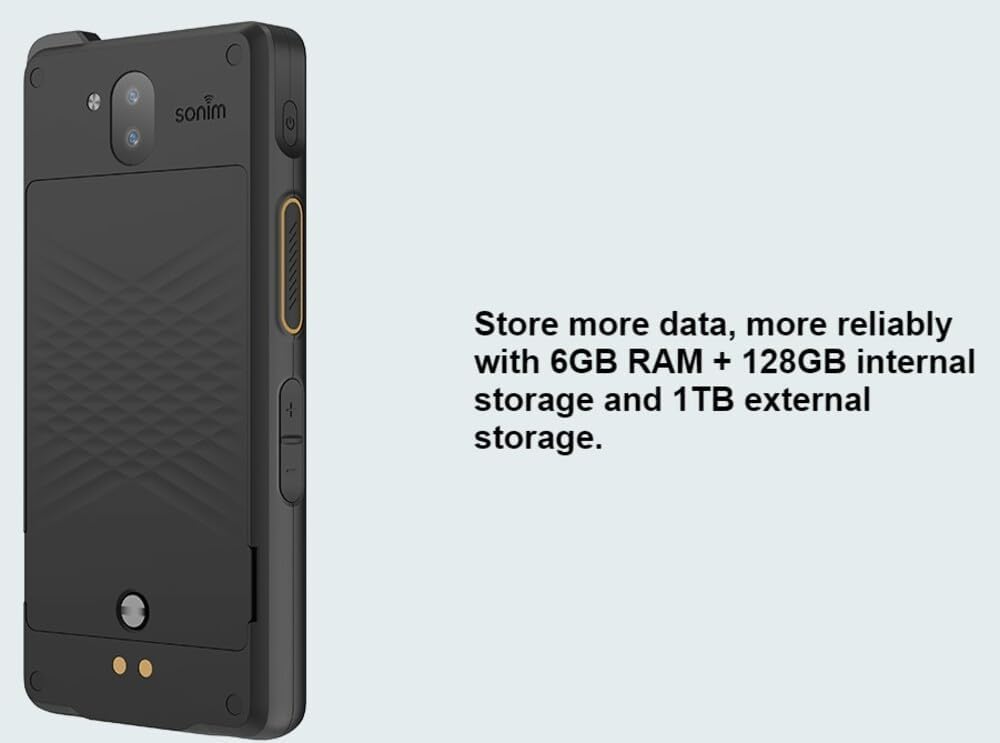
Image 2.7: Side view of the Sonim XP10, indicating its storage capabilities with 6GB RAM and 128GB internal storage, expandable up to 1TB.
3. Setup
3.1. Charging the Device
Before first use, fully charge the Sonim XP10 using the provided USB cable and a compatible power adapter. The device includes a nonstandard battery that is pre-installed.
- Connect the USB cable to the charging port on your Sonim XP10.
- Connect the other end of the USB cable to a power adapter and plug it into a wall outlet.
- The charging indicator will show the charging status.
3.2. Powering On/Off
- To Power On: Press and hold the Power button located on the side of the device until the Sonim logo appears.
- To Power Off: Press and hold the Power button, then select 'Power off' from the options on the screen.
3.3. SIM Card and SD Card Installation
Refer to the device's specific instructions for accessing the SIM and microSD card slots. Ensure the device is powered off before inserting or removing cards.
4. Operating Instructions
4.1. Basic Navigation
The Sonim XP10 runs on Android 12 and features a 5.5-inch touchscreen. Navigate the interface using standard Android gestures: tap, swipe, pinch-to-zoom.
4.2. Making Calls and Sending Messages
Use the Phone app to make calls and the Messages app for SMS/MMS. The device supports 5G GSM/CDMA networks for reliable communication.
4.3. Push-to-Talk (PTT) Functionality
The Sonim XP10 features an easy-access PTT button. This button allows for instant communication, ideal for team coordination in various work environments. Consult your service provider for PTT service activation and configuration.
4.4. Camera Usage
The device is equipped with front and rear cameras. Open the Camera app to capture photos and videos. Ensure lenses are clean for optimal image quality.
5. Maintenance
5.1. Cleaning the Device
The Sonim XP10 is designed to be dustproof and waterproof. To clean, wipe the device with a soft, damp cloth. For stubborn dirt, use a mild soap solution. Ensure all ports are closed before cleaning with liquids.
5.2. Battery Care
To maximize battery life, avoid exposing the device to extreme temperatures. Charge the battery regularly and avoid fully discharging it frequently. The 5000mAh battery is designed for extended use.
5.3. Ruggedness Guidelines
While the Sonim XP10 is ultra-rugged and tested to MIL-STD-810H standards, it is not indestructible. Avoid unnecessary drops or impacts. Ensure all port covers are securely closed to maintain waterproof and dustproof integrity.
6. Troubleshooting
6.1. Device Not Powering On
- Ensure the battery is sufficiently charged. Connect the device to a charger for at least 30 minutes.
- Perform a soft reset by pressing and holding the Power button for 10-15 seconds.
6.2. Network Connectivity Issues
- Check if the SIM card is correctly inserted.
- Verify that airplane mode is not enabled.
- Restart the device.
- Contact your service provider to confirm network availability in your area.
6.3. Charging Problems
- Ensure the USB cable and power adapter are functioning correctly. Try a different cable or adapter.
- Check the charging port for any debris or damage.
6.4. Touchscreen Unresponsive
- Restart the device.
- Ensure the screen is clean and free of moisture or debris.
7. Specifications
| Feature | Detail |
|---|---|
| Model Name | XP10 |
| Operating System | Android 12, Google AER certified |
| Screen Size | 5.5 Inches |
| Resolution | 1408 x 768 |
| CPU Model | Snapdragon |
| CPU Speed | 2.2 GHz |
| RAM Memory Installed Size | 128 GB (Note: This likely refers to internal storage, as RAM is typically much smaller) |
| Memory Storage Capacity | 128 GB (Internal) |
| Battery Capacity | 5000 Milliamp Hours |
| Phone Talk Time | 16.67 Hours |
| Item Weight | 0.15 ounces |
| Special Features | Ultra-Rugged Design, 5G Capabilities |
| Connectivity Technologies | Bluetooth, Cellular (5G GSM CDMA) |
| Audio Jack | 3.5 mm |
| What's in the box | USB Cable |
8. Warranty and Support
This Sonim XP10 device, if purchased as an Amazon Renewed product, typically comes with a 90-day refund or replacement policy. For specific warranty details and support, please refer to your purchase documentation or contact the seller directly. For manufacturer-specific support, visit the official Sonim website.
9. Product Videos
Video 9.1: An overview video showcasing the Sonim XP10 XP9900 rugged smartphone's features and durability. This video highlights the device's robust design and key functionalities.


