
1. Introduction
This manual provides essential information for the proper setup, operation, and maintenance of your EURANS 45mm Smart Watch. Please read this manual thoroughly before using your device to ensure optimal performance and longevity.
2. Setup Guide
2.1. Unboxing and Initial Charge
Upon unboxing, ensure all components are present: the EURANS Smart Watch, charging cable, and quick start guide. Before first use, fully charge the device using the provided magnetic charging cable. Connect the USB end of the cable to a standard USB power adapter (not included) and align the magnetic pins with the charging contacts on the back of the watch.

Image: The EURANS Smart Watch, showing its dimensions and the magnetic charging cable. The watch measures 1.4 x 0.4 x 1.7 inches.
2.2. App Download and Connection
To unlock the full potential of your smart watch, download the companion app. Refer to the Quick Start Guide included in your packaging for specific app details and a QR code for easy download. Follow the in-app instructions to pair your watch with your smartphone (compatible with Android and iOS).

Image: A visual guide demonstrating how to download the VeryFit app and connect the smart watch to a smartphone, highlighting the QR code for app access.
2.3. Attaching the Watch Band
The watch band is designed for easy attachment and removal. Align the pins on the band with the corresponding holes on the watch body and slide them into place until they click securely. To remove, gently press the small lever on the pin and pull the band away.
Video: An official product video demonstrating the unboxing, assembly of the watch band, and initial setup of the EURANS Smart Watch. It shows how to attach the silicone strap to the watch body and wear it on the wrist.
3. Operating Instructions
3.1. Basic Navigation
The EURANS Smart Watch features a 1.75-inch AMOLED HD touchscreen for intuitive navigation. Swipe left, right, up, or down to access different menus, notifications, and features. Press the side button to return to the home screen or wake the device.
3.2. Customizing Watch Faces
Personalize your watch with over 100 cloud watch faces available through the companion app. You can also create custom watch faces using photos from your own album for a unique look.
3.3. Smart Notifications
Receive call, SMS, and app notifications directly on your wrist. This feature ensures you stay informed without needing to constantly check your phone. Note: The watch can receive notifications but cannot answer or make phone calls directly.

Image: The smart watch displaying incoming notifications from messaging and social media applications, alongside a smartphone showing similar alerts.
3.4. Music Control and Find Phone
Control your smartphone's music playback directly from your watch. Additionally, use the 'Find Phone' function to locate your paired smartphone by making it ring.

Image: The smart watch interface showing options for alarm, weather forecast, and music control, indicating its smart assistant capabilities.
4. Key Features
4.1. Health Monitoring
The EURANS Smart Watch offers comprehensive health tracking features:
- 24/7 Heart Rate Monitoring: Automatically tracks your heart rate throughout the day.
- Blood Oxygen Saturation (SpO2) Measurement: Provides on-demand blood oxygen levels.
- Sleep Tracking: Analyzes your sleep patterns, including deep sleep, light sleep, and awake time.
- Stress Level Tracking: Monitors your stress levels to help you manage well-being.
- Breath Training: Guided breathing exercises for relaxation.
- Calories Burned Counter: Tracks calorie expenditure throughout your activities.

Image: The smart watch showing real-time data for heart rate, blood oxygen levels, and a graphical representation of sleep duration.
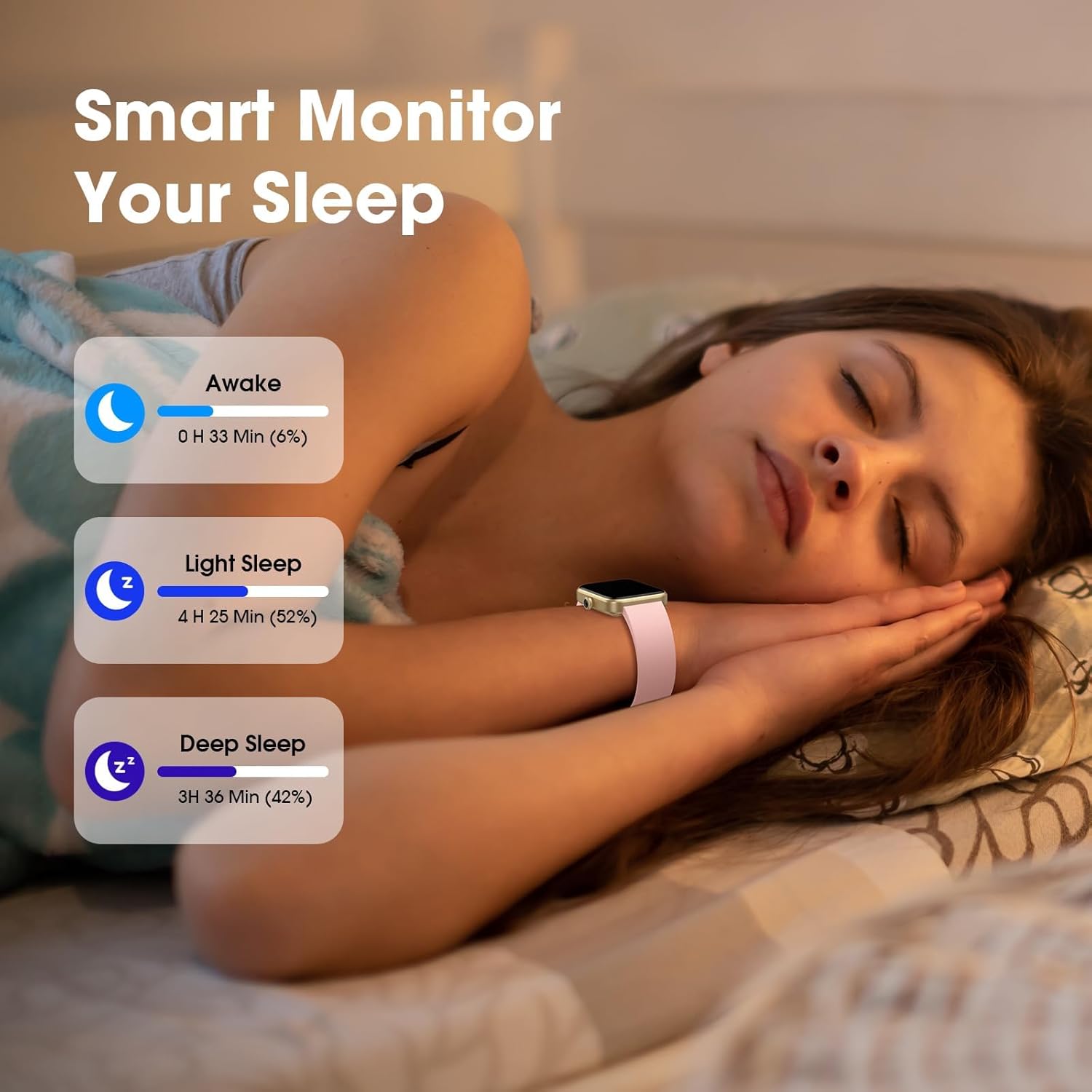
Image: A person wearing the smart watch while sleeping, with an overlay showing detailed sleep analysis including awake time, light sleep, and deep sleep durations.
4.2. Multiple Sports Modes
The watch supports multiple sports modes for various outdoor and indoor activities, allowing you to track real-time statistics during your workouts.

Image: The smart watch interface showing options for outdoor and indoor running modes, with two individuals engaged in outdoor running.
4.3. Daily Reminders
Stay on track with various reminders and tools:
- Sedentary Reminders
- Drink Water Reminders
- Alarm Clocks
- Stopwatch
- Timer
- Weather Forecast

Image: The smart watch showing a detailed weather forecast, including temperature and daily predictions, against a backdrop of diverse weather conditions.
5. Water Resistance
The EURANS Smart Watch is designed with IP68 water resistance, allowing it to withstand submersion up to 50 meters. This makes it suitable for daily activities such as washing hands, showering, and swimming in a pool. Avoid hot water, saunas, or diving.
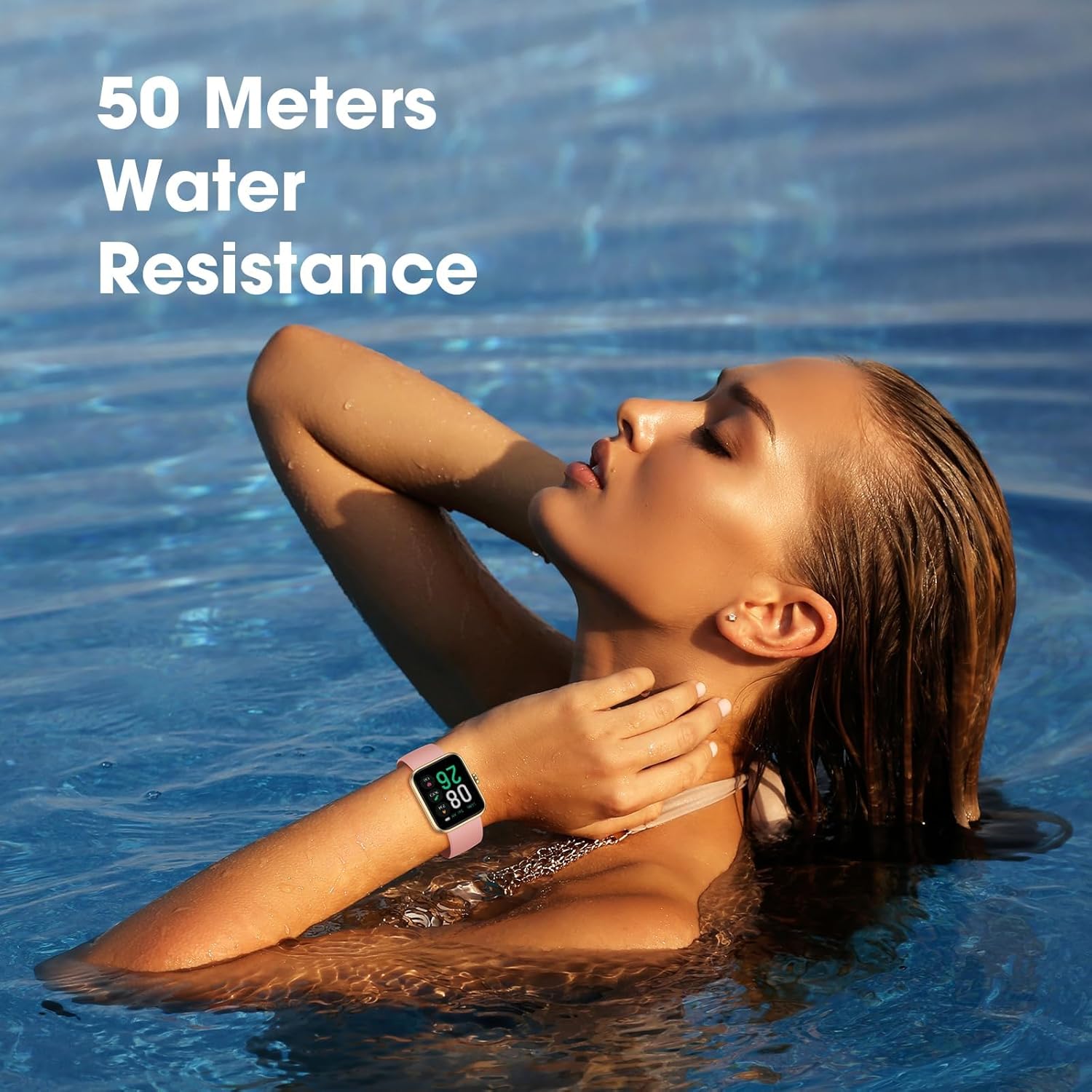
Image: A woman in a swimming pool wearing the smart watch, illustrating its 50-meter water resistance capability.
6. Specifications
| Feature | Detail |
|---|---|
| Model Name | Smart Watch |
| Screen Size | 45 Millimeters |
| Display Type | AMOLED |
| Resolution | 450 x 450 |
| Water Resistance | IP68, 50 Meters Depth |
| Battery Capacity | 290 Milliamp Hours |
| Battery Average Life | 7 days |
| Connectivity | Bluetooth |
| Compatible Devices | Smartphone (Android, iOS) |
| Material | Silicone (Band & Case) |
| Item Dimensions | 1.4 x 0.4 x 1.7 inches |
7. Maintenance
7.1. Cleaning Your Watch
Regularly clean your smart watch and band to prevent skin irritation and maintain functionality. Use a soft, lint-free cloth to wipe the screen and watch body. For the silicone band, you can use mild soap and water, ensuring it is thoroughly rinsed and dried before reattaching to the watch.
7.2. Battery Care
To prolong battery life, avoid fully discharging the watch frequently. Charge it when the battery level is low. Store the watch in a cool, dry place when not in use for extended periods.
8. Troubleshooting
8.1. Connection Issues
- Ensure Bluetooth is enabled on your smartphone.
- Make sure the watch is within range of your smartphone.
- Restart both your watch and smartphone.
- If issues persist, try unpairing and re-pairing the device through the app.
8.2. Inaccurate Data Readings
- Ensure the watch is worn snugly on your wrist, not too tight or too loose.
- Clean the sensors on the back of the watch regularly.
- For sleep tracking, ensure you wear the watch throughout the night.
8.3. Battery Draining Quickly
- Reduce screen brightness.
- Limit the number of active notifications.
- Disable continuous heart rate monitoring if not needed 24/7.
- Ensure the watch is fully charged before use.
9. Warranty and Support
9.1. Warranty Information
Your EURANS Smart Watch comes with a 1-year warranty. Please retain your proof of purchase for warranty claims.
9.2. Customer Service
For any product problems or support inquiries, please contact our customer service team via your Amazon account. We are committed to providing a satisfying solution.


