
Coolife YD105
Coolife Luggage Instruction Manual
Model: YD105 | Brand: Coolife
1. Introduction
Welcome to the Coolife Luggage user manual. This guide provides essential information for the proper setup, operation, and maintenance of your new Coolife luggage set. Designed for durability and convenience, your luggage features a lightweight hardshell construction, spinner wheels, a TSA-approved lock, and an integrated USB port for on-the-go charging.
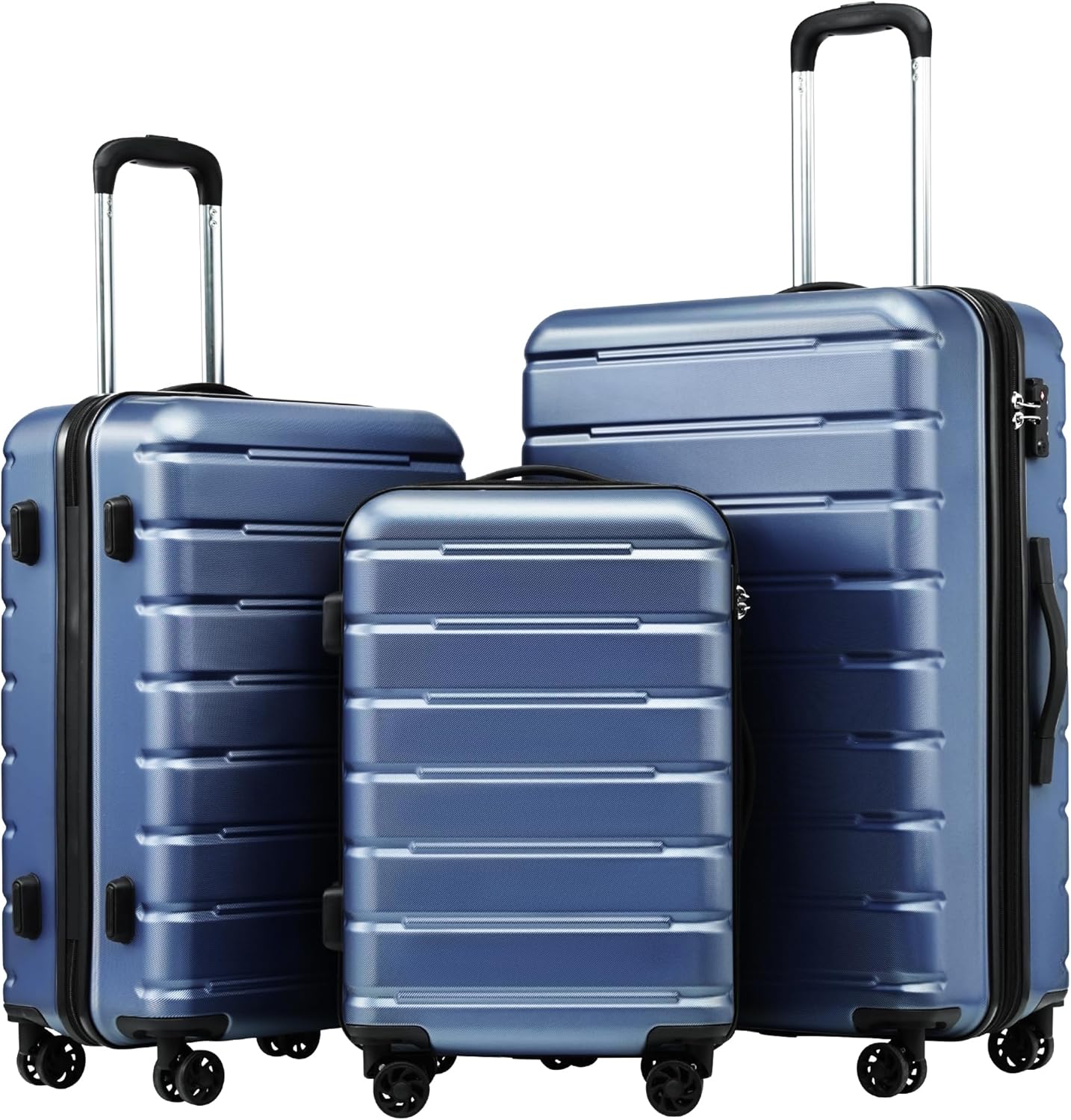
Image 1: The Coolife 3-piece luggage set in ice blue, showcasing the different sizes.
2. Key Features
- Multiple Sizes: Available in 20'' (carry-on), 24'' (medium), and 28'' (expandable) to suit various travel needs. The 20'' carry-on is designed to fit most standard overhead bins.
- TSA-Approved Lock: Enhances security and simplifies airport security checks.
- Integrated USB Port: Conveniently charge your mobile devices on the go (power bank not included).
- Ergonomic Telescopic Handle: Provides comfortable maneuvering and adjusts to multiple heights.
- Four Smooth-Gliding Spinner Wheels: Allows for effortless 360-degree mobility.
- Durable Construction: Crafted from robust and lightweight polycarbonate and ABS materials.
- Spacious Interior: Features interior divider panels, X-type elastic straps, closed mesh pockets, and zippered side pockets for optimal organization.

Image 2: Detail of the integrated TSA-approved combination lock and durable zippers.

Image 3: A traveler utilizing the integrated USB charging port on the side of the luggage.
3. Setup
3.1 Setting the TSA Combination Lock
Your luggage comes with a built-in TSA-approved combination lock. The default combination is usually 0-0-0. To set your personal combination:
- Ensure the lock is set to the current combination (default 0-0-0).
- Locate the small reset button (often a tiny hole) next to the dials.
- Use a pen or a pointed object to press and hold the reset button until you hear a click.
- While holding the reset button, set your desired 3-digit combination by turning the dials.
- Release the reset button. Your new combination is now set. Test it by scrambling the numbers and then entering your new combination to open the lock.

Image 4: Detailed view of the TSA lock mechanism and the reset button location.
4. Operation
4.1 Using the Telescopic Handle and Spinner Wheels
The ergonomic telescopic handle extends and retracts smoothly for comfortable pulling or pushing. Press the button on the handle to adjust its height. The four spinner wheels allow for 360-degree rotation, making it easy to navigate through crowded airports or tight spaces.

Image 5: Visual guide demonstrating the adjustable telescopic handle and multi-directional spinner wheels.
4.2 Utilizing the USB Port
To use the integrated USB port, connect your own power bank (not included) to the internal cable located within the luggage. Then, simply plug your device's charging cable into the external USB port on the side of the luggage.
5. Maintenance
- Cleaning: Wipe the hardshell exterior with a damp cloth and mild soap. For interior lining, spot clean with a gentle fabric cleaner.
- Storage: Store luggage in a cool, dry place away from direct sunlight. Ensure it is clean and dry before storing to prevent mold or mildew.
- Wheels & Handle: Periodically check wheels and telescopic handle for smooth operation. Clean any debris from the wheels.
6. Troubleshooting
- Stuck Handle: Ensure no items inside the luggage are obstructing the handle mechanism. Gently pull and push the handle while pressing the release button.
- Wheels Not Spinning Smoothly: Check for hair, lint, or debris caught in the wheel axles. Clean thoroughly.
- Zipper Issues: If zippers are stiff, apply a small amount of zipper lubricant or wax. Avoid overpacking to prevent zipper strain.
- Lock Reset Issues: Refer to Section 3.1 for detailed instructions on resetting the TSA lock. Ensure the reset button is fully pressed before setting a new combination.
7. Specifications
| Feature | Detail |
|---|---|
| Product Dimensions | 18.3 x 12 x 28.5 inches (for 28'' set piece) |
| Item Weight | 24.1 pounds (for 3-piece set) |
| Material | Polycarbonate, ABS |
| Capacity (28'' piece) | 99 Liters |
| Item Model Number | YD105 |

Image 6: Size reference chart providing exterior measurements, weight, and travel days for each luggage size.
8. Warranty and Support
Coolife products undergo meticulous quality testing to guarantee peak performance. For any assistance with your purchase, please do not hesitate to contact Coolife Luggage directly through Amazon. Protection plans are also available for extended coverage.
For more information or to explore other products, visit the Coolife Store on Amazon.
Ask a question about this manual
Ask about setup, troubleshooting, compatibility, parts, safety, or missing instructions. Manuals+ will review the question and use this page’s manual context to help answer it.