1. Product Overview
Thank you for choosing Coolife Luggage. This manual provides essential information for the proper setup, operation, and maintenance of your M(24in) Silver Hardside Luggage. Designed for durability and convenience, this suitcase features a lightweight hardshell, smooth spinner wheels, an integrated TSA-approved lock, and a USB charging port for on-the-go power.
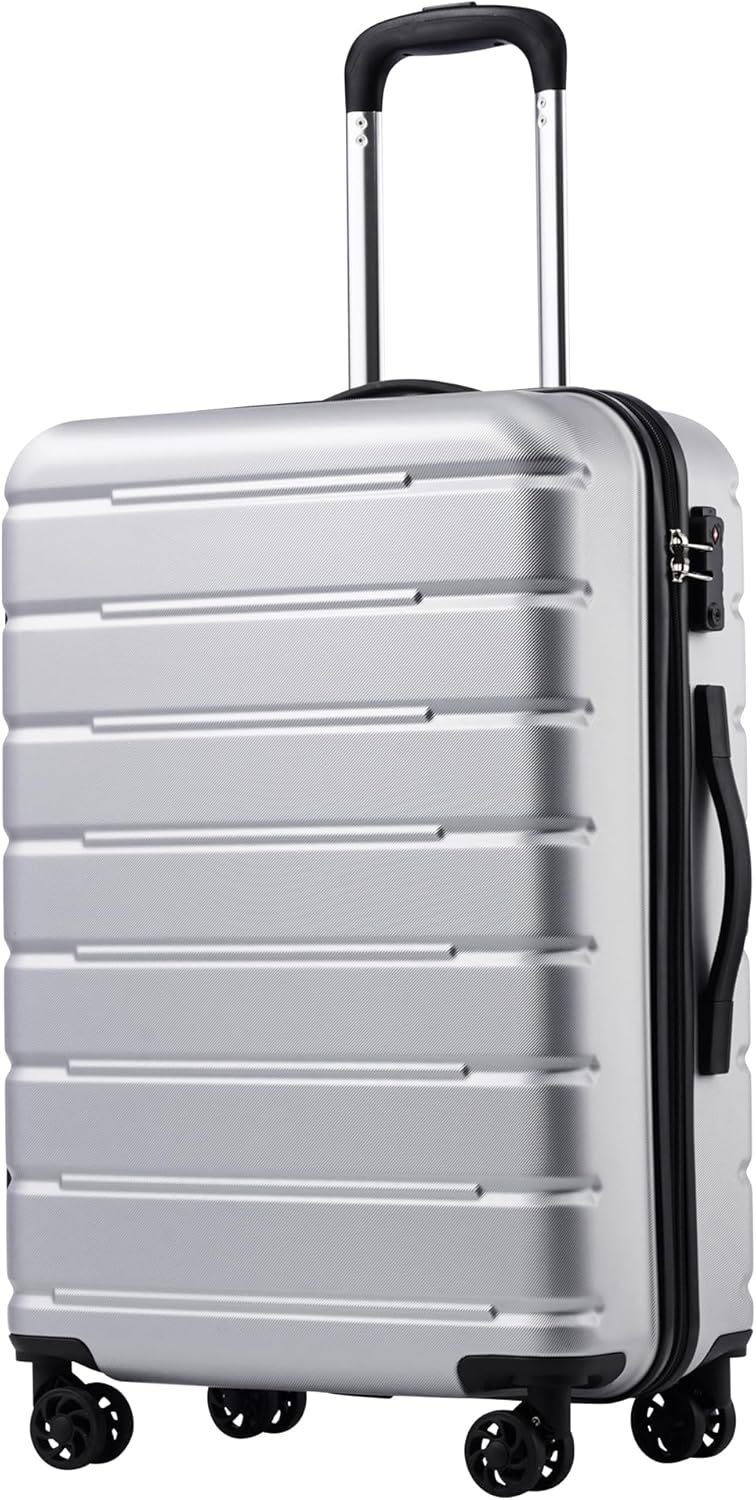
Image: The Coolife M(24in) Silver Hardside Luggage, showcasing its sleek design and robust exterior.
2. Key Features
- Durable Construction: Crafted from robust polycarbonate and ABS materials for enhanced longevity.
- Lightweight Hardside: Offers excellent protection for your belongings without excessive weight.
- TSA-Approved Combination Lock: Ensures security while allowing TSA agents to inspect your luggage without damage.
- Integrated USB Charging Port: Conveniently charge your mobile devices on the go (power bank not included).
- Ergonomic Telescopic Handle: Features multiple height adjustments for comfortable maneuvering.
- 360-Degree Spinner Wheels: Four smooth-gliding wheels provide effortless mobility in any direction.
- Top and Side Grab Handles: For easy lifting and carrying.
- Spacious & Organized Interior: Includes divider panels, strong X-type elastic straps, closed mesh pockets, and zippered side pockets.
3. Setup & First Use
Unpacking and Inspection
Upon receiving your Coolife luggage, carefully remove all packaging materials. Inspect the suitcase for any signs of damage during transit. If any damage is found, please contact customer support immediately.
Adjusting the Telescopic Handle
To extend the telescopic handle, press the button located on the top of the handle and pull upwards. Release the button at your desired height. To retract, press the button and push the handle downwards until it is fully nested.
Setting the TSA Combination Lock
Your luggage comes with a built-in TSA-approved 3-digit combination lock. The default combination is 0-0-0.
- Set the dials to the default combination (0-0-0).
- Locate the small reset button (usually a tiny hole) on the side of the lock. Use a pen or a pointed object to press and hold this button until you hear a 'click'.
- While holding the reset button, set your desired 3-digit combination by turning the dials.
- Release the reset button. Your new combination is now set. Test it by scrambling the numbers and then entering your new combination to open the lock.

Image: A detailed view of the TSA-approved combination lock and the robust zipper pullers on the Coolife luggage.
Connecting a Power Bank to the USB Port
The M(24in) carry-on model features an integrated USB port. To use it:
- Open the luggage and locate the internal pocket connected to the USB port.
- Place your power bank (not included) inside this pocket.
- Connect the internal USB cable to your power bank.
- You can now connect your device's charging cable to the external USB port on the side of the luggage to charge your device.

Image: A close-up of the integrated USB charging port on the side of the Coolife carry-on luggage, ready for device connection.
Video: Review of Carry-On Suitcase 360 Spinner, demonstrating the USB port and lock features. (Source: Susan Bee)
4. Operating Instructions
Packing Efficiently
Utilize the spacious interior designed for optimal organization. Place heavier items at the bottom near the wheels. Use the X-type elastic straps to secure your clothes and prevent shifting. The mesh and zippered pockets are ideal for smaller items, toiletries, or documents.

Image: The open interior of the Coolife luggage, showing the divider panels, mesh pockets, and X-type elastic straps for organized packing.
Maneuvering the Luggage
The four 360-degree spinner wheels allow for effortless movement. You can push, pull, or roll the suitcase alongside you with minimal effort, making navigation through busy airports or streets smooth and easy.
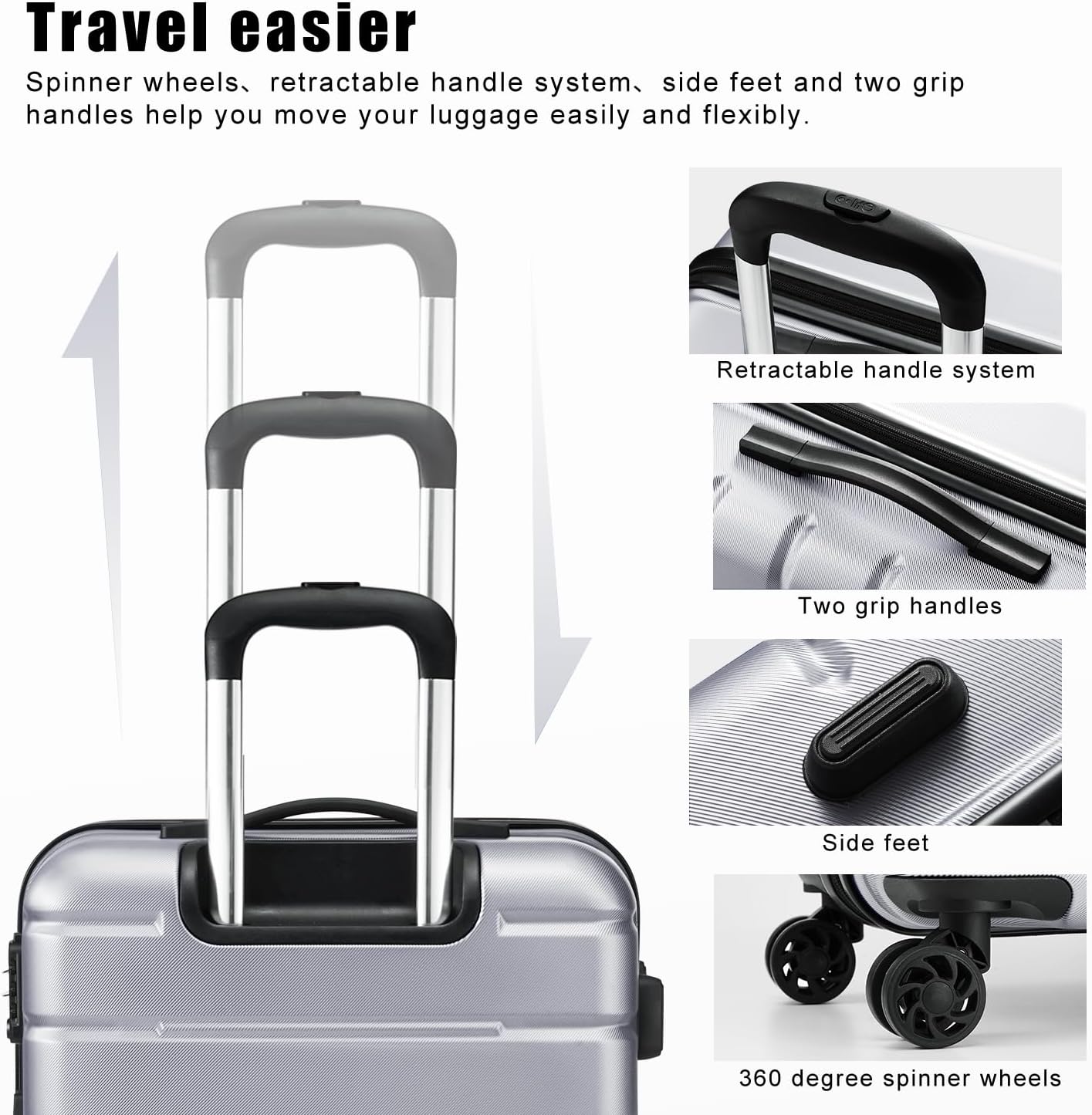
Image: A view highlighting the ergonomic telescopic handle and the smooth-gliding 360-degree spinner wheels of the Coolife luggage.
Using Grab Handles
Use the top and side handles for lifting the luggage into overhead compartments, onto luggage racks, or when navigating stairs. These handles are designed for comfort and durability.
Video: Features and Review of Coolife Luggage, demonstrating the ease of movement and various handles. (Source: Kaitlyn Murphy)
5. Maintenance & Care
Cleaning the Hardshell Exterior
Wipe the exterior with a soft, damp cloth and mild soap. Avoid abrasive cleaners or solvents that could damage the finish. Dry thoroughly with a clean cloth.
Zippers Care
Keep zippers free from debris. If zippers become stiff, apply a small amount of zipper lubricant or wax to the teeth.
Wheel Maintenance
Periodically check the spinner wheels for any tangled hair or debris. Clean them gently to ensure smooth rolling. Avoid exposing wheels to extreme temperatures or harsh chemicals.
Storage Recommendations
Store your luggage in a cool, dry place away from direct sunlight. If storing multiple pieces, the smaller sizes can nest inside the larger ones for space-saving convenience.
6. Troubleshooting
- Stiff Telescopic Handle: Ensure no debris is obstructing the handle mechanism. Extend and retract a few times to loosen.
- Wheels Not Rolling Smoothly: Check for hair, lint, or dirt caught in the wheel axles. Clean as described in the Maintenance section.
- Zipper Issues: If a zipper gets stuck, avoid forcing it. Gently pull the fabric away from the zipper teeth and try to move the slider. Lubricate if necessary.
- Combination Lock Reset Failure: Double-check that you are pressing the reset button correctly and holding it down while setting the new combination. Ensure the dials are set to the default 0-0-0 before attempting to reset.
7. Specifications
| Feature | Detail |
|---|---|
| Size | M(24in) |
| Item Dimensions L x W x H | 15.7"L x 10.2"W x 25"H |
| Item Weight | 7.58 Pounds |
| Storage Volume | 60 Liters |
| Material Type | Acrylonitrile Butadiene Styrene (ABS), Polycarbonate (PC) |
| Shell Type | Hard |
| Color | Silver |
| Wheel Type | Spinner (4 wheels) |
| Lock Type | Combination Lock (TSA-approved) |
| Handle Type | Telescopic Extendable Handle |
| Water Resistance Level | Water Resistant |
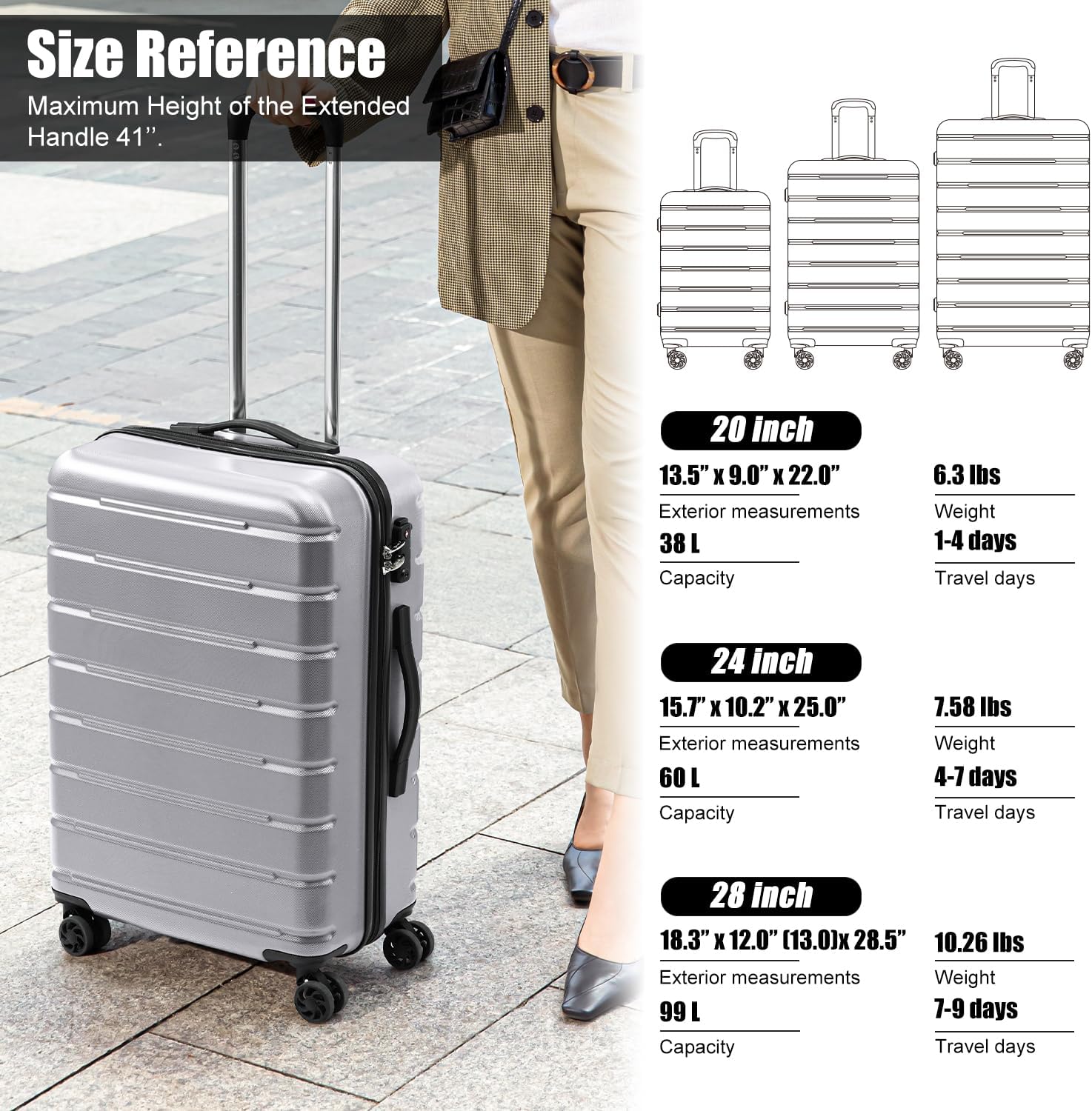
Image: A visual size reference chart displaying the 20-inch, 24-inch, and 28-inch Coolife luggage models with their respective dimensions, weights, and suggested travel days.
8. Warranty & Support
Coolife products undergo meticulous quality testing to guarantee peak performance. Should you require any assistance with your purchase, please do not hesitate to contact us on Amazon. We are always here for you.
For further assistance, please visit the Coolife Store on Amazon.


