
1. Product Overview
The Ingco PLM6001 600W Wood Router is a powerful electric tool designed for precision woodworking tasks such as routing, trimming, and shaping wood. Its robust aluminum construction ensures durability and stable operation. This manual provides essential information for safe and effective use of your router.
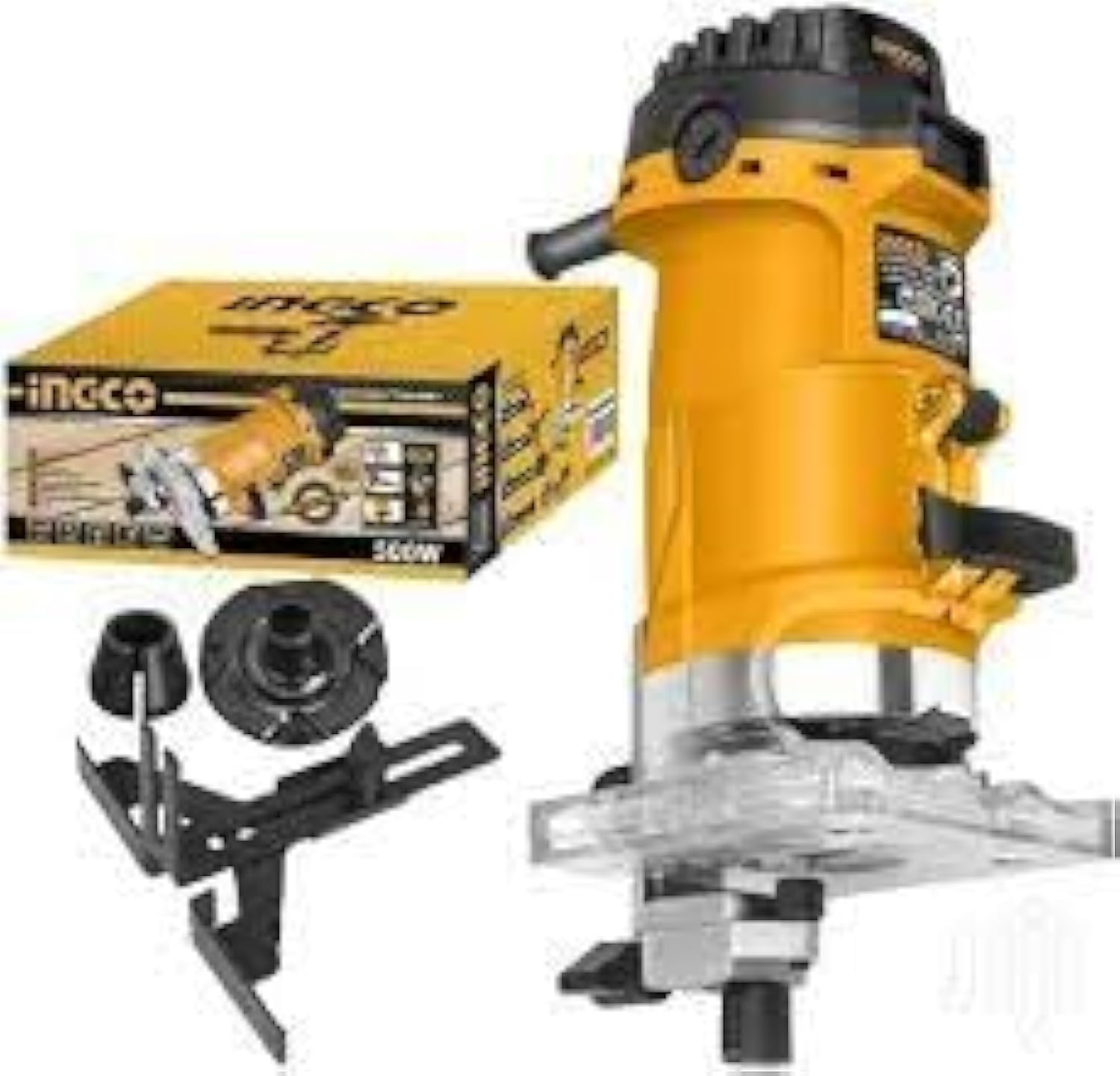
Image 1: Ingco 600W Wood Router PLM6001. This image displays the main unit of the wood router, highlighting its compact design and power cord connection.
2. Safety Instructions
Always follow basic safety precautions to reduce the risk of fire, electric shock, and personal injury when using power tools.
- Read the entire manual: Understand all instructions and warnings before operating the tool.
- Wear appropriate safety gear: Always use eye protection, hearing protection, and a dust mask.
- Secure your workpiece: Ensure the material being routed is firmly clamped to prevent movement during operation.
- Maintain a clean work area: Cluttered areas invite accidents. Keep your workspace well-lit and free of debris.
- Avoid accidental starting: Ensure the switch is in the off position before plugging in the tool.
- Do not overreach: Maintain proper footing and balance at all times.
- Disconnect power: Always unplug the router before changing bits, making adjustments, or performing maintenance.
- Use correct bits: Only use router bits designed for the tool and suitable for the material being cut.
3. Package Contents
Verify that all items are present upon unpacking:
- Ingco 600W Wood Router (PLM6001)
- Router body
- Instruction Manual
4. Product Features
The Ingco PLM6001 Wood Router offers the following key features:
- Easy wood cutting capabilities.
- Very powerful 600W motor for demanding tasks.
- Durable aluminum construction.
- Electric power source for consistent performance.
5. Setup
Before operating the router, proper setup is crucial for safety and performance.
- Bit Installation: Ensure the router is unplugged. Insert the desired router bit into the collet. Tighten the collet nut securely with the provided wrench. Do not overtighten.
- Depth Adjustment: Loosen the depth adjustment knob or lever. Position the router bit to the desired cutting depth. Tighten the knob or lever to secure the depth setting. Perform a test cut on scrap material to verify the depth.
- Workpiece Preparation: Secure your workpiece firmly to a stable workbench using clamps. Ensure there is no obstruction in the routing path.
6. Operating Instructions
Follow these steps for safe and effective operation of your Ingco Wood Router.
- Power Connection: Plug the router into a suitable power outlet. Ensure the power switch is in the 'OFF' position before plugging in.
- Starting the Router: Hold the router firmly with both hands. Position the router bit slightly above the workpiece. Turn the power switch to the 'ON' position. Allow the motor to reach full speed before engaging the bit with the material.
- Routing Technique: Guide the router smoothly and consistently along the desired path. Apply steady, even pressure. Avoid forcing the tool, as this can lead to poor cuts and motor strain. Always route against the direction of bit rotation for better control.
- Stopping the Router: Lift the router clear of the workpiece. Turn the power switch to the 'OFF' position. Wait for the bit to come to a complete stop before setting the tool down.
7. Maintenance
Regular maintenance ensures the longevity and optimal performance of your router.
- Cleaning: After each use, unplug the router and use a brush or compressed air to remove dust and wood chips from the motor vents and collet area. Do not use solvents.
- Bit Care: Keep router bits sharp and clean. Dull bits can cause kickback and poor cuts. Store bits in a protective case to prevent damage.
- Cord Inspection: Regularly inspect the power cord for any signs of damage, cuts, or fraying. Replace damaged cords immediately.
- Storage: Store the router in a dry, secure location, out of reach of children.
8. Troubleshooting
Refer to this section for common issues and their solutions.
| Problem | Possible Cause | Solution |
|---|---|---|
| Router does not start | No power supply; Faulty switch; Damaged cord | Check power outlet and cord; Consult a qualified technician for switch or cord replacement. |
| Poor cut quality / Burning wood | Dull bit; Incorrect feed rate; Incorrect depth setting | Replace or sharpen bit; Adjust feed rate; Verify depth setting. |
| Excessive vibration | Loose bit; Damaged bit; Unbalanced bit | Ensure bit is securely tightened; Replace damaged or unbalanced bits. |
| Router overheats | Blocked ventilation; Overloading the motor | Clean ventilation slots; Reduce load on the motor; Allow tool to cool. |
9. Specifications
Technical specifications for the Ingco PLM6001 Wood Router:
| Specification | Detail |
|---|---|
| Manufacturer | Ingco |
| Model Number | PLM6001 |
| Power Source | Electric (Corded) |
| Power Rating | 600W |
| Material | Aluminum |
| Item Weight | 209 grams |
| Product Dimensions | 10 x 20 x 37 cm |
| Base Type | Fixed |
| Batteries Required | No |
| Country of Origin | China |
10. Warranty and Support
For warranty information, please refer to the documentation provided with your purchase or contact Ingco customer service directly. Keep your proof of purchase for any warranty claims.
For technical support or service inquiries, please visit the official Ingco website or contact their authorized service centers in your region.