
Introduction
This manual provides detailed instructions for the assembly, operation, and maintenance of your ODK L-Shaped Gaming Desk. This desk features integrated LED lighting, convenient power outlets, and a versatile design to enhance your workspace.
Please read this manual thoroughly before assembly and use to ensure proper setup and safe operation.
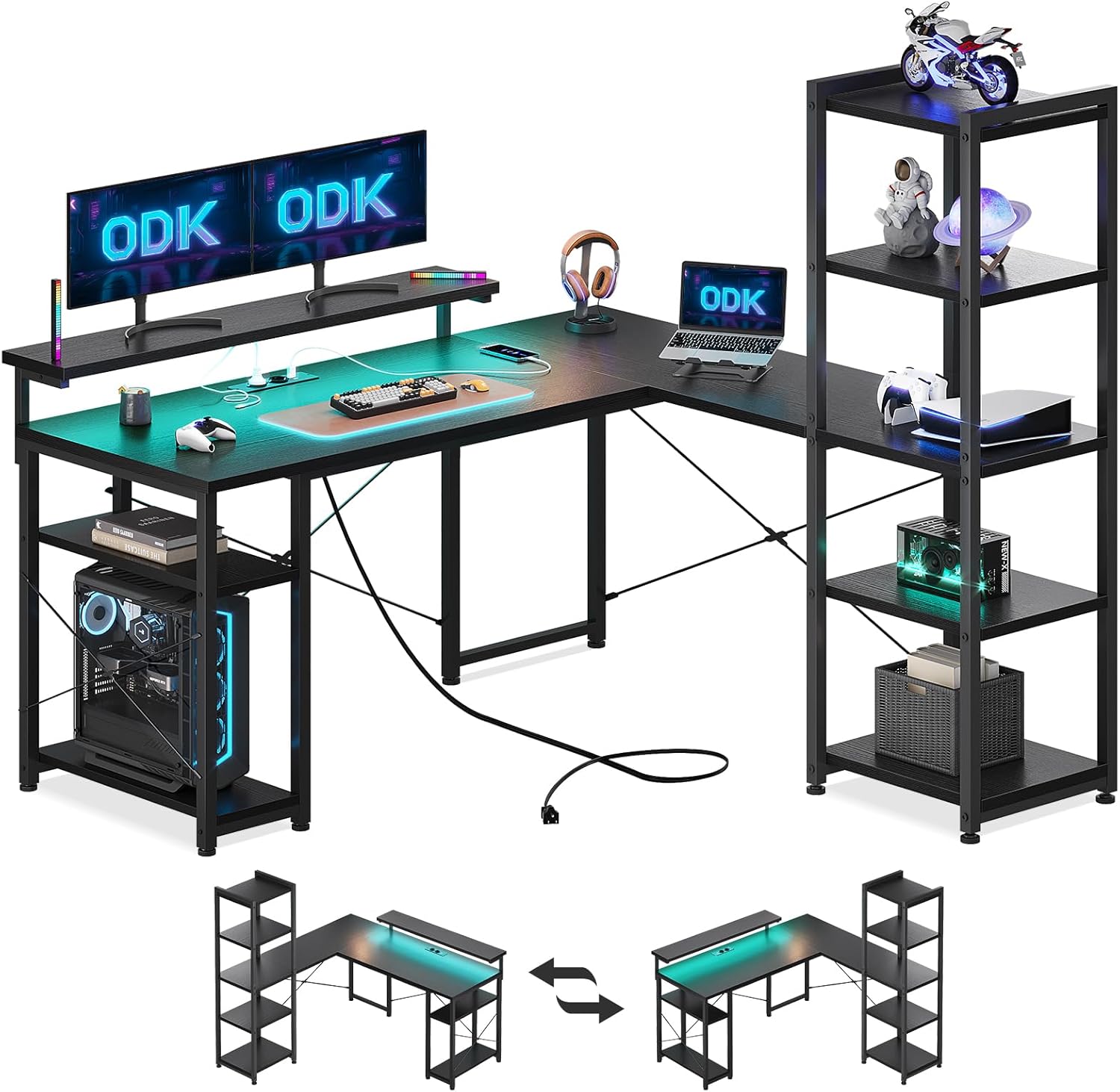
Image: The ODK L-Shaped Gaming Desk, showcasing its overall design, integrated LED lighting, and the accompanying storage shelf unit. The image also illustrates the reversible configuration options for the desk.
Safety Warning
Caution is recommended when fitting to avoid injury. Make sure the desktop is stable and well anchored, especially when used to support heavy equipment. Do not overload the desk or shelves. Keep all electrical components away from liquids. Ensure all connections are secure before use.
Setup and Assembly
The ODK L-Shaped Gaming Desk is designed for straightforward assembly. A complete set of mounting tools is included to facilitate a quick and easy installation process. Follow the clear instructions provided in the packaging for step-by-step guidance.
Reversible Design
This desk features a versatile, reversible design, allowing you to configure it as a left-corner or right-corner desk. This adaptability ensures it fits perfectly into various living spaces and meets your specific layout needs. Refer to the assembly instructions for details on configuring the desk in your preferred orientation.
Image: An illustration demonstrating the reversible nature of the ODK L-Shaped Gaming Desk, showing how the long and short sides can be interchanged to fit different room layouts.
Operating Instructions
LED Lighting System
The desk is equipped with built-in LED lighting to create an immersive atmosphere. It offers an impressive selection of 10 vibrant colors and 10 dynamic lighting modes. The system includes a practical memory function that saves your last selected lighting mode, allowing you to resume your preferred setting automatically upon activation.

Image: A detailed view of the LED strip integrated into the desk, along with a remote control and visual representations of the 10 available colors and lighting modes.
Integrated Power Outlets and USB Ports
For your convenience, the L-shaped gaming desk includes 2 standard power sockets (220-250V/15A) and 2 USB ports (5V/2.1A). These are designed to easily charge your laptop, phone, and other gaming gear directly from your workspace. The power strip is equipped with a 200cm net cable.
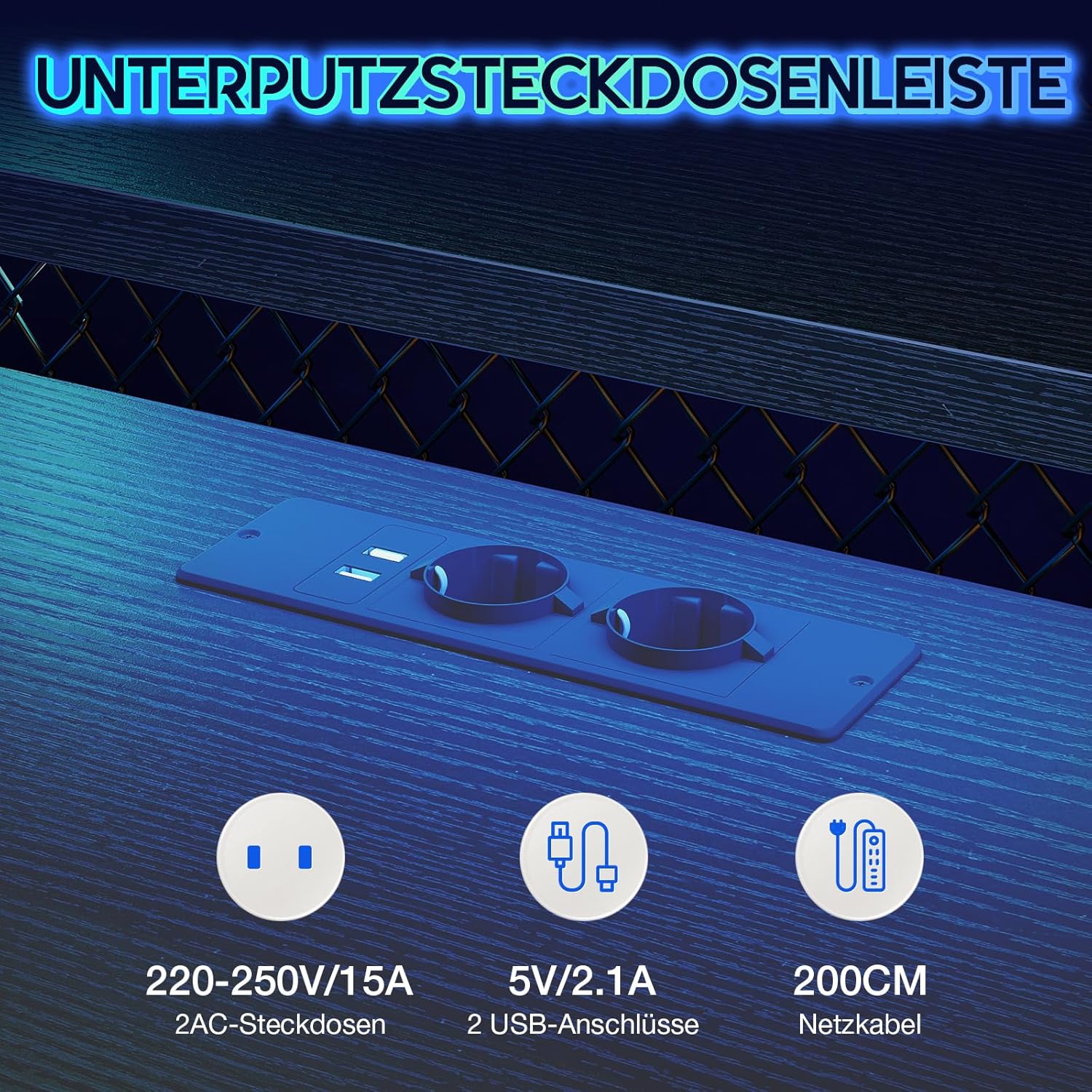
Image: A close-up showing the integrated power strip on the desk, featuring two standard electrical outlets and two USB charging ports, with specifications for voltage and current.
Storage and Monitor Stand
The desk provides ample storage solutions, including a dedicated PC stand, a storage rack located under the desktop, and a five-level storage unit. Additionally, the built-in monitor stand elevates your display, improving your line of sight and creating extra storage space beneath for accessories.

Image: An overhead view of the ODK L-Shaped Desk, highlighting various storage components such as the PC stand, under-desk shelf, five-level side shelf, and the elevated monitor stand, each numbered for identification.
Maintenance
To ensure the longevity and appearance of your ODK L-Shaped Gaming Desk, follow these simple maintenance guidelines:
- Cleaning: Wipe surfaces with a soft, damp cloth. Avoid abrasive cleaners or harsh chemicals that may damage the finish.
- Spills: Immediately clean up any spills to prevent staining or damage to the wood material.
- Electrical Components: Ensure the LED strip and power outlets remain dry. Do not attempt to clean them with liquids.
- Fasteners: Periodically check all screws and fasteners to ensure they are tight. Re-tighten if necessary to maintain stability.
Troubleshooting
If you encounter any issues with your ODK L-Shaped Gaming Desk, refer to the following common troubleshooting tips:
- LED Lights Not Working:
- Check if the power cable for the LED strip is securely connected to a working power source.
- Ensure the remote control (if applicable) has working batteries and is pointed correctly at the receiver.
- Verify that the LED strip itself is properly connected to its power adapter.
- Power Outlets/USB Ports Not Functioning:
- Confirm the main power cable for the desk's integrated power strip is plugged into a functional wall outlet.
- Test the outlets with a different device to rule out issues with your equipment.
- Avoid overloading the power strip with too many high-power devices.
- Desk Instability:
- Ensure all assembly screws are fully tightened.
- Verify the desk is placed on a level surface. Adjustable feet (if present) can be used to compensate for uneven floors.
For issues not resolved by these steps, please contact customer support.
Specifications
| Brand | ODK |
| Model Number | B15090 |
| Colour | blackone |
| Product Dimensions | 137D x 140W x 139H centimetres (approximate assembled size) |
| Material | Wood |
| Special Feature | Reversible, LED Lights, Integrated Power Outlets |
| Desk Design | L-Shape Computer Desk |
| Power Outlets | 2 x 220-250V/15A AC Sockets, 2 x 5V/2.1A USB Ports |
| Power Cable Length | 200 cm |

Image: A technical diagram illustrating the precise dimensions of the ODK L-Shaped Gaming Desk, including measurements for the desktop, monitor stand, and integrated shelving unit.
Warranty and Customer Support
ODK is committed to providing reliable products and excellent customer service. While specific warranty details are typically provided with your purchase documentation, our dedicated customer support team is available to address any product-related issues or questions you may have.
If you require assistance, encounter problems during assembly, or have questions about the desk's features, please do not hesitate to contact us. We aim to provide immediate assistance when needed to ensure your satisfaction.
Please refer to your purchase receipt or the product packaging for contact information for ODK customer support.