
1. Product Overview
The ODK L-Shaped Desk is designed for versatility and functionality, offering a spacious work surface and integrated storage solutions. Its reversible design allows it to fit various room layouts, while built-in LED lighting and a power strip enhance convenience and user experience. This desk is ideal for home offices, gaming setups, or study areas.

2. Safety Warnings
To ensure safe operation and prevent damage, please adhere to the following safety guidelines:
- Always assemble the desk strictly according to the provided instructions.
- Verify that the desk is stable and securely positioned before placing any items on it or commencing use.
- Do not exceed the maximum weight capacity for the desk surfaces or storage components.
- Avoid overloading the electrical components (power strip, USB ports).
- Keep the desk and all electrical components away from water, excessive moisture, and direct heat sources.
- Always unplug electrical components from the power source when the desk is not in use or when relocating the desk.
3. Key Features
The ODK L-Shaped Desk incorporates several features designed for enhanced productivity and comfort:
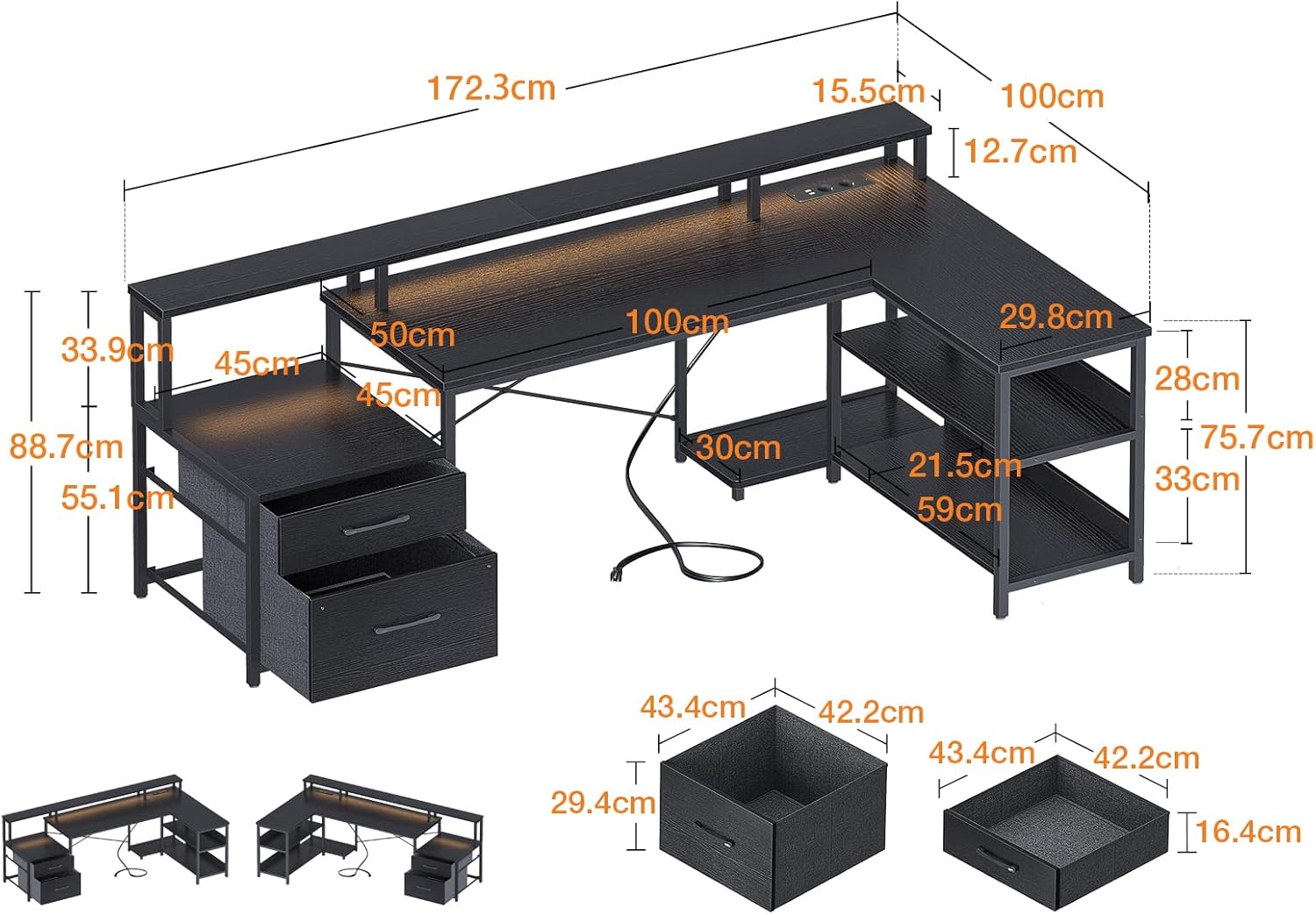
- Ample Storage Space: Includes two document drawers, a dedicated printer cabinet, a 2-tier lower shelf, and a computer tower stand to keep your workspace organized.
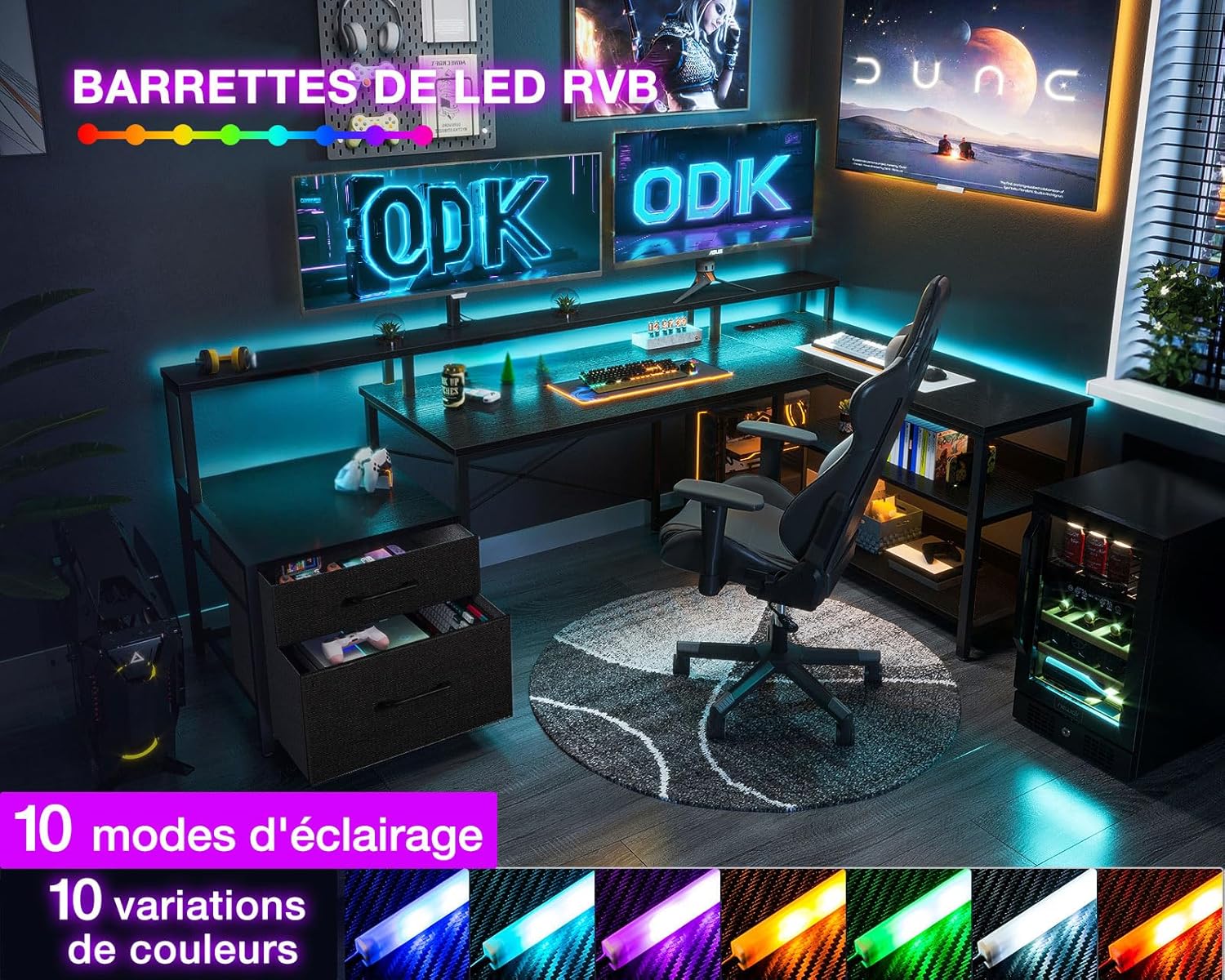
- Cool LED Lighting: Features integrated LED lighting with 10 color options, 10 modes, 8 adjustable brightness levels, and 9 flicker frequencies. A memory function recalls the last used mode.
- Convenient Charging and Monitor Stand: Equipped with 2 standard outlets and 2 USB ports for easy charging of devices. The long monitor stand helps maintain ergonomic posture and provides additional storage.
- Extra-Large Work Surface: The main work surface measures 100 cm, providing generous space for multiple monitors and accessories.
- Reversible L-Shaped Design: The desk can be configured as a left-sided or right-sided L-shape to perfectly adapt to your room layout and personal preference.




4. Setup Instructions
Assembly of the ODK L-Shaped Desk requires careful attention to detail. Please follow the step-by-step instructions provided in the packaging. Ensure all components are present before beginning assembly.
- Unpack all components and verify against the parts list in your assembly manual.
- Identify the main desk sections and the storage unit.
- Decide on your preferred L-shape configuration (left or right) before attaching the storage unit. The design allows for flexibility.
- Follow the numbered steps in the included assembly guide for connecting frames, attaching panels, and installing drawers.
- Secure all screws and fasteners firmly, but do not overtighten to avoid damaging the material.
- Once assembled, gently move the desk to its desired location and ensure it is level and stable.
5. Operating Instructions
This section details how to use the integrated features of your ODK L-Shaped Desk.
5.1. LED Lighting Operation
- Locate the LED control panel or remote (if included).
- Press the power button to turn the lights on/off.
- Use the color selection buttons to cycle through 10 different colors.
- Adjust brightness using the dedicated brightness control buttons (8 levels available).
- Select from 10 different lighting modes and 9 flicker frequencies to customize your ambiance.
- The memory function will automatically recall your last selected settings upon reactivation.
5.2. Power Strip and USB Ports
- Plug the desk's main power cord into a standard wall outlet.
- Use the 2 standard AC outlets to power devices such as monitors, laptops, or lamps.
- Connect your smartphones, tablets, or other USB-powered devices to the 2 USB ports for charging.
- Ensure that the total power draw of connected devices does not exceed the power strip's maximum rating.
6. Maintenance
Regular maintenance will help preserve the appearance and functionality of your ODK L-Shaped Desk.
- Cleaning: Wipe surfaces with a soft, damp cloth. For stubborn marks, use a mild, non-abrasive cleaner. Avoid harsh chemicals or abrasive materials that could damage the finish.
- Dusting: Regularly dust all surfaces, including the LED strip and power outlets, to prevent accumulation.
- Hardware Check: Periodically check all screws and fasteners to ensure they remain tight. Retighten if necessary to maintain stability.
- Electrical Components: Keep the power strip and USB ports free of dust and debris. Do not attempt to disassemble or repair electrical components yourself.
7. Troubleshooting
This section addresses common issues you might encounter with your desk.
- Desk is Wobbly:
- Check that all assembly screws are securely tightened.
- Ensure the desk is on a flat, level surface. Adjust leveling feet if present. - LED Lights Not Working:
- Verify the desk's main power cord is securely plugged into a working outlet.
- Check the connection of the LED strip to the power source.
- Ensure the LED control panel or remote has working batteries (if applicable). - Power Outlets/USB Ports Not Functioning:
- Confirm the desk's main power cord is plugged in and the wall outlet is active.
- Check if the power strip has an overload protection reset button and press it if tripped.
- Ensure devices are properly connected to the outlets/ports. - Drawers Not Sliding Smoothly:
- Check for any obstructions in the drawer slides.
- Ensure the drawer slides are properly aligned and installed according to the assembly instructions.
If you experience issues not covered here or require further assistance, please contact ODK customer support.
8. Specifications
| Attribute | Detail |
|---|---|
| Brand | ODK |
| Model Number | B02021001002 |
| Color | Black |
| Product Dimensions (L x W x H) | 172.5 x 100 x 89 cm (67.9 x 39.4 x 35 inches) |
| Material | Engineered Wood (Top), Alloy Steel (Base) |
| Item Weight | 24.1 Kilograms (53.1 lbs) |
| Special Feature | Storage Cabinet, LED Lighting, Power Strip, Reversible Design |
9. Warranty and Support
ODK products are manufactured to high-quality standards. For information regarding warranty coverage, please refer to the warranty card included with your product or visit the official ODK website. For technical support, replacement parts, or any inquiries, please contact ODK customer service through the contact information provided on the product packaging or the official ODK support channels.


