
1. Product Overview
The ODK L-Shaped Desk is designed to provide a spacious and organized workspace, ideal for home offices, gaming setups, or study areas. This versatile desk features ample storage solutions, including drawers and shelves, along with integrated power and USB outlets for convenient device charging and connectivity.
Its reversible design allows for flexible configuration to fit various room layouts, making it a practical addition to any modern living or working environment. The desk is constructed with durable materials to ensure stability and longevity.
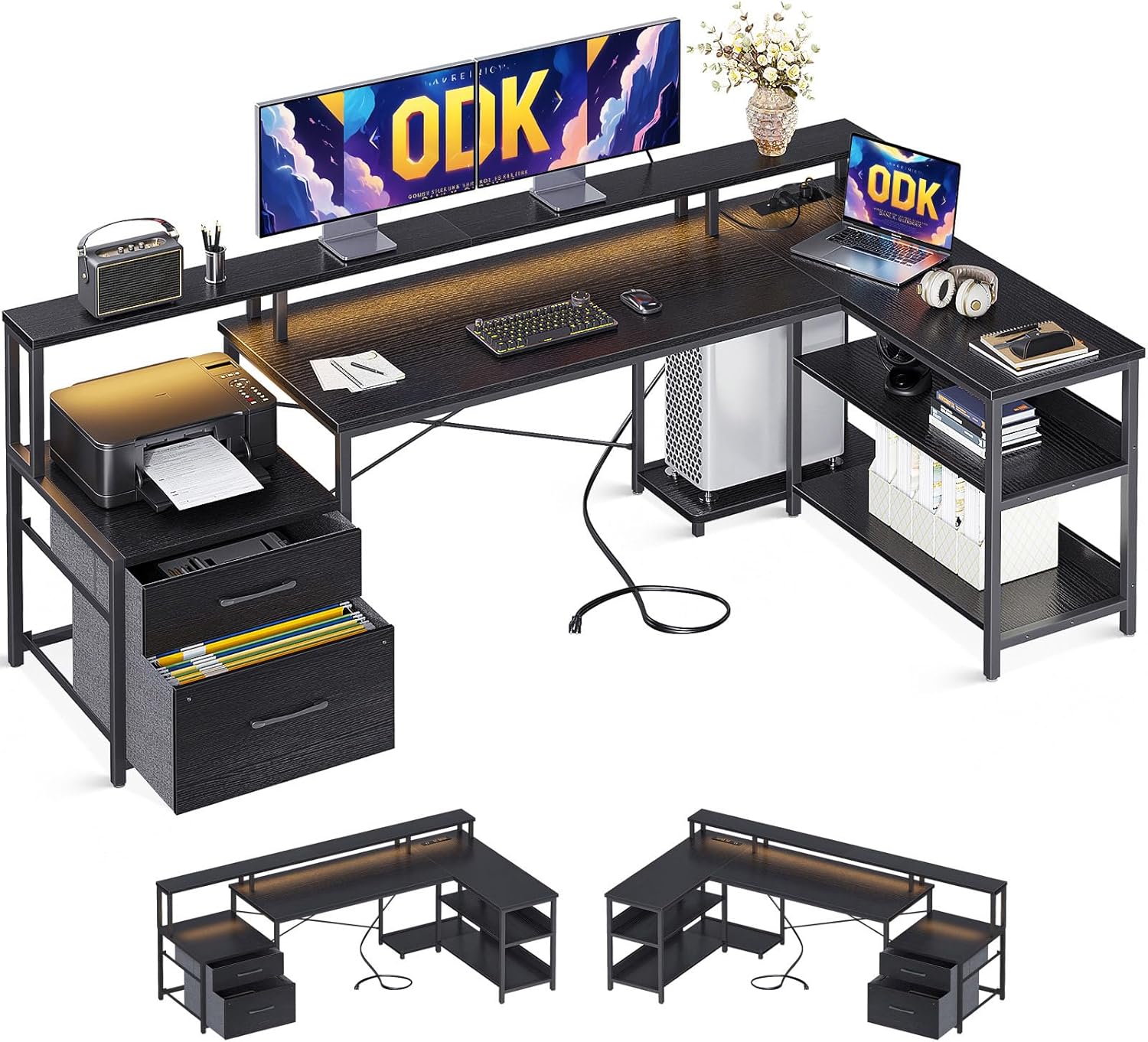
Image: The ODK L-Shaped Desk fully assembled, showcasing its spacious design, integrated monitor stand, and various storage compartments including drawers and shelves. A printer and multiple monitors are set up on the desk.

Image: The ODK L-Shaped Desk situated in a contemporary room with brick walls and large windows, demonstrating its aesthetic appeal and functional integration into a living space.
2. Safety Warnings
This desk is designed for residential use and is recommended for gaming. It is essential to assemble it correctly and secure it to the ground to ensure stability and safety. Always consider the total weight of the desk, including any connected equipment such as monitors, computers, and peripherals, to prevent damage or injury. Do not overload shelves or drawers beyond their stated weight capacity. Keep all electrical connections dry and away from liquids. Ensure proper ventilation for electronic devices placed on or within the desk.
3. Package Contents and Dimensions
Before beginning assembly, please verify that all components listed in the packing list (typically found inside the product packaging) are present and undamaged. If any parts are missing or damaged, please contact customer support immediately.
The desk components are carefully packaged to prevent damage during transit. Familiarize yourself with the different parts and hardware before starting the assembly process.

Image: A detailed diagram illustrating the various dimensions of the ODK L-Shaped Desk, including overall length, width, height, and measurements for shelves and drawers. This image helps in understanding the scale and component sizes.
4. Assembly Instructions
Assembly of the ODK L-Shaped Desk is required. Please follow the step-by-step instructions provided in the included assembly manual. It is recommended to assemble the desk with at least two people to ensure stability and ease of construction. Use the provided tools and hardware, and do not overtighten screws.
The desk features a reversible design, allowing you to configure the L-shape to either the left or right side, depending on your space requirements. Decide on your preferred orientation before starting the assembly.
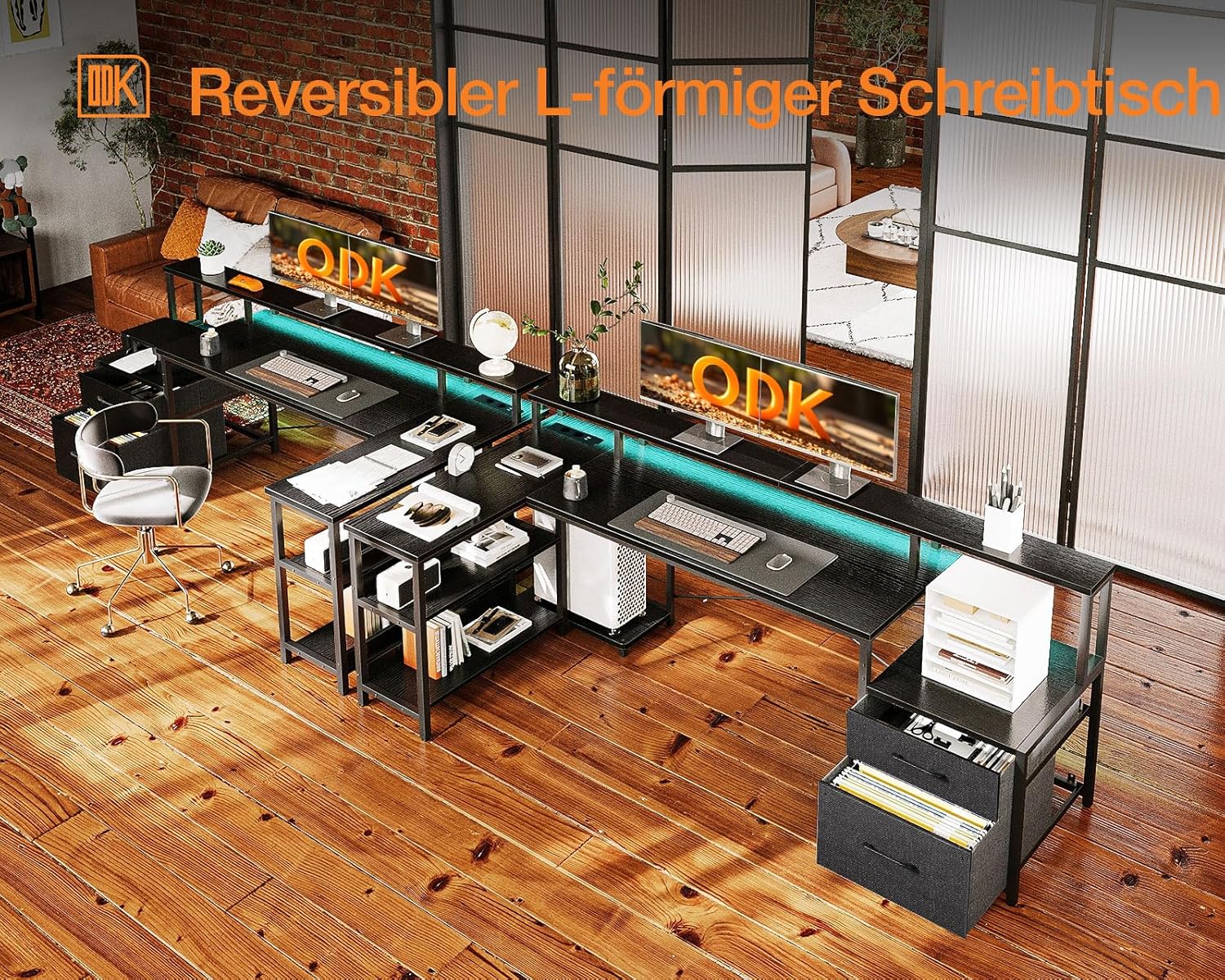
Image: An illustration demonstrating the reversible nature of the ODK L-Shaped Desk, showing how it can be configured with the longer section on either the left or right side to suit different room layouts.
5. Key Features and Operation
5.1. Storage Solutions
The ODK L-Shaped Desk offers extensive storage options to keep your workspace tidy and efficient. It includes two paper drawers, a dedicated printer cabinet, a two-tier lower shelf, and a computer tower stand. These features are designed to accommodate various office supplies, documents, and equipment, keeping them organized and easily accessible.
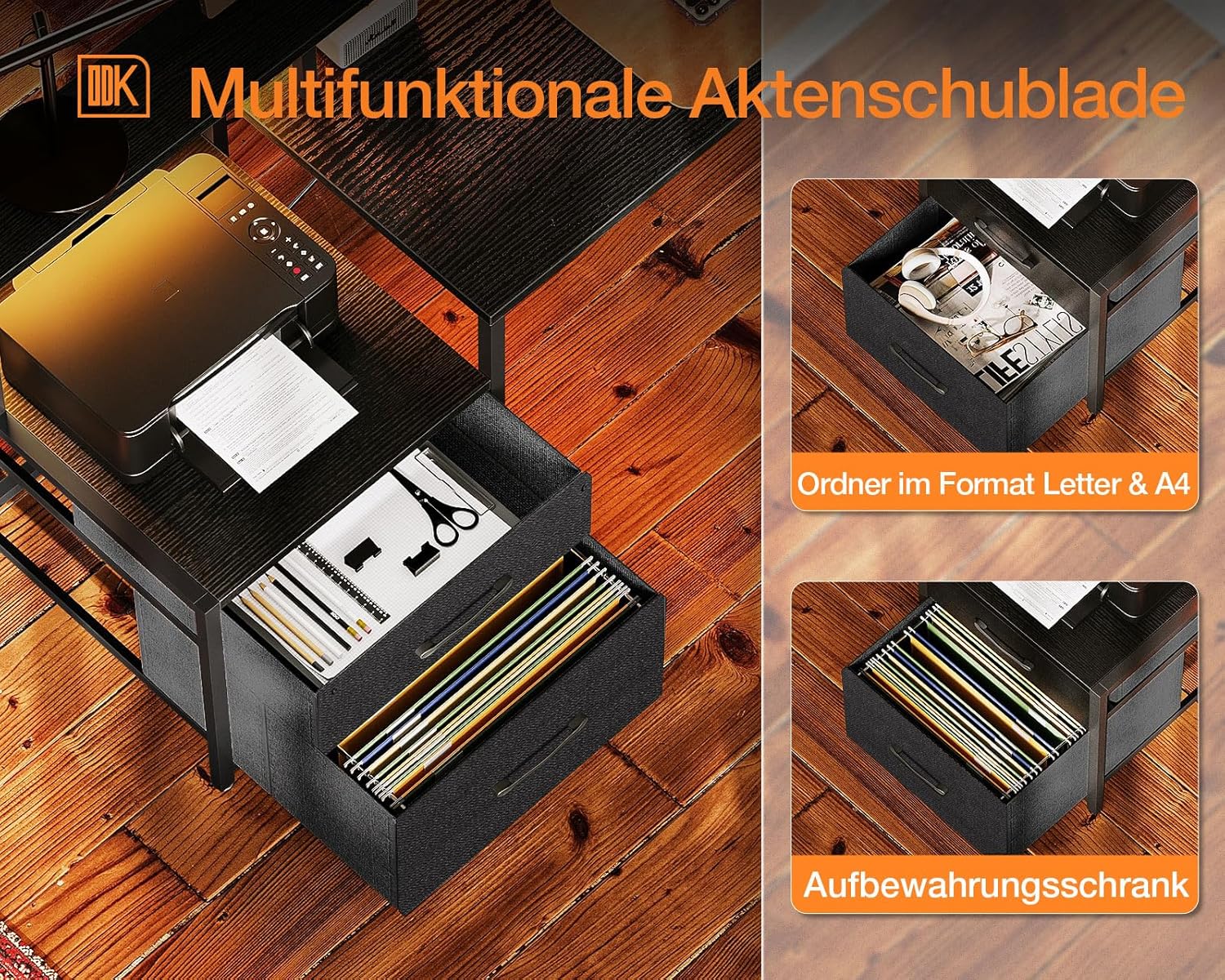
Image: A close-up view of the multifunctional file drawers, showing their capacity for Letter and A4 size folders, and their utility as general storage compartments.
5.2. Integrated Power and Connectivity
For enhanced convenience, the desk is equipped with a built-in power strip featuring two 220-250V/15A AC outlets and two 5V/2.1A USB ports. This allows you to power and charge your electronic devices directly from your desk, reducing cable clutter. The power strip is recessed for a clean look and easy access.

Image: A detailed view of the integrated power strip located on the monitor stand, highlighting the AC outlets and USB ports for convenient device charging and power access.
5.3. LED Lighting
The desk includes an integrated LED light strip, providing ambient or task lighting for your workspace. The LED lighting can enhance visibility and create a more immersive gaming or working environment. Refer to the assembly manual for instructions on connecting and operating the LED lights.
5.4. Ergonomic Design
The desk features a long monitor stand that elevates your screens to an ergonomic viewing height, helping to reduce neck and eye strain. This elevated surface also provides additional space underneath for organizing your keyboard, mouse, and other accessories when not in use.

Image: A visual comparison highlighting the larger surface area of the ODK desk, particularly the main desktop section, compared to other standard desks, emphasizing its spacious design.
6. Maintenance
To maintain the appearance and longevity of your ODK L-Shaped Desk, follow these simple maintenance guidelines:
- Cleaning: Wipe surfaces with a soft, damp cloth. Avoid using harsh chemicals or abrasive cleaners, as they may damage the finish.
- Spills: Immediately wipe up any spills to prevent staining or damage to the wood material.
- Heat and Moisture: Avoid placing hot items directly on the desk surface. Use coasters for drinks to prevent water rings.
- Stability Check: Periodically check all screws and fasteners to ensure they are tight. Retighten if necessary to maintain desk stability.
- LED Care: If the LED lights require cleaning, gently wipe them with a dry, soft cloth. Do not use liquids directly on the LED strip.
7. Troubleshooting
If you encounter any issues with your ODK L-Shaped Desk, please refer to the following common troubleshooting tips:
- Desk Wobbles: Ensure all screws and bolts are securely tightened. Check that the desk is placed on a level surface. Adjust any leveling feet if present.
- Drawers Not Sliding Smoothly: Verify that the drawer slides are correctly installed and aligned. Ensure no obstructions are in the drawer tracks.
- LED Lights Not Working: Check that the power cable for the LED strip is securely plugged into both the desk's power outlet and a functioning wall outlet. Ensure the LED switch (if any) is in the 'on' position.
- Power Outlets/USB Ports Not Functioning: Confirm the desk's main power cord is plugged into a live wall outlet. Test the wall outlet with another device. Check for any tripped circuit breakers.
- Missing Parts During Assembly: Double-check the packaging and compare with the parts list. If parts are genuinely missing, contact ODK customer support with your purchase details.
For issues not covered here, or if troubleshooting steps do not resolve the problem, please contact ODK customer support for further assistance.
8. Specifications
| Feature | Detail |
|---|---|
| Brand | ODK |
| Model Number | B02021001002 |
| Color | Black |
| Product Dimensions (L x W x H) | 189.3D x 100W x 89H centimeters (approx. 74.5 x 39.4 x 35 inches) |
| Weight | 26.6 kg (approx. 58.6 lbs) |
| Material | Engineered Wood (top), Alloy Steel (base) |
| Special Features | Storage cabinet, Drawers, LED lighting, USB ports, Power outlets, Reversible L-shape |
| Assembly Required | Yes |
9. Warranty and Support
ODK stands behind the quality of its products. For information regarding warranty coverage, terms, and conditions, please refer to the warranty card included with your purchase or visit the official ODK website. Typically, products are covered against manufacturing defects for a specified period from the date of purchase.
If you require technical support, have questions about assembly, or need to report a missing/damaged part, please contact ODK customer service. When contacting support, please have your model number (B02021001002) and proof of purchase readily available to expedite the process. The seller for this product is ODK EU.
For the most up-to-date contact information, please visit the ODK brand store or the 'Contact Us' section on the ODK official website.


