
1. Introduction
Thank you for choosing the ODK XSD-CJJJZ02 Computer Desk. This desk is designed for home and office use, featuring a spacious tabletop, a side storage bag, and a headphone hook for enhanced organization. Its stable construction and modern design make it a functional addition to any workspace. This manual provides detailed instructions for assembly, usage, and maintenance to ensure optimal performance and longevity of your desk.
2. Safety Information
Please read all safety warnings before assembly and use.
- Ensure the desk is properly anchored to prevent tipping, especially if heavy items are placed on it or if it is used in an unstable environment.
- Handle all components with care during assembly to avoid injury.
- Keep small parts and packaging materials away from children to prevent choking hazards.
- Do not overload the desk. Refer to the specifications for weight capacity.
- Avoid placing hot items directly on the desk surface without protection.
3. Package Contents
Before beginning assembly, verify that all parts listed below are present and undamaged. If any parts are missing or damaged, please contact customer support.
- Desk Panels (Tabletop sections)
- Steel Frame Components (Legs, support bars)
- Hardware Pack (Screws, bolts, Allen wrench)
- Side Storage Bag
- Headphone Hook
- Adjustable Foot Pads
- Instruction Manual
4. Setup and Assembly Instructions
Assembly of the ODK Computer Desk typically takes 20 to 30 minutes. Follow these steps carefully:
- Unpack and Identify Parts: Lay out all components on a clean, soft surface to prevent scratches. Refer to the parts list to identify each piece.
- Assemble the Frame: Attach the steel frame components together using the provided screws and Allen wrench. Ensure all connections are secure but do not overtighten initially.
- Attach Tabletop Panels: Carefully place the tabletop panels onto the assembled frame. Align the pre-drilled holes and secure the panels to the frame using the appropriate screws. Tighten all screws firmly once the tabletop is in place.
- Install Adjustable Foot Pads: Screw the adjustable foot pads into the bottom of the desk legs. These can be adjusted later to level the desk on uneven floors.
- Attach Accessories: Install the side storage bag and headphone hook to the designated locations on the desk frame or tabletop edge as per the detailed diagrams in the included manual.

Figure 4.1: Desk dimensions (160cm L x 55cm W x 73.5cm H) and accessory placement.
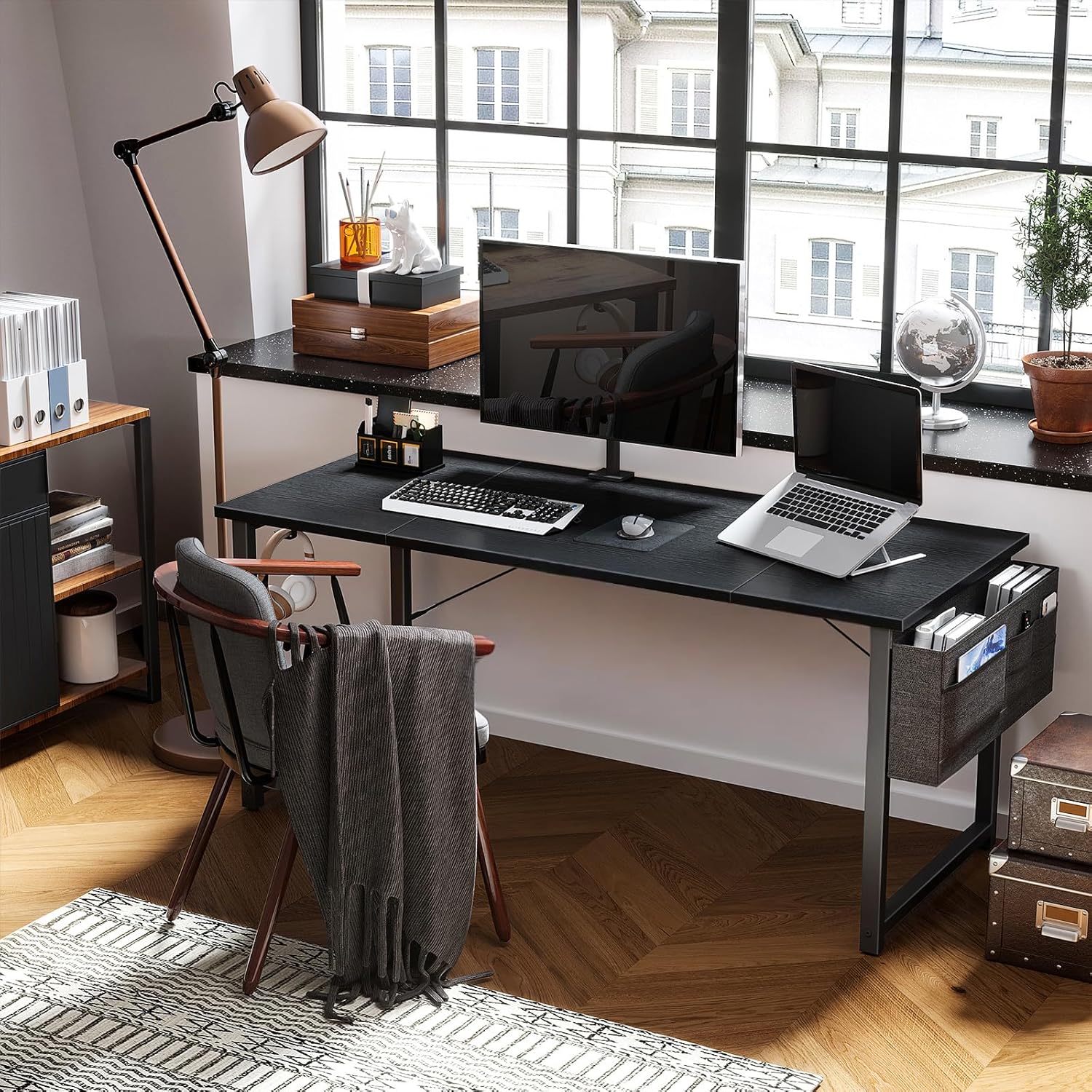
Figure 4.2: The ODK Computer Desk fully assembled and in use.
5. Operating Instructions (Usage)
The ODK Computer Desk is designed for versatile use in various settings.
- Spacious Work Surface: The large tabletop accommodates a PC, laptop, monitor, keyboard, mouse, and other office essentials.
- Side Storage Bag: Utilize the fabric storage bag to keep documents, notebooks, pens, and other small items organized and within reach.
- Headphone Hook: Hang your headphones, bags, or other accessories on the integrated iron hook to keep your desk clutter-free.
- Leveling: Adjust the foot pads at the base of the legs to ensure the desk is stable and level on uneven floor surfaces. This also helps reduce noise when moving the desk.

Figure 5.1: Detail of the desk surface and the integrated headphone hook.
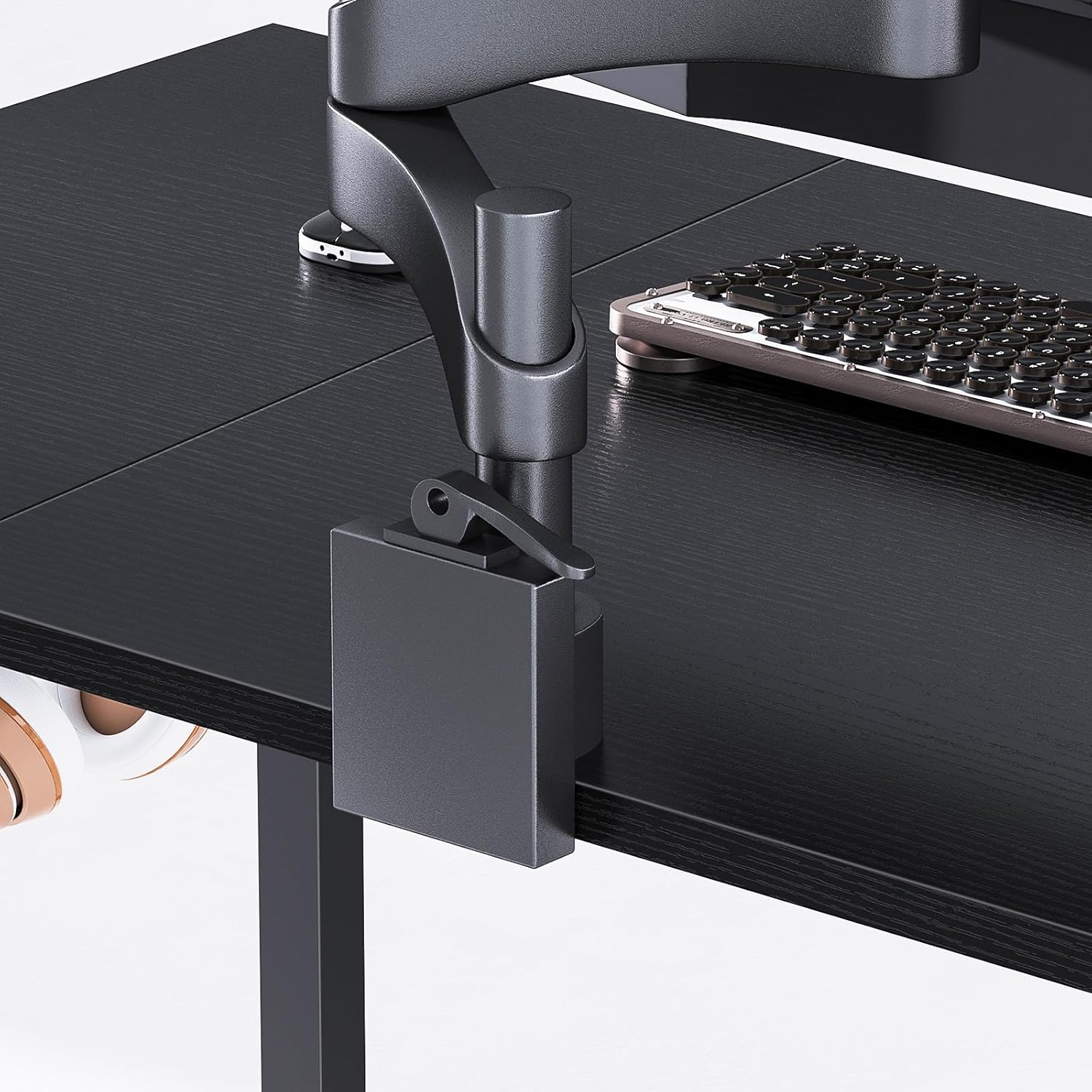
Figure 5.2: Detail of the side storage bag, showing its capacity for various items.
6. Maintenance
Proper care will help maintain the appearance and functionality of your ODK Computer Desk.
- Cleaning: Wipe the desk surface with a soft, damp cloth. For stubborn stains, use a mild soap solution and dry immediately. Avoid harsh chemicals or abrasive cleaners.
- Surface Protection: The desk surface is designed to be scratch-resistant, collision-resistant, and waterproof. However, it is recommended to use coasters for drinks and protective pads under heavy or sharp objects to prevent potential damage.
- Frame Care: Periodically check and tighten all screws and bolts to ensure the desk remains stable.
- Storage Bag: The fabric storage bag can be spot cleaned with a damp cloth.
7. Troubleshooting
If you encounter any issues with your ODK Computer Desk, refer to the following common solutions:
- Desk is Wobbly:
Solution: Check that all assembly screws are securely tightened. Adjust the individual foot pads on the bottom of the legs to level the desk on uneven surfaces. - Surface Scratches or Marks:
Solution: While the surface is resistant, deep scratches can occur from sharp objects. For minor marks, a furniture polish designed for laminate surfaces may help. Always use protective pads for items that could cause damage. - Accessories Not Staying in Place:
Solution: Ensure the headphone hook and storage bag are correctly attached according to the assembly instructions. Check for any loose fasteners.
8. Specifications
| Feature | Detail |
|---|---|
| Brand | ODK |
| Model Number | XSD-CJJJZ02 |
| Dimensions (L x W x H) | 160 x 55 x 73.5 cm (63 x 21.7 x 28.9 inches) |
| Material | Engineered Wood (Particle Board), Metal (Steel Frame) |
| Color | Black |
| Item Weight | 5.9 Kilograms (13 lbs) |
| Special Features | Headphone Hook, Side Storage Bag, Adjustable Foot Pads, Scratch-resistant, Waterproof Surface |
| Assembly Time | 20-30 minutes (approx.) |
9. Warranty and Support
Specific warranty information for the ODK XSD-CJJJZ02 Computer Desk is not provided in the product details. For warranty claims, technical support, or inquiries regarding replacement parts, please contact ODK customer service directly through their official website or the retailer where the product was purchased.


