
Introduction
This manual provides detailed instructions for the Northpoint Natural Sound Box, Model NP-NGBR-H-23. This device is designed to enhance your indoor environment with natural sounds and ambient lighting, featuring a real wood finish, an invisible HF motion sensor, and a rechargeable battery. Please read this manual thoroughly before use to ensure proper operation and maintenance.
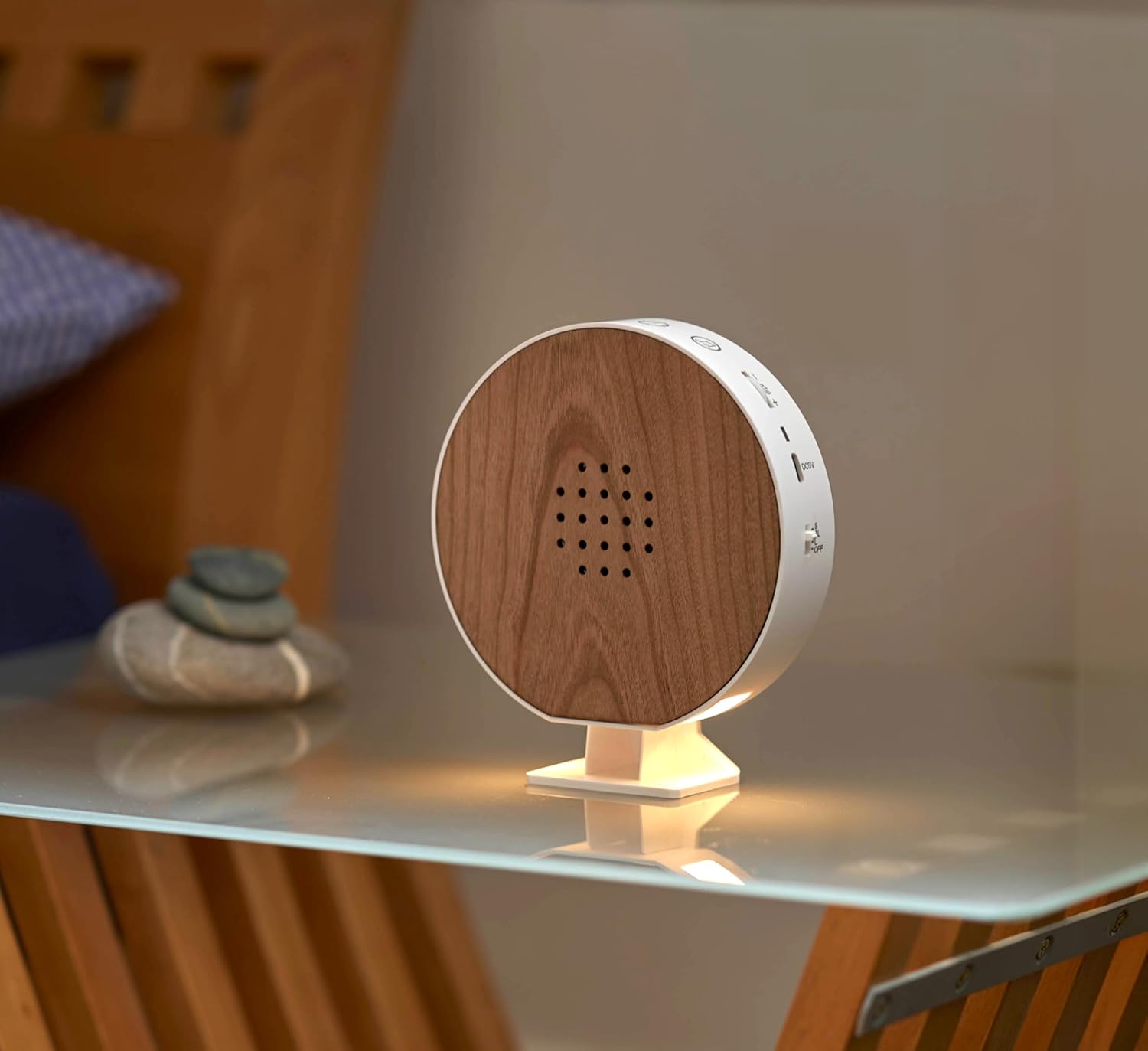
Image: Front view of the Northpoint Natural Sound Box, highlighting its real wood speaker grille and compact design.
Safety Instructions
- Do not expose the device to water or excessive moisture.
- Avoid extreme temperatures and direct sunlight.
- Do not attempt to disassemble or repair the device yourself. Contact qualified personnel for service.
- Keep out of reach of children and pets.
- Use only the provided USB-C charging cable.
Package Contents
Verify that all items are present in the package:
- Northpoint Natural Sound Box (Model NP-NGBR-H-23)
- Removable Stand
- Two Suction Cups for Wall Mounting
- Dowels and Screws for Wall Mounting
- USB-C Charging Cable
- User Manual (German version included)
Product Overview
The Northpoint Natural Sound Box features a user-friendly design with intuitive controls. Familiarize yourself with the components shown below:

Image: Labeled diagram of the Natural Sound Box, indicating the location of controls and features.
- Timer Function: Sets playback duration (15/30/60 minutes).
- Music Change: Touch buttons to cycle through 9 natural sounds.
- Volume Control: Rotary switch for continuous volume adjustment.
- Charging Indicator: LED lights (red/green) show charging status.
- USB-C Input: Port for charging the device.
- Motion Detector: Invisible HF sensor activates sounds/light.
- Function Modes: Switch to select operating modes (e.g., motion sensor, continuous play).
- Battery Operated: Indicates the device is powered by an internal rechargeable battery.
Setup
1. Charging the Device
Before first use, fully charge the Natural Sound Box. Connect the provided USB-C cable to the USB-C input port on the device and the other end to a compatible USB power adapter (not included). The charging indicator will show the charging status.
2. Placement and Mounting
The Natural Sound Box can be placed on a flat surface using its removable stand or mounted on a wall.
- Tabletop Placement: Attach the removable stand to the bottom of the device and place it on any stable surface, such as a nightstand or shelf.

Image: The Natural Sound Box positioned on a nightstand, demonstrating its use as an ambient sound and light source.
- Wall Mounting: Use the provided suction cups or the dowels and screws for a more permanent installation. Ensure the mounting surface is clean and dry for suction cups, or suitable for drilling for screws.

Image: The Natural Sound Box mounted on a tiled wall in a bathroom, illustrating its versatility in placement.
Operating Instructions
1. Power On/Off
Locate the main power switch (often combined with function modes) on the device. Slide it to the 'ON' position to power on the device. Slide to 'OFF' to power off.
2. Selecting Sounds
The device offers 9 different natural sounds. Use the touch buttons on the top of the device to cycle through the available sounds until you find your preferred one.
3. Adjusting Volume
The volume can be continuously adjusted using the rotary switch located on the top of the device. Turn clockwise to increase volume and counter-clockwise to decrease.
4. Timer Function
To set a playback duration, activate the timer function. The device can be set to play for 15, 30, or 60 minutes. Refer to the product overview diagram for the timer button location.
5. Motion Sensor Activation
The integrated invisible HF motion sensor can activate sounds or the lighting function when movement is detected. Select the appropriate function mode using the mode switch. The sensor is designed to detect presence as someone enters the room.
6. Light Function
The device includes an integrated light function. This can be activated independently or in conjunction with the motion sensor, depending on the selected function mode.
Maintenance
Cleaning
To clean the device, gently wipe the surfaces with a soft, dry cloth. Do not use abrasive cleaners, solvents, or harsh chemicals, as these may damage the wood finish or electronic components. Ensure the device is powered off and unplugged before cleaning.
Troubleshooting
- No Sound: Ensure the device is powered on and the volume is not set to minimum. Check if the battery is charged.
- Motion Sensor Not Activating: Verify that the motion sensor mode is selected. Ensure there are no obstructions blocking the sensor's field of view. Test in different lighting conditions.
- Device Not Charging: Check the USB-C cable connection at both ends. Ensure the USB power adapter is functional. The charging indicator should illuminate when charging.
- Sounds Skipping or Distorted: Ensure the device is fully charged. If the issue persists, power off and restart the device.
Specifications
Technical specifications for the Northpoint Natural Sound Box NP-NGBR-H-23:

Image: Dimensional drawing of the Natural Sound Box, providing exact measurements.
| Brand | Northpoint |
| Model Number | NP-NGBR-H-23 |
| Color | Cherry Wood |
| Material | Wood |
| Item Weight | 310 grams |
| Package Dimensions | 18.7 x 14.9 x 5.4 cm |
| Power Source | Rechargeable Battery |
| Charging Port | USB-C |
| Motion Sensor Type | HF (High Frequency) |
| Sound Options | 9 Natural Sounds |
| Timer Settings | 15 / 30 / 60 minutes |
Warranty and Support
For warranty information or technical support, please refer to the contact details provided with your purchase documentation or visit the official Northpoint website. Keep your proof of purchase for warranty claims.