
1. Introduction
Thank you for choosing the Shadowhawk S1695 Rechargeable LED Flashlight. This powerful and versatile torch is designed for various applications, including camping, hiking, emergency situations, and general outdoor activities. This manual provides detailed instructions on how to set up, operate, maintain, and troubleshoot your flashlight to ensure optimal performance and longevity.
2. Safety Information
Please read and understand all safety warnings and instructions before using this product. Failure to follow these guidelines may result in injury or damage to the device.
- Do Not Stare Directly into Light: The flashlight emits a very bright beam. Avoid direct eye exposure to prevent temporary vision impairment or permanent eye damage.
- Keep Out of Reach of Children: This product is not a toy. Store it in a secure location away from children.
- Battery Safety:
- Use only the specified rechargeable battery and AAA batteries.
- Do not mix old and new batteries, or different types of batteries.
- Do not dispose of batteries in fire; they may explode.
- If the flashlight will not be used for an extended period, remove the batteries to prevent leakage.
- Operating Temperature: Avoid using the flashlight in extremely high or low temperatures.
- Disassembly: Do not attempt to disassemble or modify the flashlight. This will void the warranty and may cause damage.
3. Package Contents
Carefully unpack your Shadowhawk S1695 Flashlight and verify that all items listed below are included:
- 1x Shadowhawk S1695 LED Super Bright Torch Light
- 1x Rechargeable Battery (pre-installed or separate)
- 1x USB Charging Cable
- 1x AAA Battery Holder and Plastic Tube
- 3x AAA Batteries
- 1x Lanyard
- 1x Holster
- 1x Instruction Manual
- 1x Gift Box

4. Setup
4.1 Battery Installation
The Shadowhawk S1695 flashlight primarily uses a rechargeable Lithium Ion battery. It also supports AAA batteries as an alternative.
- Unscrew the tail cap of the flashlight by turning it counter-clockwise.
- For Rechargeable Battery: Insert the included rechargeable Lithium Ion battery with the positive (+) end facing towards the head of the flashlight.
- For AAA Batteries: If using AAA batteries, place three AAA batteries into the provided AAA battery holder, ensuring correct polarity. Insert the holder into the flashlight with the positive (+) end of the holder facing towards the head.
- Screw the tail cap back on clockwise until it is securely tightened.
4.2 Initial Charging
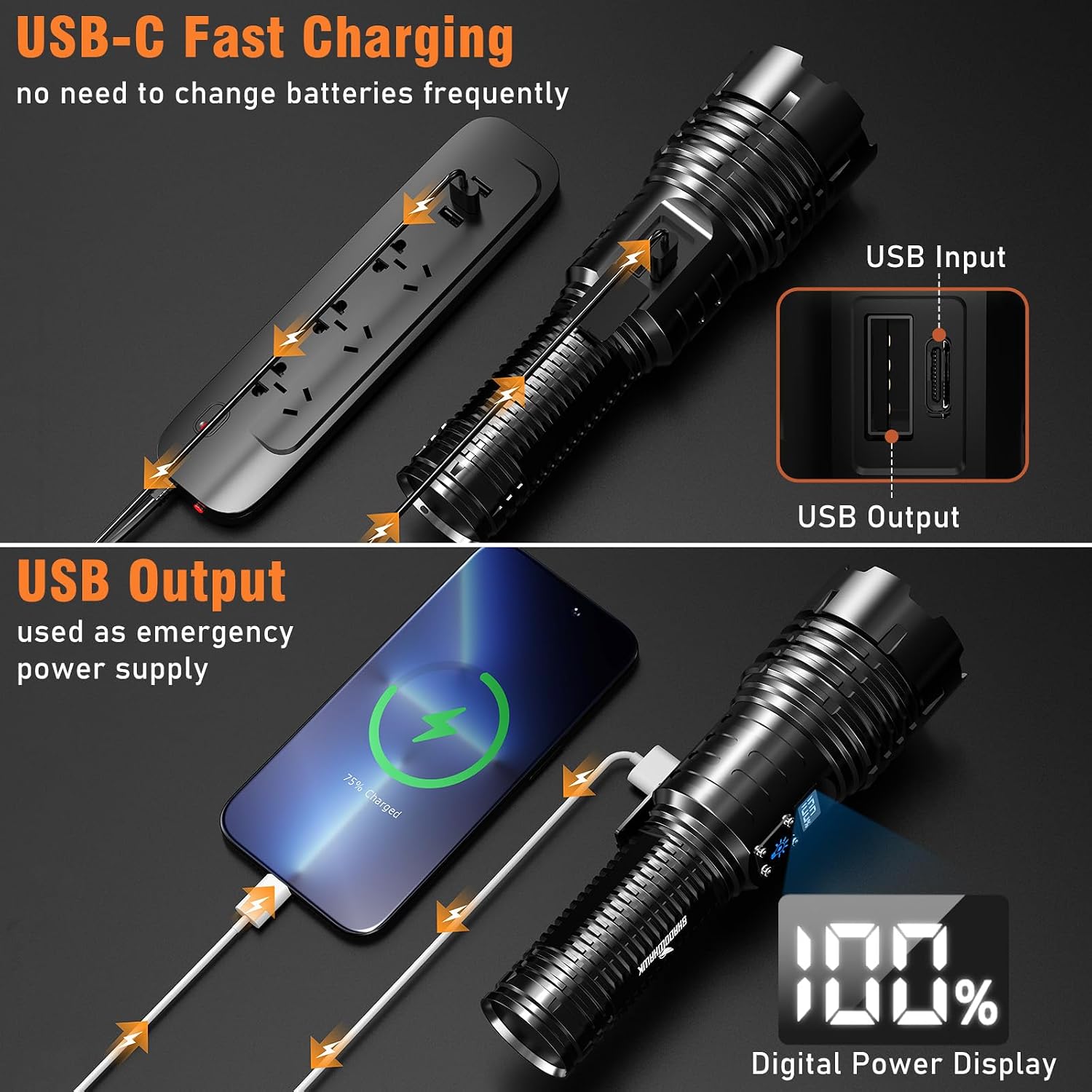
Before first use, fully charge the rechargeable battery. The flashlight features a built-in USB-C charging port.
- Locate the USB-C charging port on the flashlight (usually under a protective cover).
- Connect the provided USB charging cable to the flashlight's USB-C port.
- Connect the other end of the USB cable to a compatible USB power source (e.g., wall adapter, computer USB port, power bank).
- The LCD power display will show the charging progress. Charge until the display indicates 100%.
- Once fully charged, disconnect the cable and replace the protective cover over the USB-C port to maintain water resistance.

5. Operating Instructions
5.1 Power On/Off
Press the power button located on the body of the flashlight to turn it on. Press it again to cycle through modes or turn it off.
5.2 Mode Selection
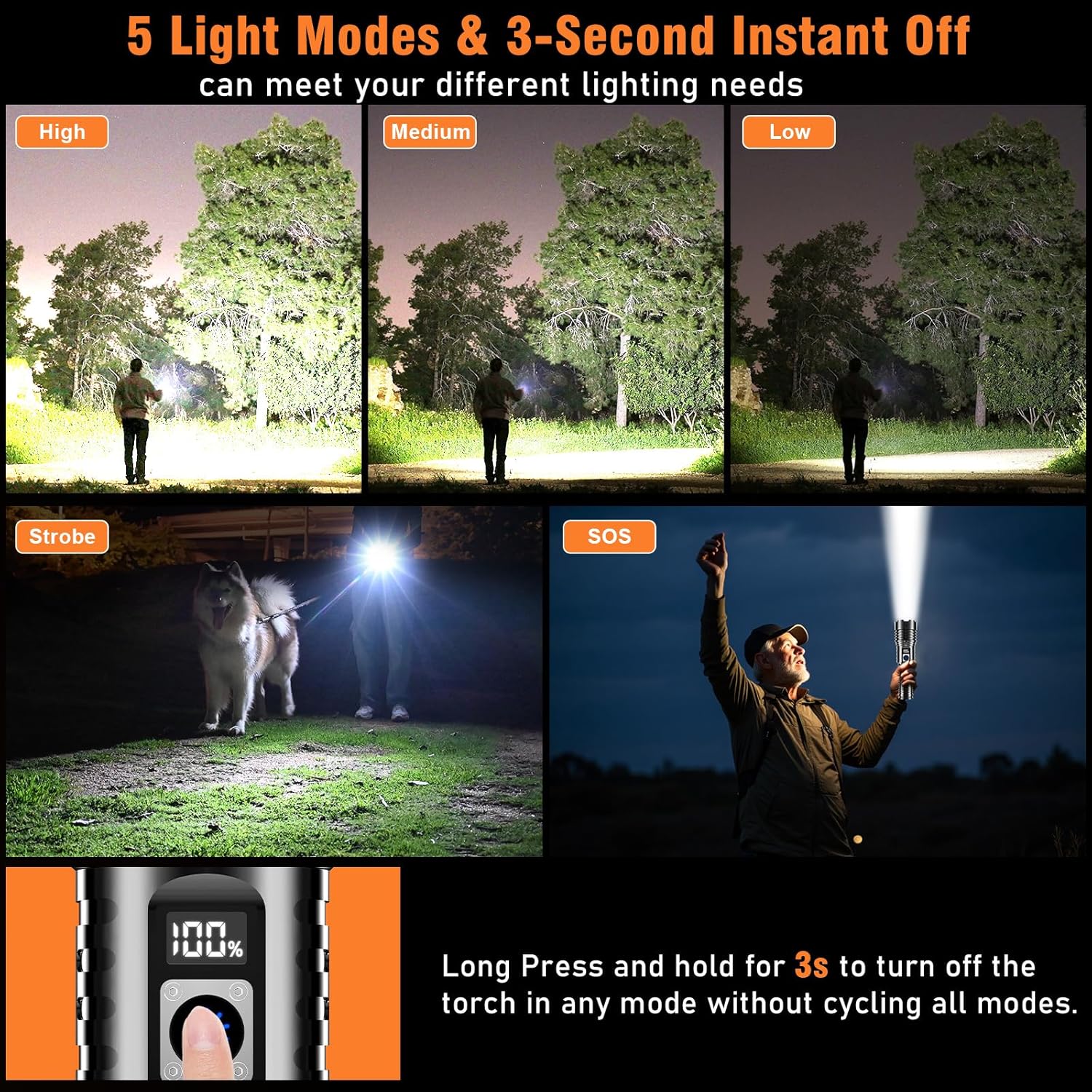
The Shadowhawk S1695 features 5 lighting modes:
- High: Maximum brightness for powerful illumination.
- Medium: Balanced brightness for general use.
- Low: Lower brightness for extended runtime or close-range tasks.
- Strobe: Flashing light for signaling or disorientation.
- SOS: International Morse code signal for emergencies.
To cycle through modes, short press the power button. The brightness changes gradually to protect your eyes. To turn off the flashlight instantly from any mode, press and hold the power button for approximately 3 seconds.
5.3 Zoom Function
The flashlight features a zoomable head to adjust the beam from a wide floodlight to a focused spotlight.
- To adjust focus: Gently pull the head of the flashlight outwards to narrow the beam into a spotlight for long-range illumination.
- To widen beam: Push the head inwards to expand the beam into a floodlight for wider area illumination.

5.4 LCD Power Display
The integrated LCD screen displays the remaining battery percentage, allowing you to monitor the power level at a glance.

5.5 Power Bank Function (USB Output)
The Shadowhawk S1695 can also function as an emergency power bank to charge small electronic devices.
- Locate the USB-A output port (usually next to the USB-C input).
- Connect your device's charging cable to the flashlight's USB-A output port.
- The flashlight will begin charging your device.
- Disconnect when charging is complete or when the flashlight's battery is low.
6. Maintenance
6.1 Cleaning
- Wipe the flashlight body with a clean, soft cloth.
- For stubborn dirt, use a slightly damp cloth and then dry thoroughly.
- Do not use abrasive cleaners or solvents, as they may damage the finish.
6.2 Storage
- Store the flashlight in a cool, dry place away from direct sunlight and extreme temperatures.
- If storing for an extended period (more than 3 months), remove the batteries to prevent leakage and charge the rechargeable battery to approximately 50% capacity.
6.3 Battery Care
- Recharge the battery regularly, even if not in use, to maintain its lifespan.
- Avoid fully discharging the battery frequently.
7. Troubleshooting
If you encounter issues with your Shadowhawk S1695 Flashlight, refer to the following common problems and solutions:
| Problem | Possible Cause | Solution |
|---|---|---|
| Flashlight does not turn on. | Low or dead battery. Battery inserted incorrectly. Loose tail cap. | Charge the battery. Check battery polarity. Tighten the tail cap. |
| Light is dim or flickers. | Low battery. Loose connections. | Recharge the battery. Ensure tail cap is tight and battery is seated correctly. |
| Flashlight not charging. | Faulty USB cable or power source. Charging port obstruction. | Try a different USB cable and power source. Check charging port for debris. |
| Cannot change modes. | Button malfunction. | Ensure button is not stuck. If issue persists, contact support. |
If the problem persists after trying these solutions, please contact Shadowhawk customer support for further assistance.
8. Specifications
The following table outlines the key specifications of the Shadowhawk S1695 Flashlight:

| Feature | Detail |
|---|---|
| Model Number | AE-S1695 |
| Light Source | XHM77.2 LED Chip |
| Brightness | Up to 20000 Lumens |
| Light Modes | High, Medium, Low, Strobe, SOS |
| Beam Distance | Up to 1000 meters (3937 feet) |
| Power Source | Rechargeable Lithium Ion Battery (included), 3x AAA Batteries (included) |
| Runtime | Up to 12 hours (Low mode) |
| Charging Port | USB-C Input |
| Output Port | USB-A Output (for power bank function) |
| Material | Aviation Grade Aluminum Alloy |
| Water Resistance | IP67 Waterproof |
| Impact Resistance | Up to 10 feet |
| Dimensions | 6.69 x 1.97 x 1.38 inches |
| Weight | 1.23 pounds |
9. Warranty and Support
Shadowhawk products are manufactured with high-quality materials and undergo rigorous quality control. For any questions, concerns, or technical support regarding your Shadowhawk S1695 Flashlight, please refer to the contact information provided with your purchase or visit the official Shadowhawk website. Please retain your proof of purchase for warranty claims.
