
1. Overview
The SingularXYZ SC200 Data Collector is a robust and high-precision surveying instrument designed for various terrain measurement and engineering survey tasks. It integrates an Android 8.1 operating system with a powerful processor and ample storage, ensuring compatibility with a wide range of third-party field software. Its durable, waterproof design and long-lasting battery make it ideal for demanding outdoor environments.

Front view of the SingularXYZ SC200 Data Collector, showing its screen and physical keypad.
2. Package Contents
Verify that all items are present in your SC200 Data Collector package:
- SC200 data collector *1
- USB cable *1
- Battery *1
3. Key Features
- High-Precision Data Collection: Equipped with Android 8.1 OS, 64GB internal storage, external TF card support, and multiple sensors for diverse user requirements.
- Clear High-Definition Screen: Features a 5-inch sunlight-readable large touchscreen and a backlit keypad for clear and convenient operation.
- Rugged Design: IP67 rated for water and dust resistance, ensuring durability in harsh environments.
- Seamless Data Transmission: Integrated 4G/WiFi/Bluetooth capabilities for effortless connection to external GNSS devices and smooth GNSS data transmission.
- Long Battery Life: High-capacity 7000mAh battery provides over 15 hours of operation and supports PE fast charging (less than 4 hours).
- Versatile Applications: Suitable for high-precision surveying tasks such as measurement engineering, topographic surveying, and cadastral surveying.

Visual representation of the SC200's core features, including Android OS, expandable storage, 5-inch touch screen, Type-C interface, 4G/WiFi/Bluetooth, and 15-hour battery life.
4. Setup
4.1 Initial Charging
Before first use, fully charge the SC200 Data Collector using the provided USB cable and a compatible power adapter. The 7000mAh battery supports PE fast charging, allowing a full charge in less than 4 hours.
4.2 Powering On/Off
- To Power On: Press and hold the power button located on the side of the device until the screen illuminates.
- To Power Off: Press and hold the power button, then select 'Power Off' from the options that appear on the screen.
4.3 Device Connection
The SC200 can connect to various GNSS devices. Follow these steps to establish a connection:
Official SingularXYZ tutorial demonstrating the process of connecting the SC200 Data Collector to a GNSS device via Bluetooth for data communication.
- Turn on your GNSS device.
- On the SC200, navigate to Device >> Communication.
- For SingularXYZ RTK Receivers (e.g., Y1 GNSS receiver): Select SingularXYZ >> RTK >> Bluetooth. Search for your device's serial number (SN) and connect.
- For GNSS NMEA Devices (other brands): Select Other >> RTK(NMEA0183) >> Bluetooth. Search and connect the device.
- For SingularXYZ GNSS Tablets (e.g., T8 Pro GNSS tablet): Select Other >> Internal GPS >> Internal GPS and connect the device.
- After connection, you can go to Device >> Device Information to view current device information.
5. Operating Instructions
5.1 Project Management
To begin any surveying task, you must first create a new project within the SingularPad software.
Official SingularXYZ tutorial on creating a new project in SingularPad, including setting coordinate systems.
- Go to Project >> Project Manager.
- Click New to create a new project.
- Enter your project name. You can also click More for unit settings.
- Method 1 – Choose Predefined Projected Coordinate System: Click the list icon to enter the predefined projected coordinate systems interface. Click Template, select the projected coordinate system you need, and click Apply. SingularPad includes different projected coordinate systems of most countries and regions.
- Method 2 – Define Your Projected Coordinate System: Click Ellipsoid Parameter, select the ellipsoid you need and click OK. Click Projections Parameter, select the projection you need and click OK. If you need to add a geoid model, please click Vertical Adjustment Parameter to add.
- After creating a new project, you can go to Coordinate System to view and modify current projected coordinate system information.
5.2 Data Import
Importing existing data is crucial for many surveying tasks. The SC200 supports various file formats.
Official SingularXYZ tutorial demonstrating how to import data into SingularPad, including selecting file types and formats.
- Go to Project >> Import Data and select the data type you need to import, including points, lines, and code library.
- Select the corresponding file format for your import file. You can also create a new format for your import file.
- Edit the custom format based on your import file. If the data type of your import file is not included in the Options, select (null) instead.
- Click Next to select the import file path.
- You can also click Preview to see if the import file is in the correct format.
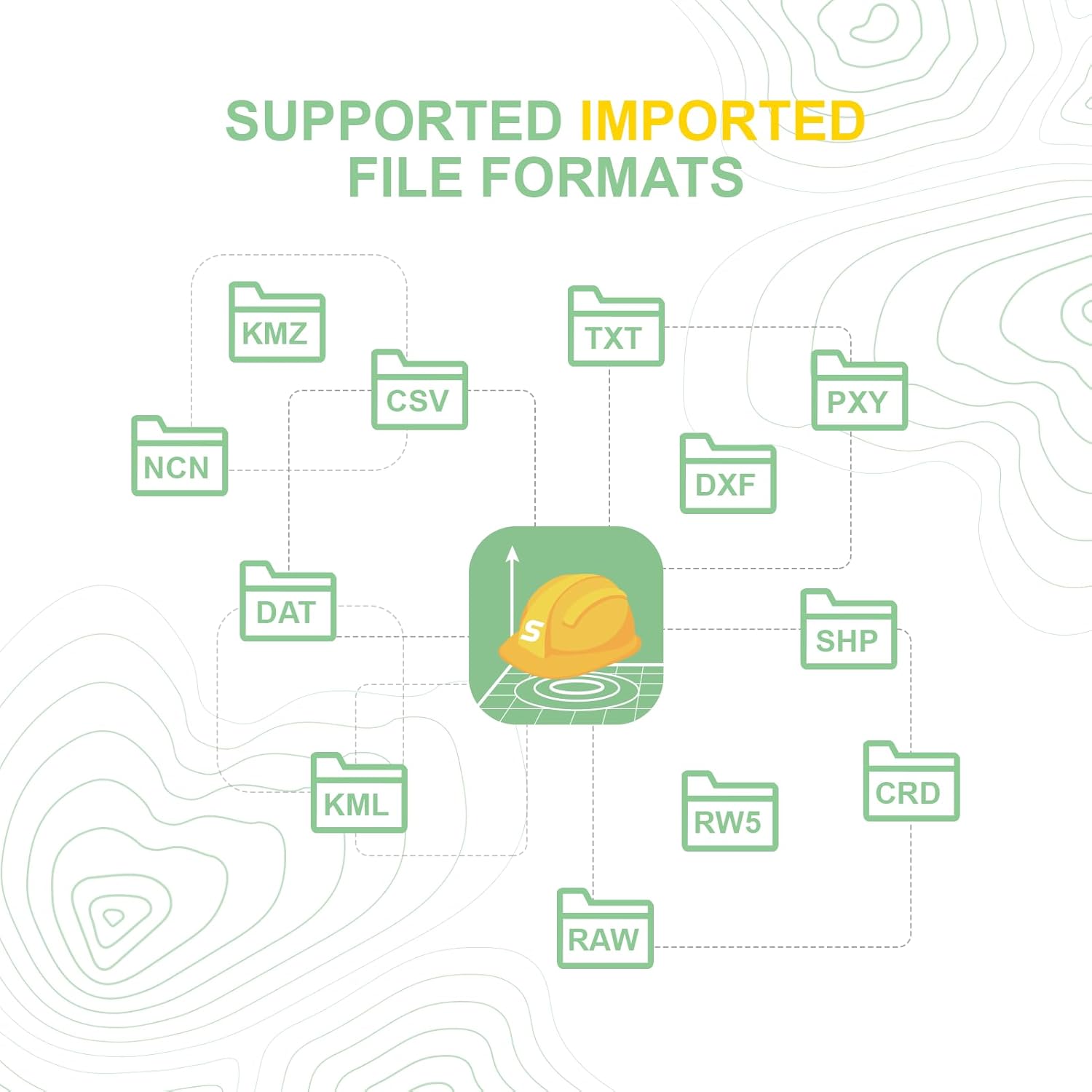
Supported imported file formats include KMZ, CSV, TXT, PXY, NCN, DXF, SHP, DAT, KML, RW5, and CRD.

Supported exported file formats include XLS, CSV, NCN, CSX, JPG, TXT, DXF, DAT, GPX, KMZ, SHP, HTML, KML, PXY, and CRD.
5.3 General Operation
The SC200's Android 8.1 operating system allows for intuitive navigation and use of various surveying applications. The 5-inch sunlight-readable touchscreen and backlit keypad provide a convenient operating experience in diverse lighting conditions.

Screenshots of the SingularPad software interface, showing various functions like Project Manager, Localization, Calibrate Point, Coordinate System, Points Database, Code Library Manager, Export Data, Software Settings, and About Software.

Overview of SingularPad Field Surveying Software, highlighting its multi-language, multi-functional, and multi-device capabilities, with icons for Point Survey, Point Stakeout, CAD Mapping, DSM Stakeout, Stake Road, Volume Calculation, Perimeter and Area, Localization, and Survey Range Settings.
6. Maintenance
6.1 Cleaning and Storage
- Wipe the device with a soft, damp cloth. Avoid harsh chemicals or abrasive materials.
- Ensure the device is dry before storing.
- Store the device in a cool, dry place away from direct sunlight and extreme temperatures.
6.2 Water and Dust Resistance
The SC200 is rated IP67, meaning it is protected from dust ingress and can withstand immersion in water up to 1 meter for 30 minutes. While robust, avoid prolonged submersion or exposure to high-pressure water jets.
6.3 Battery Care
- To maximize battery life, avoid fully discharging the battery frequently.
- Charge the device regularly, especially if it will be stored for an extended period.
- Use only the provided or approved charging accessories.
7. Troubleshooting
If you encounter issues with your SC200 Data Collector, consider the following basic troubleshooting steps:
- Device not powering on: Ensure the battery is charged. Connect the device to the charger and try again.
- Connection issues with GNSS device: Verify Bluetooth is enabled on both devices. Ensure the correct device type and manufacturer are selected in the Communication settings. Try restarting both devices.
- Software not responding: Close and reopen the application. If the issue persists, restart the SC200 Data Collector.
- Data import errors: Double-check the file format and ensure it matches the selected import format in SingularPad. Use the Preview function to verify data integrity.
For more complex issues, refer to the official SingularXYZ support resources or contact customer service.
8. Specifications
| Feature | Detail |
|---|---|
| Product Dimensions | 0.27 x 0.06 x 0.68 inches |
| Item Model Number | SC200 data collector |
| Operating System | Android 8.1 |
| Internal Storage | 64GB (with external TF card support) |
| Screen | 5-inch sunlight-readable large touchscreen, backlit keypad |
| Connectivity | 4G/WiFi/Bluetooth |
| Battery Capacity | 7000mAh |
| Battery Life | Over 15 hours |
| Charging | PE fast charging (less than 4 hours) |
| Water & Dust Resistance | IP67 |
| Manufacturer | SingularXYZ |
| Date First Available | October 13, 2023 |
9. Warranty & Support
9.1 Warranty Information
The SingularXYZ SC200 Data Collector comes with a 1-year manufacturer's warranty. Please retain your proof of purchase for warranty claims.
9.2 Technical Support
SingularXYZ Intelligent Technology Ltd. is committed to providing reliable and stable professional products and solutions. We have a skilled and professional after-sales team ready to help you resolve any after-sales problems promptly and effectively.

Image of the SingularXYZ after-sales technical support team, emphasizing their commitment to customer assistance.
For further assistance, please visit the official SingularXYZ store on Amazon: SingularXYZ Amazon Store.


