
1. Introduction
Welcome to the user manual for your ASHATA Q8 Unlocked Cell Phone for Seniors. This guide provides detailed instructions on how to set up, operate, and maintain your device. Designed with ease of use in mind, the ASHATA Q8 features large buttons, a clear display, and essential functions like an SOS key and super flashlight, making it ideal for elderly users.
Please read this manual thoroughly to ensure proper use and to maximize the benefits of your new phone.

Figure 1: Front and back view of the ASHATA Q8 Unlocked Cell Phone. The phone features a clear display, large keypad with an orange SOS button, and a durable black casing.
2. Setup
2.1 Package Contents
Before you begin, ensure all items are present in the package:
- ASHATA Q8 Cell Phone
- Rechargeable Battery (3000mAh)
- USB Cable

Figure 2: The ASHATA Q8 phone, its rechargeable battery, and the included USB charging cable.
2.2 Installing the Battery
- Gently remove the back cover of the phone.
- Align the battery contacts with the terminals inside the phone.
- Insert the battery firmly into its compartment.
- Replace the back cover, ensuring it clicks into place.
2.3 Installing SIM Cards
The ASHATA Q8 supports dual SIM cards (2G GSM quad band 850, 900, 1800, 1900). This allows you to use two different phone numbers or networks simultaneously.
- With the back cover and battery removed, locate the SIM card slots.
- Carefully insert your SIM card(s) into the designated slots, ensuring the gold contacts face downwards and the notched corner aligns correctly.
- Reinsert the battery and replace the back cover.

Figure 3: The ASHATA Q8 phone with its back cover removed, revealing the battery compartment and dual SIM card slots.

Figure 4: Illustration of the dual SIM card slots and the supported 2G GSM frequencies (850, 900, 1800, 1900).
2.4 Charging the Battery
Before first use, fully charge the phone's battery.
- Connect the USB cable to the charging port on the phone.
- Connect the other end of the USB cable to a compatible USB power adapter (not included) or a computer's USB port.
- The charging indicator on the phone will illuminate. Once fully charged, the indicator may change color or turn off.
2.5 Powering On/Off
- To Power On: Press and hold the Power/End Call button (usually red) until the screen lights up.
- To Power Off: Press and hold the Power/End Call button until the power-off options appear, then confirm.
3. Operating Instructions
3.1 Making and Receiving Calls
- Making a Call:
- Enter the phone number using the keypad.
- Press the Call button (usually green) to initiate the call.
- To end the call, press the End Call button (usually red).
- Receiving a Call:
- When the phone rings, press the Call button to answer.
- To end the call, press the End Call button.
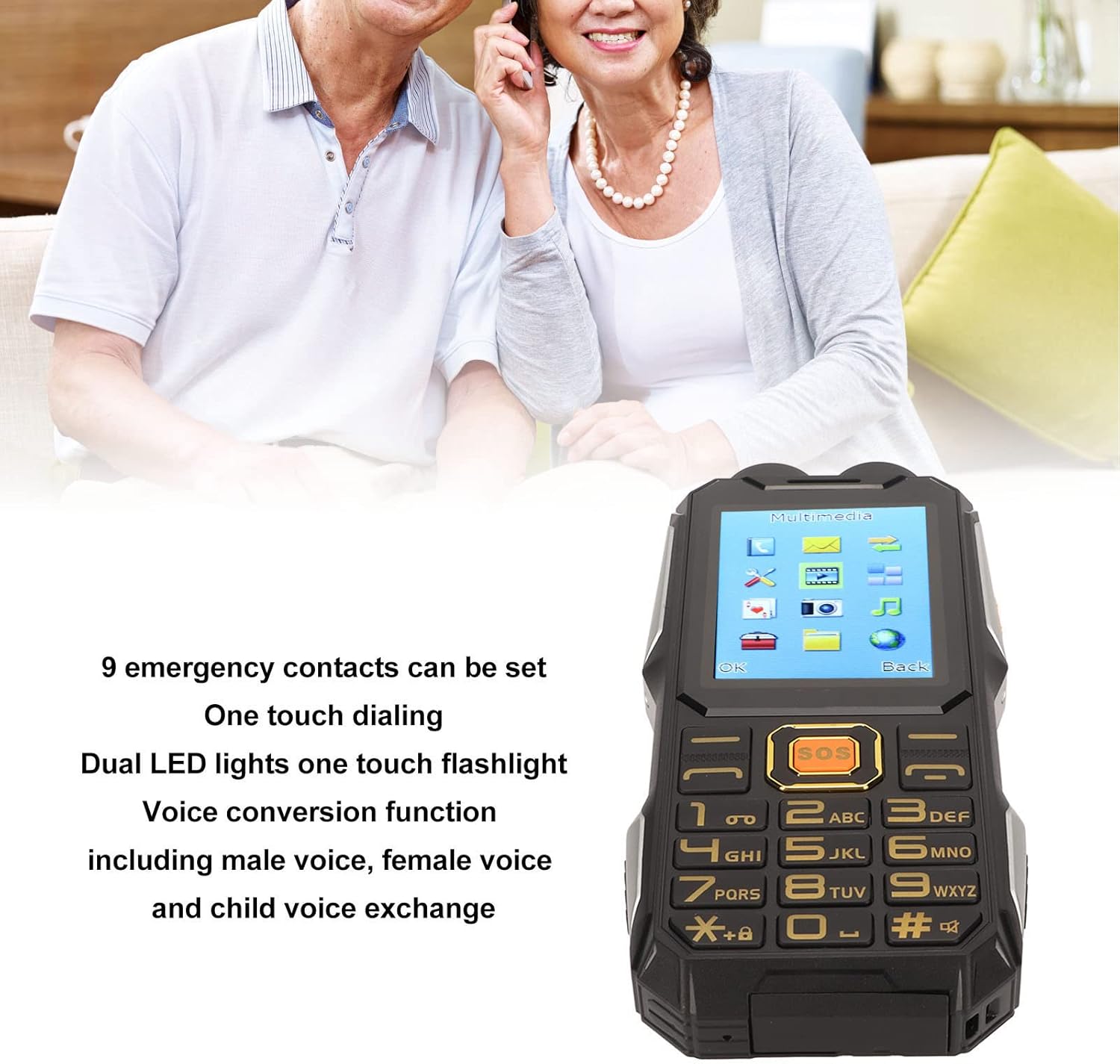
Figure 5: The ASHATA Q8 phone displaying its large, easy-to-read buttons and clear screen, designed for user convenience.
3.2 Using the SOS Function
The SOS key is designed for emergencies, allowing you to quickly contact pre-set numbers.
- Setting SOS Contacts: Navigate to the SOS settings in the phone's menu. You can set up to 9 emergency contacts.
- Activating SOS: In an emergency, press and hold the dedicated SOS button (orange button on the keypad). The phone will automatically dial the emergency contacts in sequence and send an emergency SMS message.

Figure 6: A close-up view highlighting the prominent orange SOS button on the ASHATA Q8 keypad, designed for quick access in emergencies.
3.3 Using the Super Flashlight
The phone is equipped with a powerful flashlight for convenience.
- To Turn On/Off: Locate the dedicated flashlight button on the side of the phone or access it through the phone's menu. Press or slide the button to activate/deactivate the flashlight.
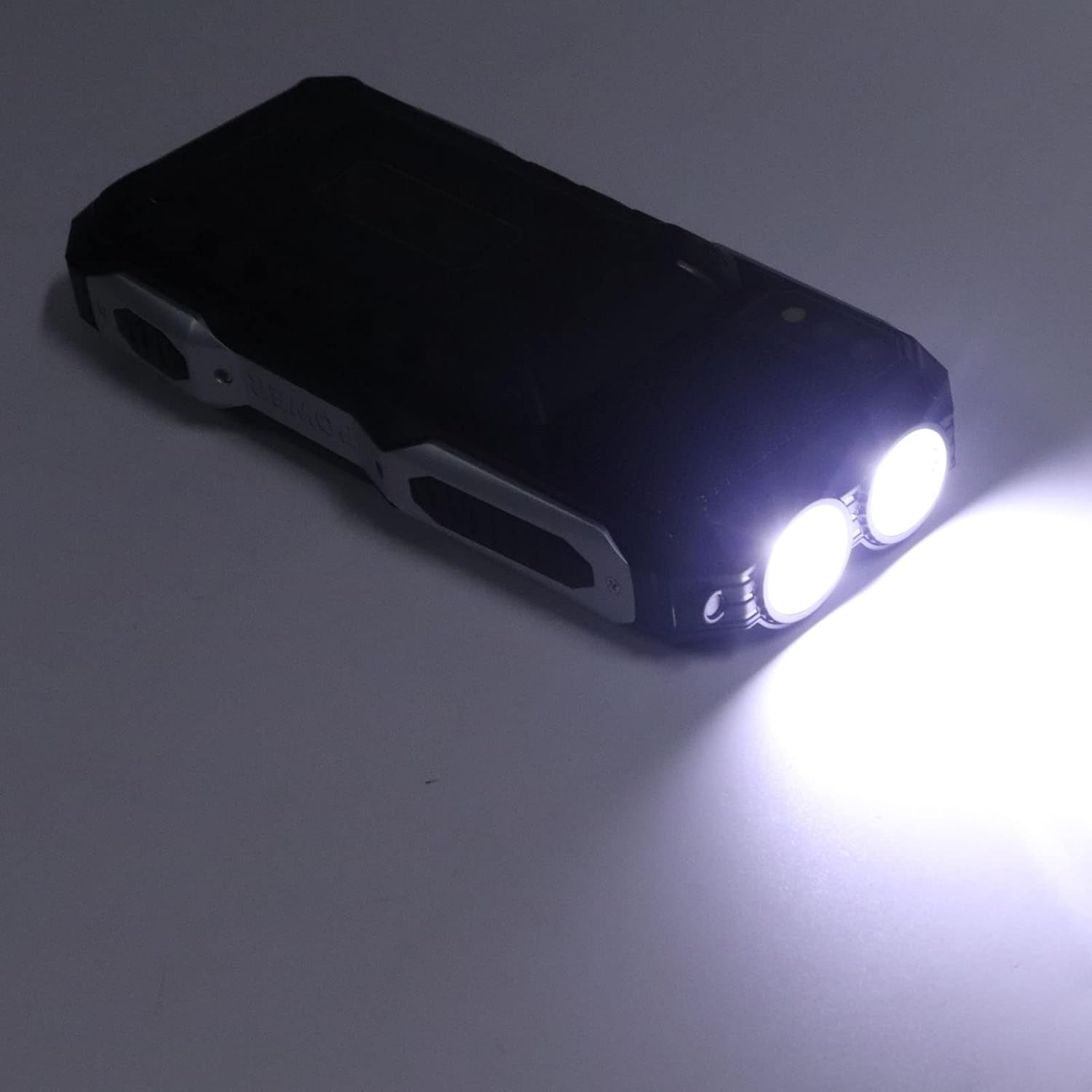
Figure 7: The ASHATA Q8 phone with its dual LED flashlight actively illuminated, demonstrating its brightness.
3.4 Voice Assistance and Conversion
The ASHATA Q8 includes voice assistance features and a voice conversion function.
- Voice Assistance: Specific keys or menu options may activate voice prompts for navigation or reading out numbers. Refer to the phone's menu for detailed settings.
- Voice Conversion: This feature allows you to change your voice during a call to a male, female, or child voice. Access this function through the call options menu during an active call.
3.5 Multimedia and Basic Functions
The phone includes basic multimedia and utility functions accessible via the main menu.
- Navigation: Use the directional keys and the "OK" button to navigate through the menu.
- Menu Options: Access features such as contacts, messages, call history, settings, and other utilities.

Figure 8: The ASHATA Q8's screen displaying various multimedia and utility icons, including messages, camera, and music.
4. Maintenance
4.1 Cleaning Your Phone
- Use a soft, dry, lint-free cloth to clean the phone's screen and body.
- Avoid using harsh chemicals, cleaning solvents, or strong detergents.
- Do not expose the phone to excessive moisture.
4.2 Battery Care
- To prolong battery life, avoid fully discharging the battery frequently.
- Charge the phone regularly, but do not leave it connected to a charger for extended periods after it is fully charged.
- Store the phone in a cool, dry place when not in use for long durations.

Figure 9: An illustration depicting the ASHATA Q8 phone's capability for long standby time, emphasizing its 3000mAh battery.
5. Troubleshooting
| Problem | Possible Cause | Solution |
|---|---|---|
| Phone does not power on | Low battery; Battery not installed correctly | Charge the battery; Reinstall the battery ensuring proper contact. |
| Cannot make/receive calls | No network signal; SIM card not installed correctly; SIM card not activated | Move to an area with better signal; Reinstall SIM card(s); Contact your service provider to activate SIM. |
| Poor call quality | Weak network signal; Obstructions | Move to an open area; Ensure nothing is blocking the phone's speaker or microphone. |
| SOS function not working | No emergency contacts set; No network signal | Set up emergency contacts in the SOS settings; Ensure phone has network coverage. |
6. Specifications
| Feature | Detail |
|---|---|
| Brand | ASHATA |
| Model Name | Q8 (ASHATAynf1ho3gtw-11) |
| Connectivity Technology | Bluetooth, USB |
| Cellular Technology | 2G GSM (850, 900, 1800, 1900) |
| Wireless Carrier | Unlocked |
| Screen Size | 2.4 Inches |
| Memory Storage Capacity | 32 MB |
| Battery Capacity | 3000 Milliamp Hours |
| SIM Card Slot Count | Dual SIM |
| Color | Black |
| Item Weight | 9 ounces |
| Package Dimensions | 5.91 x 3.54 x 2.76 inches |
7. Warranty and Support
For warranty information and technical support, please refer to the documentation provided with your purchase or contact ASHATA customer service directly. Keep your proof of purchase for warranty claims.
You can visit the ASHATA store for more information: ASHATA Store on Amazon