
Introduction
Thank you for purchasing the Arafuna Portable CD Player. This versatile device combines a CD player, Bluetooth speaker, FM radio, USB player, and AUX-in functionality, offering multiple ways to enjoy your audio. Designed for portability and ease of use, it features a built-in rechargeable battery and powerful stereo speakers. Please read this manual carefully before use to ensure proper operation and to maximize your listening experience.
Package Contents
Please check the package for the following items:
- Arafuna Portable CD Player x1
- Remote Control x1
- Power Adapter x1
- USB to Type-C Charging Cable x1
- User Manual x1
Product Features
- Multi-functional Audio Device: Supports CD, Bluetooth, FM Radio, USB, and AUX-in playback modes.
- Built-in Rechargeable Battery: Integrated 2000mAh battery for portable use without constant power connection.
- Powerful Stereo Speakers: Equipped with two 15W front-facing stereo speakers for enhanced sound quality.
- Anti-Skip Protection: Ensures uninterrupted playback even during movement, suitable for car use.
- Backlit Display: Clear visibility of information in low-light conditions.
- Sleep Timer Function: Allows setting a timer for automatic power off.
- Protective CD Lid: Helps protect CDs from dust and damage.
Controls and Ports
Familiarize yourself with the controls and ports of your Arafuna Portable CD Player.

Image: Top and side view of the Arafuna Portable CD Player, highlighting numbered controls and ports.
- Standby: Power on/off.
- Sleep Timer Setting: Set sleep timer.
- MODE: Switch between CD, Bluetooth, FM, USB, AUX modes.
- Previous: Skip to previous track/station.
- Pause/Play: Play or pause current audio.
- Stop: Stop playback.
- Next: Skip to next track/station.
- VOL +: Increase volume.
- VOL -: Decrease volume.
- Repeat: Cycle through repeat modes (Repeat All, Repeat One, Random Play, A-B Repeat).
- CD Cover Open: Latch to open the CD compartment.
- CD Dust Lid: Transparent lid protecting the CD.
- DC Charging Port: Connect power adapter for charging.
- Power on/off: Main power switch.
- Earphone / AUX Out Port: 3.5mm jack for headphones or external speaker output.
- AUX In Port: 3.5mm jack for connecting external audio sources.
- USB Port: For USB drive playback.
Setup
1. Initial Charging
Before first use, fully charge the device. Connect the USB to Type-C charging cable to the DC Charging Port (13) and the other end to the power adapter. Plug the adapter into a wall outlet. The charging indicator will show the charging status. A full charge typically takes a few hours.
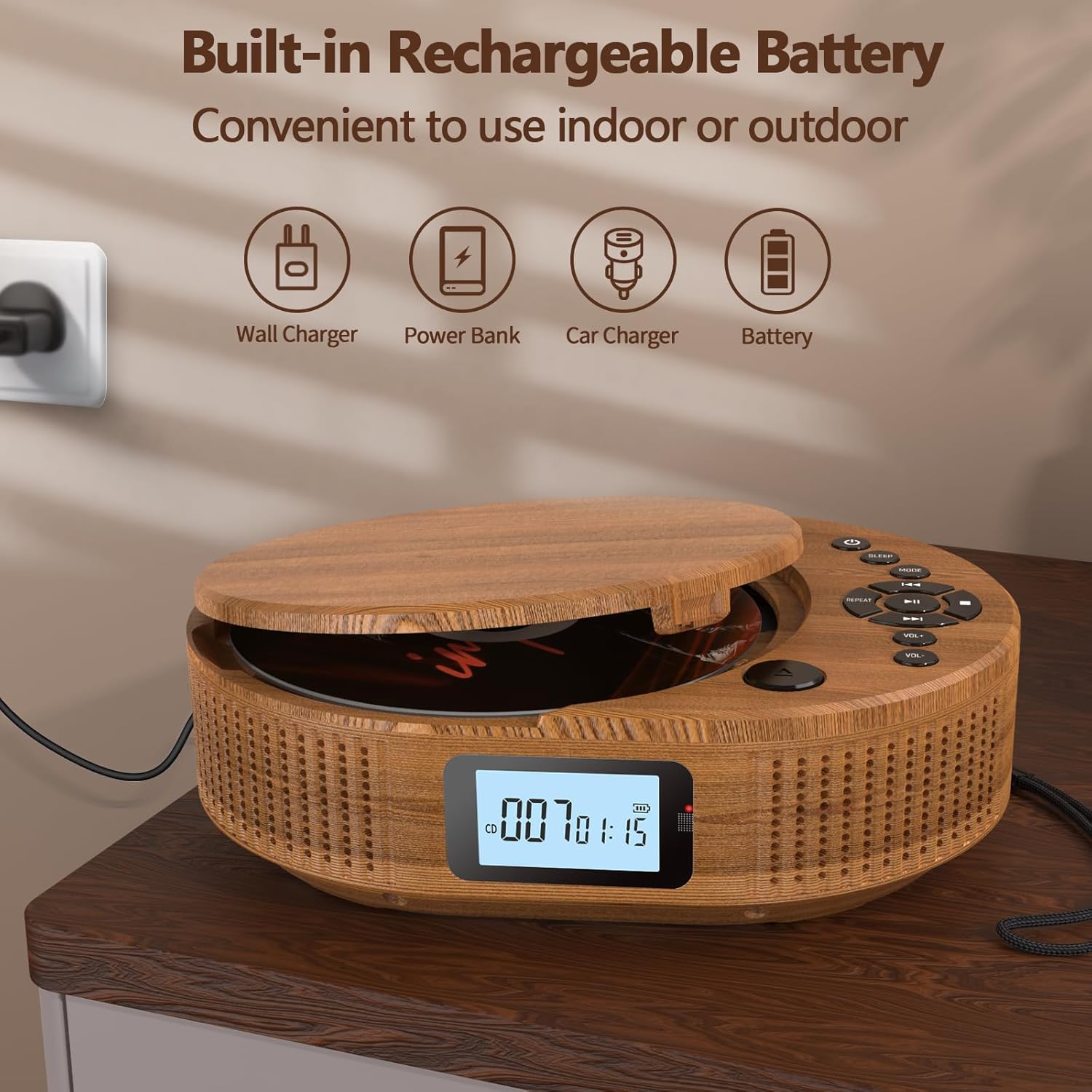
Image: The Arafuna Portable CD Player connected to a power source, illustrating its rechargeable battery feature.
2. Power On/Off
To power on the device, slide the main Power On/Off switch (14) to the "ON" position. Press the Standby button (1) to turn the display on. To power off, press the Standby button (1) again or slide the main Power On/Off switch (14) to "OFF" for complete shutdown.
Operating Instructions
1. CD Playback Mode
- Open the CD cover by gently lifting the CD Cover Open latch (11).
- Place a CD onto the spindle with the label side facing up.
- Close the CD cover until it clicks securely.
- Press the MODE button (3) until "CD" mode is displayed.
- The player will automatically start reading the CD. Press the Play/Pause button (5) to start or pause playback.
- Use the Previous (4) and Next (7) buttons to skip tracks.
- Adjust volume with VOL + (8) and VOL - (9).
- Press the Repeat button (10) to cycle through repeat options (e.g., repeat one, repeat all, random play, A-B repeat).
- Press the Stop button (6) to stop playback.

Image: The Arafuna Portable CD Player in CD mode, demonstrating its primary function.
2. Bluetooth Mode
- Press the MODE button (3) until "bt" (Bluetooth) mode is displayed. The device will enter pairing mode, indicated by a flashing Bluetooth icon.
- On your smartphone, tablet, or other Bluetooth device, enable Bluetooth and search for available devices.
- Select "Arafuna BP2211T" (or similar name) from the list to pair.
- Once paired, the Bluetooth icon on the player's display will stop flashing. You can now play audio from your connected device.
- Use the player's controls (Play/Pause, Previous, Next, Volume) or your connected device's controls to manage playback.

Image: The Arafuna Portable CD Player in Bluetooth mode, showing connectivity with a mobile phone.
3. FM Radio Mode
- Press the MODE button (3) until "FM" mode is displayed.
- To auto-scan and save stations, press and hold the Play/Pause button (5). The player will scan and store available FM stations (76MHz-108MHz).
- Use the Previous (4) and Next (7) buttons to navigate through saved stations.
- Adjust volume with VOL + (8) and VOL - (9).

Image: The Arafuna Portable CD Player displaying FM radio frequency and demonstrating the sleep timer function.
4. USB Playback Mode
- Insert a USB flash drive into the USB Port (17).
- Press the MODE button (3) until "USB" mode is displayed.
- The player will automatically detect and start playing compatible audio files (MP3, WAV, AAC, FLAC, SBC).
- Use the Play/Pause (5), Previous (4), Next (7), and Volume (8, 9) buttons to control playback.
5. AUX-in Mode
- Connect an external audio device (e.g., smartphone, MP3 player) to the AUX In Port (16) using a 3.5mm audio cable (not included).
- Press the MODE button (3) until "AUX" mode is displayed.
- Play audio from your external device. The volume can be controlled both on the external device and the CD player.
6. Sleep Timer
To set the sleep timer, press the Sleep Timer Setting button (2). Repeatedly press the button to cycle through available timer options (e.g., 15, 30, 60, 90 minutes, OFF). The device will automatically power off after the selected time.
Maintenance
- Cleaning: Use a soft, dry cloth to clean the exterior of the player. Do not use abrasive cleaners or solvents.
- CD Care: Handle CDs by their edges. Clean CDs with a soft, lint-free cloth, wiping from the center outwards.
- Storage: When not in use, store the player in a cool, dry place away from direct sunlight and extreme temperatures.
- Battery: To prolong battery life, avoid fully discharging the battery frequently. Charge the device regularly, even if not in use for extended periods.
Troubleshooting
| Problem | Possible Cause | Solution |
|---|---|---|
| Device does not power on. | Battery is depleted. Main power switch is off. | Charge the device. Ensure the main Power On/Off switch (14) is in the "ON" position. |
| CD does not play or skips. | CD is dirty, scratched, or inserted incorrectly. CD format not supported. | Clean the CD. Reinsert the CD correctly. Ensure the CD is an audio CD or compatible format. |
| No sound. | Volume is too low. Device is paused. Incorrect mode selected. | Increase volume. Press Play/Pause (5). Ensure the correct mode (CD, BT, FM, USB, AUX) is selected. |
| Bluetooth pairing fails. | Device is not in pairing mode. Bluetooth is off on external device. | Ensure the player is in "bt" mode. Enable Bluetooth on your external device and search again. |
| FM radio reception is poor. | Weak signal. | Try repositioning the player or moving to an area with better reception. |
Specifications
| Brand | Arafuna |
| Model Name | BP2211T |
| Model Number | 2211T-05UK |
| Color | Wood Color |
| Connectivity Technology | Bluetooth |
| Compatible Devices | General audio devices with USB, auxiliary or Bluetooth connectivity (PC, smartphone, tablet) |
| Battery Type | Lithium-ion (2000mAh built-in) |
| Rechargeable Battery | Yes |
| Speaker Output | 2 x 15W Stereo Speakers |
| Audio Formats Supported | MP3, WAV, AAC, FLAC, SBC (via USB) |
| FM Radio Frequency | 76MHz-108MHz |
| Connector Type | 3.5 mm Jack (AUX In/Out), USB |
| Number of Channels | 2 |
| Item Weight | 800 Grams |
Warranty and Support
Arafuna provides a 100% risk-free purchase. If you encounter any issues with your product, please do not hesitate to contact us. Our customer support team is available to assist you.
For support, please refer to the contact information provided on the product packaging or the official Arafuna website.