
1. Introduction
This manual provides detailed instructions for the assembly, operation, and maintenance of your HUANUO 48x24 inch Electric Standing Desk (Model HNESD22B). This adjustable height desk is designed to enhance your home office setup with its electric lifting mechanism, large keyboard tray, and memory height settings. Please read this manual thoroughly before installation and use to ensure proper function and safety.

Image 1.1: The HUANUO 48x24 inch Electric Standing Desk in a typical home office environment, showcasing its design and functionality.
2. Safety Information
- Ensure all connections are secure before operating the desk.
- Keep children and pets away from the desk during operation to prevent injury.
- Do not overload the desk. Refer to the specifications for maximum weight capacity.
- Avoid placing liquids directly on the control panel or near electrical components.
- In case of malfunction, disconnect power immediately and refer to the troubleshooting section or contact customer support.
- Ensure there are no obstructions in the desk's path when adjusting height to prevent damage or injury. The desk is equipped with an anti-collision system.
3. Package Contents
Please verify that all components are present before beginning assembly. A detailed list of parts is included in the separate installation manual (PDF) provided with your purchase. Key components include:
- Desktop sections
- Desk legs and feet
- Electric lifting mechanism and control box
- Control panel
- Large keyboard tray with gliding mechanism
- Cable management accessories (slots, power strip holder, storage hooks)
- Hardware kit (screws, tools)
For a complete list and visual guide, please refer to the Installation Manual (PDF).
4. Setup (Assembly)
Assembly of the HUANUO Electric Standing Desk requires careful attention to detail. It is recommended that two people perform the assembly to ensure safety and ease of installation. A screwdriver is the primary tool recommended for assembly.
Follow the step-by-step instructions provided in the dedicated installation manual. The manual includes embedded screw hole locations and labeled installation tools for a simplified process. An assembly video guide is also available to assist you.
Refer to the Installation Manual (PDF) for detailed assembly steps.
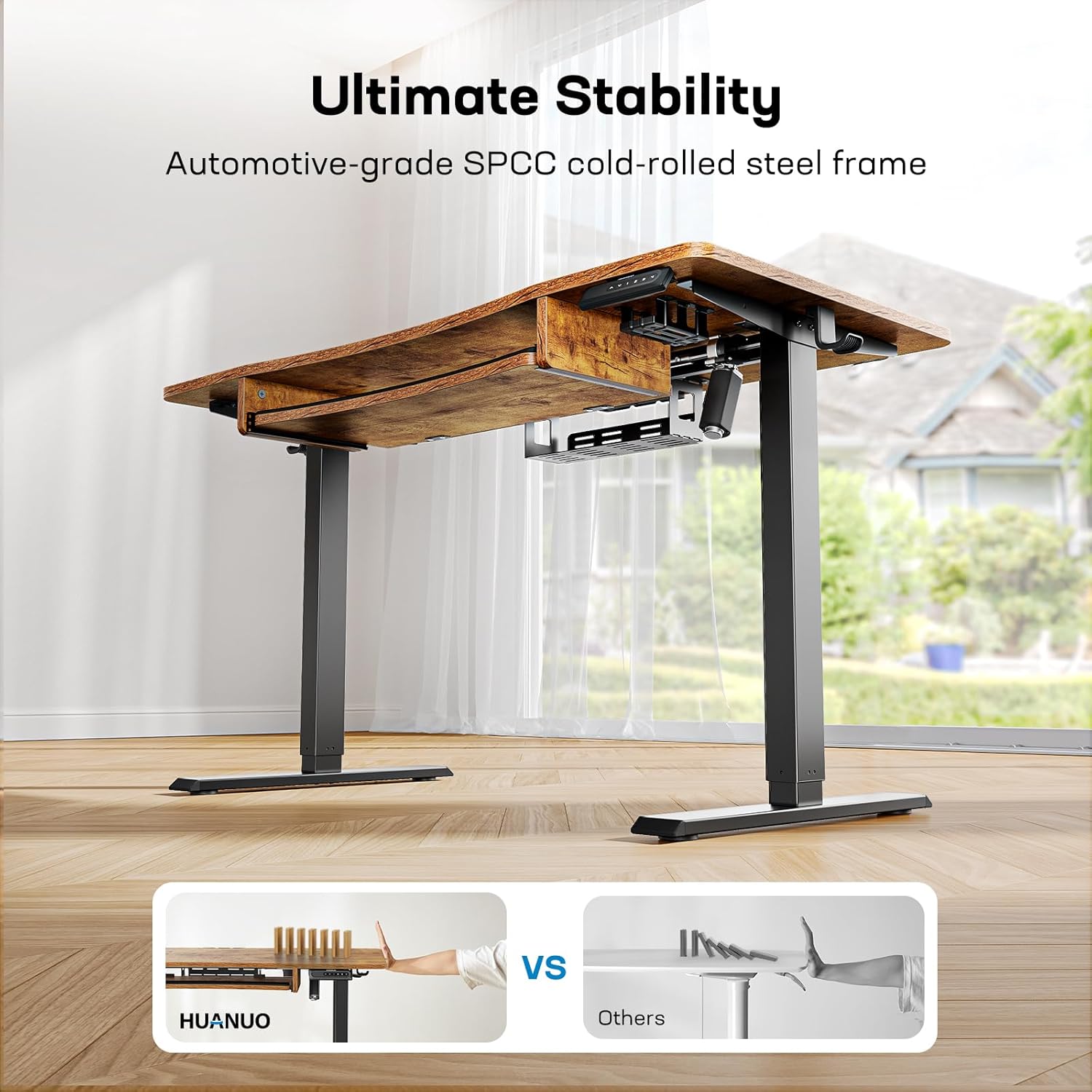
Image 4.1: Desk dimensions are crucial for proper assembly and placement. This diagram illustrates the overall size and keyboard tray measurements.
5. Operating Instructions
5.1 Height Adjustment
Your HUANUO Electric Standing Desk features an electric lifting system for smooth and quiet height adjustments. Use the control panel located on the front edge of the desk to raise or lower the desktop.
- Up/Down Buttons: Press and hold the up or down arrow buttons to continuously adjust the desk height. Release the button at your desired height.
- Memory Presets: The desk has four customizable height settings (1, 2, 3, 4). To save a height: adjust the desk to the desired height, then press the 'M' button followed by the desired number (1-4). The desk will beep to confirm the setting is saved. To recall a saved height, simply press the corresponding number button.

Image 5.1: The desk offers a wide height range, allowing users to easily switch between sitting and standing positions and save up to four preferred heights.
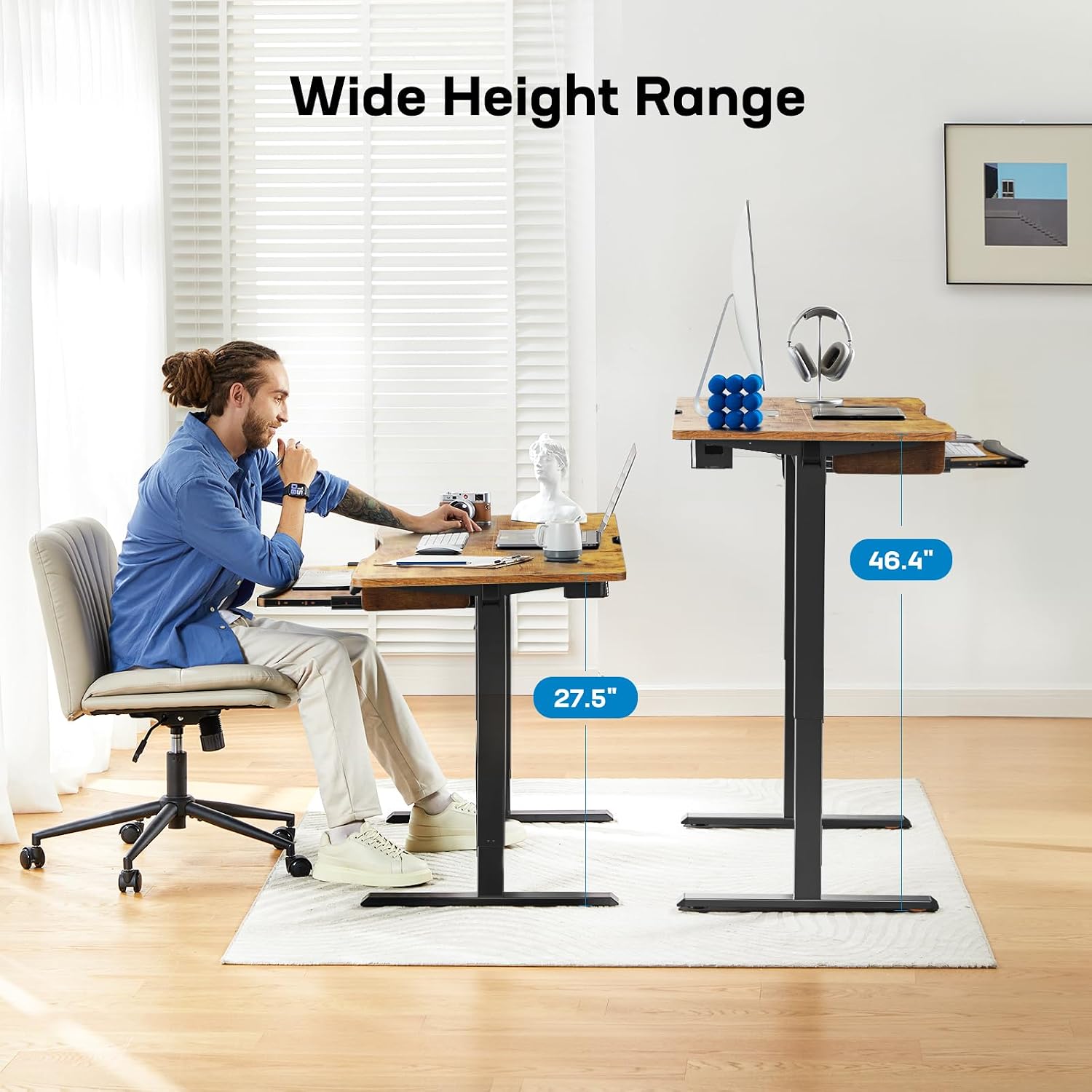
Image 5.2: This image illustrates the minimum (27.5 inches) and maximum (46.4 inches) height capabilities of the desk, accommodating both sitting and standing postures.
5.2 Keyboard Tray
The desk includes a large 26.7" x 11.8" keyboard tray designed for ergonomic comfort. The tray features a smooth gliding and locking system.
- Extension: Pull the keyboard tray forward until it locks into place for use.
- Retraction: Push the keyboard tray back into its storage position when not in use.
- The tray supports a maximum load of 22 lbs.

Image 5.3: The spacious keyboard tray provides ample room for a full-size keyboard and mouse, designed for ergonomic positioning.

Image 5.4: The keyboard tray's premium gliding mechanism ensures smooth and stable operation, supporting up to 22 lbs.
5.3 Cable Management and Anti-Collision System
The desk is equipped with features to keep your workspace organized and safe.
- Cable Management: Utilize the integrated cable management slots and the power strip holder underneath the desk to neatly organize your device cables and power strips.
- Storage Hooks: Use the included hooks to hang headphones or other accessories.
- Anti-Collision System: The desk features an anti-collision system that automatically stops and slightly reverses the desk's movement if it encounters an obstruction during height adjustment, preventing damage or injury.

Image 5.5: Overview of the desk's smart features, including the control panel, cable management solutions, storage hooks, and the anti-collision safety mechanism.
5.4 Official Product Video
Video 5.1: This video demonstrates the key features of the HUANUO Standing Desk, including the large keyboard tray, cable management, and height adjustment functionality.
6. Maintenance
To ensure the longevity and optimal performance of your HUANUO Electric Standing Desk, follow these simple maintenance guidelines:
- Cleaning: Wipe the desk surfaces with a damp cloth. Avoid using harsh chemicals or abrasive cleaners that could damage the finish.
- Inspections: Periodically check all screws and connections to ensure they are tight. Retighten if necessary.
- Cable Management: Regularly check cables for any signs of wear or damage and ensure they are properly routed through the cable management system.
7. Troubleshooting
If you encounter any issues with your HUANUO Electric Standing Desk, please refer to the following common troubleshooting steps:
| Problem | Possible Cause | Solution |
|---|---|---|
| Desk does not move or respond to control panel. | Power disconnected; motor overload; control box error. | Check power cable connection. Disconnect power for 10 seconds, then reconnect to reset. Reduce load on desk. |
| Desk moves unevenly or makes unusual noises. | Uneven load; loose connections; motor issue. | Ensure weight is evenly distributed. Check all assembly screws. If noise persists, contact support. |
| Keyboard tray is stiff or not gliding smoothly. | Obstruction in tracks; dirt/debris; damaged mechanism. | Inspect tracks for obstructions and clean. Ensure proper alignment. If damaged, contact customer support for replacement parts. |
| Anti-collision system triggers too easily or not at all. | Sensitivity setting; sensor obstruction. | Refer to the full user manual for instructions on adjusting anti-collision sensitivity. Ensure no objects are near the desk's path. |
If these steps do not resolve the issue, please contact HUANUO customer support for further assistance.
8. Specifications
Detailed technical specifications for the HUANUO 48x24 Inch Electric Standing Desk (Model HNESD22B):
- Model Number: HNESD22B
- Brand: HUANUO
- Product Dimensions: 24"D x 48"W x 28.3"H (Minimum Height)
- Adjustable Height Range: 27.5" to 46.4"
- Desktop Material: Wood (Vintage Brown finish)
- Frame Material: Automotive-grade SPCC cold-rolled steel
- Lifting Mechanism: Electric
- Number of Height Positions: 4 (Memory Presets)
- Keyboard Tray Dimensions: 26.7" x 11.8"
- Keyboard Tray Max Load: 22 lbs
- Special Features: Adjustable Height, Large Keyboard Tray, 4 Memory Height Settings, Cable Management System, Anti-Collision System
- UPC: 810145639504

Image 8.1: This diagram provides a comprehensive overview of the desk's dimensions, essential for planning your workspace.
9. Warranty and Support
Your HUANUO Electric Standing Desk comes with a Limited Warranty. For specific details regarding warranty coverage, terms, and conditions, please refer to the warranty information included with your purchase or visit the official HUANUO website.
For technical support, missing parts, or any other inquiries, please contact HUANUO customer service. Contact information can typically be found on the product packaging, the official HUANUO website, or through your retailer.

