
HISION 096aa072-22ac-4d18-8366-001155115ef7
HISION Mini Portable Projector User Manual
Model: 096aa072-22ac-4d18-8366-001155115ef7
1. Introduction
Thank you for choosing the HISION Mini Portable Projector. This manual provides essential information for setting up, operating, and maintaining your new projector. Please read it thoroughly before use to ensure optimal performance and longevity of the device.

Image 1.1: The HISION Mini Portable Projector, showcasing its compact design and key features like 4K support, Electric Focus, WiFi 5G, and Bluetooth.
2. Product Features
The HISION Mini Portable Projector is designed to deliver a superior viewing experience with its advanced features:
- Native 1080P Resolution with 4K Support: Enjoy crisp, clear images with true 1080P resolution and compatibility with 4K content.
- High Brightness and Contrast: Boasts 13000 lumens brightness and a 10000:1 contrast ratio for vibrant visuals.
- Advanced Electric Focus: Achieve sharp images in approximately 3 seconds using the remote control, eliminating manual adjustments.
- Large Projection Size: Capable of projecting a true-to-life 300-inch screen for an immersive home theater experience.
- Dual-Band 5G WiFi: Supports 2.4G/5G dual WiFi for faster and more stable wireless screen mirroring from Windows 10, Android, and iPhone devices.
- Bluetooth 5.3 Technology: Seamlessly connect to various Bluetooth speakers and headphones for enhanced audio.
- Extensive Compatibility: Equipped with HDMI, USB, and 3.5mm audio ports, compatible with smartphones, tablets, laptops, Fire TV, XBOX, PS5, and more.
- Portable Design: Lightweight and compact, making it easy to transport and set up anywhere.

Image 2.1: Comparison illustrating the superior clarity of Native 1080P FHD resolution (HISION) versus 720P (Others).

Image 2.2: Demonstration of the Electric Focus feature, showing a remote control used to simplify focusing.
3. Package Contents
Please check the box for the following items:
- HISION Mini Portable Projector
- Remote Control
- Power Cable
- HDMI Cable
- User Manual
4. Setup Guide
4.1. Powering On
- Connect the power cable to the projector's power input port.
- Plug the other end of the power cable into a power outlet.
- Press the power button on the projector or the remote control to turn on the device.
4.2. Initial Placement
Place the projector on a stable, flat surface. Ensure there is adequate ventilation around the projector to prevent overheating.
4.3. Focusing the Image
The HISION projector features electric focus for quick and easy image clarity.
- Point the remote control at the projector.
- Press the 'F+' or 'F-' buttons on the remote control to adjust the focus until the image on the screen is clear and sharp.
Image 4.1: Using the remote control to adjust the electric focus for a clear projection.
5. Operating Instructions
5.1. Navigating the Menu
Use the arrow buttons on the remote control to navigate through the projector's on-screen menu. Press the 'OK' button to confirm selections and the 'Back' button to return to the previous screen.
5.2. Input Source Selection
To select an input source (e.g., HDMI, USB, Screen Mirroring):
- Press the 'Source' button on the remote control.
- Use the arrow buttons to highlight your desired input source.
- Press 'OK' to confirm.
5.3. Wireless Screen Mirroring (WiFi)
Mirror your smartphone (iOS/Android) or Windows 10 device wirelessly:
- Select 'Screen Mirroring' from the input source menu.
- Ensure your device and the projector are connected to the same WiFi network (preferably 5G for best performance).
- Follow the on-screen instructions for your specific device (e.g., AirPlay for iOS, Smart View/Cast for Android, Project to a second screen for Windows 10).

Image 5.1: Illustration of 5G wireless screen mirroring from iOS, Android, and Windows 10 devices.
5.4. Bluetooth Audio Connection
Connect external Bluetooth speakers or headphones for an enhanced audio experience:
- Go to the 'Settings' menu on the projector.
- Select 'Bluetooth' and turn it on.
- Put your Bluetooth audio device into pairing mode.
- Select your device from the list of available devices on the projector's screen to connect.

Image 5.2: The projector connected to Bluetooth headphones and earbuds, demonstrating Bluetooth 5.3 capability.
6. Connecting Devices
The HISION projector offers versatile connectivity options:
- HDMI Port: Connect devices such as laptops, gaming consoles (XBOX, PS5), TV sticks (Fire TV Stick), and Blu-ray players.
- USB Port: Play media files (videos, photos, music) directly from a USB flash drive.
- 3.5mm Audio Out: Connect external wired speakers or headphones.
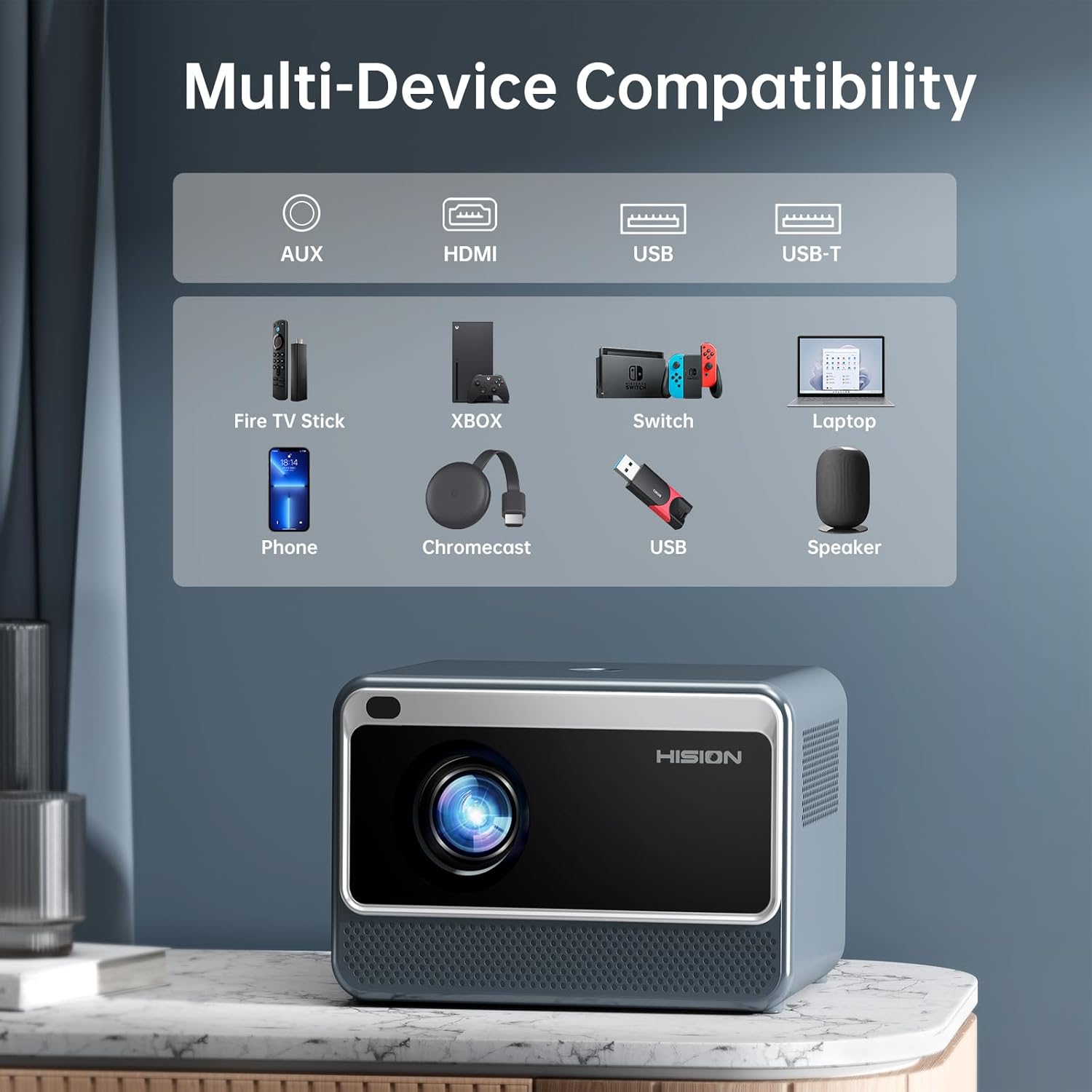
Image 6.1: Overview of multi-device compatibility, showing connections for Fire TV Stick, XBOX, Switch, Laptop, Phone, Chromecast, USB, and Speaker.
7. Troubleshooting
Refer to the table below for common issues and their solutions:
| Problem | Possible Cause | Solution |
|---|---|---|
| No image or dim image | Power not connected, lens cap on, incorrect input source, out of focus, ambient light too high. | Check power connection, remove lens cap, select correct input, adjust electric focus, reduce room lighting. |
| No sound | Volume too low, mute enabled, incorrect audio output, external device volume low. | Increase projector volume, check mute setting, ensure correct audio output (internal speaker/Bluetooth), adjust source device volume. |
| Cannot connect to WiFi/Bluetooth | Incorrect password, out of range, interference, device not in pairing mode. | Verify password, move closer to router/device, reduce interference, ensure device is in pairing mode. |
| Remote control not working | Batteries low/dead, obstruction, not pointing at IR receiver. | Replace batteries, remove obstructions, ensure direct line of sight to projector's IR receiver. |
8. Specifications
Key technical specifications for the HISION Mini Portable Projector:
| Feature | Detail |
|---|---|
| Brand | HISION |
| Model Number | 096aa072-22ac-4d18-8366-001155115ef7 |
| Display Resolution | Native 1920 x 1080 (1080P), 4K Support |
| Brightness | 13000 Lumens |
| Contrast Ratio | 10000:1 |
| Max Projection Size | 300 inches |
| Connectivity Technology | Wireless (2.4G/5G WiFi), Bluetooth 5.3, HDMI, USB, 3.5mm Audio |
| Product Dimensions | 7.2 x 4.65 x 5.35 inches |
| Item Weight | 2.92 pounds |
| Special Features | Electric Focus, Built-in HiFi Speaker, Dual WiFi 5G+2.4G Connection |
9. Maintenance
Proper care and maintenance will extend the life of your projector:
- Cleaning the Lens: Use a soft, lint-free cloth specifically designed for optical lenses. Do not use abrasive cleaners or cloths.
- Cleaning the Exterior: Wipe the projector's exterior with a soft, dry cloth. For stubborn marks, use a slightly damp cloth and then dry thoroughly.
- Ventilation: Ensure the projector's ventilation openings are not blocked. Do not place the projector on soft surfaces that may obstruct airflow.
- Storage: When not in use for extended periods, store the projector in a cool, dry place, away from direct sunlight and extreme temperatures.
10. Warranty and Support
HISION is committed to providing outstanding products and customer service. Your HISION Mini Portable Projector comes with:
- 1-Year Free Return: For eligible returns within the first year.
- 3-Year Replacement Warranty: Covers manufacturing defects for three years from the date of purchase.
- Lifelong Technical Support: Access to technical assistance for the lifetime of the product.
If you have any questions or concerns regarding your projector, please do not hesitate to reach out to HISION customer support. Refer to your purchase documentation or the HISION official website for contact details.
Related documents096aa072-22ac-4d18-8366-001155115ef7

Ask a question about this manual
Ask about setup, troubleshooting, compatibility, parts, safety, or missing instructions. Manuals+ will review the question and use this page’s manual context to help answer it.