
Introduction
Thank you for choosing the UrbanX FM0190 Waterproof Bluetooth Speaker. This speaker is designed to provide powerful stereo sound in a portable, durable, and waterproof package. Featuring Bluetooth V5.2 connectivity and True Wireless Stereo (TWS) pairing, it is suitable for various environments, from outdoor adventures to home use. Please read this manual carefully to ensure proper use and maintenance of your device.
Key features include:
- Powerful Stereo Sound: Equipped with a full-frequency unit and BASSBOOST technology for clear audio.
- IPX7 Waterproof Rating: Designed to withstand submersion in water, making it ideal for beach or poolside use.
- True Wireless Stereo (TWS) Pairing: Connect two UrbanX speakers for an immersive surround sound experience.
- Portable Design: Compact and lightweight with a fixed loop for easy carrying.
- Long Battery Life: Up to 20 hours of continuous playback on a single charge.
- Versatile Playback Options: Supports Bluetooth, SD/TF card, and AUX input.
Product Overview
The UrbanX FM0190 speaker features a robust and compact design. Familiarize yourself with the speaker's components for optimal use.
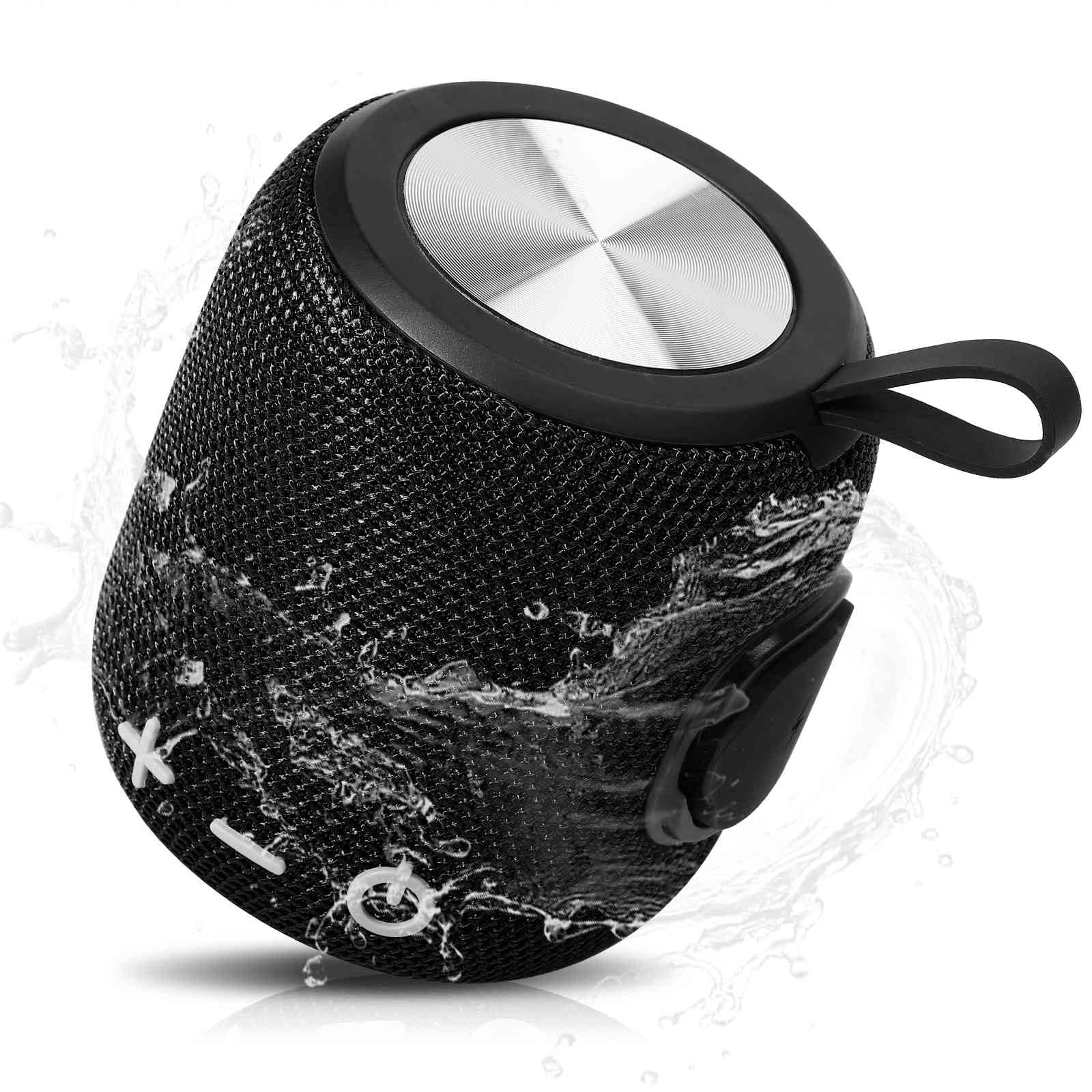
Image: The UrbanX FM0190 speaker, highlighting its powerful audio capabilities with a detailed view of its 1.69-inch driver and BASSBOOST technology.
Speaker Components
- Power Button: Used to turn the speaker on or off.
- Volume Buttons (+/-): Adjusts the playback volume.
- Multi-function Button (O): Controls playback (play/pause), call management, and TWS pairing.
- Type-C Charging Port: For charging the speaker's internal battery.
- SD/TF Card Slot: For playing music directly from a memory card.
- AUX Input Port: For connecting external audio devices via a 3.5mm audio cable.
- Built-in Microphone: For hands-free calling.
- Carrying Loop: For easy portability.
Setup
1. Charging the Speaker
Before first use, fully charge the speaker. Connect the provided Type-C charging cable to the speaker's charging port and a compatible USB power adapter (not included). The charging indicator light will illuminate during charging and turn off once fully charged. A full charge typically takes 3-4 hours.
2. Powering On/Off
- To Power On: Press and hold the Power button for approximately 2-3 seconds until you hear an audible prompt and the indicator light flashes.
- To Power Off: Press and hold the Power button for approximately 2-3 seconds until you hear an audible prompt and the indicator light turns off.
3. Bluetooth Pairing
After powering on, the speaker will automatically enter Bluetooth pairing mode, indicated by a flashing blue light. Follow these steps to connect your device:
- Ensure Bluetooth is enabled on your smartphone, tablet, or other audio device.
- Search for Bluetooth devices and select "UrbanX FM0190" from the list.
- Once connected, you will hear a confirmation sound, and the indicator light will turn solid blue.
The speaker will automatically attempt to reconnect to the last paired device when powered on.
4. True Wireless Stereo (TWS) Pairing
For an enhanced stereo experience, you can pair two UrbanX FM0190 speakers together.

Image: Two UrbanX FM0190 speakers shown wirelessly connected to a tablet, illustrating the True Wireless Stereo (TWS) pairing feature for a surround sound experience.
- Ensure both UrbanX FM0190 speakers are powered on and not connected to any other Bluetooth device.
- On one of the speakers (this will be the primary speaker), double-press the Multi-function button (O). The speaker will enter TWS pairing mode.
- The two speakers will automatically search for and connect to each other. You will hear a confirmation sound once TWS pairing is successful.
- Once TWS paired, connect your audio device to the primary speaker via Bluetooth as described in step 3. Both speakers will now play audio in stereo.
Operating the Speaker
1. Basic Music Playback
- Play/Pause: Press the Multi-function button (O) once.
- Volume Up: Press the '+' button.
- Volume Down: Press the '-' button.
- Next Track: Press and hold the '+' button.
- Previous Track: Press and hold the '-' button.
2. Hands-Free Calling
With the built-in microphone, you can answer calls directly through the speaker when connected to your smartphone.
- Answer Call: Press the Multi-function button (O) once when a call comes in.
- End Call: Press the Multi-function button (O) once during a call.
- Reject Call: Press and hold the Multi-function button (O) for 2 seconds when a call comes in.
3. SD/TF Card Playback
Insert a formatted SD/TF card (up to 32GB) with music files into the designated slot. The speaker will automatically switch to SD/TF card mode and begin playing music. Use the basic music playback controls.
4. AUX Input Mode
Connect an external audio device (e.g., MP3 player) to the speaker's AUX input port using a 3.5mm audio cable. The speaker will automatically switch to AUX mode. Volume can be controlled via the speaker or the connected device.
Maintenance
Proper care ensures the longevity and performance of your UrbanX FM0190 speaker.
1. Cleaning
- Wipe the speaker with a soft, damp cloth. Do not use abrasive cleaners, alcohol, or chemical solvents.
- Ensure all ports are dry before charging or connecting cables, especially after exposure to water.
2. Waterproofing (IPX7)

Image: The UrbanX FM0190 speaker partially submerged in water, illustrating its IPX7 waterproof capability, allowing it to be used in wet environments.
- The IPX7 rating means the speaker can be submerged in water up to 1 meter for 30 minutes.
- Always ensure the charging port cover is securely closed before exposing the speaker to water.
- Avoid exposing the speaker to saltwater or chlorinated water for extended periods, as this may cause damage over time. Rinse with fresh water after exposure to such liquids.
3. Storage
- Store the speaker in a cool, dry place away from direct sunlight and extreme temperatures.
- If storing for an extended period, charge the battery to approximately 50% to preserve battery health.
Troubleshooting
If you encounter issues with your UrbanX FM0190 speaker, refer to the following common problems and solutions:
| Problem | Possible Cause | Solution |
|---|---|---|
| Speaker does not power on. | Low battery. | Charge the speaker for 3-4 hours. |
| Cannot pair via Bluetooth. | Speaker not in pairing mode; device Bluetooth off; too far from speaker. | Ensure speaker is in pairing mode (flashing blue light). Turn Bluetooth off/on on your device. Move device closer to speaker (within 10 meters). |
| No sound during playback. | Volume too low; incorrect input mode; device not connected. | Increase speaker and device volume. Check if the correct input mode (Bluetooth, SD/TF, AUX) is selected. Re-pair Bluetooth device. |
| Poor sound quality or distortion. | Low battery; device too far; interference. | Charge the speaker. Move device closer. Avoid obstacles between speaker and device. |
| TWS pairing fails. | Speakers already connected to other devices; too far apart. | Ensure both speakers are disconnected from other devices. Place speakers close to each other during TWS pairing. |
If the problem persists after trying these solutions, please contact customer support.
Specifications
Detailed technical specifications for the UrbanX FM0190 Waterproof Bluetooth Speaker:
| Feature | Specification |
|---|---|
| Brand | UrbanX |
| Model Number | FM0190 |
| Connectivity Technology | Bluetooth V5.2 |
| Speaker Maximum Output Power | 5 Watts |
| Waterproof Rating | IPX7 |
| Battery Capacity | 1800mAh Lithium-ion |
| Battery Average Life | Up to 20 hours (actual battery life varies with usage) |
| Charging Time | 3-4 hours |
| Control Method | Touch buttons |
| Material | ABS environmentally friendly plastic, nylon fabric, rubber oil, metal |
| Item Dimensions (D x W x H) | 5.4"D x 3.76"W x 3.82"H (13.7cm D x 9.55cm W x 9.7cm H) |
| Item Weight | 15 Ounces (approx. 425g) |
| Additional Features | Bass Boost, Shockproof, USB Port (for charging), Built-in Microphone, TWS Pairing |
Warranty and Support
Warranty Information
The UrbanX FM0190 Waterproof Bluetooth Speaker comes with a 30 Days Money Back Warranty. Please retain your proof of purchase for any warranty claims.
Customer Support
For technical assistance, troubleshooting beyond this manual, or warranty inquiries, please contact UrbanX customer support through the retailer where you purchased the product or visit the official UrbanX website for contact information.

