
DEPSTECH WF028-5M-B-US
DEPSTECH Wireless Endoscope User Manual
Model: WF028-5M-B-US
Brand: DEPSTECH
1. Product Overview
The DEPSTECH Wireless Endoscope is a high-definition 5.0MP video inspection camera designed for examining hard-to-reach areas. It features a semi-rigid snake cable, adjustable LED lights, and wireless connectivity for use with smartphones and tablets.
Key Features
- Revolutionary HD 5.0MP Endoscope: High-efficient third-generation chip, 2592x1944 resolution, copper core for semi-ridged cable, envisions hard-to-reach places exquisitely clearly.
- Newest Top Technologies for Inspection Camera: Adjustable 6 LED lights with Bluart tech, illuminate darkness and reduce overexposure. Camtele expands the usual focal distance from 3 inch to 16 inch, reducing inconvenience during use.
- 2200 mAh Battery, Longer Using Time: Larger battery capacity for the WiFi box prolongs inspection time, reducing the annoyance of insufficient working period.
- WiFi Connection, Wider Compatibility: Features a WiFi box broadcasting a WiFi signal, pushing the boundaries of compatibility. Compatible with iPad, iOS 9.0+ and Android 9.0+ devices.
- IP67 Waterproof & Semi-ridged Cable: Equipped with a 16.5ft snake cable that can bend and hold its shape to access a wide variety of confined places, such as curved holes or pipes. Water-resistant design applies to usage in water tanks, tubes, etc.
2. Setup Guide
Package Contents
Before starting, ensure all components are present in the package:
- DEPSTECH Wireless Endoscope (Camera with semi-rigid cable and WiFi box)
- USB Charging Cable
- User Manual
- Accessories (e.g., hook, magnet, side mirror)
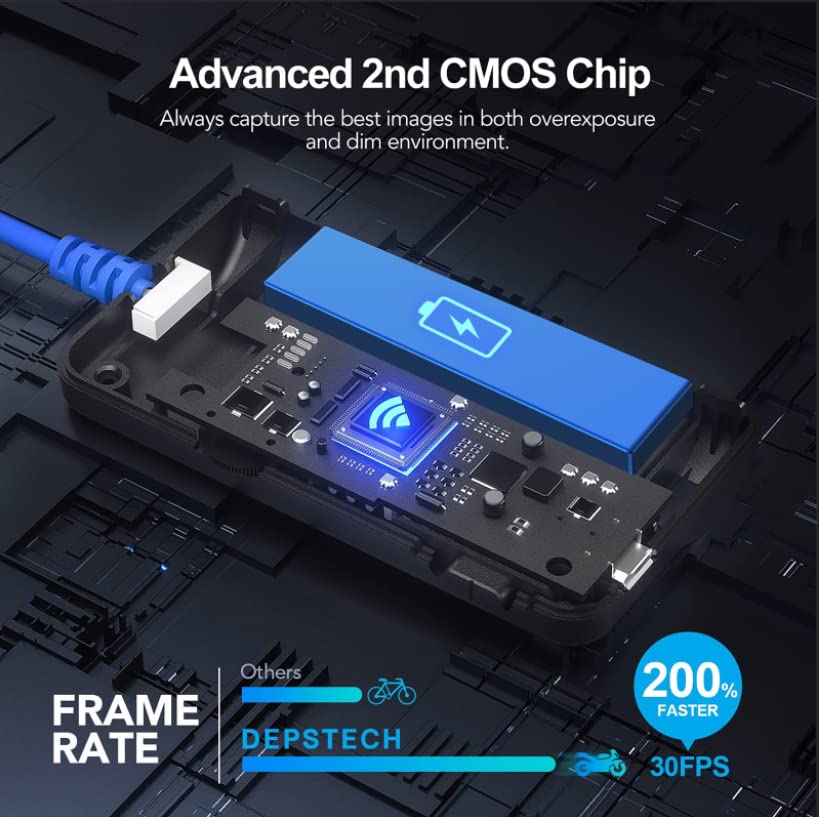
Image: Complete package contents of the DEPSTECH Wireless Endoscope.
Connecting to Your Device
Follow these steps to connect your endoscope to your smartphone or tablet:
- Download the APP: Search for "DEPSTECH-View" in the App Store (iOS) or Google Play Store (Android) and download the application.
- Charge and Power On: Ensure the WiFi box is fully charged. Press and hold the power button on the WiFi box to turn it on. It will generate a WiFi signal.
- Connect to WiFi: Go to your phone's WLAN (Wi-Fi) settings. Find the WiFi network named "DEPSTECH-XXXX" (where XXXX is a unique identifier) and connect to it. The default password is usually 12345678.
- Launch the App: Open the "DEPSTECH-View" app. If prompted, allow the app to find and connect to devices on your local network. This is essential for real-time image access.

Image: Step-by-step connection method for the DEPSTECH Wireless Endoscope.
Component Identification

Image: Labeled diagram of the endoscope's WiFi box and camera head, indicating power, WiFi, LED controls, and charging port.
3. Operation Instructions
Camera Features
The endoscope is equipped with advanced imaging technology for clear inspections:
- 5.0 MP HD Camera: Captures high-resolution images and videos (2592x1944) for detailed inspection.
- Bluart 2.0 Technology: Enhances image clarity and reduces overexposure in various lighting conditions.

Image: Visual comparison highlighting the clarity provided by the 5.0 MP camera with Bluart 2.0 technology.
- Adjustable LED Lights: Six integrated LED lights provide illumination in dark environments. Brightness can be adjusted via controls on the WiFi box.

Image: The IP67 waterproof camera head and its adjustable LED light settings.
- Camtele 2.0 Focal Distance: The camera offers an extended focal range of 1.2 inches to 15.7 inches (3cm to 40cm), allowing for clear images at varying distances without constant adjustment.
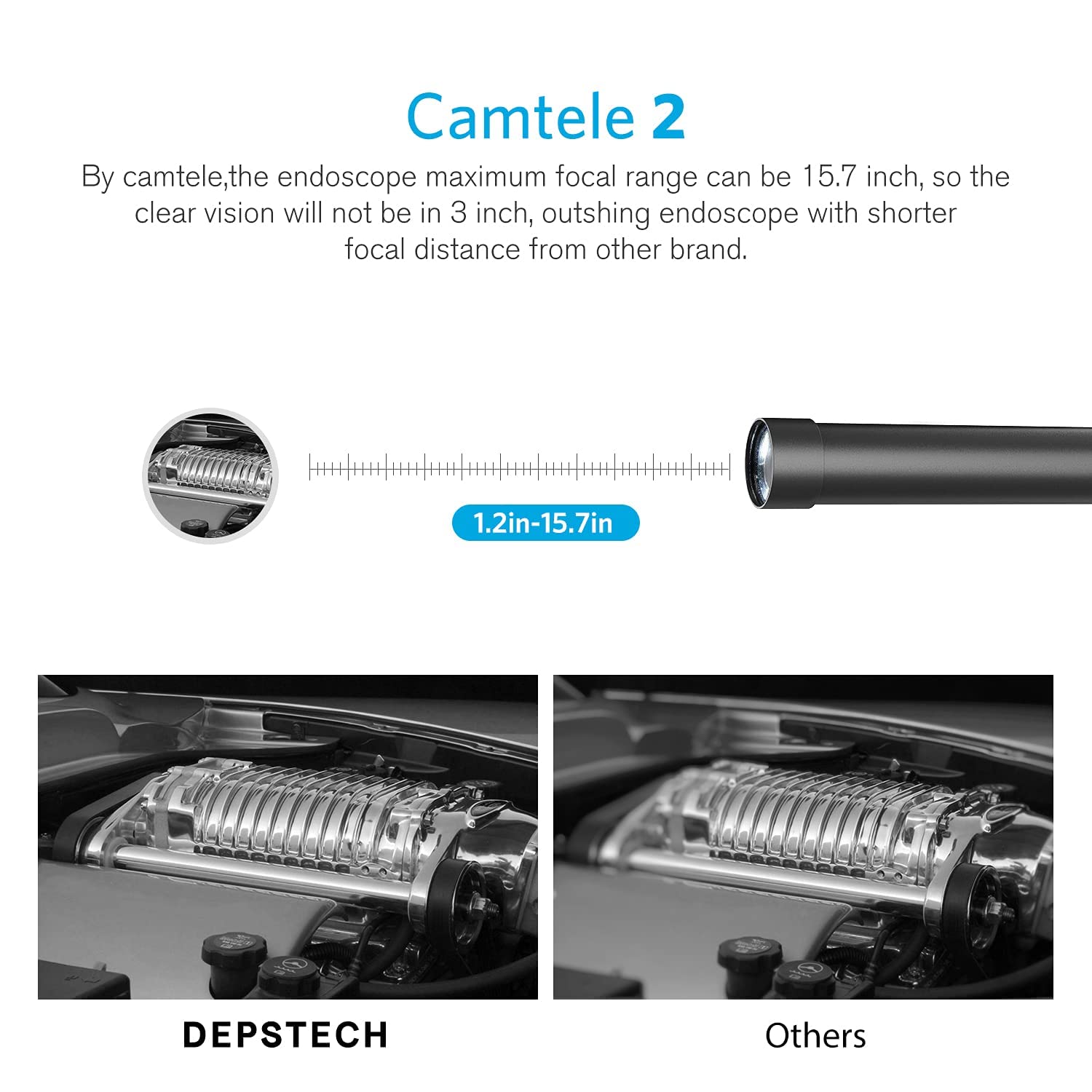
Image: Illustration of the Camtele 2.0 extended focal range for clear imaging.
Practical Applications
The semi-rigid cable and waterproof design make this endoscope suitable for various inspection tasks:
- Plumbing inspections (sinks, pipes)
- Automotive maintenance (engine, car parts)
- Home appliance checks (dryers, washing machines)
- Wall and ceiling inspections
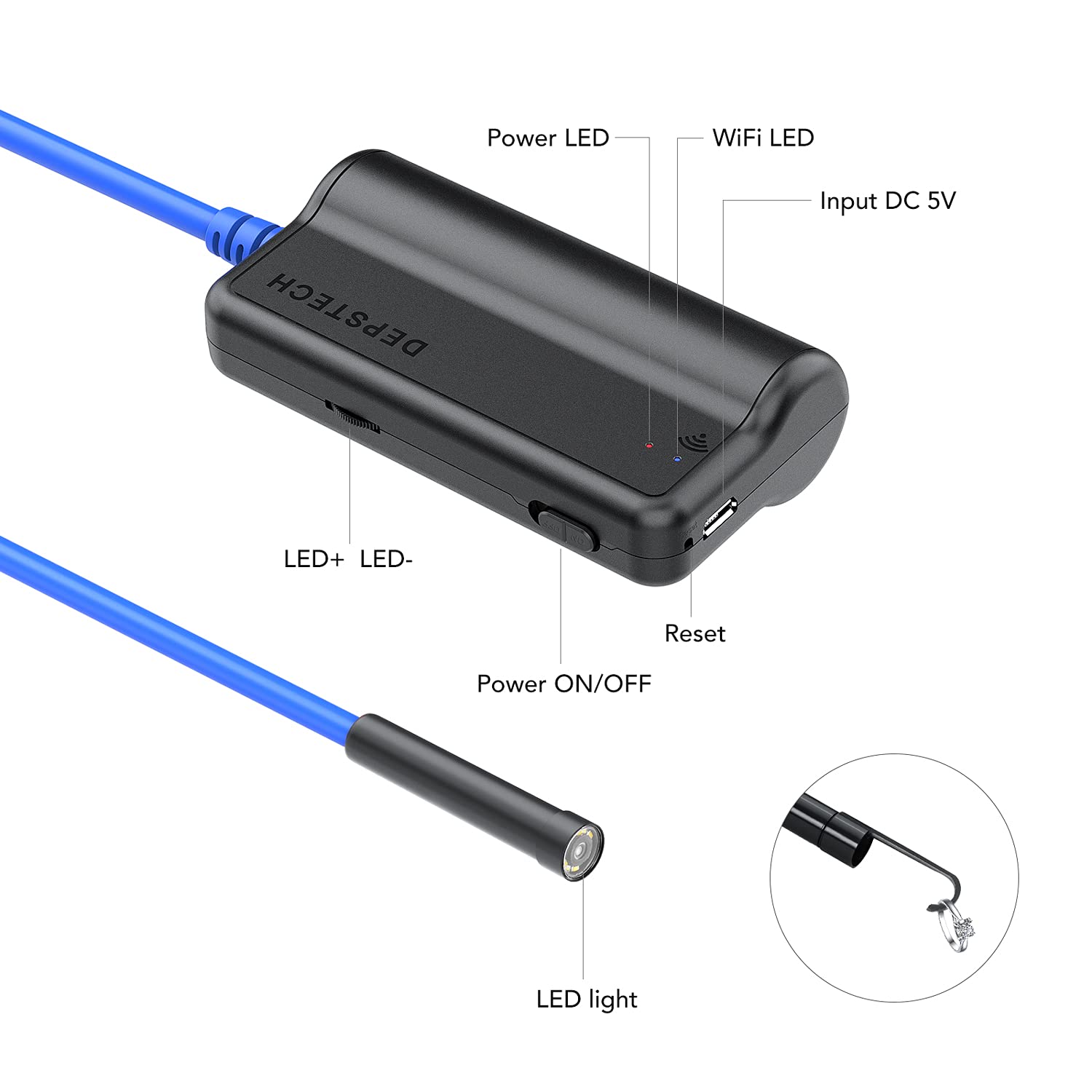
Image: Examples of the endoscope in use for household and automotive inspections.
4. Maintenance and Care
Cleaning the Lens
To ensure optimal image clarity, regularly clean the camera lens:
- Before each use, check if the lens is dirty.
- Gently wipe the lens with a clean, soft, dust-free cloth.
- Avoid using abrasive materials or harsh chemicals that could scratch or damage the lens.
For a visual guide on cleaning and maintaining focus, refer to the troubleshooting video below.
Battery Care
- Always use the endoscope after it is fully charged to ensure stable connection and performance.
- Store the device in a cool, dry place when not in use.
- Avoid extreme temperatures that can affect battery life.
5. Troubleshooting
Common Issues and Solutions
If you encounter issues with your DEPSTECH Wireless Endoscope, consider the following:
Video: Troubleshooting guide for out-of-focus, unclear, or blurred pictures with the WF028 Borescope Camera. This video provides visual steps to resolve common image quality issues.
- Out of Focus/Unclear/Blurred Picture:
- Ensure the object being inspected is within the appropriate focal length range (1.2-15.7 inches or 3-40 cm). Manual focus is required by positioning the camera correctly.
- Check if the lens is dirty and wipe it with a clean, dust-free cloth before use.
- Check if there are any abnormalities inside the lens (such as fog or water droplets). If so, contact customer service.
- In a dark environment, ensure that the lens LED light is in the brightest setting.
- Connection Issues (e.g., disconnection, failure to connect):
- Ensure the WiFi box is fully charged. Low battery can cause connection instability.
- Verify that you have selected the correct WiFi network (DEPSTECH-XXXX) and entered the correct password (12345678).
- Ensure your phone's "local network" and "Cellular data" settings are enabled for the "DEPSTECH-View" app.
- Restart both the endoscope and your smart device.
- App Functionality Issues:
- If modifying the WiFi password in the app, note that it only accepts numbers or letters; special characters are not supported.
- System video recording may not be supported on iOS 9.0 or lower systems.
6. Product Specifications
| Feature | Specification |
|---|---|
| Model Number | WF028-5M-B-US |
| Camera Resolution | 5.0MP (2592x1944) |
| Focal Distance | 1.2 - 15.7 inches (3 - 40 cm) |
| Cable Length | 16.5 FT |
| Cable Type | Semi-Rigid Snake Cable |
| Waterproof Rating | IP67 |
| Battery Capacity | 2200mAh Lithium Ion |
| Connectivity | WiFi |
| Compatibility | iOS 9.0+ and Android 9.0+ devices |
| Manufacturer | DEPSTECH |
| Color | Dark Blue |
7. Warranty and Support
Customer Support
For further assistance, product issues, returns, or exchanges, please contact DEPSTECH customer service. You can also refer to the official troubleshooting guide:
- Troubleshooting Guide (PDF): Download PDF
For the latest information and support, visit the official DEPSTECH website or contact their customer service team directly.
Related documentsWF028-5M-B-US


Ask a question about this manual
Ask about setup, troubleshooting, compatibility, parts, safety, or missing instructions. Manuals+ will review the question and use this page’s manual context to help answer it.