
1. Introduction
Thank you for choosing the Serta Heated Mattress Pad. This product is designed to provide warmth and comfort, enhancing your sleep experience. Featuring 10 heat settings, an auto shut-off timer, and a deep elastic pocket for a secure fit, this mattress pad combines convenience with the trusted quality of Serta. Please read this manual thoroughly before use to ensure safe and optimal operation.
2. Important Safety Information
WARNING: To reduce the risk of burns, electric shock, fire, or injury, read all instructions before using this product.
- Do not use with infants, children, incapacitated persons, or anyone insensitive to heat.
- Do not use with damaged cords or plugs. If the supply cord is damaged, it must be replaced by the manufacturer or its service agent or a similarly qualified person to avoid a hazard.
- Do not leave the controller covered when in use to avoid overheating. Ensure adequate ventilation around the controller.
- Unplug the mattress pad from the electrical outlet when not in use.
- Do not dry clean this product. Dry cleaning solvents may damage the insulation of the heating element.
- Do not use pins or other metallic objects with this product. They may damage the wiring.
- Do not use if wet.
- This product is ETL certified, meeting high safety standards.
3. Package Contents
Your Serta Heated Mattress Pad package should contain the following items:
- 1 x Serta Heated Mattress Pad (California King Size)
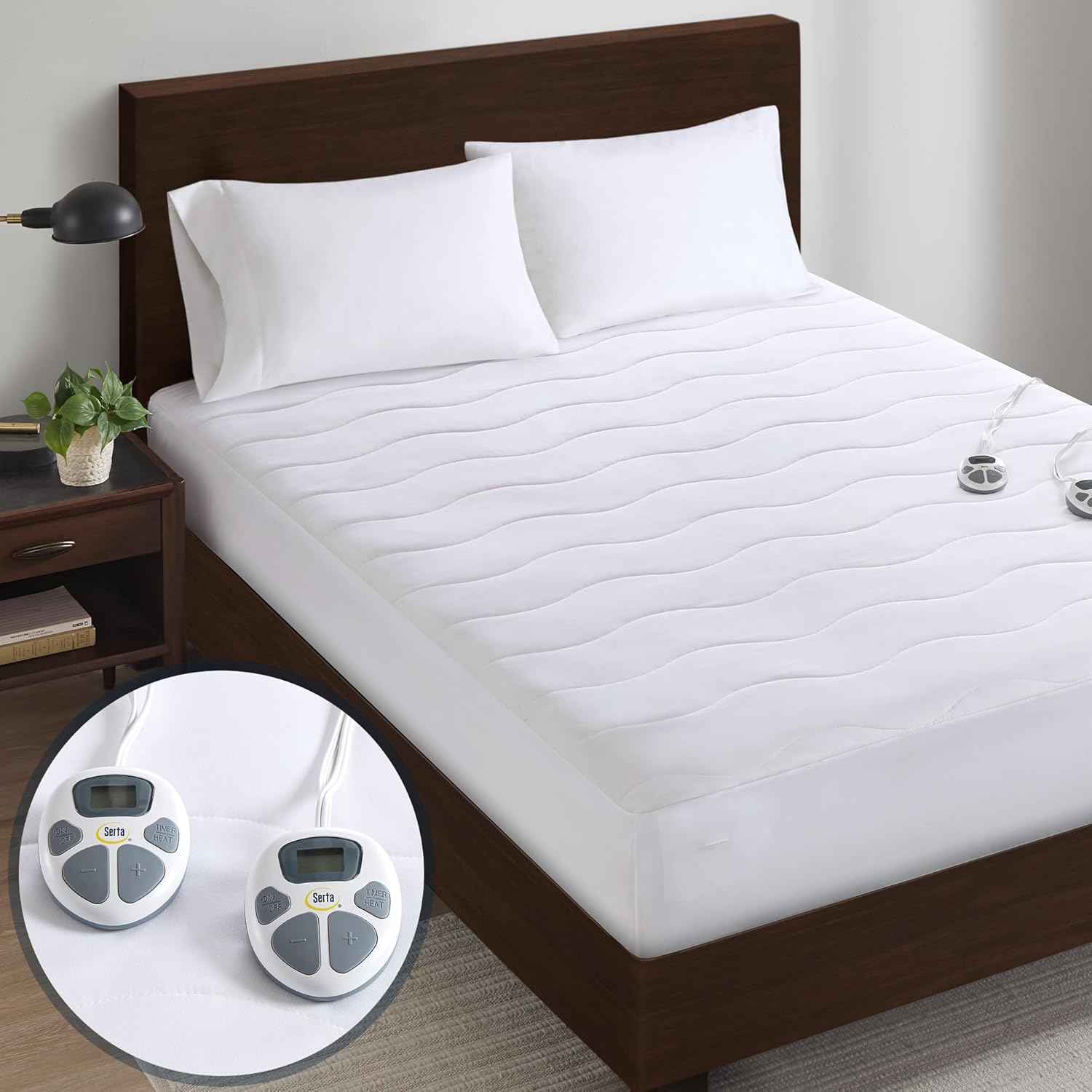
- 2 x Heat Controllers (for dual zone temperature control)
- 2 x Power Cords
4. Setup Instructions
- Unpack: Carefully remove the heated mattress pad and controllers from the packaging.
- Position the Pad: Lay the heated mattress pad flat on top of your mattress, ensuring it is centered and evenly spread.
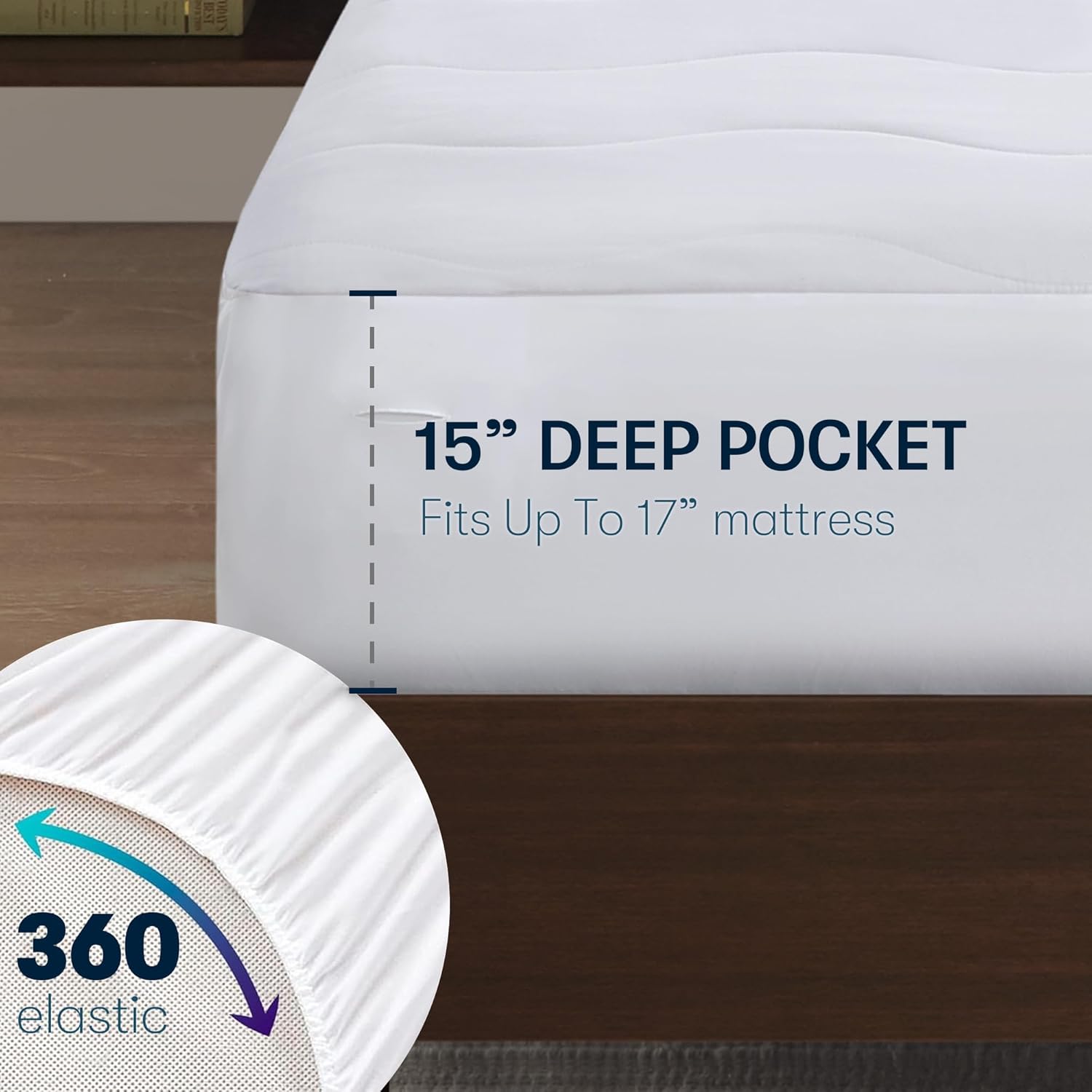
- Secure the Deep Pocket: The mattress pad features a deep elastic pocket designed to fit mattresses up to 17 inches thick. Stretch the elasticized skirt over the corners and sides of your mattress for a snug and secure fit.
- Connect Controllers: Locate the connection ports on the mattress pad. For California King size, there are two ports, one for each side. Firmly plug each controller's cord into its respective port on the mattress pad. Ensure the connection is secure.
- Plug into Power: Plug the power cords from each controller into a standard 120V/60Hz electrical outlet. Avoid using extension cords if possible.
5. Operating Instructions
The Serta Heated Mattress Pad features user-friendly controllers with 10 heat settings and an adjustable auto shut-off timer.
- Power On/Off: Press the 'ON/OFF' button on the controller to turn the mattress pad on or off. The backlit LCD display will illuminate when on.
- Adjust Heat Settings: Use the '+' and '-' buttons to select your desired heat level from 1 to 10. Level 1 is the lowest heat, and Level 10 is the highest.
- Set Auto Shut-Off Timer: Press the 'TIMER' button to cycle through the auto shut-off options, from 1 to 12 hours. The pad will automatically turn off after the selected duration.
- Dual Zone Control: For California King sizes, two separate controllers are provided, allowing each side of the bed to have independent heat settings and timer configurations. This enables personalized comfort for two users.

6. Care and Maintenance
Proper care will extend the life of your Serta Heated Mattress Pad.
- Before Washing: Always disconnect the power cords from the wall outlet and detach the controllers from the mattress pad before washing.
- Machine Wash: Machine wash on a gentle cycle with cold water. Do not bleach.
- Drying: Tumble dry on low heat or air dry. Ensure the mattress pad is completely dry before reconnecting the controllers and using it. Do not iron.
- Storage: When storing the mattress pad at the end of the season, roll it loosely rather than folding it tightly. Do not place heavy objects on top of it, as this can damage the internal wiring. Store in a cool, dry place.
The microfiber material of the mattress pad offers protection against minor spills and pet accidents, helping to keep your mattress clean and fresh. However, it is not fully waterproof, so significant liquid exposure should be avoided.

7. Troubleshooting
If you encounter any issues with your Serta Heated Mattress Pad, please refer to the following common solutions:
- Light Blinking: If the controller light is blinking, unplug the mattress pad from the wall outlet and then firmly reconnect the controller to the pad. Plug the power cord back into the outlet. If the issue persists, contact customer support.
- Controller Feels Warm: It is normal for the controller to feel slightly warm to the touch during operation. This is due to the electrical current cycling through it. If the controller becomes excessively hot or emits a burning smell, immediately unplug it and contact customer support.
- No Heat: Ensure both the controller and power cords are securely connected. Verify that the power outlet is functioning correctly by testing it with another appliance. Increase the heat setting on the controller.

8. Specifications
| Feature | Detail |
|---|---|
| Brand | Serta |
| Model Number | ST55-0277 |
| Size | California King (72"W x 84"L) |
| Fabric Type (Top) | 85 Gsm Microfiber |
| Filling | Light Bonded Polyfill |
| Deep Pocket | Fits mattresses up to 17" thickness |
| Heat Settings | 10 Levels |
| Auto Shut-Off Timer | 1-12 hours (in 1-hour increments) |
| Dual Zone Control | Yes (for Queen and larger sizes) |
| Power Cord Length | 6 ft |
| Controller Cord Length | 11 ft |
| Product Dimensions | 84 x 72 x 0.25 inches |
| Item Weight | 6.59 pounds |
| Care Instructions | Machine Washable |
| Water Resistance Level | Not Water Resistant (offers protection against minor spills) |
9. Warranty and Support
The Serta Heated Mattress Pad comes with a 5-year warranty, ensuring peace of mind regarding its quality and performance. For warranty claims, technical support, or any questions not covered in this manual, please contact Serta customer service.
Customer Support: Please refer to the contact information provided on your product packaging or the official Serta website for the most up-to-date support details.


