1. Introduction
This manual provides essential information for the safe and efficient operation of your Siemens HZ32WA00 Wireless Core Temperature Sensor. Please read these instructions carefully before using the device and retain them for future reference.
2. Safety Information
- Do not expose the sensor to open flames or temperatures exceeding its specified limits.
- Ensure the probe is inserted correctly into food to prevent damage to the sensor or inaccurate readings.
- Keep the device out of reach of children.
- Do not immerse the entire sensor or charging station in water. Clean only the probe tip and handle as instructed.
- Use only the provided charging cable and station.
3. Product Overview and Package Contents
The Siemens HZ32WA00 is a wireless core temperature sensor designed for precise monitoring of internal food temperatures during cooking. It features Bluetooth connectivity for integration with compatible appliances and the Home Connect app.
Package Contents:
- 1 x Siemens HZ32WA00 Wireless Core Temperature Sensor
- 1 x Charging Station/Holder
- 1 x USB Charging Cable
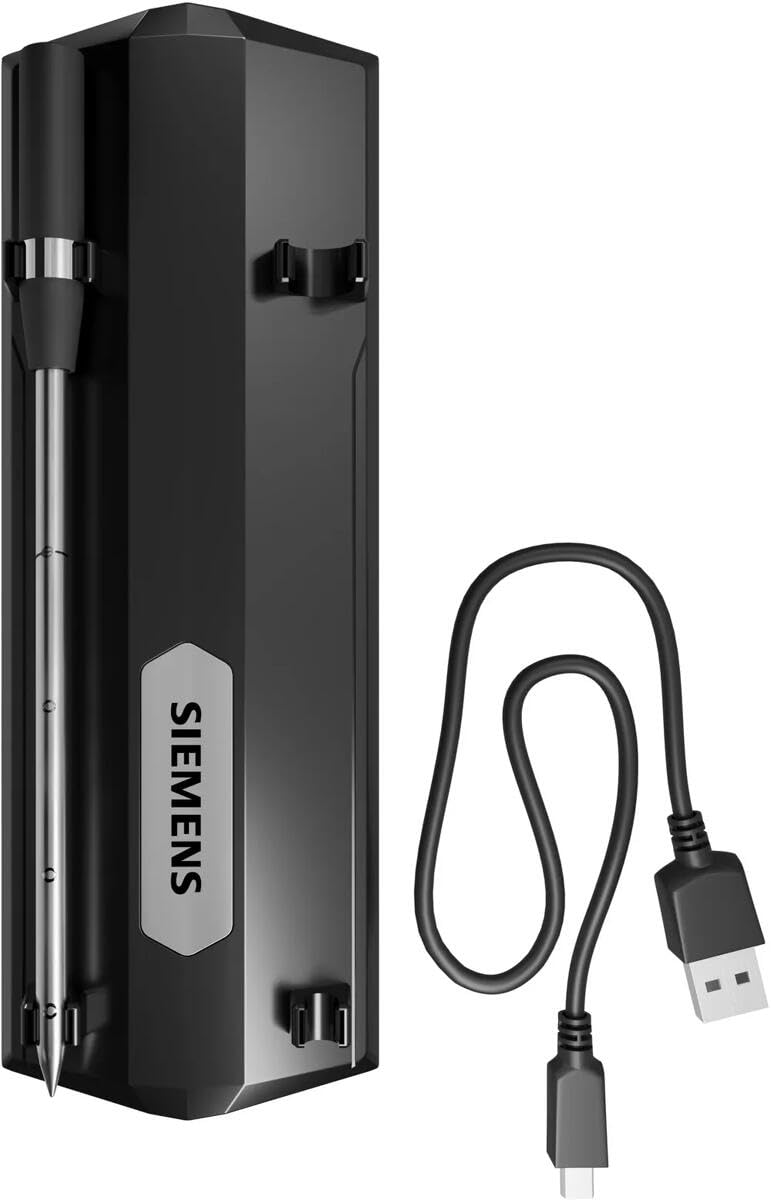
Image: The Siemens HZ32WA00 Wireless Core Temperature Sensor, its charging station, and the accompanying USB charging cable.
4. Setup
4.1 Charging the Sensor
Before initial use, fully charge the sensor. Place the sensor into its charging station and connect the USB cable to a power source. The sensor is battery-powered and rechargeable.

Image: The sensor placed in its charging station, ready for connection to a USB power source.
4.2 Pairing with Your Appliance and App
The HZ32WA00 sensor utilizes Bluetooth technology. For full functionality and smart features, it must be paired with a compatible Siemens appliance and connected via the Home Connect app. Refer to your appliance's manual and the Home Connect app instructions for detailed pairing procedures.
5. Operating Instructions
5.1 Inserting the Sensor
Carefully insert the metal probe tip into the thickest part of the food, ensuring it avoids any bones. For accurate temperature measurement and to prevent damage, the sensor must be inserted past the marked line on the probe. The probe has multiple measurement points along its length.

Image: The wireless temperature sensor inserted into a roast cooking in an oven, demonstrating proper placement.

Image: The wireless temperature sensor inserted into a piece of fish cooking in a pan on a stovetop.
5.2 Temperature Ranges and Dimensions
The sensor is designed to measure internal food temperatures up to 100°C (212°F). The handle and connection point can withstand ambient temperatures up to 300°C (572°F).
- Probe Diameter: Approximately 4.3 mm (tip) to 8.4 mm (handle)
- Total Length: Approximately 140 mm
- Immersion Depth: Up to 150 mm

Image: A technical diagram illustrating the dimensions (e.g., 140mm total length, 65mm, 100mm measurement points) and temperature limits (MAX 300°C ambient, MAX 100°C internal) of the sensor.
6. Maintenance
6.1 Cleaning
After each use, allow the probe to cool. Clean the metal probe tip and the lower part of the handle with warm, soapy water and a soft cloth. Rinse thoroughly and dry completely. Do not use abrasive cleaners or scourers. Do not immerse the entire sensor or charging station in water.
6.2 Storage
Store the sensor in its charging station in a dry, cool place when not in use. Ensure the sensor is clean and dry before storage.
7. Troubleshooting
- Sensor not connecting to appliance/app:
Ensure Bluetooth is enabled on your appliance and mobile device. Verify the sensor is within range and fully charged. Check the Home Connect app for any connection errors or updates. Restart both the sensor (if applicable) and your appliance/mobile device. - Inaccurate temperature readings:
Confirm the probe is inserted correctly into the thickest part of the food, avoiding bone, and past the minimum insertion line. Ensure the probe is clean and free from food residue that might affect readings. - Sensor not charging:
Check that the USB cable is securely connected to both the charging station and the power source. Ensure the power source is active. Verify the sensor is correctly seated in the charging station.
8. Specifications
| Model Number | HZ32WA00 |
| Dimensions (Product Package) | 19.5 x 10.5 x 4.3 cm |
| Weight (Product Package) | 300 grams |
| Probe Material | Metal (Stainless Steel) |
| Handle Material | Plastic or Silicone |
| Connectivity Technology | Bluetooth |
| Power Source | Battery Powered, Rechargeable |
| Max Internal Temperature | 100°C (212°F) |
| Max Ambient Temperature | 300°C (572°F) |
| Immersion Depth | 150 Millimeters |
| Compliance | CE |
9. Warranty and Support
For detailed warranty information, technical support, or service inquiries, please refer to the official Siemens website or contact Siemens customer service directly. Keep your purchase receipt as proof of purchase.


