
Dragino D23-LB
Dragino D23-LB LoRaWAN Waterproof/Outdoor Temperature Sensor User Manual
Model: D23-LB
1. Introduction
The Dragino D23-LB is a LoRaWAN-enabled waterproof and outdoor temperature sensor designed for reliable environmental monitoring. It utilizes LoRaWAN technology for long-range, low-power data transmission, making it suitable for various outdoor and industrial applications where temperature data collection is critical.
This manual provides detailed instructions for the setup, operation, maintenance, and troubleshooting of your D23-LB sensor.
2. Product Features
- LoRaWAN Class A compatibility
- Waterproof and outdoor-rated enclosure
- Multiple temperature probe inputs (DS18B20)
- Long-range data transmission
- Low power consumption for extended battery life
- Easy configuration via AT commands or LoRaWAN server
3. Package Contents
Please verify that all items are present in your package:
- 1x Dragino D23-LB LoRaWAN Sensor Unit
- 1x LoRa Antenna (868MHz or 915MHz, depending on region)
- Temperature Probes (quantity may vary based on specific model/order)
- Mounting accessories (screws, wall plugs)
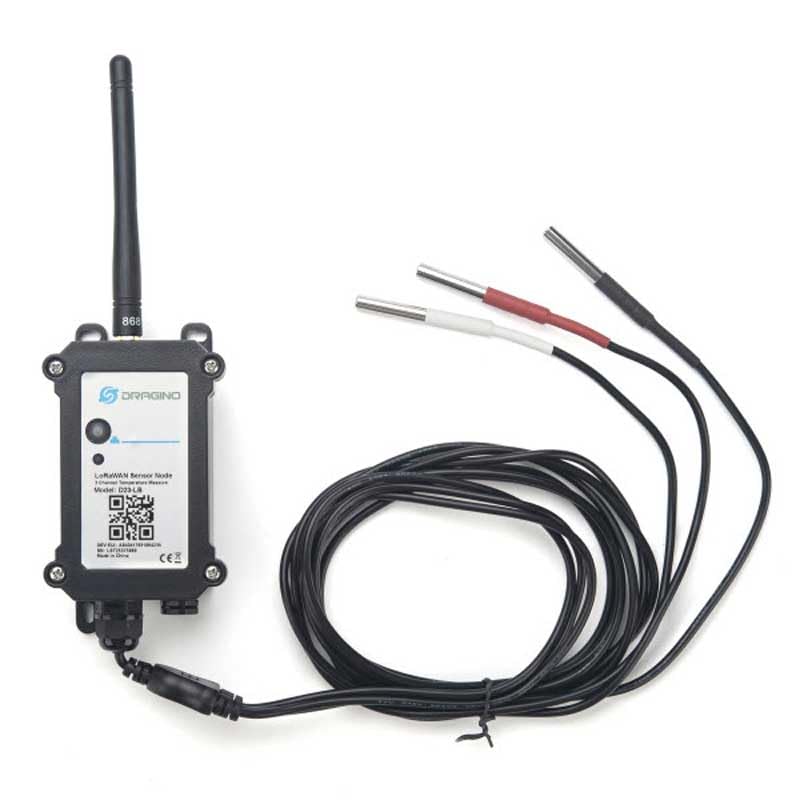
Figure 1: Dragino D23-LB LoRaWAN Temperature Sensor unit with its antenna and three connected temperature probes. The main unit is black, rectangular, with a white label showing the Dragino logo and model information. The antenna is attached to the top left. Three temperature probes with black cables are connected to the bottom right, coiled neatly.
4. Setup Instructions
4.1 Physical Installation
- Attach the Antenna: Carefully screw the provided LoRa antenna onto the SMA connector on the top of the D23-LB unit. Ensure it is finger-tight.
- Connect Temperature Probes: Insert the temperature probe connectors into the designated waterproof ports at the bottom of the D23-LB unit. Ensure a secure connection to maintain waterproofing.
- Mount the Device: Select a suitable outdoor location for mounting. Use the provided screws and wall plugs to securely attach the D23-LB unit to a wall or pole. Ensure the probes are positioned to accurately measure the desired temperature.
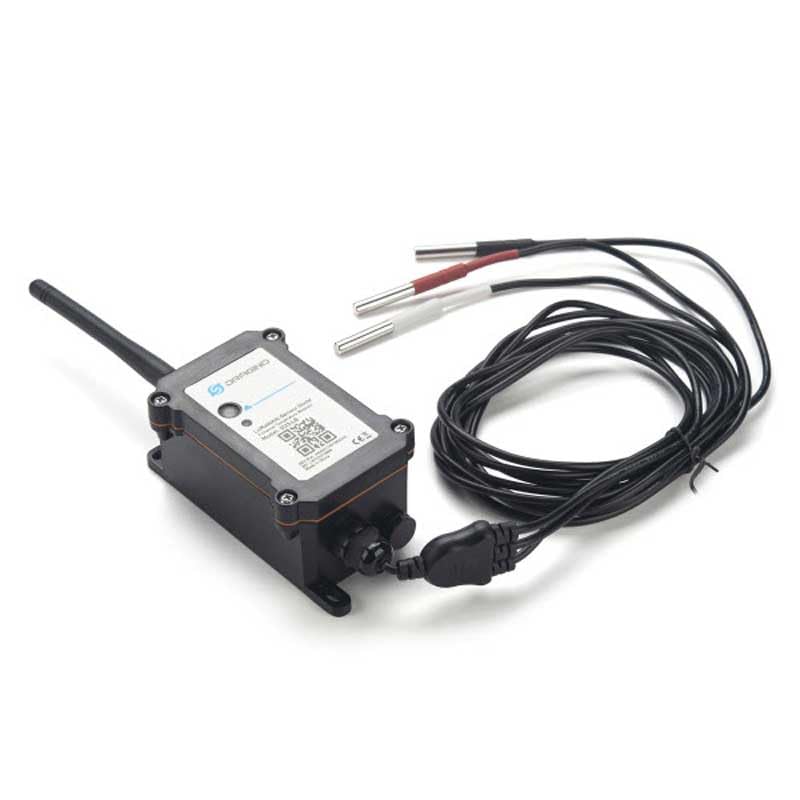
Figure 2: Angled view of the Dragino D23-LB LoRaWAN Temperature Sensor, highlighting the connection ports at the bottom where the temperature probes are attached. The unit is black, rectangular, with an antenna on the left side. The three temperature probes with black cables are connected to the right side of the bottom panel.
4.2 LoRaWAN Configuration
The D23-LB sensor requires configuration to join a LoRaWAN network. This typically involves setting the device's LoRaWAN parameters (DevEUI, AppEUI/JoinEUI, AppKey for OTAA, or DevAddr, NwkSKey, AppSKey for ABP) on your LoRaWAN Network Server.
- OTAA (Over-The-Air Activation): Recommended for most deployments. You will need the DevEUI, AppEUI (or JoinEUI), and AppKey provided with your device. Enter these into your LoRaWAN Network Server.
- ABP (Activation By Personalization): Requires DevAddr, NwkSKey, and AppSKey. These are typically pre-configured or can be set via AT commands.
Refer to the Dragino official documentation or your LoRaWAN Network Server's guide for specific steps on device registration and payload decoding.
The D23-LB is usually powered by an internal battery. Ensure the battery is charged or properly installed before deployment. The device will automatically attempt to join the LoRaWAN network upon power-up.
5. Operating Instructions
Once successfully joined to a LoRaWAN network, the D23-LB sensor will periodically measure the temperature from its connected probes and transmit the data to the LoRaWAN Network Server. The transmission interval is configurable (e.g., via downlink commands or AT commands during initial setup).
- Data Transmission: The sensor sends uplink messages containing temperature readings. The payload format is specific to Dragino devices and typically includes temperature values for each connected probe.
- Payload Decoding: Your LoRaWAN Network Server will need a decoder function (often a JavaScript function) to convert the raw hexadecimal payload into human-readable temperature values. Refer to Dragino's documentation for the specific payload format and decoder examples.
- Downlink Commands: The sensor can receive downlink commands from the network server to change parameters such as reporting interval, measurement resolution, or other operational settings.
6. Maintenance
- Battery Replacement: The D23-LB is designed for low power consumption. When the battery level drops, the device may report low battery status via LoRaWAN. To replace the battery, carefully open the enclosure, replace the old battery with a new one of the same type, and ensure the enclosure is sealed properly to maintain its waterproof rating.
- Cleaning: Periodically inspect the sensor unit and probes for dirt, debris, or ice accumulation, especially in outdoor environments. Clean with a soft, damp cloth. Do not use abrasive cleaners or solvents.
- Connection Check: Annually or as needed, inspect all cable connections, especially the antenna and probe connections, to ensure they are secure and free from corrosion or damage.
7. Troubleshooting
- No Data Received:
- Check if the device is powered on and the battery is not depleted.
- Verify the antenna is securely attached.
- Confirm LoRaWAN parameters (DevEUI, AppKey, etc.) are correctly entered on the network server.
- Ensure there is LoRaWAN gateway coverage in the deployment area.
- Check the network server logs for join requests or uplink messages.
- Incorrect Temperature Readings:
- Ensure temperature probes are correctly connected and not damaged.
- Verify the payload decoder on your network server is correct for the D23-LB.
- Check the physical placement of the probes; they should be in the environment you wish to measure.
- Device Not Joining Network:
- Double-check all LoRaWAN credentials (DevEUI, AppEUI/JoinEUI, AppKey).
- Ensure the device's LoRaWAN region/frequency plan matches the gateway and network server.
- Confirm the gateway is online and within range.
8. Specifications
| Feature | Detail |
|---|---|
| Model | D23-LB |
| Brand | Dragino |
| Connectivity | LoRaWAN (Class A) |
| Sensor Type | DS18B20 Temperature Probes |
| Enclosure Rating | Waterproof / Outdoor |
| Power Supply | Internal Battery (type and capacity typically specified in full datasheet) |
| Operating Temperature Range | -40°C to +85°C (typical for industrial sensors, verify with datasheet) |
| Dimensions | Refer to manufacturer's datasheet for exact dimensions |
| Date First Available | October 11, 2023 |
9. Warranty Information
The Dragino D23-LB LoRaWAN Waterproof/Outdoor Temperature Sensor comes with a standard manufacturer's warranty. Please refer to the official Dragino website or your purchase documentation for specific warranty terms and conditions. Keep your proof of purchase for warranty claims.
10. Support
For further technical assistance, detailed documentation, firmware updates, or additional support, please visit the official Dragino website:
You may also contact your local distributor or reseller for product-specific inquiries.
Related documentsD23-LB


Ask a question about this manual
Ask about setup, troubleshooting, compatibility, parts, safety, or missing instructions. Manuals+ will review the question and use this page’s manual context to help answer it.