
FLEXISPOT B0CKW8222V
FLEXISPOT Electric Standing Desk User Manual
Model: B0CKW8222V
Introduction
Thank you for choosing the FLEXISPOT Electric Standing Desk. This manual provides essential information for the safe assembly, operation, and maintenance of your new adjustable height desk. Please read this manual thoroughly before beginning assembly or operation to ensure proper use and to maximize the lifespan of your product.
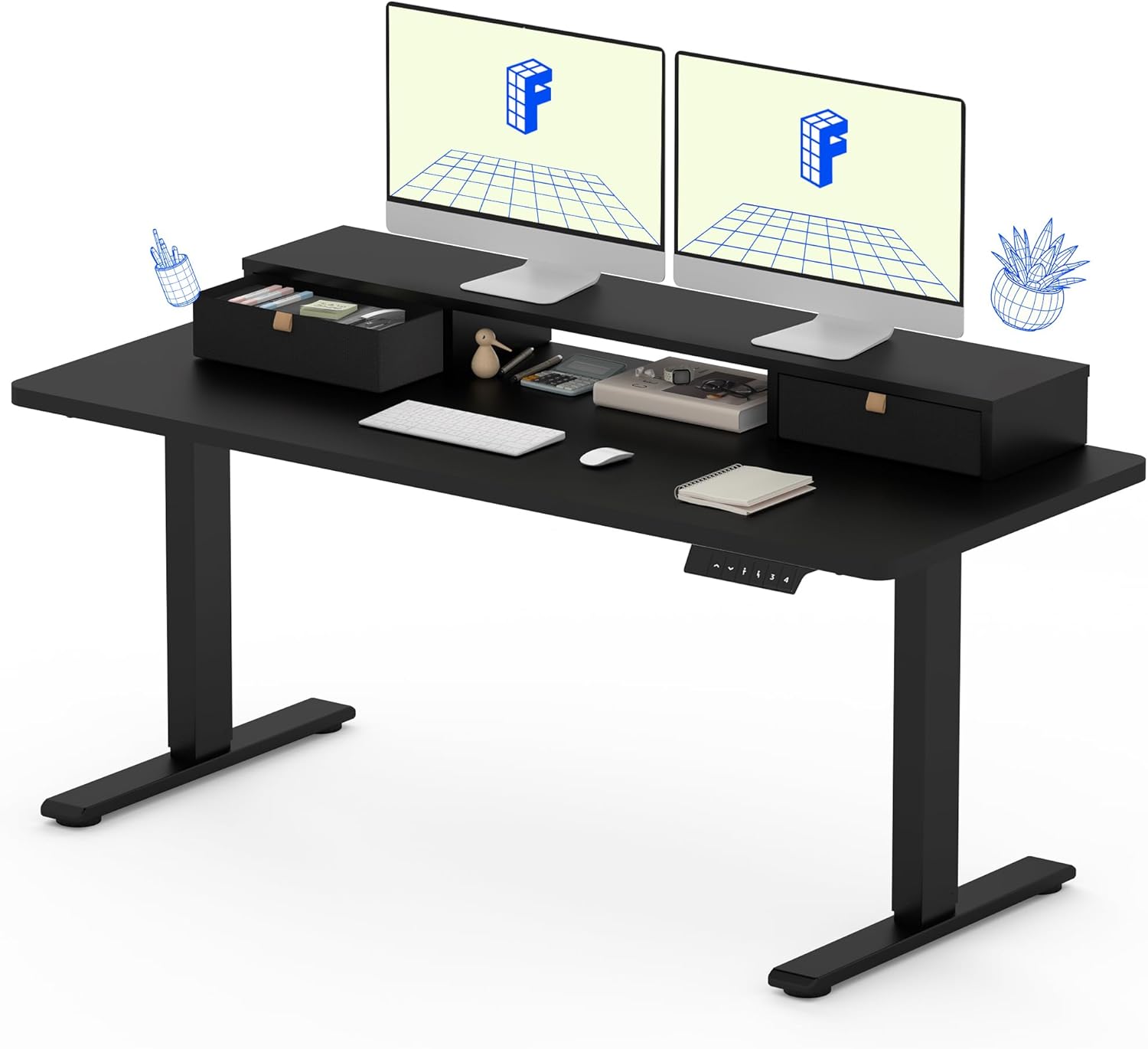
The FLEXISPOT Electric Standing Desk, featuring a solid one-piece top, integrated storage, and an ergonomic monitor stand.
Safety Information
For your safety and to prevent damage to the product, please adhere to the following guidelines:
- Always follow assembly instructions carefully.
- Use appropriate tools for assembly. A drill may be required for some steps and is not included with the product.
- Keep the work area clear of debris and other hazards during assembly and use.
- Ensure all connections are secure before operating the desk.
- Do not overload the desk. The maximum weight recommendation is 150 pounds.
- Keep children and pets away from the desk during operation to prevent injury.
- Avoid placing liquids directly on the desk surface without proper coasters or protection.
Package Contents
Your FLEXISPOT Electric Standing Desk will be shipped in two separate packages, which may arrive at different times. Please verify all components are present before beginning assembly.

The desk components are shipped in two separate boxes, which may arrive independently.
Expected components include:
- Desktop (Solid One-Piece) with integrated monitor stand and drawers
- Desk Frame (Legs and Crossbar)
- Electric Motor and Control Box
- Control Panel (Keypad)
- Power Cable
- Assembly Hardware (Screws, Allen wrenches, etc.)
- Instruction Manual
Assembly Instructions
Assembly typically requires one person, but having a second person can be helpful for certain steps, especially when handling the desktop. Ensure you have a clear, flat workspace.
- Unpack Components: Carefully remove all parts from the packaging. Check against the package contents list to ensure nothing is missing or damaged.
- Assemble Desk Frame: Follow the detailed diagrams in the included instruction manual to assemble the desk legs and crossbar. Ensure all screws are tightened securely.
- Attach Desktop: Carefully place the desktop upside down on a soft, protected surface. Align the assembled desk frame with the pre-drilled holes on the underside of the desktop. Secure the frame to the desktop using the provided screws. Note that the desktop is a seamless, solid one-piece design for enhanced stability.
- Install Control Box and Motor: Mount the electric motor and control box to the designated areas on the desk frame, following the manual's instructions. Connect all necessary cables.
- Mount Control Panel: Attach the control panel (keypad) to the front edge of the desktop in the specified location. Connect its cable to the control box.
- Cable Management: Organize and secure all cables using any provided cable ties or clips to prevent tangling and ensure smooth operation.
- Power On and Test: Connect the power cable to the control box and then to a power outlet. Test the desk's height adjustment functions to ensure it operates smoothly.

The FLEXISPOT desk features a smooth, single-piece desktop for enhanced stability compared to two-piece designs.
Operating Instructions
Your FLEXISPOT Electric Standing Desk offers smooth and precise height adjustment, along with memory presets for convenience.
Height Adjustment
Use the up (▲) and down (▼) arrows on the control panel to adjust the desk height. The desk can be adjusted freely within the range of 28.1 inches to 45.7 inches.
Memory Presets
The control panel allows you to save up to four favorite height settings. To save a preset:
- Adjust the desk to your desired height using the up/down arrows.
- Press the "M" button (Memory) followed by one of the numbered preset buttons (1, 2, 3, or 4). The display will confirm the setting is saved.
- To recall a saved height, simply press the corresponding numbered preset button. The desk will automatically move to that height.

The control panel features an LCD screen and four memory buttons for convenient height adjustments.
Integrated Storage and Monitor Stand
The desk is equipped with two drawers and a two-tier shelf stand, providing ample storage and an ergonomic way to view your monitors. The monitor stand can easily hold dual monitors.

The integrated storage includes dual drawers and an open cubicle, with the top serving as a monitor riser.
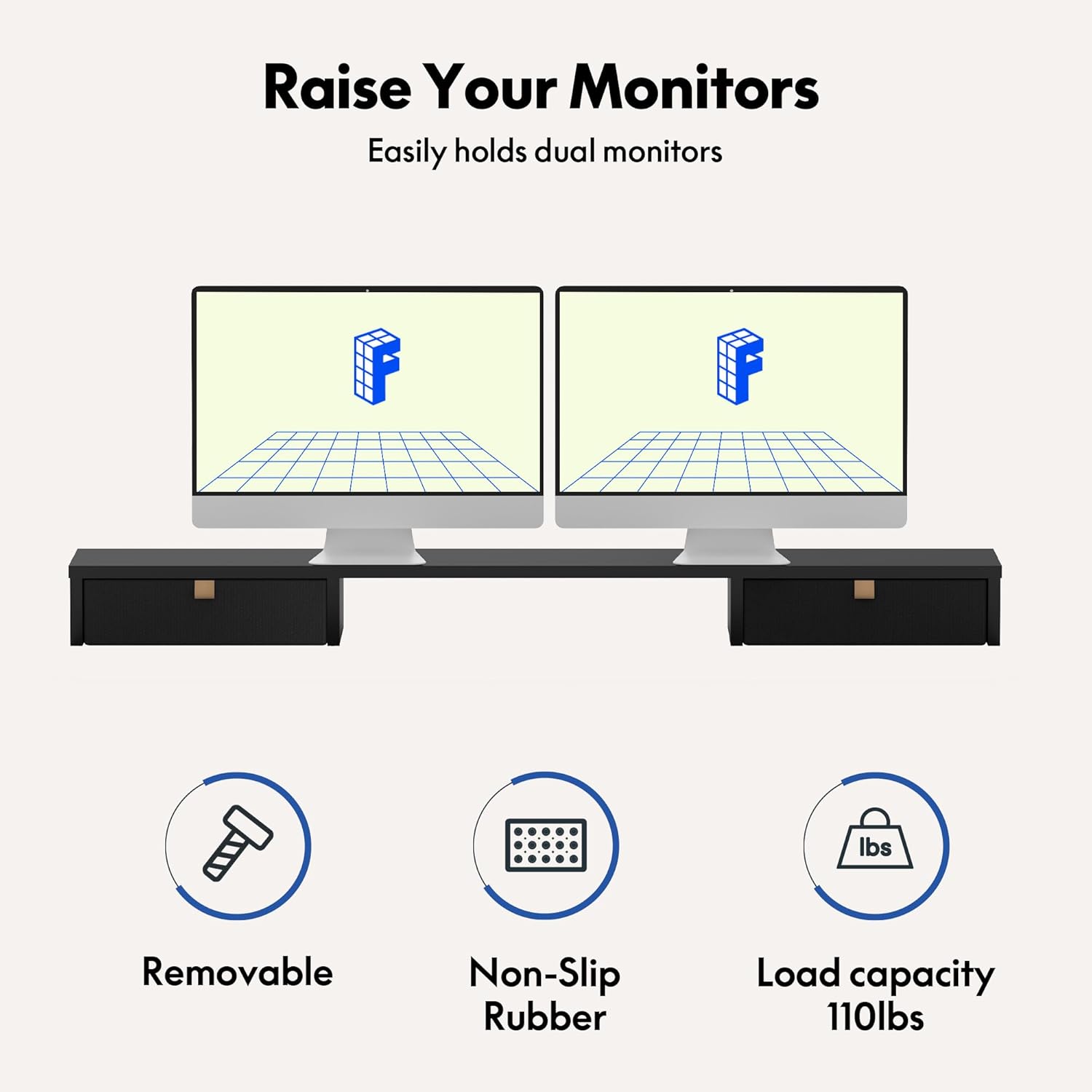
The monitor riser is designed to hold up to 110 lbs and features non-slip rubber for stability.
Maintenance
Regular maintenance will help ensure the longevity and smooth operation of your FLEXISPOT Electric Standing Desk.
- Cleaning: Wipe the desk surface and frame with a soft, damp cloth. Avoid harsh chemicals or abrasive cleaners that could damage the finish.
- Check Connections: Periodically check all screws and electrical connections to ensure they are secure. Tighten any loose fasteners.
- Cable Management: Ensure cables remain tidy and are not pinched or tangled, which could affect desk movement or cause damage.
- Motor Care: The enhanced motor is designed for durability, having undergone over 20,000 cycle tests. No specific user maintenance is required for the motor itself.

The desk's motor is built for durability, tested for over 20,000 cycles.
Troubleshooting
If you encounter issues with your FLEXISPOT Electric Standing Desk, refer to the following common problems and solutions:
| Problem | Possible Cause | Solution |
|---|---|---|
| Desk does not move or respond to controls. | Power cable disconnected, control box issue, or motor overload. | Check power cable connection. Ensure it's plugged into a working outlet. Unplug and replug the control box. Reduce weight on the desk if overloaded. |
| Desk moves unevenly or makes unusual noises. | Loose connections, uneven load, or obstruction. | Check all assembly screws and tighten if loose. Redistribute weight evenly on the desktop. Check for any obstructions under or around the desk legs. |
| Height presets are not working correctly. | Presets not saved properly or control panel malfunction. | Re-save your desired height presets following the operating instructions. If the issue persists, try resetting the desk (refer to the full manual for specific reset procedures if available). |
If these solutions do not resolve the issue, please contact FLEXISPOT customer support for further assistance.
Specifications
Key specifications for your FLEXISPOT Electric Standing Desk (Model: B0CKW8222V):
| Feature | Detail |
|---|---|
| Brand | FLEXISPOT |
| Model Number | B0CKW8222V |
| Product Dimensions | 55"D x 24"W x 33.2"H |
| Color | Black Frame/Black Top |
| Style | Electric |
| Base Material | Alloy Steel |
| Top Material Type | Engineered Wood |
| Item Weight | 100 Pounds |
| Minimum Height | 28.1 Inches |
| Maximum Height | 45.7 Inches |
| Maximum Weight Recommendation | 150 Pounds |
| Number of Drawers | 2 |
| Number of Shelves | 2 (Monitor Stand) |
| Required Assembly | Yes |
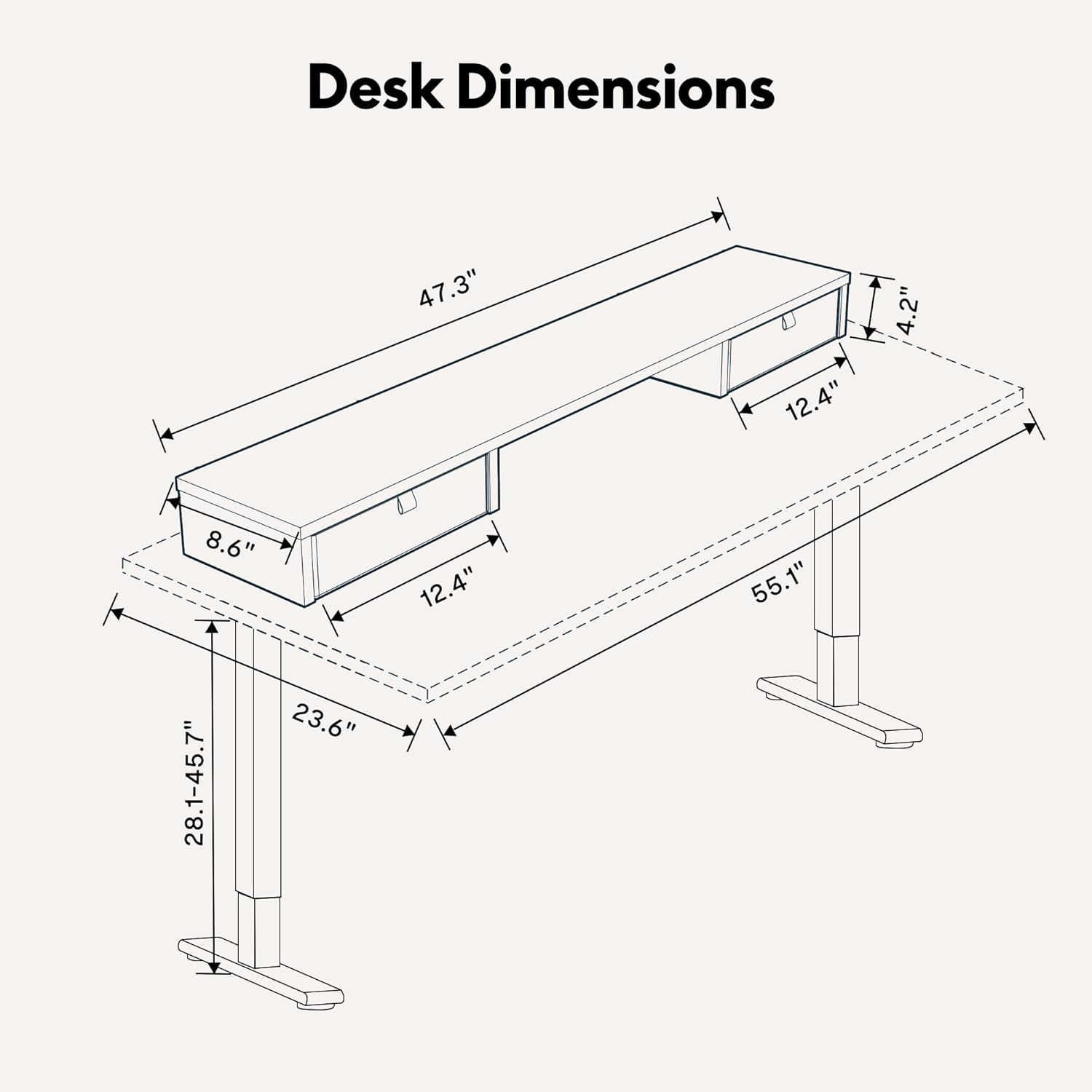
Detailed dimensions of the FLEXISPOT Electric Standing Desk.

The desk frame and desktop are certified for stability and safety.
Warranty and Support
Your FLEXISPOT Electric Standing Desk comes with a Limited Warranty. For specific terms and conditions, please refer to the warranty card included with your product or visit the official FLEXISPOT website.
For customer support, technical assistance, or warranty claims, please contact FLEXISPOT directly through their official website or the contact information provided in your product packaging. When contacting support, please have your model number (B0CKW8222V) and purchase date ready.
You can visit the official FLEXISPOT store on Amazon for more information and products: FLEXISPOT Store
Ask a question about this manual
Ask about setup, troubleshooting, compatibility, parts, safety, or missing instructions. Manuals+ will review the question and use this page’s manual context to help answer it.