1. Introduction
This manual provides detailed instructions for the assembly, operation, and maintenance of your FLEXISPOT Electric Standing Desk Q8. This desk features electric height adjustment, integrated drawer storage, and convenient USB charging ports, designed to enhance your workspace ergonomics and efficiency.
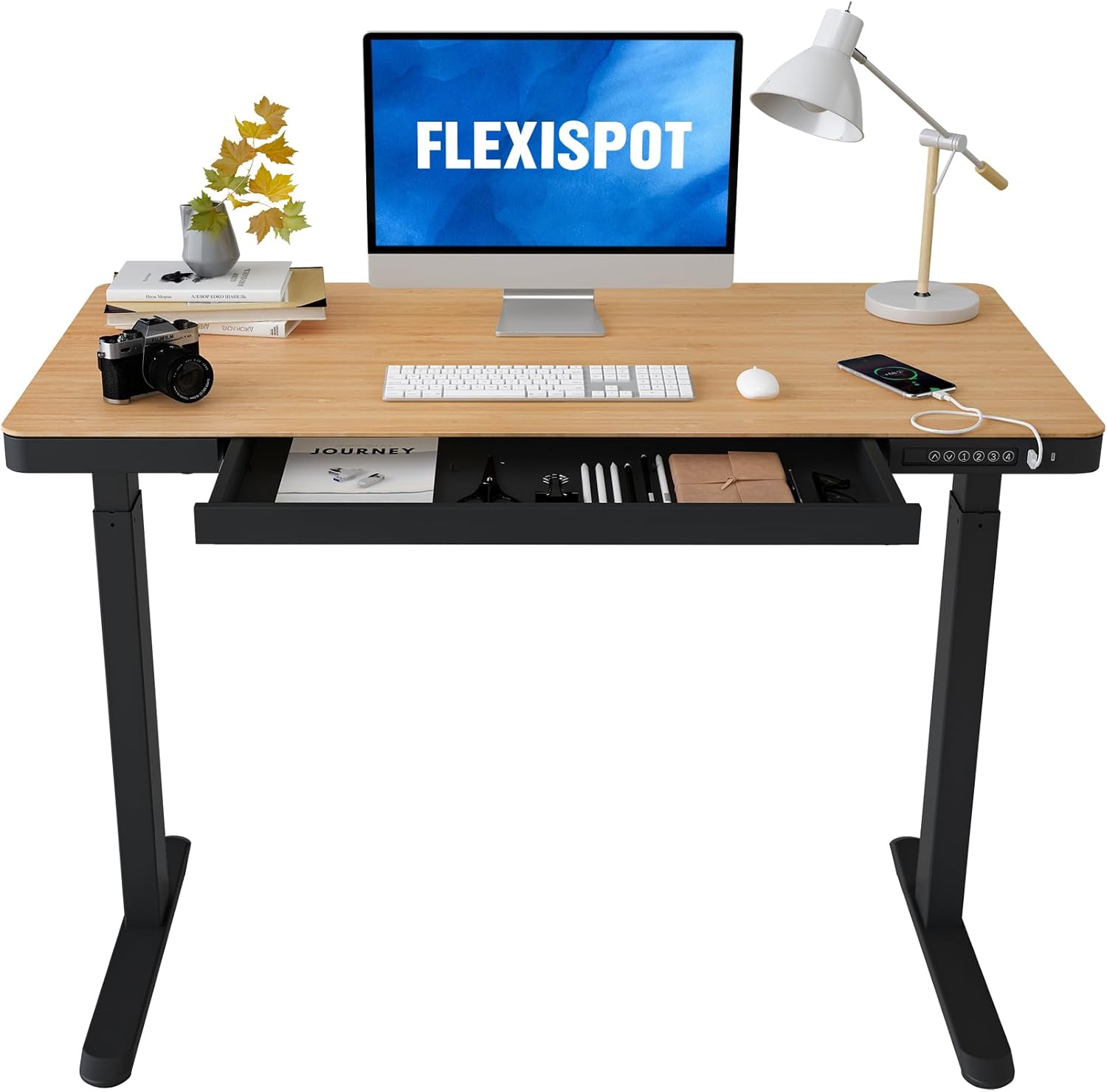
Image: FLEXISPOT Electric Standing Desk with Natural Desktop and Black Frame.
2. Important Safety Information
WARNING: Failure to follow these safety instructions may result in injury or damage to the product.
- Exceeding the weight limit of 110 lbs (50 kg) may cause stability issues and potential damage.
- Assemble the desk with at least two people for stability and safety.
- Keep the desk away from water and unplug it when not in use or during cleaning.
- Ensure all cables are properly managed and secured to prevent entanglement during height adjustments.
- Do not allow children to operate the desk without adult supervision.
- Follow all instructions in this manual for proper assembly, use, and maintenance.
3. Package Contents
Verify that all components are present before beginning assembly:
- Height-adjustable desk frame (legs and crossbar)
- Desktop with integrated drawer and control panel
- Electric motor and associated wiring
- Power adapter and cables
- Assembly tools (Allen wrenches, screwdriver)
- Instruction manual (this document)
4. Assembly Instructions
The FLEXISPOT Electric Standing Desk is designed for quick and straightforward assembly. It is recommended that two people perform the assembly to ensure safety and ease of handling.
- Attach the Legs: Secure the desk legs to the crossbar using the provided screws and tools. Ensure the drive rod is correctly aligned and connected to the motor.
- Install Feet: Attach the desk feet to the bottom of the legs. Pay attention to the orientation, ensuring the long side of the feet faces forward for optimal stability.
- Mount the Desktop: Carefully place the desktop upside down on a soft, clean surface. Align the pre-drilled holes on the desktop with the frame. Secure the desktop to the frame using the provided screws.
- Connect Wiring: Connect the motor and control panel cables to the power adapter. Ensure all connections are secure and cables are neatly routed using the integrated cable management features.
- Flip the Desk: With assistance, carefully flip the assembled desk upright.
For a visual guide, please refer to the official installation video below:
Video: Official installation guide for the FLEXISPOT Electric Standing Desk, demonstrating step-by-step assembly.
5. Operating Instructions
5.1. Electric Height Adjustment
The desk features an electric motor lift mechanism for smooth height transitions. The control panel, located on the front edge of the desktop, allows for easy adjustment and preset memory functions.

Image: Control panel with height adjustment buttons, memory presets, and USB ports.
- Adjusting Height: Use the up (↑) and down (↓) arrow buttons to raise or lower the desk to your desired height. The current height is displayed on the digital screen.
- Setting Presets: To save a preferred height, adjust the desk to the desired level. Press the 'M' button (or similar memory button, if available) followed by one of the numbered preset buttons (1, 2, 3, 4). The display will blink to confirm the preset is saved.
- Using Presets: Press a numbered preset button (1, 2, 3, 4) to automatically move the desk to the saved height.
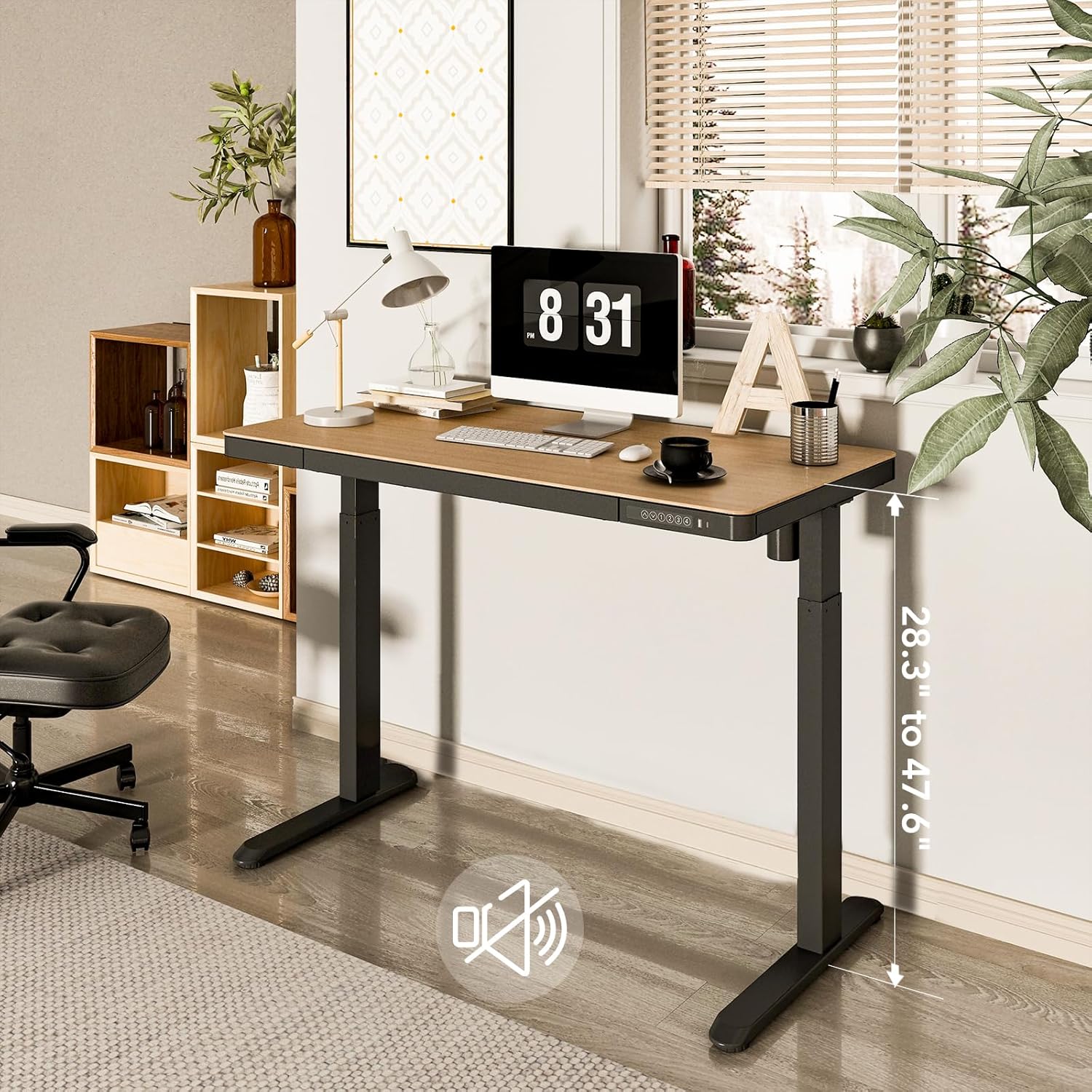
Image: Desk illustrating its adjustable height range.
5.2. Integrated Storage Drawer
The desk includes a convenient pull-out drawer for storing office supplies, keeping your workspace tidy and organized. The drawer features a magnetic soft-close mechanism.
5.3. USB Charging Ports
Three USB ports (two USB-A and one USB-C) are integrated into the control panel, allowing you to easily charge your electronic devices directly from the desk without needing additional adapters or power outlets.
6. Maintenance
- Cleaning: Wipe the desktop and frame with a soft, damp cloth. Avoid abrasive cleaners or harsh chemicals.
- Cable Management: Periodically check that all cables are securely fastened and not interfering with the desk's movement.
- Lubrication: No regular lubrication is required for the electric lifting mechanism.
7. Troubleshooting
If you encounter any issues with your FLEXISPOT Electric Standing Desk, please refer to the following common solutions:
- Desk Not Moving: Check all power connections. Ensure the power cord is securely plugged into both the desk and a working wall outlet.
- Error Code on Display: Refer to the specific error code in the full product manual (if provided separately) or contact customer support. Often, unplugging the desk for 10-15 seconds and plugging it back in can reset the system.
- Uneven Movement: Ensure the desk is placed on a level surface. Check for any obstructions under the desk that might impede movement.
8. Product Specifications
| Feature | Specification |
|---|---|
| Brand | FLEXISPOT |
| Model Number | B0CKVZ8CZ9 |
| Product Dimensions | 48"D x 48"W x 28.3"H |
| Desktop Material | Bamboo |
| Base Material | Alloy Steel |
| Color | Natural/Black |
| Minimum Height | 28.3 inches |
| Maximum Height | 47.6 inches |
| Maximum Weight Recommendation | 110 Pounds |
| Number of Drawers | 1 |
| Lifting Mechanism | Electric |
| Required Assembly | Yes |
| Recommended Number of People for Assembly | 2 |
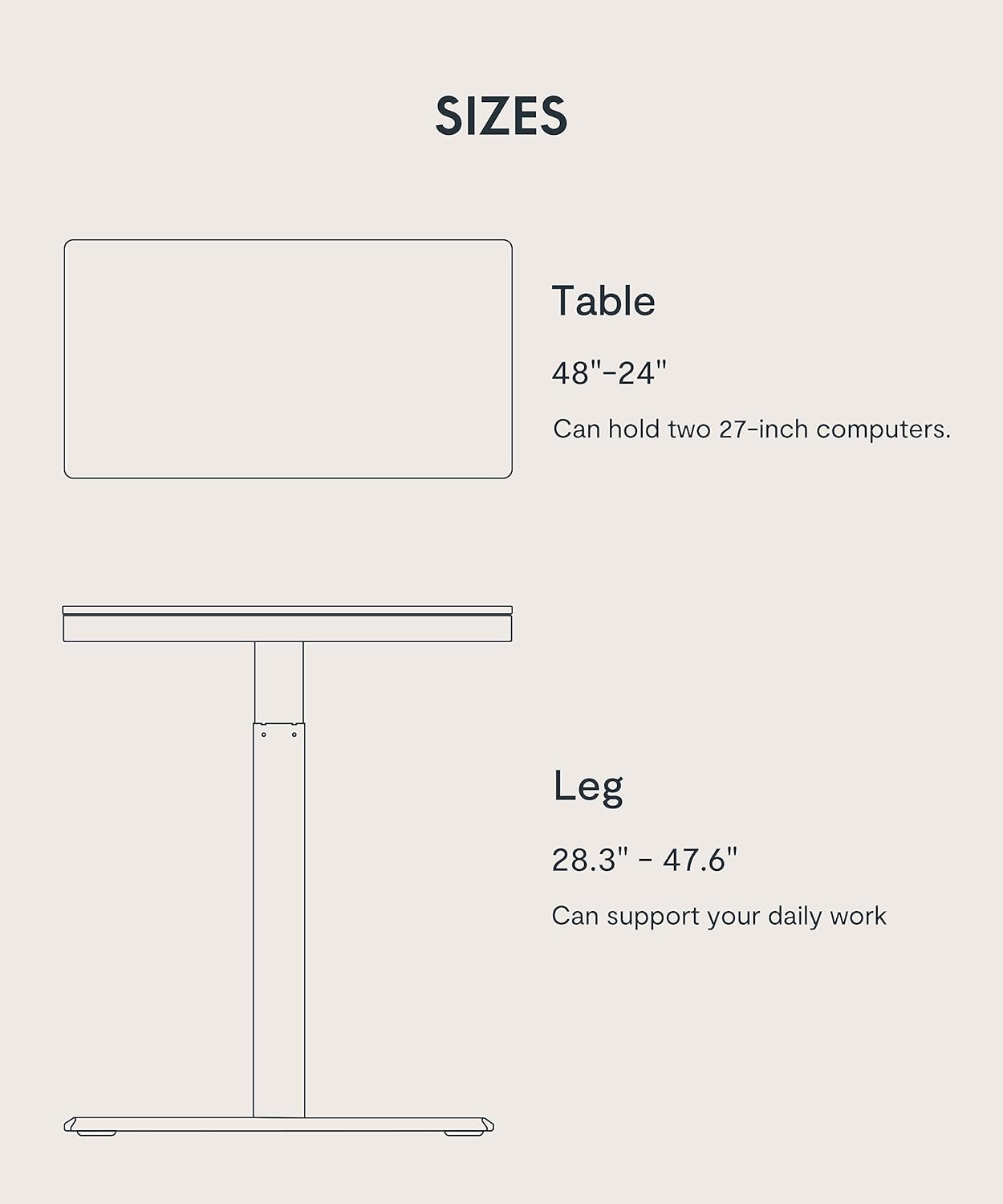
Image: Diagram showing desk and leg dimensions.
9. Warranty and Support
Your FLEXISPOT Electric Standing Desk comes with a limited warranty. For specific details regarding warranty coverage, duration, and terms, please refer to the warranty documentation included with your product or visit the official FLEXISPOT website.
For customer support, technical assistance, or to inquire about replacement parts, please visit the FLEXISPOT Store on Amazon or contact FLEXISPOT directly through their official channels.


