
1. Introduction
This manual provides instructions for the assembly, operation, and maintenance of your Armocity 4-Tier AV Media Stand. Please read this manual thoroughly before assembly and use to ensure proper function and longevity of the product.
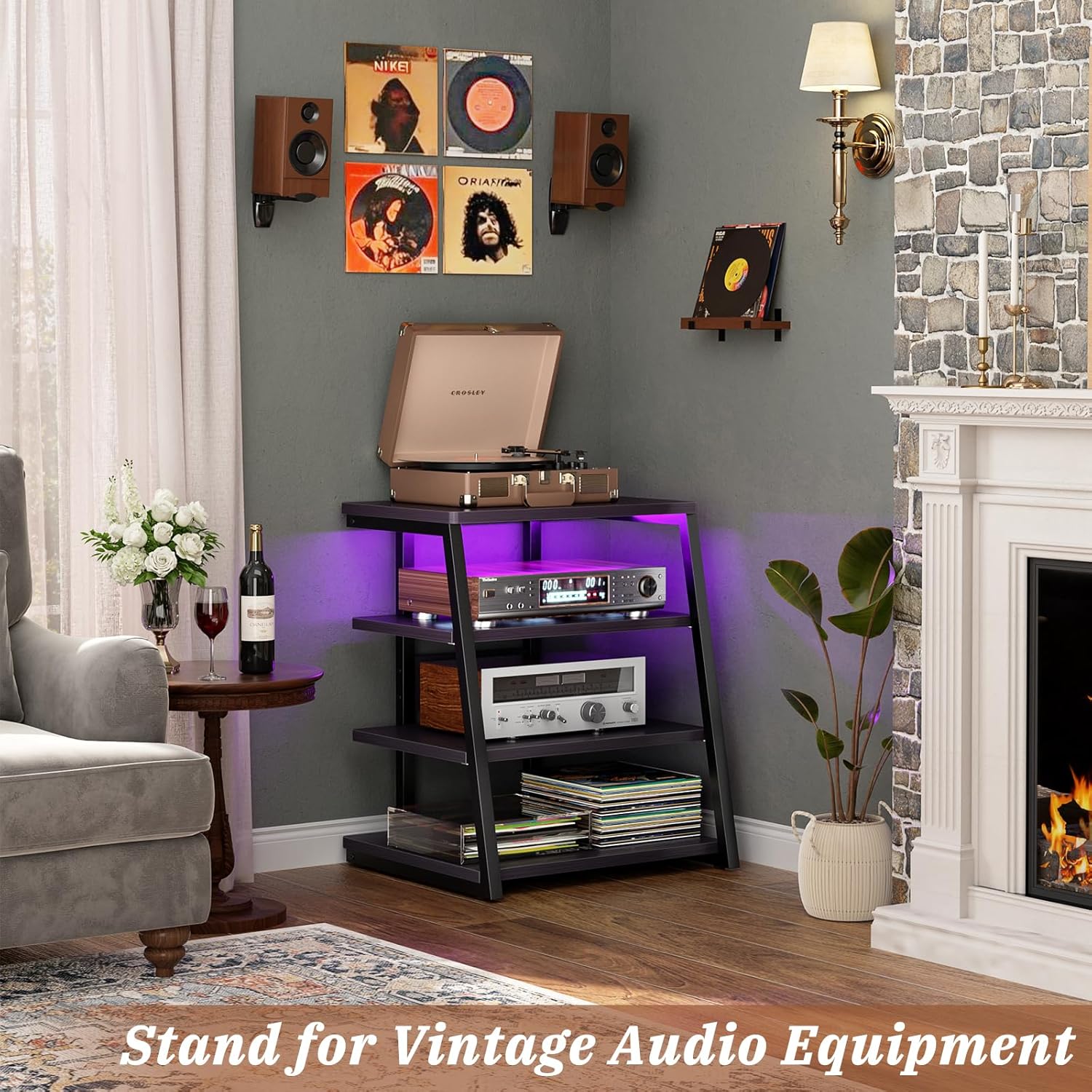
Figure 1: Armocity 4-Tier AV Media Stand, designed for various audio and media components.
2. Safety Information
Observe the following safety guidelines to prevent injury or damage to the product:
- Do not overload shelves. The maximum weight limit per shelf is 15 lbs (6.8 kg).
- Ensure all connections are secure before placing items on the stand.
- Keep children and pets away from the product during assembly.
- Place the stand on a level, stable surface to prevent tipping.
3. Package Contents
Before beginning assembly, verify that all parts and hardware are present and undamaged. Refer to the included parts list in the packaging for a complete inventory. If any components are missing or damaged, contact customer support.
4. Setup and Assembly
Assembly of the Armocity AV Media Stand is designed to be straightforward. Follow the step-by-step instructions provided in the product manual or guide included in your package. All necessary hardware is provided and labeled.
4.1 Product Dimensions

Figure 2: Detailed dimensions of the media stand, including shelf spacing.
The stand measures 23.5 inches wide, 20.5 inches deep, and 30.7 inches high. Each shelf is 15mm thick, providing robust support for your equipment. The open design allows for ample air circulation, crucial for electronic devices.
4.2 Power Strip Integration

Figure 3: Integrated power station with AC outlets and USB ports.
The media stand includes a built-in power station with 4 AC receptacles and 2 USB ports. This feature is designed to simplify cable management and provide convenient power access for your electronic devices. Ensure the power strip is securely installed during assembly.
4.3 Shelf Adjustment
The 4-tier design features adjustable shelves, allowing you to customize the spacing to fit various audio-visual components. Refer to the assembly instructions for details on how to position and secure the shelves at your desired height.
5. Operation
5.1 Using the Integrated Power Strip
Once the stand is assembled and positioned, plug the stand's main power cord into a wall outlet. You can then connect your devices to the 4 AC outlets and 2 USB ports on the integrated power strip. This eliminates the need for external power strips, reducing clutter.
5.2 LED Lighting System

Figure 4: Media stand with active RGB LED lighting.
The media stand is equipped with LED lights offering both static and 20 dynamic modes. Use the included controller to select your preferred lighting effect. The LED lights are intended for ambient lighting and mood setting.
6. Maintenance
To maintain the appearance and longevity of your Armocity AV Media Stand, follow these simple care instructions:
- Cleaning: Wipe the surfaces with a dry cloth. Avoid using abrasive cleaners or harsh chemicals, which can damage the finish.
- Inspection: Periodically check all screws and connections to ensure they remain tight and secure. Tighten as needed.
- Weight Limits: Adhere strictly to the 15 lbs (6.8 kg) per shelf weight limit to prevent structural damage.
7. Troubleshooting
7.1 Assembly Difficulties
If you encounter difficulties during assembly, such as unclear instructions or misleading diagrams, review the entire instruction manual carefully. Ensure all parts are oriented correctly before tightening screws. If issues persist, contact customer support for assistance.
7.2 Stability Concerns
Ensure the stand is placed on a completely flat and stable surface. Verify that all assembly hardware is fully tightened. Uneven weight distribution can affect stability; distribute items evenly across shelves and adhere to the maximum weight limit per shelf.
7.3 LED Lights Not Functioning
Check that the power cord for the stand is securely plugged into a working wall outlet. Ensure the LED light strip is properly connected to its power source within the stand. If the issue continues, verify the remote control (if applicable) has working batteries and is pointed correctly.
8. Specifications
| Feature | Detail |
|---|---|
| Model | B0CKVYF6RG |
| Brand | Armocity |
| Material | Engineered Wood |
| Mounting Type | Freestanding |
| Number of Shelves | 4 |
| Product Dimensions (D x W x H) | 20.5" x 23.5" x 30.7" |
| Shelf Thickness | 15 Millimeters (0.59 inches) |
| Max. Weight Capacity per Shelf | 15 lbs (6.8 kg) |
| Special Features | Integrated Power Strips (4 AC, 2 USB), LED Lights (Static & 20 Dynamic Modes) |
| Color | Black Ebony |
| Assembly Required | Yes |
| Product Care Instructions | Wipe with Dry Cloth |
9. Warranty & Support
For warranty information and customer support, please refer to the documentation included with your product or visit the official Armocity website. If you have any questions or require assistance with your AV Media Stand, please contact Armocity customer service directly.
Manufacturer: Armocity
Contact: Refer to the official Armocity website or contact information provided in the product packaging for support.