1. Safety Information
Please read these operating and installation instructions carefully before using the washing machine. They contain important information on how to install, use, and maintain the appliance safely. Keep this manual for future reference.
General Safety
- This appliance is intended for domestic use only.
- Do not allow children to play with the appliance.
- Always disconnect the appliance from the power supply before cleaning or maintenance.
- Do not operate the appliance if it is damaged, especially the control panel, power cord, or water hoses.
- Ensure proper ventilation in the room where the appliance is installed.
Electrical Safety
- The appliance must be connected to an earthed socket.
- Do not use extension cords or multiple sockets.
- Do not pull the power cord to disconnect the plug.
Water Safety
- Ensure water inlet and drain hoses are securely connected to prevent leaks.
- Do not use damaged or old water hoses.
2. Product Overview
The Bosch Serie 6 WGG254Z6IT is a front-loading washing machine designed for efficient and gentle laundry care. It features a 10 kg capacity and a maximum spin speed of 1400 rpm.
Key Features:
- Iron Assist: Reduces wrinkles by up to 50% using steam, minimizing ironing time.
- ActiveWater Plus: Optimizes water consumption based on load size and fabric type, saving water and energy.
- SpeedPerfect: Reduces wash cycle times by up to 65% without compromising wash results.
- AntiStain System: Effectively removes common stains.
- EcoSilence Drive: Ensures quiet operation and durability.
Control Panel
The control panel allows you to select wash programs and customize settings.
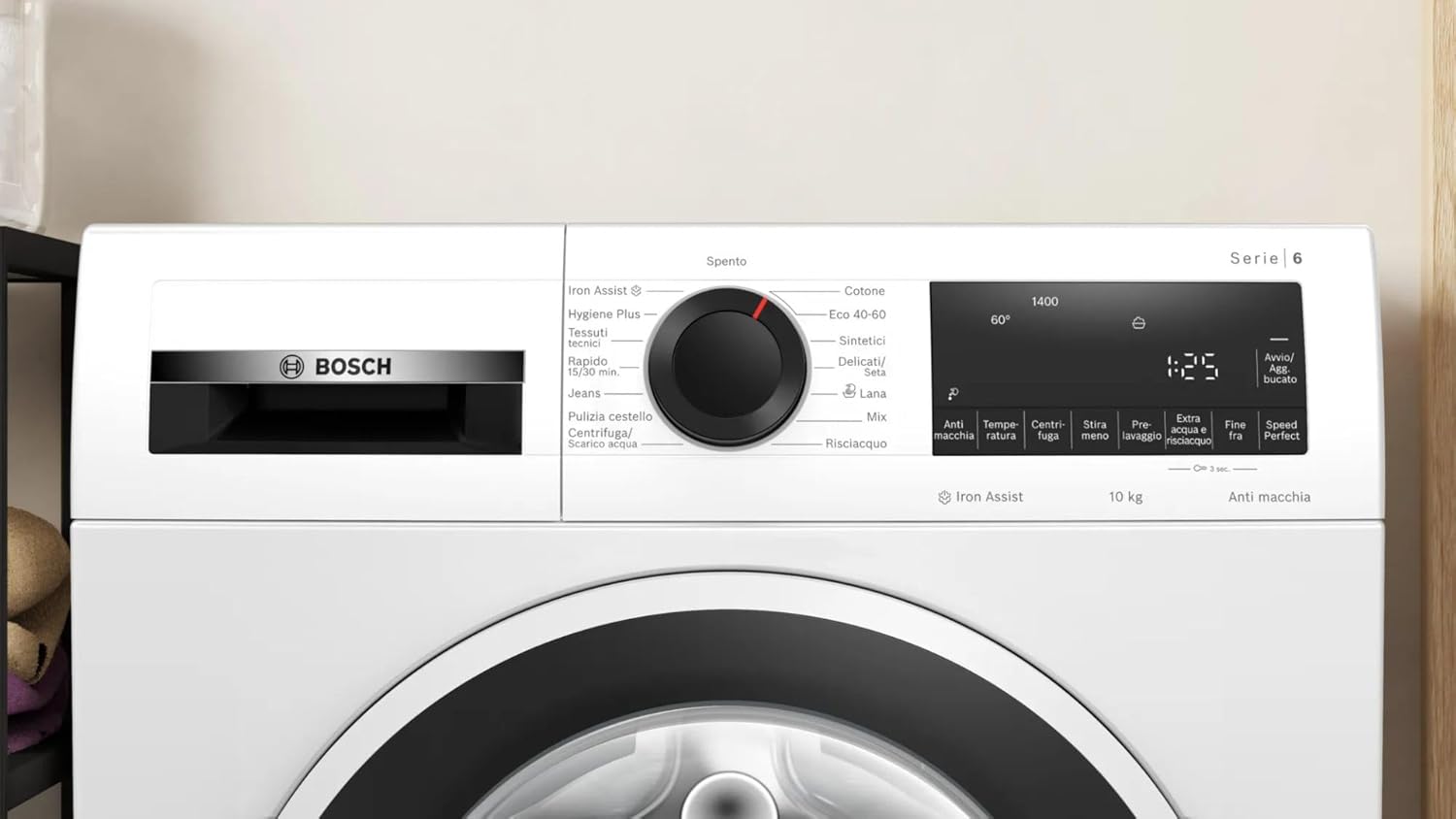
Image: The control panel of the Bosch Serie 6 WGG254Z6IT washing machine, showing the program selector dial, display, and various option buttons.
3. Setup and Installation
Proper installation is crucial for the safe and efficient operation of your washing machine.
Unpacking
- Remove all packaging materials, including the polystyrene base and any protective film.
- Remove the transport bolts from the rear of the machine. Keep these bolts for future transport.
Positioning and Leveling
- Place the washing machine on a firm, level surface.
- Adjust the feet of the machine using a spanner until it is perfectly level. Use a spirit level to verify.
Water Connection
- Connect the cold water inlet hose to the water tap and the corresponding inlet on the machine. Ensure the connection is tight to prevent leaks.
- The drain hose should be hooked into a standpipe or securely attached to a sink. Ensure it is not kinked.
Electrical Connection
- Plug the power cord into a properly earthed electrical outlet.
- Ensure the voltage and frequency match the specifications on the appliance rating plate.
First Use
Before the first wash, run an empty wash cycle at 60°C without laundry but with a small amount of detergent to clean the drum.

Image: The Bosch Serie 6 WGG254Z6IT washing machine with its door closed, ready for operation.
4. Operating Instructions
Follow these steps for a typical wash cycle.
Loading Laundry
- Sort laundry by fabric type, color, and degree of soiling.
- Open the washing machine door and load the laundry loosely into the drum. Do not overload.
- Close the door firmly.
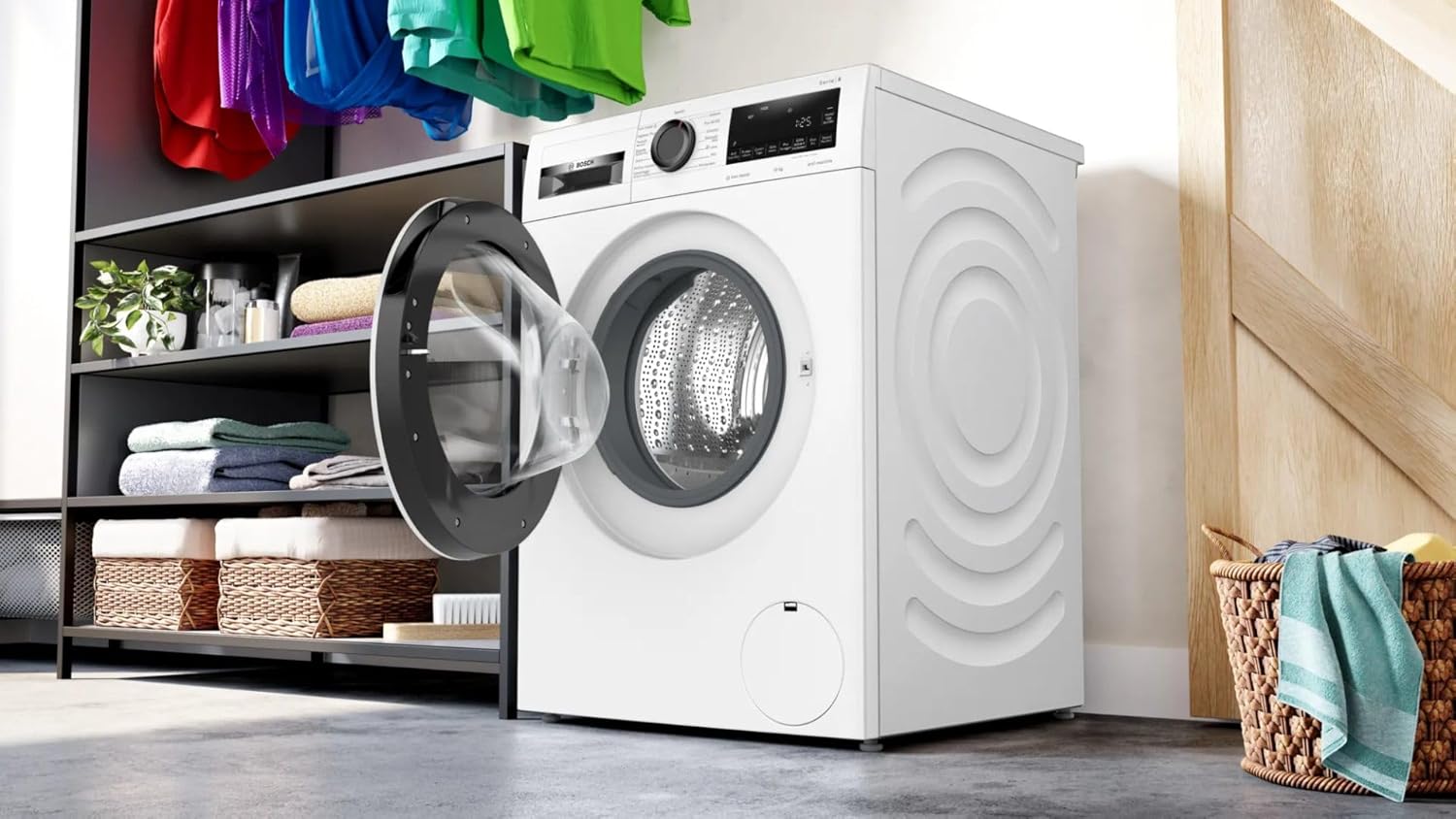
Image: The Bosch Serie 6 WGG254Z6IT washing machine with its door open, showing the drum ready for loading laundry.
Adding Detergent and Additives
- Pull out the detergent dispenser drawer.
- Add the appropriate amount of detergent to the main wash compartment (II).
- If using fabric softener, add it to the softener compartment (flower symbol).
- Close the detergent dispenser drawer.
Selecting a Program
- Turn the program selector dial to choose the desired wash program (e.g., Cotton, Synthetics, Delicates, Wool, Eco 40-60, Rinse, Spin, Iron Assist, Hygiene Plus, Jeans, Rapid 15/30 min).
- The display will show the default temperature and spin speed for the selected program.
Adjusting Settings
Use the option buttons to customize the program:
- Temperature: Adjust the wash temperature.
- Spin Speed: Change the final spin speed.
- SpeedPerfect: Activate for a faster wash cycle.
- Iron Assist: Select this option to reduce wrinkles with steam.
- AntiStain: Choose specific stain types for targeted removal.
- Delay End: Set a delayed start time for the wash cycle.
Starting the Program
- Press the Start/Pause button to begin the wash cycle.
- To pause a running program, press the Start/Pause button again.
End of Program
The display will indicate when the program is finished. The door will unlock automatically. Remove laundry promptly to prevent wrinkles.
5. Maintenance and Cleaning
Regular maintenance ensures optimal performance and extends the life of your washing machine.
Cleaning the Detergent Dispenser
- Pull out the detergent dispenser drawer completely.
- Remove the siphon insert and clean all compartments under running water.
- Reinsert the siphon and push the drawer back into place.
Cleaning the Drum
Run a 'Drum Clean' program (if available) or a hot wash cycle (e.g., 90°C) with no laundry and a small amount of detergent or a specialized washing machine cleaner every few months to prevent odors and residue buildup.

Image: A close-up view of the interior of the washing machine drum, highlighting its textured surface designed for gentle yet effective washing.
Cleaning the Drain Pump Filter
- Open the service flap at the bottom front of the machine.
- Place a shallow container underneath to catch any residual water.
- Carefully unscrew the filter cover counter-clockwise and remove it.
- Clean the filter and the pump housing thoroughly.
- Screw the filter back in securely and close the service flap.
Cleaning the Exterior
Wipe the exterior of the machine with a soft, damp cloth. Do not use abrasive cleaners or solvents.
6. Troubleshooting
Here are solutions to common issues you might encounter.
Machine Does Not Start
- Ensure the power plug is securely inserted into the socket.
- Check if the circuit breaker has tripped.
- Make sure the door is properly closed.
- Verify that the Start/Pause button has been pressed.
Water Not Entering the Machine
- Check if the water tap is fully open.
- Ensure the water inlet hose is not kinked or blocked.
- Clean the filter in the water inlet hose.
Water Not Draining
- Clean the drain pump filter (refer to Maintenance section).
- Check if the drain hose is kinked or blocked.
- Ensure the drain hose is not too high.
Excessive Vibration or Noise
- Ensure the machine is perfectly level (refer to Setup section).
- Check if the transport bolts have been completely removed.
- Make sure the laundry is evenly distributed in the drum.
Error Codes
If an error code appears on the display, consult the full user manual or contact customer service with the specific code for assistance.
7. Specifications
| Feature | Specification |
|---|---|
| Model Name | WGG254Z6IT |
| Brand | Bosch |
| Capacity | 10 Kilograms |
| Maximum Spin Speed | 1400 RPM |
| Dimensions (W x D x H) | 59.8 x 58.8 x 84.5 cm |
| Control Type | Button, Rotary Dial |
| Special Feature | Iron Assist (reduces wrinkles up to 50%) |
| Energy Efficiency Class | A |

Image: The energy efficiency label, indicating an 'A' rating for this Bosch washing machine.
8. Warranty and Support
Your Bosch washing machine comes with a manufacturer's warranty. Please refer to the warranty card included with your appliance for specific terms and conditions, including the warranty period and coverage details.
Customer Service
For technical assistance, spare parts, or warranty claims, please contact Bosch customer service. You can find contact information on the Bosch official website or in the documentation provided with your appliance. When contacting support, please have your model number (WGG254Z6IT) and serial number ready.