
1. Introduction
This manual provides detailed instructions for the installation, operation, and maintenance of your EVERSECU 2K 3MP Outdoor Wireless Security Camera. This battery-powered bullet camera features 2K resolution, 2-way audio, PIR motion detection, spotlight for color night vision, and IP65 weather resistance, making it suitable for both indoor and outdoor surveillance. Please read this manual thoroughly before using the product to ensure proper functionality and safety.
2. Product Overview
Familiarize yourself with the components and features of your EVERSECU security camera.

Figure 2.1: Camera Components. This diagram illustrates the various parts of the EVERSECU security camera, including the Micro SD Card Slot, Power Button, Charging Port, Reset button, Speaker, Mounting Bracket, White Light, Camera Lens, Microphone, Light Sensor, and PIR Motion Sensor.
- Camera Lens: Captures 2K 3MP video footage.
- White Light: Provides illumination for color night vision and acts as a spotlight.
- PIR Motion Sensor: Detects human motion to trigger recordings and alerts.
- Microphone: Enables audio input for two-way communication.
- Speaker: Enables audio output for two-way communication.
- Micro SD Card Slot: Supports local storage for recorded video (up to 128GB/256GB, not included).
- Charging Port: For recharging the built-in 5000mAh battery.
- Reset Button: Used to reset the camera to factory settings.
- Power Button: To turn the camera on or off.
3. Setup Guide
3.1 Initial Charging
Before first use, fully charge the camera's built-in 5000mAh battery. A full charge can last for 2-3 months depending on usage and environmental factors.
3.2 App Installation
Download and install the O-KAM APP on your smartphone. The app is available for both iOS and Android devices.
3.3 Bluetooth Pairing and Wi-Fi Connection
The camera supports easy pairing via Bluetooth for initial Wi-Fi setup. Ensure your phone's Bluetooth is enabled.
- Open the O-KAM APP on your smartphone.
- The app will automatically detect the camera via Bluetooth.
- Follow the on-screen prompts within the app to connect the camera to your 2.4GHz Wi-Fi network. Note: This camera does not support 5GHz Wi-Fi.
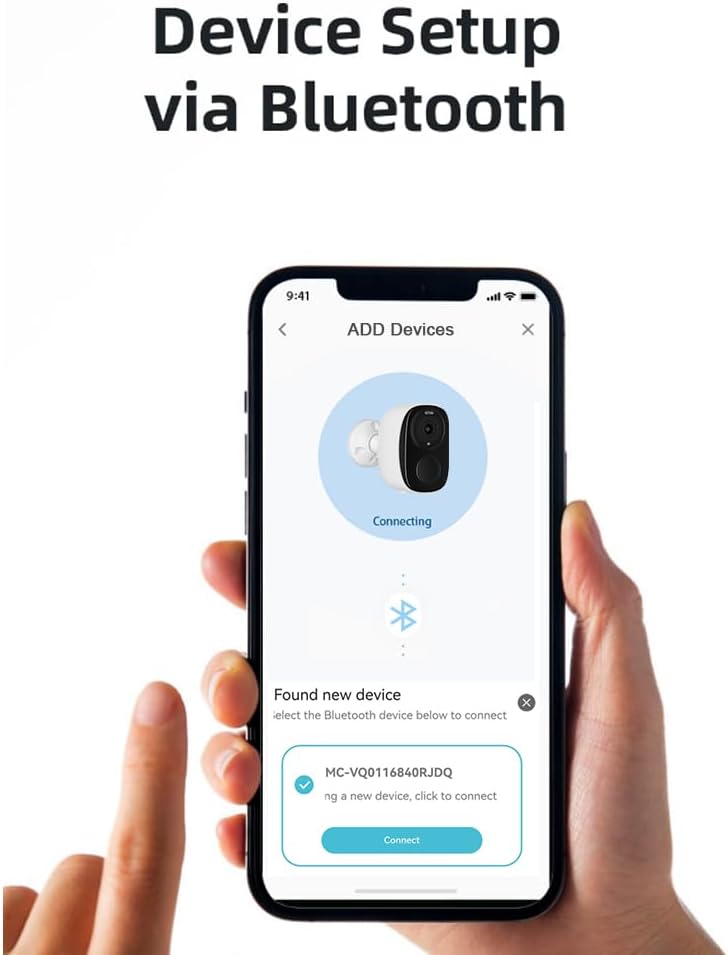
Figure 3.1: Bluetooth Pairing Interface. This image shows the O-KAM app on a smartphone, illustrating the seamless Bluetooth pairing process to connect the camera.
3.4 Mounting the Camera
The camera is 100% wire-free, allowing for flexible installation. It can be mounted on a ceiling or wall. Choose a location that provides the desired viewing angle (110 degrees) and optimal Wi-Fi signal strength.

Figure 3.2: Mounted Camera. This image displays the EVERSECU security camera securely mounted, highlighting its discreet design and ease of installation.
4. Operating Instructions
4.1 Live View and Two-Way Audio
Access the live video feed and communicate through the camera using the O-KAM APP.
- Open the O-KAM APP and select your camera to view the live feed.
- Tap the microphone icon in the app to enable two-way audio. You can speak through your phone, and your voice will be projected through the camera's speaker, allowing you to interact with visitors or deter intruders.

Figure 4.1: Two-Way Audio in Use. This image demonstrates the two-way audio functionality, allowing real-time communication between the camera's location and the user's smartphone.
4.2 Night Vision Modes
The camera offers both infrared and color night vision modes for clear visibility in low-light conditions.
- Infrared Mode: Provides clear black and white video in complete darkness.
- Color Mode: Utilizes the built-in spotlight to capture full-color video at night.
- You can switch between these modes via the O-KAM APP settings.

Figure 4.2: Night Vision Comparison. This image compares the visual output of the camera in color night vision mode (top) and infrared night vision mode (bottom), demonstrating the clarity in different low-light settings.
4.3 Motion Detection and Alerts
The camera features a highly sensitive PIR motion sensor to detect activity and send instant alerts.
- When motion is detected, the camera will send real-time alert notifications to your smartphone via the O-KAM APP.
- Motion-triggered videos are automatically saved to your chosen storage option.
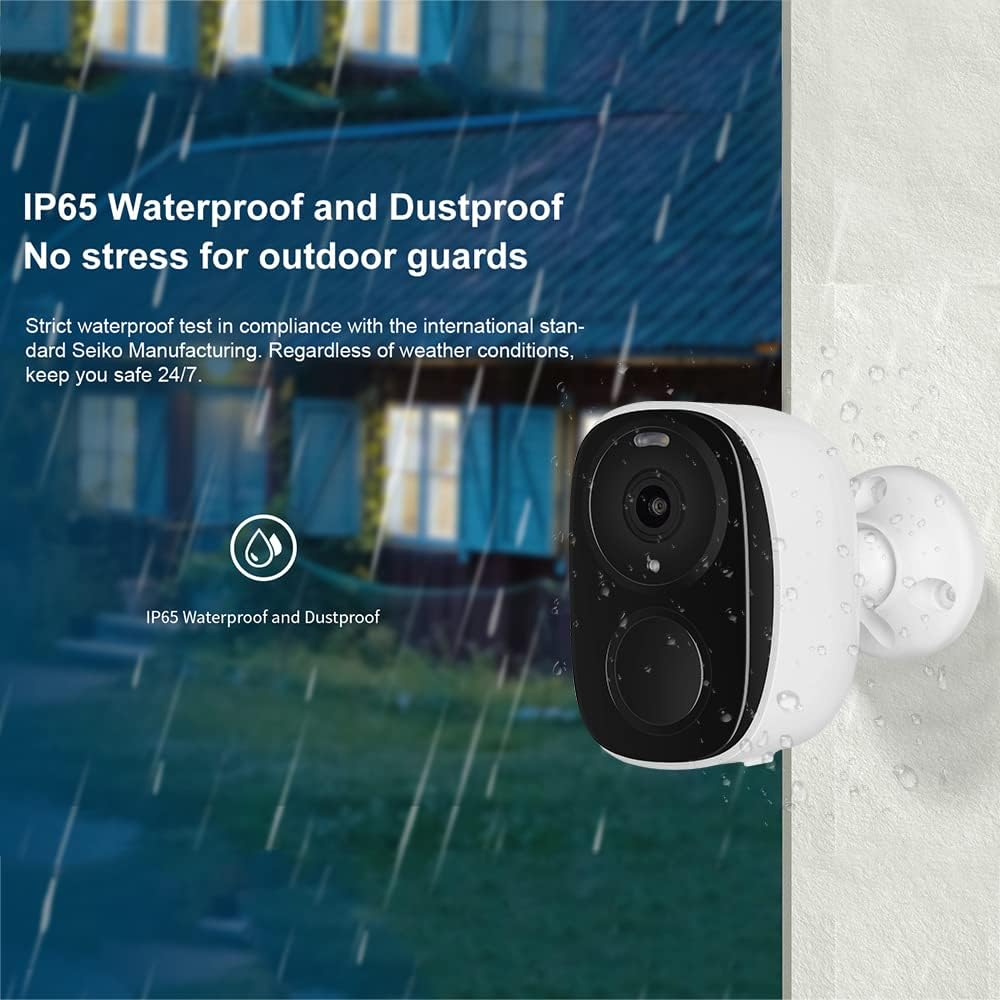
Figure 4.3: AI Human Detection and Alerts. This image illustrates the camera's ability to detect human motion, trigger alerts on a smartphone, and send email notifications, enhancing security.
4.4 Customizable Detection Zones
Minimize unwanted notifications by setting specific detection zones within the camera's field of view.
- Within the O-KAM APP, you can draw and define specific areas where you want the camera to detect motion. This helps to ignore activity in public areas or areas not requiring surveillance.
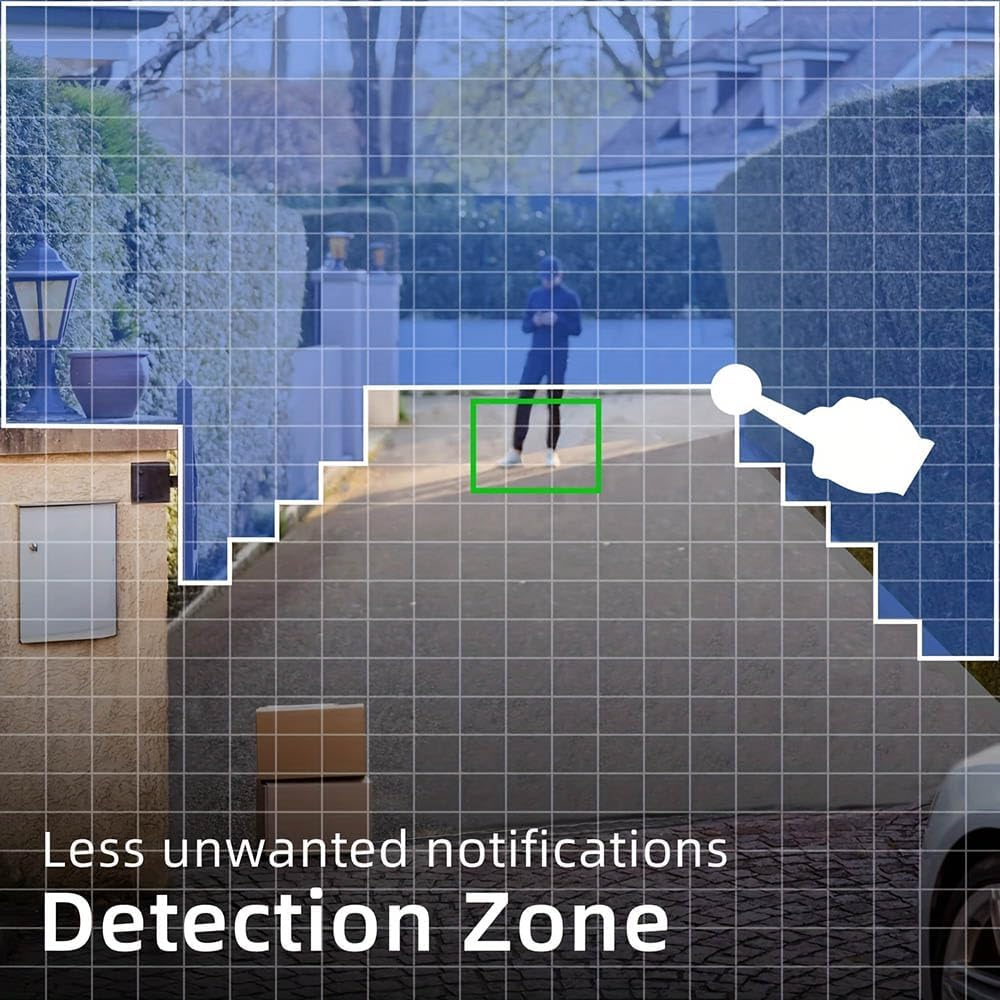
Figure 4.4: Custom Detection Zone. This image demonstrates how users can define specific areas for motion detection, reducing false alarms and focusing on critical zones.
4.5 Storage Options
The camera offers flexible storage solutions for your recorded footage.
- Micro SD Card: Insert a Micro SD card (up to 128GB, or up to 256GB as indicated in some promotional materials, not included) into the camera's slot for local storage.
- Cloud Storage: Utilize the paid cloud storage service for secure, remote access to your recordings. A 7-day free trial is typically available.
4.6 Multi-User Access
Share camera access with family members or trusted individuals.
- Within the O-KAM APP, you can generate a QR code to share viewing access with other users. They simply scan the QR code to gain access to the camera's live feed and recordings.
4.7 Alexa Integration
The EVERSECU camera is compatible with Amazon Alexa, allowing for voice control and viewing the live feed on compatible Alexa-enabled devices.
- Enable the EVERSECU skill in your Alexa app.
- Follow the instructions to link your O-KAM account.
- You can then use voice commands like "Alexa, show me the [camera name]" to view the live feed on devices such as Echo Show.
5. Maintenance
Regular maintenance ensures optimal performance and longevity of your security camera.
- Cleaning the Lens: Gently wipe the camera lens with a soft, lint-free cloth to remove dust or smudges that may affect image clarity. Avoid abrasive cleaners.
- Battery Charging: Recharge the camera's battery when prompted by the app or when the battery level is low. Use the provided charging cable and a compatible power adapter.
- Firmware Updates: Periodically check the O-KAM APP for available firmware updates. Keeping the firmware updated ensures you have the latest features, security patches, and performance improvements.
- Environmental Protection: While the camera is IP65 waterproof, ensure it is installed in a location that minimizes direct exposure to extreme weather conditions if possible, to prolong its lifespan.
6. Troubleshooting
If you encounter issues with your EVERSECU security camera, refer to the following common problems and solutions.
| Problem | Possible Cause | Solution |
|---|---|---|
| Camera won't power on. | Battery is depleted. | Charge the camera for several hours using the provided cable. |
| Unable to connect to Wi-Fi. | Incorrect Wi-Fi password; Camera too far from router; Connecting to 5GHz Wi-Fi. | Double-check Wi-Fi password. Move camera closer to router. Ensure you are connecting to a 2.4GHz Wi-Fi network. |
| Motion detection alerts are too frequent/infrequent. | PIR sensitivity setting; Detection zone not optimized. | Adjust PIR sensitivity in the O-KAM APP. Configure custom detection zones to focus on relevant areas. |
| Two-way audio is unclear or not working. | Microphone/speaker obstruction; Network latency. | Ensure no obstructions around microphone/speaker. Check network connection stability. |
| Night vision is blurry or dark. | Lens is dirty; Insufficient ambient light for color mode. | Clean the camera lens. Ensure the spotlight is enabled for color night vision, or switch to infrared mode. |
| Camera is unresponsive. | Temporary software glitch. | Press and hold the Reset button for 5-10 seconds to restart the camera. If issues persist, perform a factory reset. |
If the problem persists after trying these solutions, please contact EVERSECU customer support for further assistance.
7. Specifications
Key technical specifications for the EVERSECU 2K 3MP Outdoor Wireless Security Camera.
| Feature | Specification |
|---|---|
| Model Number | B8 |
| Video Capture Resolution | 2K, 3MP |
| Connectivity Technology | Wireless (Bluetooth, Wi-Fi) |
| Wi-Fi Frequency | 2.4GHz (5GHz not supported) |
| Power Source | Battery Powered |
| Battery Capacity | 5000 mAh Lithium Ion (2 batteries included) |
| Viewing Angle | 110 Degrees |
| Motion Detection | PIR Motion Sensor (Human Detection) |
| Night Vision | Color Night Vision, Infrared Night Vision |
| Audio | 2-Way Audio (Built-in Mic and Speaker) |
| Storage Options | Micro SD Card (up to 128GB/256GB), Cloud Storage |
| Weather Resistance | IP65 |
| Compatible Devices | iOS/Android |
| Controller Type | Amazon Alexa (App Control) |
| Mounting Type | Ceiling Mount (also suitable for wall mounting) |
| Item Weight | 10.5 ounces (0.3 Kilograms) |
| Dimensions | 5.16 x 4.45 x 2.91 inches |
8. Warranty and Support
For specific warranty information, please refer to the product packaging or contact EVERSECU directly. This product is subject to Amazon's standard return policy, which typically allows returns within 30 days of receipt for a refund or replacement.
For technical support, troubleshooting assistance, or any inquiries regarding your EVERSECU security camera, please contact the manufacturer:
- Manufacturer: EVERSECU
- Website: Visit the EVERSECU Store on Amazon

