
Introduction
This manual provides instructions for the HCDZ replacement remote control, designed for use with various electric fireplaces, including the Costway SF103-18D model. This remote control offers convenient operation of your fireplace's power, flame effects, and heating functions.
Setup
Battery Installation
The remote control requires batteries for operation. Locate the battery compartment on the back of the remote. Open the compartment cover, insert the specified battery type (typically AAA or button cell, refer to the remote's markings if present) ensuring correct polarity (+/-), then close the cover securely.
Initial Use
This is an IR replacement remote control. No programming is needed. Once batteries are installed, the remote is ready for use with compatible electric fireplaces.
Operating Instructions
Point the remote control directly at the infrared (IR) sensor on your electric fireplace. Ensure there are no obstructions between the remote and the fireplace sensor.
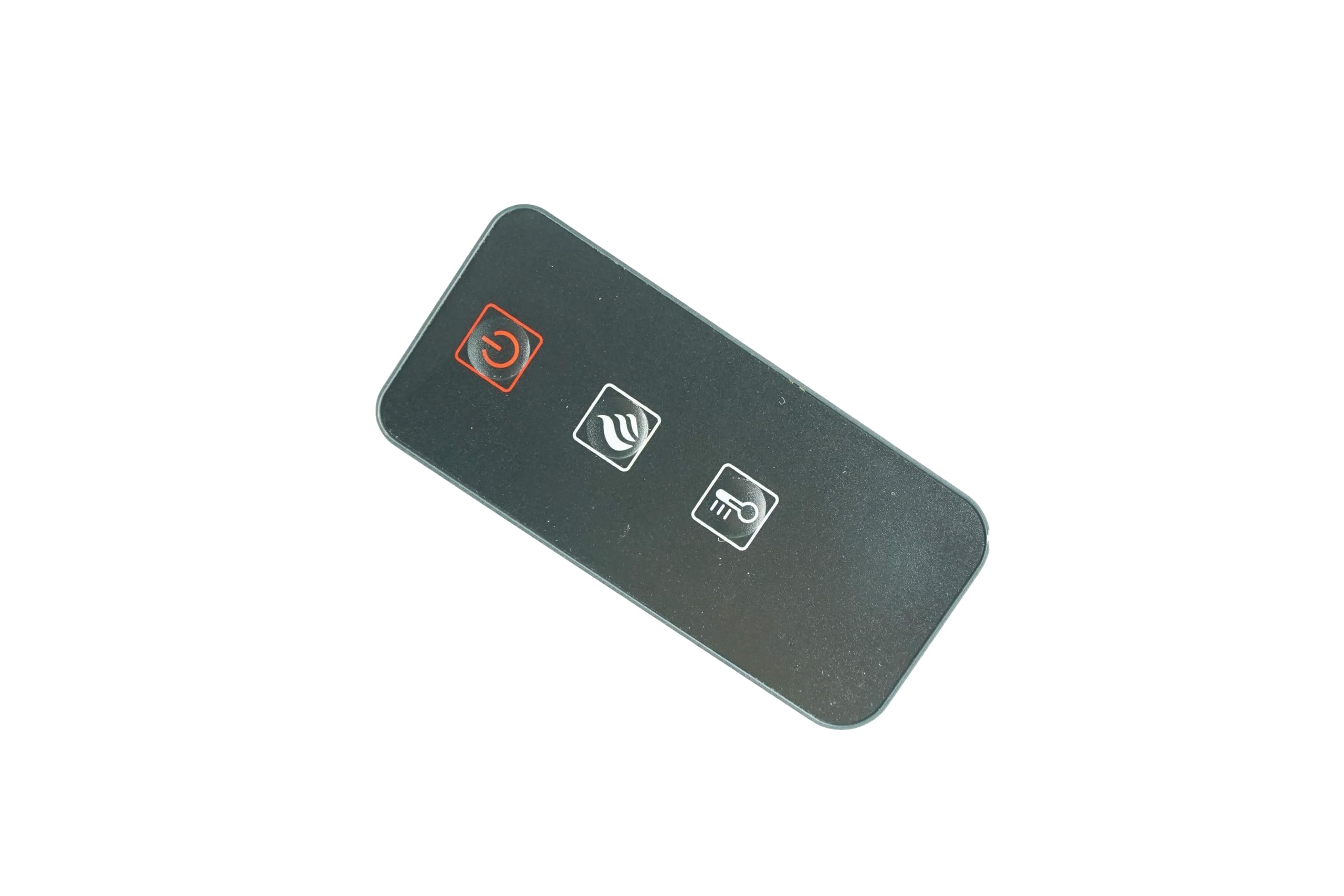
Image: The HCDZ replacement remote control, featuring a red power button, a flame icon button, and a thermometer icon button.
- Power Button (): Press this button to turn the fireplace ON or OFF. This button is typically red and located at the top left.
- Flame Effect Button (): Press this button to cycle through different flame brightness levels or turn the flame effect ON/OFF. This button features a flame icon.
- Heater/Temperature Button (): Press this button to activate or adjust the heater settings, or to control the temperature output. This button features a thermometer icon.
Maintenance
Battery Replacement
When the remote control's performance diminishes or it stops responding, replace the batteries. Always use new batteries of the correct type and dispose of old batteries responsibly.
Cleaning
Wipe the remote control with a soft, dry cloth. Do not use liquid cleaners or abrasive materials, as these can damage the remote's surface or internal components.
Troubleshooting
- Remote control malfunctions:
- Replace remote control batteries.
- Check battery terminals for corrosion or improper contact.
- Remote is unresponsive:
- Move closer to the device. The remote may be out of range.
- Remove any obstructions between the remote and the IR sensor of the device.
- Ensure the power cord to your fireplace is plugged in and the fireplace is turned on.
Specifications
| Brand | HCDZ |
| Compatible Devices | Fireplace (e.g., Costway SF103-18D) |
| Special Features | No Programming Required, Pre Programmed |
| Battery Description | Lithium-Ion (Note: Actual battery type may vary, check remote for specifics) |
| Battery Cell Composition | Alkaline (Note: Actual battery type may vary, check remote for specifics) |
| Connector Type | Infrared |
Warranty
This product comes with a 90-day warranty from the date of purchase. Please retain your proof of purchase for warranty claims.
Support
If the remote control does not work with your equipment, or if you encounter any issues, please contact HCDZ customer support. We are committed to resolving any problems without hesitation.
For support inquiries, please refer to the contact information provided with your purchase or visit the official HCDZ website.