
sprtoybat Q35-DB
sprtoybat Q35 Wireless Earbuds User Manual
Model: Q35-DB | Brand: sprtoybat
Introduction
Welcome to the user manual for your new sprtoybat Q35 Ultralight Sport Bluetooth 5.3 Wireless Earbuds. These earbuds are designed for comfort and performance, especially during sports and outdoor activities. Featuring a secure-fitting design, IPX7 waterproofing, and a dual LED battery display, they provide high-fidelity audio and clear calls for an enhanced listening experience.
Please read this manual carefully before using your earbuds to ensure proper operation and to maximize their lifespan.
What's in the Box
Your sprtoybat Q35 Wireless Earbuds package includes the following items:
- 2 x Wireless Earbuds (Left and Right)
- 1 x Charging Case
- 1 x Mini USB Type-C Cable
- 1 x User Manual (this document)
- 3 x Pairs of Silicone Ear Caps (S/M/L)
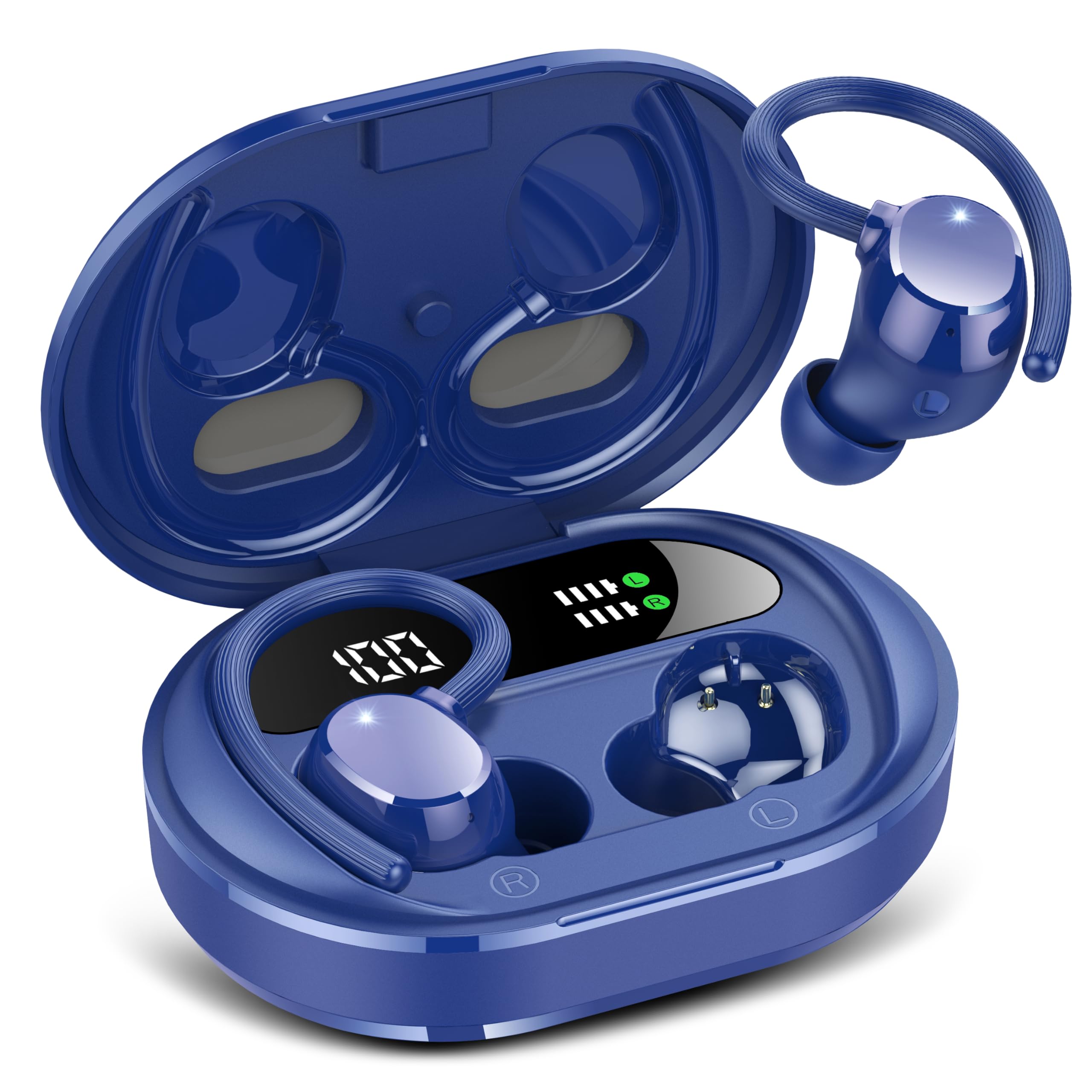
Image: sprtoybat Q35 Wireless Earbuds and Charging Case (Dark Blue)

Image: sprtoybat Q35 Wireless Earbuds in charging case, angled view
Setup
1. Charging the Earbuds and Case
Before first use, fully charge the earbuds and the charging case. The charging case has a built-in 400mAh battery and supports Type-C fast charging.
- Place both earbuds into the charging case. Ensure they are properly seated.
- Connect the provided Type-C cable to the charging port on the case and the other end to a USB power source (e.g., computer, wall adapter).
- The dual LED digital display on the charging case will show the remaining charge level of the case, and LED light bars will indicate the charging status of each earbud.
- A full charge provides up to 5 hours of music playback for the earbuds, and the charging case can recharge the earbuds 5 times for a total of 30 hours of playback.
2. Pairing with Your Device
The sprtoybat Q35 earbuds use Bluetooth 5.3 for a stable and efficient connection.
- Open the charging case. The earbuds will automatically enter pairing mode.
- On your device (smartphone, tablet, computer), go to Bluetooth settings and turn Bluetooth on.
- Search for available devices and select "Q35" from the list.
- Once connected, you will hear a confirmation tone, and the earbuds will be ready for use.
- For subsequent uses, the earbuds will automatically connect to the last paired device when removed from the case.
3. Choosing the Right Ear Tips
For optimal sound quality and comfort, select the ear tips that best fit your ears. Three sizes (S/M/L) are included.
- Try each size to find the one that creates a comfortable seal in your ear canal without causing discomfort.
- The secure-fitting silicone ear hooks are designed to keep the earbuds in place during active use.
Operating Instructions
The Q35 earbuds feature touch controls for easy management of your audio and calls.
Basic Functions:
- Power On: Open the charging case or long-press the touch area on both earbuds.
- Power Off: Place earbuds back into the charging case and close the lid, or long-press the touch area until they power off.
- Play/Pause: Single tap on either earbud.
- Next Track: Double tap on the right earbud.
- Previous Track: Double tap on the left earbud.
- Volume Up: Triple tap on the right earbud.
- Volume Down: Triple tap on the left earbud.
Call Management:
- Answer/End Call: Single tap on either earbud.
- Reject Call: Long-press on either earbud.
- Activate Voice Assistant (Google Assistant/Siri): Long-press on either earbud (when not on a call).
The built-in noise-canceling microphone ensures clear call quality.
Maintenance
Proper care will extend the life of your sprtoybat Q35 earbuds.
- Cleaning: Regularly clean the earbuds, ear tips, and charging contacts with a soft, dry, lint-free cloth. Do not use harsh chemicals or abrasive materials.
- Water Resistance: The earbuds are IPX7 rated waterproof, meaning they can withstand common splashes and rain. Do not submerge them in water or expose them to high-pressure water jets. Dry them thoroughly before placing them back in the charging case if they get wet.
- Storage: When not in use, store the earbuds in their charging case to protect them from dust and damage. Store in a cool, dry place away from extreme temperatures.
- Battery Care: To maintain battery health, avoid fully discharging the earbuds and charging case frequently. Charge them regularly, even if not in constant use.
Troubleshooting
If you encounter issues with your earbuds, try the following solutions:
| Problem | Possible Solution |
|---|---|
| Earbuds not pairing |
|
| No sound or low volume |
|
| Charging issues |
|
| Earbuds falling out |
|
Specifications
| Feature | Detail |
|---|---|
| Model Name | Q35-DB |
| Connectivity Technology | Wireless (Bluetooth 5.3) |
| Bluetooth Range | 15 Meters |
| Earbud Battery Life | Up to 5 hours (single charge) |
| Total Playtime (with case) | Up to 30 hours |
| Charging Case Battery Capacity | 400 mAh |
| Charging Case Charging Time | 1.5 Hours |
| Water Resistance Level | IPX7 Waterproof |
| Audio Driver Size | 10 mm Dynamic Driver |
| Frequency Range | 20 Hz to 20,000 Hz |
| Control Type | Touch Control (Google Assistant, Siri compatible) |
| Earbud Weight | Approx. 6 grams (each) |
| Total Product Weight (with case) | Approx. 50 grams |
| Product Dimensions | 0.89 x 0.65 x 0.87 inches (earbud) |
| Material | Plastic |
| Included Components | Headphones, User Manual, Type-C cable, Charging case, S/M/L ear caps |
Warranty and Support
For warranty information and customer support, please refer to the contact details provided on the product packaging or visit the official sprtoybat website. Keep your purchase receipt for any warranty claims.
If you have any questions or require assistance with your sprtoybat Q35 Wireless Earbuds, please do not hesitate to contact our customer service team.
Ask a question about this manual
Ask about setup, troubleshooting, compatibility, parts, safety, or missing instructions. Manuals+ will review the question and use this page’s manual context to help answer it.