
Introduction
Thank you for choosing the Poevic Mini Digital Car Key Shape Pocket Scale. This compact and precise weighing instrument is designed for accurate measurement of small items, offering a maximum capacity of 200 grams with 0.01 gram readability. Its discreet car key design ensures portability and convenience for various applications, including weighing jewelry, spices, medicines, and other small objects. Please read this manual carefully to ensure proper use and maintenance of your scale.
Product Overview
The Poevic Mini Digital Scale features a sleek, car key-shaped exterior that conceals a highly accurate digital scale. It includes an easy-to-read LCD display with a blue backlight for clear visibility in various lighting conditions. The scale supports multiple weighing units and incorporates a built-in sensor system for reliable measurements.
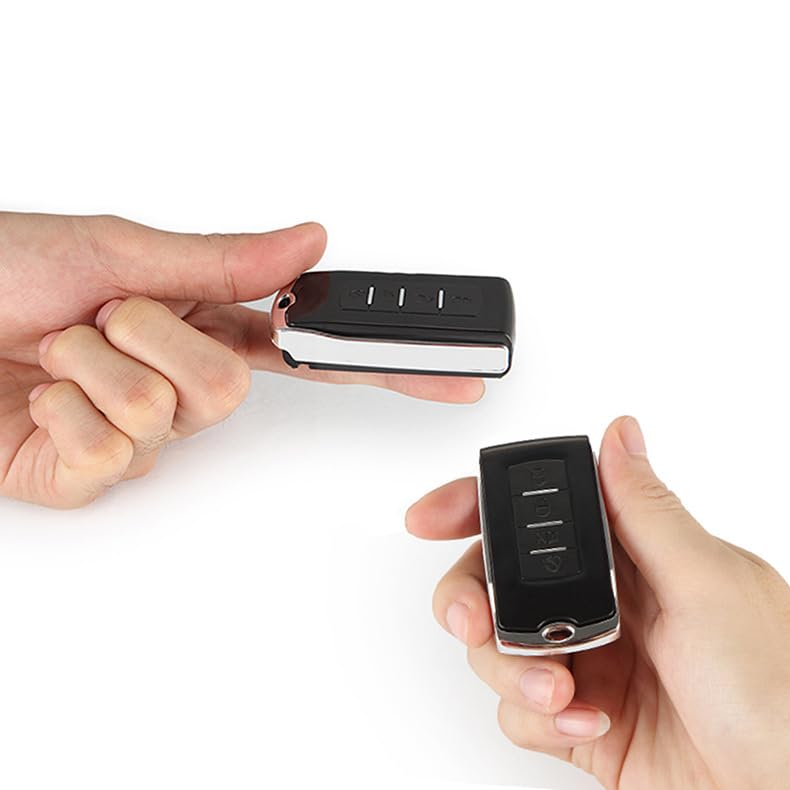
The Poevic Mini Digital Scale, shown in its compact car key form factor, designed for discreet portability.
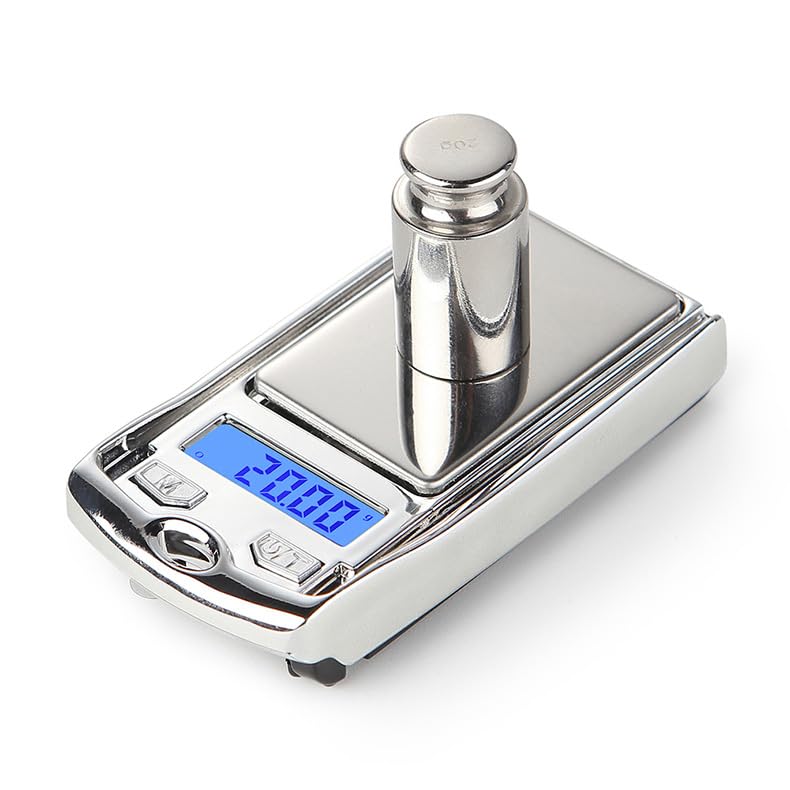
The scale's weighing platform and LCD display showing a measurement of 20.00 grams with a calibration weight.
Setup
Battery Installation
The scale typically comes with batteries pre-installed. If battery replacement is needed, locate the battery compartment on the underside of the scale. Open the compartment, insert the required batteries (ensure correct polarity), and close the cover securely.
Initial Power On
To power on the scale, press the 'On/Off' button. The LCD display will illuminate and show '88888' followed by '0.00g', indicating it is ready for use.
Operating Instructions
Button Functions
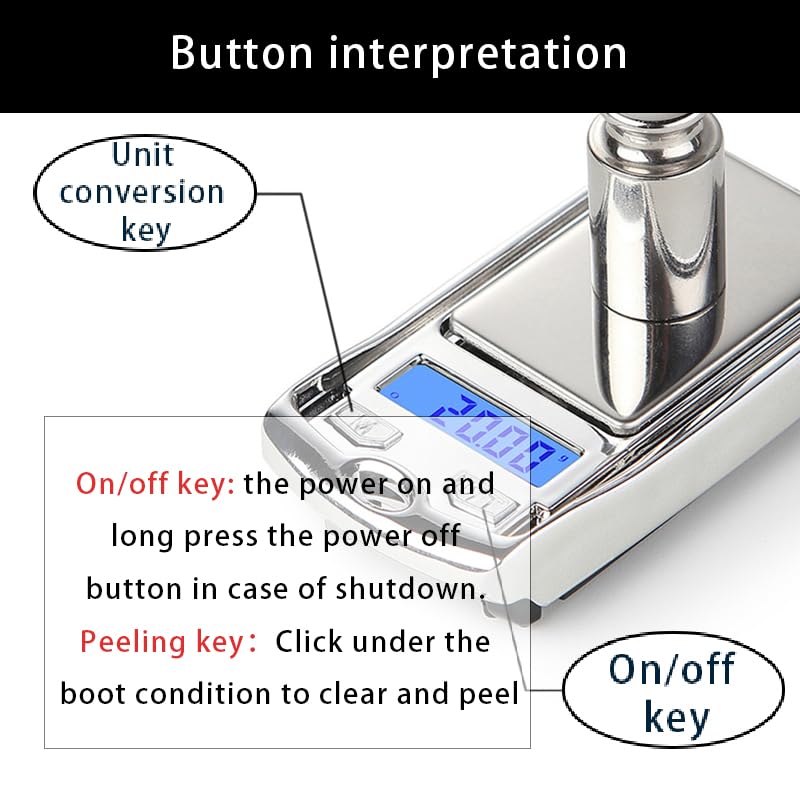
Detailed view of the scale's control buttons, indicating the 'Unit conversion key' (M) and the 'On/Off / Peeling key' (T).
- On/Off Key (Power Button): Press briefly to turn the scale on. Long press to turn the scale off.
- Unit Conversion Key (M): Press this button to cycle through available weighing units: grams (g), troy ounces (tl), pennyweights (dwt), and carats (ct).
- Tare/Peeling Key (T): Press this button to zero out the scale, useful for subtracting the weight of a container.
Weighing Procedure
- Place the scale on a flat, stable surface.
- Press the 'On/Off' button to turn on the scale. Wait for the display to show '0.00g'.
- If using a container, place it on the weighing platform and press the 'Tare' button to zero out its weight.
- Carefully place the item(s) to be weighed onto the center of the weighing platform.
- Read the weight displayed on the LCD screen.
- To change units, press the 'M' button until the desired unit is displayed.

The scale accurately weighing gold jewelry, with the display showing a measurement in carats.
Automatic Shut-off
The scale is equipped with an automatic shut-off feature to conserve battery life. If left idle for approximately 60 seconds, the scale will automatically power off.
Maintenance
- Keep the scale clean by wiping it with a soft, damp cloth. Do not use abrasive cleaners or immerse the scale in water.
- Store the scale in a dry, cool place away from extreme temperatures and humidity.
- Avoid dropping the scale or subjecting it to strong impacts, as this can affect its accuracy.
- If the scale will not be used for an extended period, remove the batteries to prevent leakage.
Troubleshooting
- Inaccurate Readings: Ensure the scale is on a flat, stable surface. Avoid drafts or vibrations. Recalibrate if necessary (refer to specific calibration instructions if provided with your model, otherwise contact support).
- Display Not Working: Check battery installation and replace batteries if needed.
- 'EEEE' Error: This indicates an overload. Remove the item immediately to prevent damage to the scale.
Specifications
| Brand | Poevic |
| Model | Mini Digital Car Key Shape Scale |
| Display Type | LCD with Blue Backlight |
| Form Factor | Mini, Car Key Shape |
| Readout Accuracy | 0.01 Grams |
| Weigh Scale Type | Counter Scale |
| Maximum Capacity | 200g |
| Supported Units | g, tl, dwt, ct |
| Product Dimensions | 6.7 x 3.5 x 1.6 cm (2.64 x 1.38 x 0.63 inches) |
| Product Weight | 30g |
| Automatic Shut-off | Yes (approx. 60 seconds) |
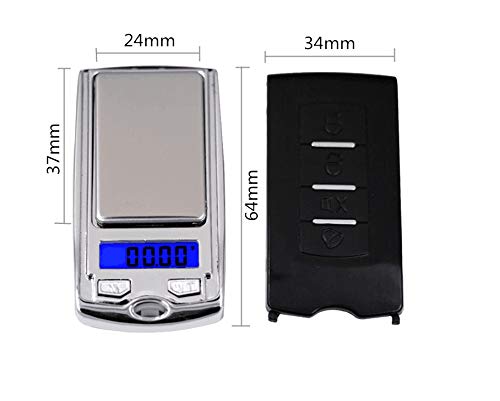
Dimensional diagram of the scale, indicating its compact size for portability.
Warranty and Support
For warranty information or technical support, please refer to the product packaging or contact the seller directly through your purchase platform. Keep your purchase receipt as proof of purchase.