
1. Product Overview
The SYLVOX 75-inch Deck Pro 2.0 Smart Outdoor TV is designed for outdoor entertainment, offering a 4K Ultra HD display with 1000 nits brightness for clear viewing in partial sun and shaded areas. It features an IP55 waterproof rating and a durable all-metal casing to withstand various outdoor conditions. Powered by Android 11.0, it provides access to a wide range of applications and supports Google Assistant and Chromecast for seamless content streaming.

Figure 1.1: Front view of the SYLVOX 75-inch Deck Pro 2.0 Smart Outdoor TV.
2. Safety Information
Please read all safety instructions carefully before installation and operation. Failure to follow these instructions may result in electric shock, fire, or damage to the product.
- Electrical Safety: Ensure the power outlet meets the TV's voltage requirements. Do not overload power outlets. Disconnect power during lightning storms or when unused for long periods.
- Mounting: Use appropriate mounting hardware and ensure the mounting surface can support the TV's weight. Professional installation is recommended for outdoor wall mounts.
- Ventilation: Do not block ventilation openings. Ensure adequate airflow around the TV to prevent overheating.
- Temperature: The TV is designed to operate within a specific temperature range (-22°F to 122°F). Avoid exposing it to temperatures outside this range.
- Cleaning: Disconnect power before cleaning. Use a soft, damp cloth. Avoid harsh chemicals or abrasive cleaners.
3. What's in the Box
Verify that all components are present before proceeding with installation.
- 75-inch Outdoor Smart TV
- Voice Remote Control (2 AAA batteries included)
- User's Manual
- Warranty Card
- Power Cord
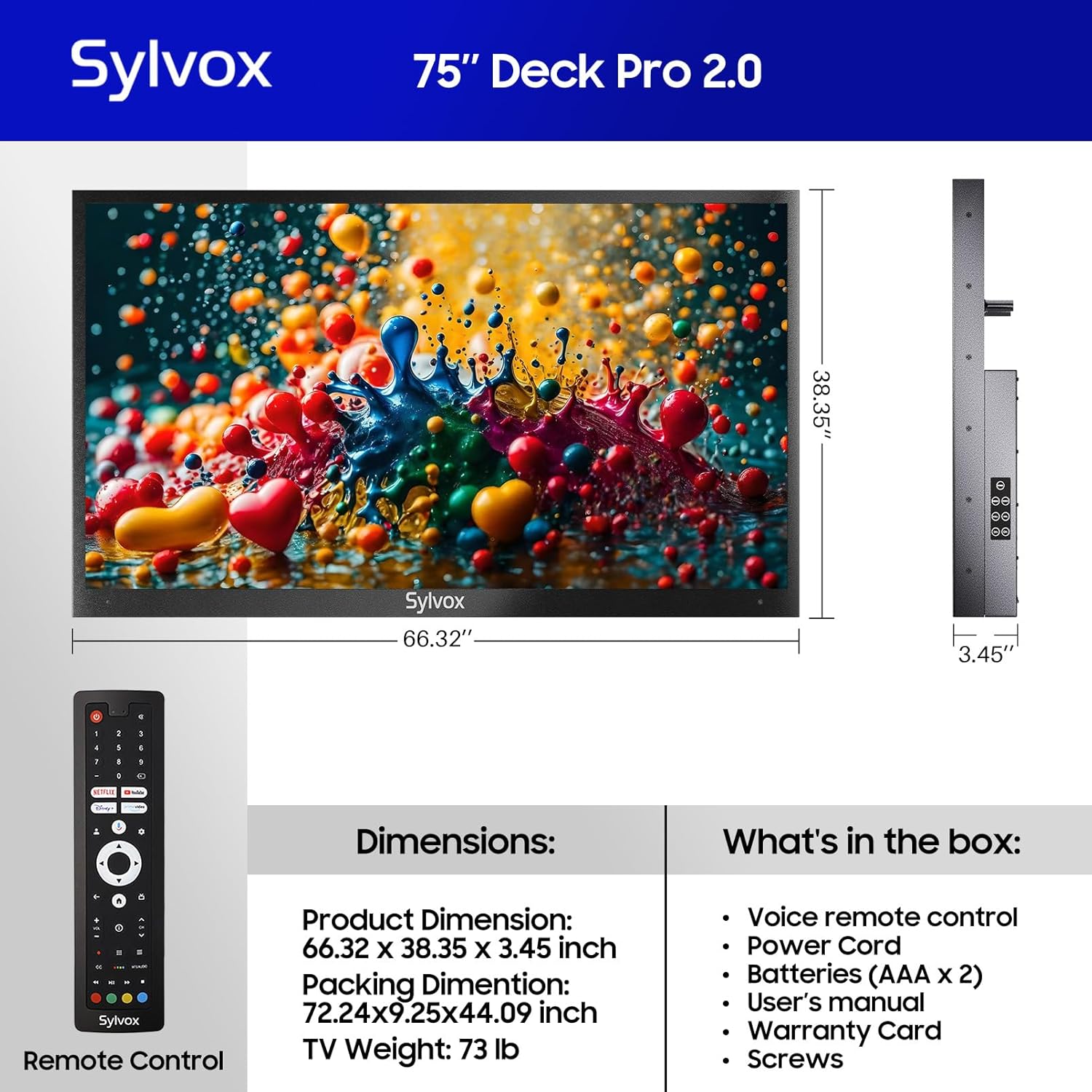
Figure 3.1: Included components and dimensions of the TV.
Video 3.1: Unboxing the Deck Pro 2.0 Series Outdoor TV, showing how components are packaged.
4. Setup
4.1 Physical Installation
The SYLVOX Deck Pro 2.0 TV is designed for outdoor installation. It features a robust all-metal body for enhanced durability and weather resistance.

Figure 4.1: Side view illustrating the durable all-metal casing.
For wall mounting, ensure you use a compatible VESA mount (not included) and secure it to a sturdy structure. The TV's back panel is designed to accommodate standard VESA mounting patterns.

Figure 4.2: Back view of the TV with VESA mounting points.
4.2 Connections
The TV offers multiple connectivity options. Access the ports by removing the protective cover on the back of the unit.
- HDMI: For connecting external devices like gaming consoles or media players.
- USB: For media playback from USB drives.
- Ethernet: For wired internet connection.
- Wireless: Built-in WiFi and Bluetooth for network and accessory connections.

Figure 4.3: Rear input panel with various connectivity ports.
4.3 Initial Power On
Connect the power cord to the TV and a suitable outdoor-rated power outlet. Press the power button on the remote control or the TV's side panel to turn on the unit. Follow the on-screen instructions to complete the initial setup, including network connection and Google account login.
5. Operating Instructions
5.1 Remote Control
The included voice remote control allows for easy navigation and control of your TV. It features dedicated buttons for popular streaming services and Google Assistant.

Figure 5.1: Voice remote control for the SYLVOX Outdoor TV.
5.2 Google TV Interface
The TV runs on the Android 11.0 system with the Google TV interface, offering personalized recommendations and easy access to over 10,000 apps including YouTube, Netflix, Prime Video, Hulu, and Disney+.

Figure 5.2: Google TV interface with access to numerous applications.
Video 5.1: Demonstration of the Sylvox Smart Google Outdoor TV interface and features.
5.3 Key Features
- 4K Ultra HD Resolution: Enjoy crystal-clear images with stunning detail.
- Dolby Atmos: Immerse yourself in a panoramic sound experience.
- 1000 Nits Brightness: Provides optimal visibility in outdoor environments with partial sun.
- Chromecast Built-in: Easily cast content from your mobile devices to the TV.
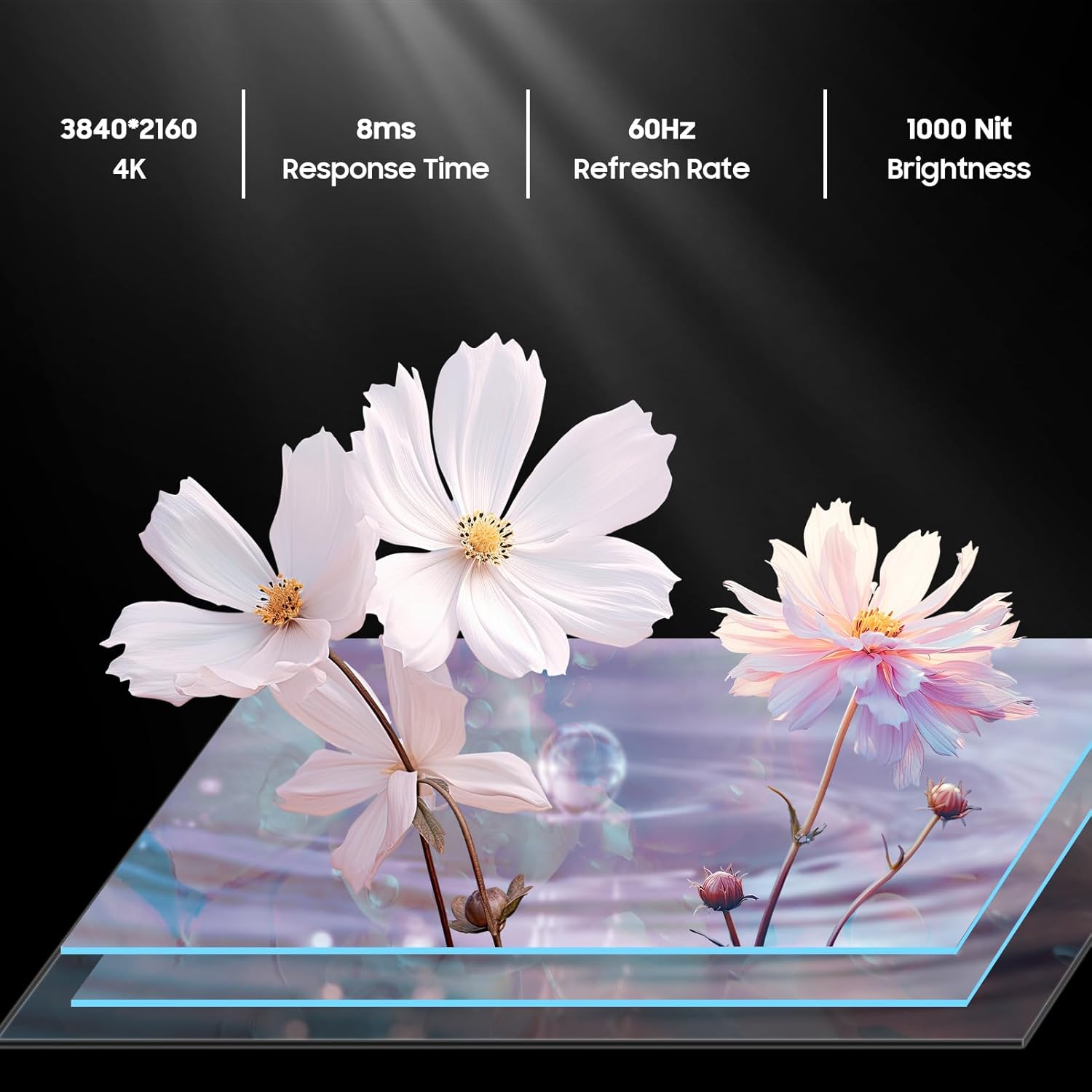
Figure 5.3: Visual representation of 4K resolution and 1000 nit brightness.
Video 5.2: Overview of the Deck Pro 2.0 Outdoor TV, highlighting Google TV and Dolby Atmos features.
5.4 Outdoor Use Considerations
The TV is IP55 waterproof, meaning it is protected against dust and low-pressure water jets from any direction. This makes it suitable for use in various outdoor weather conditions, including rain and snow.

Figure 5.4: The TV operating effectively during rainfall, showcasing its IP55 waterproof rating.
Video 5.3: A short clip demonstrating the TV's ability to function in various weather conditions.
6. Maintenance
- Cleaning the Screen: Gently wipe the screen with a soft, lint-free cloth. For stubborn marks, slightly dampen the cloth with water. Do not spray cleaners directly onto the screen.
- Cleaning the Casing: Use a soft, damp cloth to clean the all-metal casing. Avoid abrasive materials that could scratch the surface.
- Port Covers: Ensure all port covers on the back of the TV are securely closed when not in use to maintain its waterproof rating.
- Seasonal Storage: While designed for all-weather use, consider covering the TV during prolonged periods of extreme weather or when not in use for extended periods to prolong its lifespan.
7. Troubleshooting
- No Power: Check if the power cord is securely connected to both the TV and the power outlet. Ensure the outlet is functional.
- No Picture/Sound: Verify the correct input source is selected. Check all cable connections (HDMI, etc.).
- Remote Not Responding: Replace the AAA batteries in the remote control. Ensure there are no obstructions between the remote and the TV.
- Poor Wi-Fi Connection: Ensure the TV is within range of your Wi-Fi router. Try restarting your router.
- Image Glare in Sunlight: While the TV has 1000 nits brightness, direct, intense sunlight can still cause glare. Adjust the TV's position or consider additional shading for optimal viewing.
8. Specifications
| Feature | Description |
|---|---|
| Brand | SYLVOX |
| Model Name | Deck Pro 2.0 |
| Screen Size | 75 Inches |
| Resolution | 4K Ultra HD (3840x2160) |
| Brightness | 1000 nits |
| Refresh Rate | 60 Hz |
| Operating System | Android 11.0 with Google TV |
| Waterproof Rating | IP55 |
| Special Features | Dolby Atmos, Google Assistant, Chromecast Built-in |
| Connectivity | Ethernet, Wireless (Wi-Fi), Bluetooth, HDMI, USB |
| Product Dimensions | 3.45"D x 66.32"W x 38.35"H |
| Item Weight | 100.8 pounds |
| Color | Black |
| Batteries | 2 AAA batteries required (included) |
9. Warranty and Support
The SYLVOX 75-inch Deck Pro 2.0 Smart Outdoor TV comes with a one-year warranty. For technical assistance, troubleshooting, or warranty claims, please contact SYLVOX customer service. Keep your purchase receipt and warranty card for reference.
Customer Service: Available 24/7. Refer to the warranty card for contact details or visit the official SYLVOX website.


