
Introduction
Welcome to the SYLVOX 55 inch Deck Pro 2.0 Smart Outdoor TV instruction manual. This guide provides essential information for setting up, operating, maintaining, and troubleshooting your new outdoor television. Designed for partial sun environments, the Deck Pro 2.0 combines stunning 4K visuals with robust IP55 weatherproofing and the intelligent Google TV platform for an unparalleled outdoor entertainment experience.
What's in the Box
Your SYLVOX Deck Pro 2.0 package includes the following items:
- 55 inch Outdoor Smart TV
- Voice Remote Control
- User's Manual
- Warranty Card
- Power Cord

Image: A graphic displaying the dimensions of the SYLVOX 55 inch Deck Pro 2.0 TV and a list of all included accessories like the remote control, power cord, and user manual.
Setup
Proper installation is crucial for the performance and longevity of your outdoor TV. The SYLVOX Deck Pro 2.0 is designed for flexible mounting options.
Mounting Options
The TV is VESA compatible, allowing for wall mounting or attachment to a mobile stand. The durable all-metal casing ensures stability in outdoor conditions.

Image: A side view of the SYLVOX 55 inch Deck Pro 2.0 TV, highlighting the robust all-metal casing and integrated side controls.

Image: A back view of the SYLVOX 55 inch Deck Pro 2.0 TV, illustrating the VESA mounting points for wall or stand installation.
Connections
The TV features a variety of input and output ports, including 3 HDMI inputs, RJ45 Ethernet, Optical Output, Coaxial, and 2 USB-A ports. These are protected by a sealed back panel to maintain the IP55 waterproof rating.

Image: A close-up view of the sealed back panel of the SYLVOX 55 inch Deck Pro 2.0 TV, showing the protected HDMI, RJ45, Optical, Coaxial, and USB ports.
Installation Videos
Video: An unboxing video for the Sylvox Deck Pro 2.0 Series Outdoor TV, demonstrating how to safely remove the TV from its packaging and prepare it for installation.
Video: A guide to installing a wall mount for outdoor TVs, providing step-by-step instructions for secure and proper mounting of the television.
Operating
Google TV OS
The SYLVOX Deck Pro 2.0 runs on the upgraded Google TV platform, offering a user-friendly interface with personalized recommendations and access to a vast library of applications. It supports live TV, mobile remote functionality, watchlist synchronization, individual user profiles, parental controls, and full smart home integration.

Image: A comparison chart highlighting the advanced features of Google TV over standard Android TV, as available on the SYLVOX Outdoor TV.
Video: A demonstration of the Sylvox Outdoor Google TV interface, showcasing its smart features and ease of navigation.
Video: An overview of the Sylvox Outdoor Smart TV - Deck Pro 2.0, highlighting its key functionalities and design for outdoor use.
Video: A detailed look at the Sylvox Smart Google Outdoor TV, showcasing its smart features and integration with the Google ecosystem.
Remote Control
The included voice remote control connects via Bluetooth, allowing for seamless navigation and voice commands. It features quick access buttons for popular streaming services like Netflix, YouTube, Disney+, and Prime Video.

Image: The voice-activated Bluetooth remote control for the SYLVOX Smart Outdoor TV, featuring dedicated buttons for popular streaming services.
Brightness
The Deck Pro 2.0 offers 1000 nits of peak brightness, making it ideal for outdoor viewing in partial sun and full shade conditions. Adjust the brightness settings via the remote or on-screen menu for optimal viewing.
Sound
Immerse yourself in rich audio with Dolby Atmos technology, providing a panoramic sound experience. Adjust sound modes and advanced settings through the TV's menu.
Casting
With Chromecast built-in, you can easily stream content from your smartphone or other devices directly to the TV, enhancing your outdoor viewing options.

Image: A person relaxing outdoors, casting content from their smartphone to the SYLVOX Outdoor TV using the built-in Chromecast feature.
Features
The SYLVOX Deck Pro 2.0 is engineered with advanced features to deliver a premium outdoor entertainment experience.
- IP55 Waterproof Rating: Built to withstand various outdoor conditions, including rain and dust, thanks to its durable all-metal casing and sealed design.
- 4K Ultra HD Resolution: Experience crystal-clear images with stunning detail and vibrant colors.
- 1000 Nit Brightness: Optimized for partial sun and full shade environments, ensuring excellent visibility even in bright outdoor settings.
- Dolby Atmos: Enjoy immersive, high-quality audio that brings your entertainment to life.
- All-Metal Body: A robust and durable construction designed for long-lasting outdoor use.

Image: The SYLVOX Outdoor TV is shown being sprayed with water, illustrating its IP55 waterproof rating and suitability for various weather conditions.
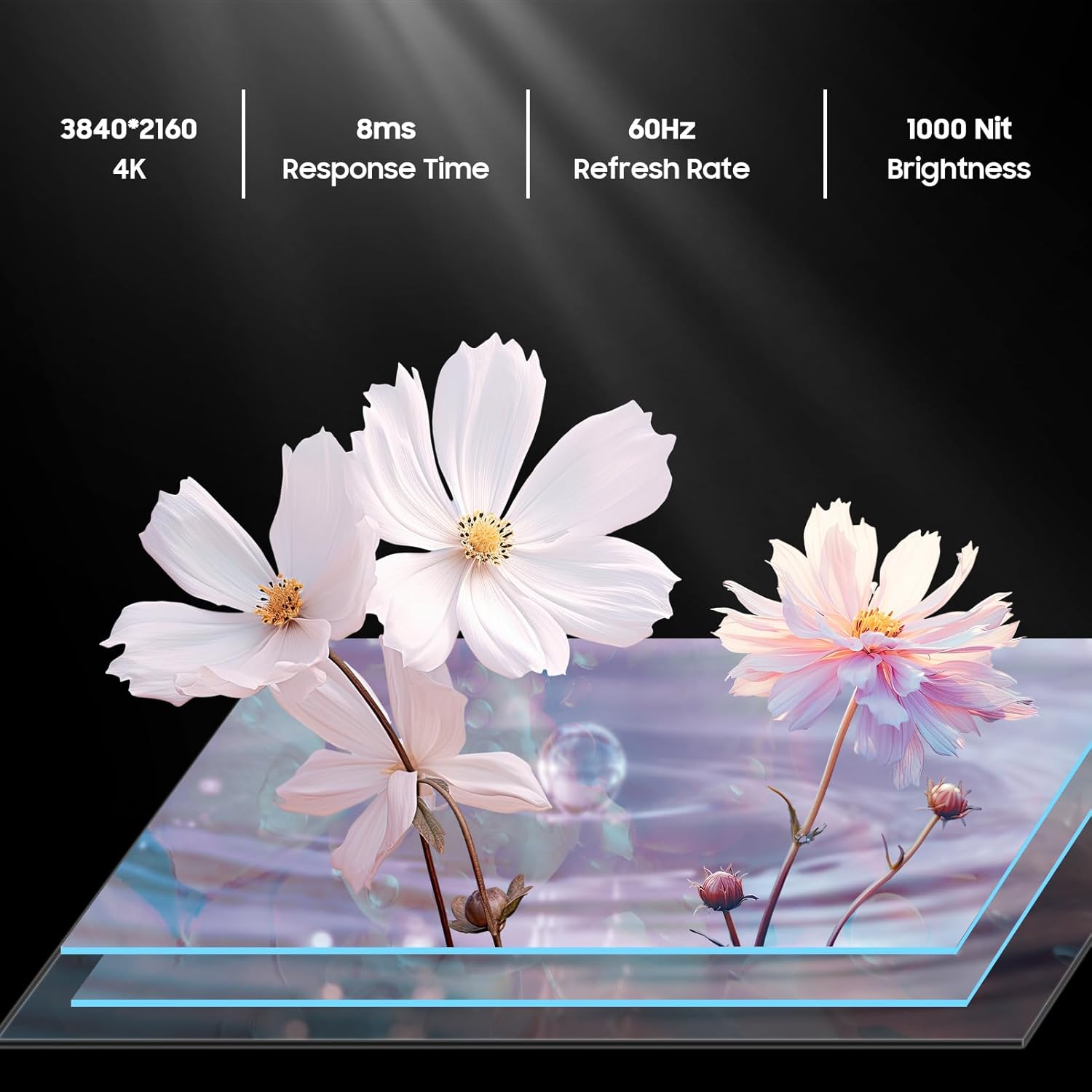
Image: A graphic showcasing the key display features of the SYLVOX Outdoor TV: 4K resolution, 8ms response time, 60Hz refresh rate, and 1000 Nit brightness.

Image: The SYLVOX Outdoor TV is displayed with its sleek and durable all-metal body, emphasizing its robust construction.
Maintenance
To ensure the longevity and optimal performance of your SYLVOX Deck Pro 2.0 Outdoor TV, follow these maintenance guidelines:
- Cleaning: Gently wipe the screen and exterior with a soft, damp cloth. Avoid harsh chemicals or abrasive cleaners.
- Cable Management: Ensure all cables are securely connected and properly routed to prevent water ingress and damage.
- Seasonal Storage: While designed for outdoor use, consider covering the TV or storing it indoors during extreme weather conditions (e.g., hurricanes, blizzards) for added protection.
Troubleshooting
If you encounter any issues with your SYLVOX Deck Pro 2.0, refer to the following common troubleshooting steps:
- No Power: Check the power cord connection to both the TV and the outlet. Ensure the outlet is functional.
- No Picture: Verify that the correct input source is selected. Check HDMI or other input cable connections.
- No Sound: Check the volume level and ensure the TV is not muted. Verify audio output settings.
- Wi-Fi Connection Issues: Ensure your router is working correctly and the TV is within range. Re-enter Wi-Fi password if necessary.
- Remote Not Responding: Check the batteries in the remote control. Re-pair the Bluetooth remote if connection is lost.
For further assistance, please contact SYLVOX customer service.
Specifications
| Brand: | SYLVOX |
| Model: | Deck Pro 2.0 |
| Screen Size: | 55 Inches |
| Resolution: | 4K (3840x2160) |
| Display Technology: | LED |
| Refresh Rate: | 60 Hz |
| Brightness: | 1000 nits |
| Waterproof Rating: | IP55 |
| Connectivity: | Ethernet, Wireless, Bluetooth, WiFi, HDMI, USB |
| Operating System: | Google TV |
| Product Dimensions: | 3.45"D x 48.98"W x 28.6"H |
| Item Weight: | 71.8 pounds |
Warranty and Support
Your SYLVOX Deck Pro 2.0 Smart Outdoor TV comes with a one-year warranty, covering manufacturing defects. For any product inquiries, technical support, or warranty claims, please contact our 24/7 customer service team. We are dedicated to ensuring a worry-free experience with your outdoor entertainment system.


