
Introduction
This manual provides comprehensive instructions for the safe and efficient operation and maintenance of your Donper XC224 Frozen Beverage Machine. The XC224 is a high-volume slush machine featuring two large 3.2-gallon bowls, a night-time refrigeration mode, simple switch controls, and variable consistency control. Its mirror stainless steel finish with black trim ensures durability and an attractive appearance.
Please read this manual thoroughly before operating the machine and retain it for future reference.
Safety Information
Always observe basic safety precautions when using electrical appliances to reduce the risk of fire, electric shock, and injury to persons.
- Ensure the machine is connected to a properly grounded outlet with the correct voltage (115V).
- Do not immerse the machine's base or electrical components in water or other liquids.
- Unplug the machine from the power outlet before cleaning, servicing, or when not in use.
- Keep hands and utensils out of the bowls during operation to prevent injury.
- Do not operate the machine with a damaged cord or plug, or if the machine malfunctions or has been damaged in any manner.
- Only use the machine for its intended purpose as described in this manual.
- Ensure adequate ventilation around the machine during operation.
Product Overview and Components
The Donper XC224 Frozen Beverage Machine consists of several key components designed for ease of use and maintenance.
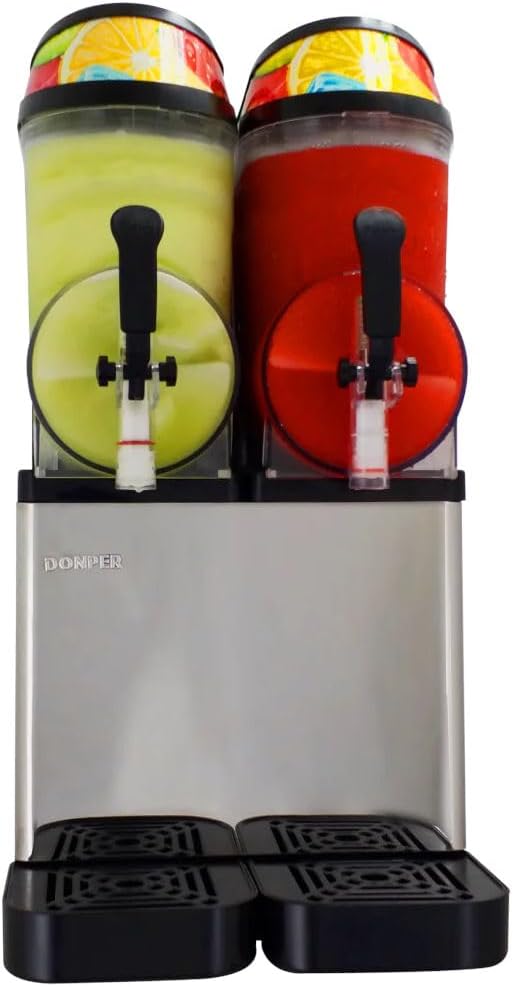
Figure 1: Front view of the Donper XC224 Frozen Beverage Machine. This image shows the two clear beverage bowls, each with a dispensing spigot, mounted on a stainless steel base. The bowls are filled with different colored frozen beverages, demonstrating the dual-flavor capability.
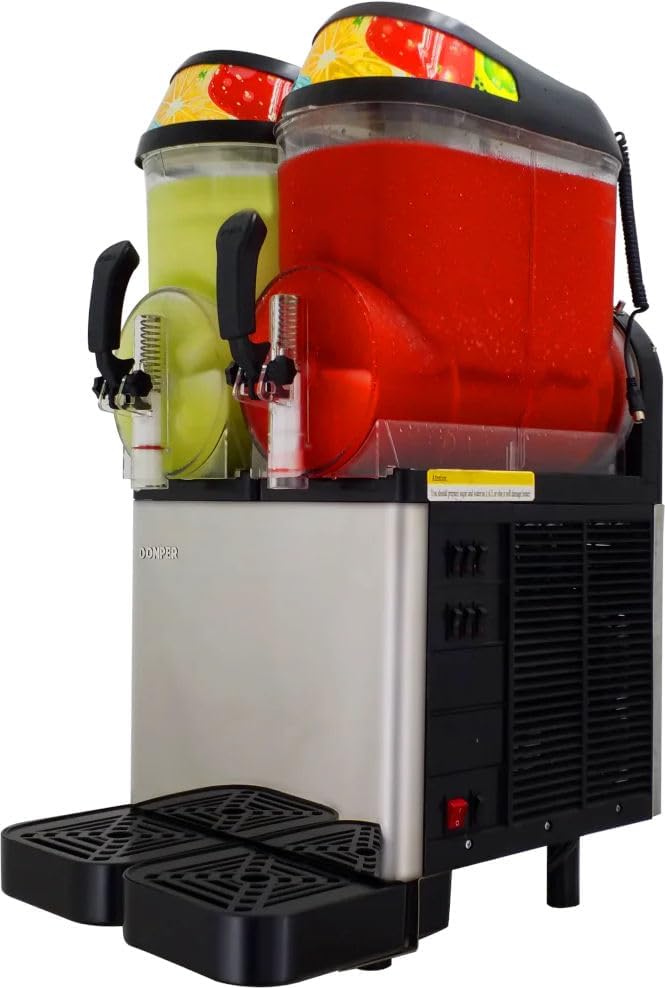
Figure 2: Angled front view, highlighting the side controls. This perspective reveals the control panel on the right side of the machine, including switches for operation and consistency adjustment, along with ventilation grilles.
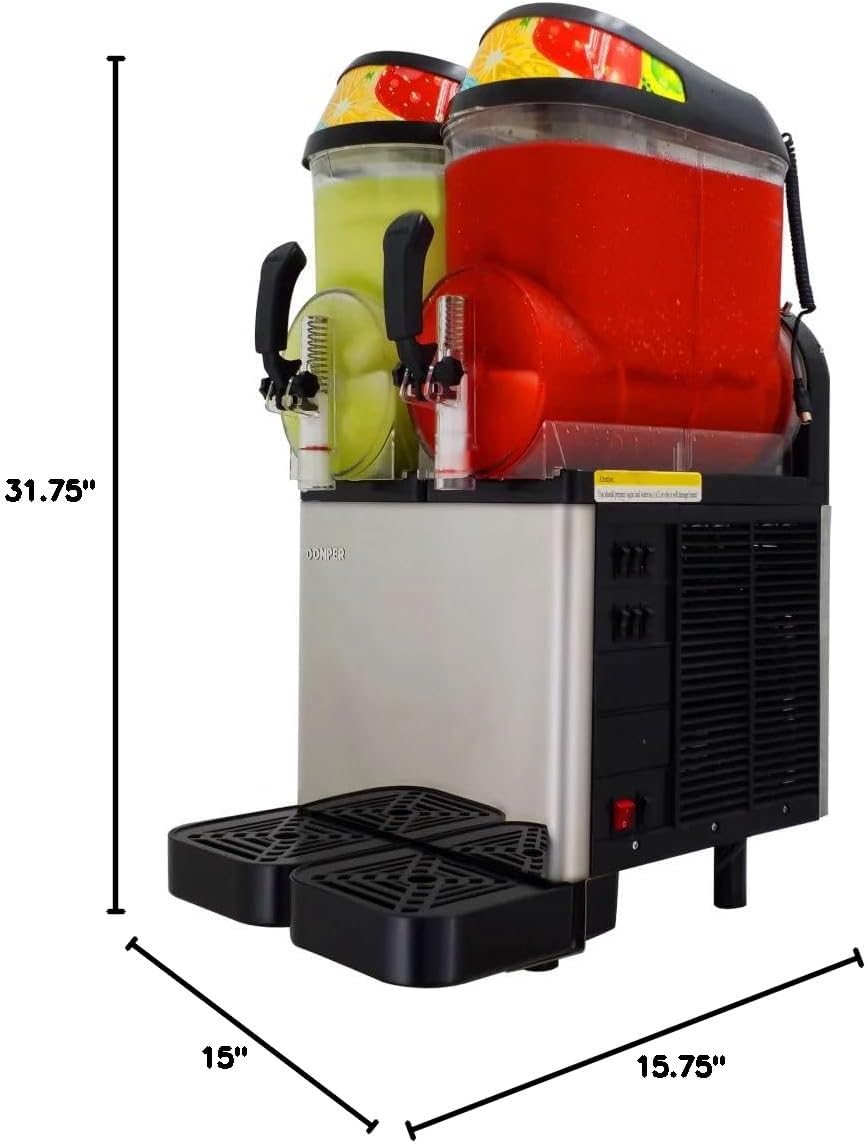
Figure 3: Dimensional view of the Donper XC224. This image provides key measurements: 31.75 inches in height, 15.75 inches in width, and 15 inches in depth, useful for planning placement.
Key components include:
- Beverage Bowls: Two large 3.2-gallon (12.1 liter) clear bowls for holding and freezing beverages.
- Lids: Covers for the beverage bowls, often with graphics.
- Dispensing Spigots: Levers on the front of each bowl for dispensing the frozen product.
- Drip Trays: Removable trays located below the spigots to catch spills.
- Control Panel: Located on the side, featuring switches for power, freezing mode, and consistency adjustment.
- Base Unit: Houses the refrigeration system and electrical components, made of mirror stainless steel.
Setup
1. Unpacking
- Carefully remove the machine from its packaging.
- Inspect the machine for any signs of damage during transit. Contact your supplier immediately if damage is found.
- Remove all packing materials, including any protective films or tapes.
2. Placement
- Place the machine on a stable, level, and sturdy surface capable of supporting its weight (approximately 102 pounds when empty, more when filled).
- Ensure there is adequate clearance (at least 6 inches) around all sides of the machine, especially the rear and sides where ventilation grilles are located, to allow for proper airflow and heat dissipation.
- Avoid placing the machine near heat sources or in direct sunlight.
3. Initial Cleaning
- Before first use, thoroughly clean all parts that will come into contact with beverages.
- Remove the beverage bowls, lids, and dispensing spigots. Wash them with warm, soapy water, rinse thoroughly, and air dry.
- Wipe down the exterior of the machine with a damp cloth. Do not use abrasive cleaners or immerse the base unit.
4. Assembly
- Once dry, reassemble the dispensing spigots onto the bowls.
- Carefully place the cleaned beverage bowls onto the machine's base, ensuring they are properly seated.
- Place the lids securely on top of the bowls.
- Insert the drip trays into their designated slots below the spigots.
Operating Instructions
1. Filling the Bowls
- Prepare your desired beverage mix. For optimal freezing and consistency, ensure the mix has adequate sugar content (typically 13-15% Brix). Low sugar content can lead to ice formation or damage to the machine.
- Pour the prepared mix into the beverage bowls. Do not overfill; leave some space for expansion as the liquid freezes.
- Ensure the lids are securely in place after filling.
2. Powering On and Freezing
- Plug the machine into a grounded 115V power outlet.
- Locate the main power switch on the control panel and turn it to the "ON" position.
- Activate the freezing function for each bowl using the independent bowl controls. The machine will begin the freezing process, continuously stirring the mixture.
- Freezing time will vary depending on the ambient temperature, initial beverage temperature, and mix consistency settings.
3. Variable Consistency Control
- The XC224 features variable consistency control. Use the dedicated control knob or switch (refer to the specific labeling on your machine) to adjust the desired thickness of the frozen beverage.
- Turning the control towards a higher setting will result in a thicker, more frozen product, while a lower setting will yield a softer, more liquid consistency.
- Adjust gradually and allow time for the machine to adapt to the new setting.
4. Night-time Refrigeration Mode
- To save energy and minimize cleaning, the machine is equipped with a night-time refrigeration mode.
- When activated, this mode maintains the beverage at a refrigerated temperature (above freezing) overnight, preventing spoilage without requiring the machine to be fully frozen.
- Refer to the control panel for the specific switch or button to engage the night-time refrigeration mode.
5. Dispensing
- Once the desired consistency is reached, place a cup or container under the dispensing spigot.
- Pull the spigot lever down to dispense the frozen beverage. Release the lever to stop dispensing.
Maintenance
Regular cleaning and maintenance are crucial for the longevity and hygienic operation of your Donper XC224.
1. Daily Cleaning
- Drip Trays: Remove and empty the drip trays daily. Wash them with warm, soapy water, rinse, and dry.
- Exterior: Wipe down the exterior stainless steel and black trim surfaces with a soft, damp cloth. For stubborn spots, use a mild, non-abrasive cleaner.
2. Thorough Cleaning (Recommended Every 1-3 Days, depending on usage)
- Power Off: Unplug the machine from the power outlet.
- Empty Bowls: Dispense any remaining beverage or switch to night-time refrigeration mode if storing overnight.
- Disassembly:
- Remove the lids.
- Carefully lift and remove the beverage bowls.
- Disassemble the dispensing spigots (refer to specific instructions for your model, usually involves removing a pin or twisting).
- Remove the augers (stirring paddles) from inside the bowls.
- Washing: Wash all disassembled parts (bowls, lids, spigot components, augers) with warm, soapy water. Use a brush for hard-to-reach areas.
- Rinsing and Sanitizing: Rinse all parts thoroughly with clean water. For sanitization, use a food-grade sanitizer solution according to its instructions, then allow to air dry completely.
- Base Unit: Wipe down the base unit, paying attention to any spills around the bowl seating area. Do not spray water directly onto the base.
- Reassembly: Once all parts are dry, reassemble them in reverse order of disassembly. Ensure all seals and gaskets are properly seated to prevent leaks.
3. Long-Term Storage
- Perform a thorough cleaning as described above.
- Ensure all components are completely dry to prevent mold or mildew growth.
- Store the machine in a clean, dry, and dust-free environment.
Troubleshooting
This section addresses common issues you might encounter with your Donper XC224. For problems not listed here, contact customer support.
| Problem | Possible Cause | Solution |
|---|---|---|
| Machine does not turn on. | No power, tripped circuit breaker, faulty power cord. | Check power outlet, reset circuit breaker, inspect power cord for damage. |
| Beverage not freezing or too soft. | Low sugar content in mix, consistency setting too low, insufficient ventilation, ambient temperature too high. | Increase sugar content (Brix), adjust consistency control to a higher setting, ensure adequate airflow around machine, operate in a cooler environment. |
| Beverage too hard/icy. | Consistency setting too high, mix too concentrated. | Adjust consistency control to a lower setting, dilute mix slightly if too concentrated. |
| Leaking from spigot or bowl. | Improperly assembled spigot, worn seals/gaskets, bowl not seated correctly. | Disassemble and reassemble spigot ensuring all parts are correctly in place. Check and replace worn seals/gaskets. Ensure bowls are properly seated on the base. |
| Unusual noise during operation. | Obstruction in auger, machine not level, internal component issue. | Turn off and unplug. Check bowls for foreign objects. Ensure machine is on a level surface. If noise persists, contact service. |
Specifications
Detailed technical specifications for the Donper XC224 Frozen Beverage Machine:
| Feature | Detail |
|---|---|
| Model Name | XC224 |
| Voltage | 115V |
| Phase | Single |
| Rated Input Power | 720W |
| Compressor | 1/3 horsepower |
| Hertz | 60Hz |
| Plug Type | 115 volt Standard Plug |
| Overall Dimensions (HxWxD) | 31.75 x 15.75 x 15 inches |
| Item Weight | 102 pounds |
| Beverage Bowl Capacity | 2 x 3.2-gallon (total 6.4 gallons) |
| Material | Stainless Steel, Plastic (bowls) |
| Color | Stainless Steel, Black |
| Operation Mode | Manual |
| Manufacturer | Donper USA |
| Country of Origin | China |
Warranty and Support
For warranty information, please refer to the documentation provided with your purchase or visit the official Donper USA website. Warranty terms and conditions may vary.
If you require technical assistance, parts, or have questions not covered in this manual, please contact Donper USA customer support. Have your model number (XC224) and purchase date ready when contacting support.
Contact information is typically found on the manufacturer's website or your purchase receipt.