
1. Introduction
The POLONO Genuine P31S Label Maker Tape is a high-quality, self-adhesive refill designed specifically for use with the POLONO P31S Label Maker. This white label tape measures 15x40mm (0.59"x1.57") and comes with 180 labels per roll, providing ample supply for various labeling needs. It utilizes advanced heat transfer technology, eliminating the need for ink or toner, and offers clear, durable prints that are waterproof, oil-proof, tear-resistant, and scratch-resistant. This manual provides essential information for optimal use and care of your label tape.
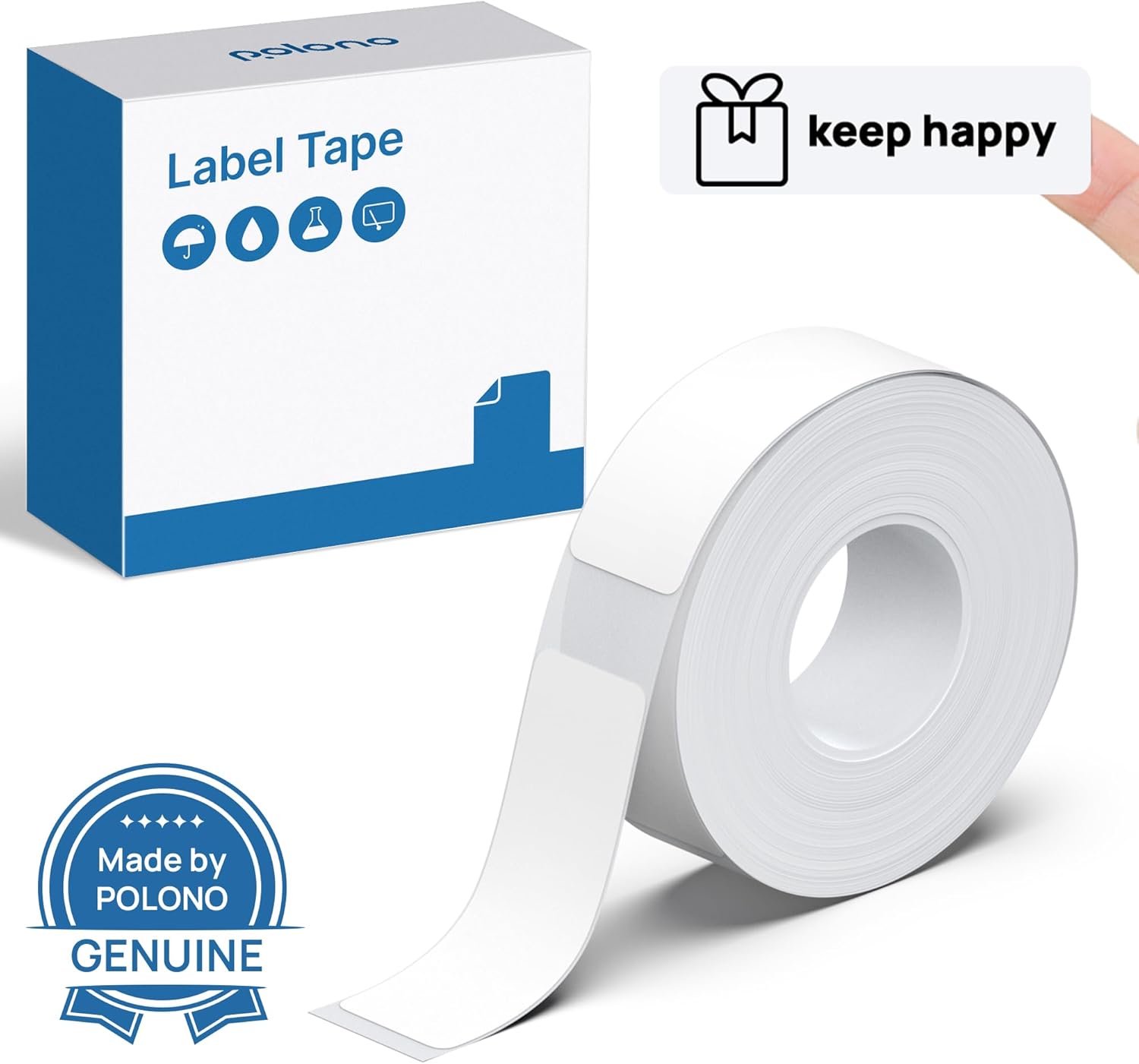
Figure 1: POLONO Genuine P31S Label Maker Tape packaging and a roll of white labels.
2. Setup: Loading the Label Tape
Proper installation of the label tape is crucial for optimal performance of your POLONO P31S Label Maker. Please follow these steps:
- Ensure your POLONO P31S Label Maker is powered off.
- Locate the tape compartment on your label maker. Gently open the cover to access the compartment.
- Insert the POLONO label tape roll into the compartment. Ensure the label side is facing upwards and the end of the tape feeds correctly into the printer mechanism.
- Important Note: The label tape roll contains a printing sensor chip on its side for RFID identification by the P31S Label Maker. Do not tear or damage this sticker, as it will affect the printing function.
- Close the tape compartment cover securely until it clicks into place.

Figure 2: The POLONO P31S Label Maker, compatible with this tape, shown labeling various containers.
3. Operating: Printing Labels
Once the tape is loaded, you can begin creating and printing labels using the POLONO P31S Label Maker's dedicated mobile application.
- Download the App: Scan the QR code provided in your label maker's quick start guide or search for the official POLONO P31S app on your device's app store.
- Connect to Label Maker: Follow the in-app instructions to connect your smartphone to the P31S Label Maker via Bluetooth.
- Design Your Label: The app offers various features to customize your labels, including over 30 system templates, 90+ fonts, and 450+ tab icons. You can also input custom text, use PDFs, images, or shapes.
- Print: Once your design is complete, select the print option in the app. The label maker will feed and print your label.
- Cut the Label: The P31S Label Maker features a built-in cutting knife. After printing, do not pull the label out directly. Instead, press the cutting button on the label maker to neatly cut the label.

Figure 3: The POLONO P31S Label Maker app interface, allowing for extensive label customization.

Figure 4: Utilizing the built-in cutting knife for a clean label cut.
4. Maintenance
To ensure the longevity and optimal performance of your POLONO Label Maker Tape and the P31S Label Maker, consider the following maintenance tips:
- Storage: Store unused label tape rolls in a cool, dry place away from direct sunlight and extreme temperatures.
- Handling: Avoid touching the thermal printing surface of the tape to prevent smudges or damage to the print quality.
- Printer Head Cleaning: Regularly clean the print head of your P31S Label Maker as per its manual to prevent residue buildup that could affect print clarity and tape feeding.
5. Troubleshooting
If you encounter issues while using your POLONO Label Maker Tape, refer to the following common troubleshooting steps:
- Poor Print Quality:
- Ensure the label tape is correctly installed and the printing sensor chip is intact.
- Check if the label maker's print head is clean. Refer to the P31S Label Maker manual for cleaning instructions.
- Labels Not Feeding or Cutting Properly:
- Verify the tape is loaded straight and not jammed.
- Always use the built-in cutting button after printing; do not pull the label manually.
- Labels Not Adhering:
- Ensure the surface you are applying the label to is clean, dry, and smooth.
- Apply firm, even pressure across the entire label when adhering.
6. Specifications
| Feature | Detail |
|---|---|
| Model Number | TP15x40-5-R-BK-WH |
| Label Dimensions | 15x40mm (0.59"x1.57") |
| Labels per Roll | 180 Labels |
| Color | White |
| Material Type | Paper |
| Printing Technology | Heat Transfer (No Ink or Toner required) |
| Durability Features | Waterproof, Oil-proof, Tear-resistant, Scratch-resistant |
| Environmental Compliance | BPA Free, RoHS Compliant |
| Compatibility | POLONO P31S Label Maker |

Figure 5: Label dimensions and examples of printed labels.

Figure 6: Key durability features of the POLONO label tape.

Figure 7: Environmental and operational benefits of the label tape.

Figure 8: The P31S Label Maker supports various label sizes, including the 15x40mm tape, and can print barcodes such as 9780750310512.
7. Applications
The versatility of POLONO Genuine P31S Label Maker Tape makes it suitable for a wide range of applications in both home and office environments:
- Home Organization: Labeling storage bins, pantry items, spice jars, and personal belongings.
- Office & School: Organizing documents, files, stationery, and creating name tags.
- Retail: Displaying prices of goods, product information, and inventory management.
- Crafts & Gifts: Adding personalized touches to gifts, scrapbooks, and craft projects.

Figure 9: Diverse applications of POLONO label tape in daily life and work.

Figure 10: Specific examples of label usage for various organizational needs.
8. Warranty and Support
POLONO is committed to providing high-quality products and customer satisfaction. For any questions regarding your POLONO Genuine P31S Label Maker Tape, including usage, troubleshooting, or warranty information, please contact POLONO customer service. Refer to the contact details provided with your original product packaging or visit the official POLONO website for support.

