
1. Introduction
Thank you for choosing the Hizero F500 Cordless Hard Floor Cleaner. This all-in-one bionic mop is designed to simplify your floor cleaning routine by sweeping, mopping, and self-cleaning simultaneously. It is suitable for sealed hard floors such as hardwood, tile, marble, vinyl, and laminate. This manual provides essential information for safe and efficient operation, maintenance, and troubleshooting.

Figure 1: Hizero F500 Cordless Hard Floor Cleaner
2. Product Overview
Included Components

Figure 2: What's in the Box
The Hizero F500 package includes the main hard floor cleaner unit, an adapter, a base dock, a brush roller cleaner, a cleaning brush, and a 100ml Hizero cleaning solution. Ensure all components are present upon unboxing.
Key Features
- Instantly Dry & Streak-Free: Patented No-Suction Tech with Multi-Roller for a clean, streak-free finish. Floors dry instantly.
- Revolutionary No-Suction Technology: Minimizes power consumption and prevents dust recirculation for consistent performance.
- 60-Minute Ultra-Quiet Cleaning: High-performance rechargeable battery provides 60 minutes of cordless cleaning at under 60 dB.
- Triple Waste Separation: Efficiently separates solid debris, liquid spills, and hair into dedicated compartments.
- Real-Time Self-Cleaning: Polymer roller sweeps and mops, while an internal brush scraper and high-speed squeezing system ensure continuous self-cleaning.
- Allergen-Reducing Cleaning: Sealed waste separation system minimizes dust recirculation, improving indoor air quality.
Product Dimensions

Figure 3: Hizero F500 Dimensions and Components
The Hizero F500 measures 11.81 x 8.66 x 47.24 inches and weighs 9 pounds. The clean and dirty water tanks each have a capacity of 500 milliliters.
3. Setup
Assembly
The Hizero F500 requires minimal assembly. Simply connect the handle to the main body until it clicks securely into place. Ensure all components are properly aligned before use.
Video 1: How to assemble your new Hizero F500
Initial Charging
Before first use, fully charge the device. Place the Hizero F500 on its base dock and connect the adapter to a power outlet. The battery indicator lights on the handle will show charging progress. A full charge provides up to 60 minutes of runtime.
Filling the Clean Water Tank
- Press the release button to detach the clean water tank from the main unit.
- Open the tank cap and fill with clean water (temperature below 40°C).
- Add 5ml of Hizero cleaning solution to the tank.
- Close the cap securely and reattach the tank to the unit until it clicks.

Figure 4: Steps to fill the clean water tank
4. Operating Instructions
Starting the Cleaner
- Place your foot on the cleaning head and pull the handle backwards to unlock the unit.
- Press the power button on the handle to turn on the cleaner.
- The unit will automatically start dispensing water and cleaning.
Video 2: How to use your Hizero F500
Cleaning Modes
The Hizero F500 features different cleaning modes. Use Mode 1 for general cleaning and Mode 2 for intensive cleaning of stubborn stains. To switch modes, press the mode selection button on the handle.

Figure 5: Instantly Dry & Streak-Free Cleaning
Maneuvering and Floor Types
Push and pull the cleaner in both directions for effective cleaning. The lightweight design and self-propelling action make it easy to maneuver around furniture and into corners. The Hizero F500 is suitable for various sealed hard floor surfaces, including hardwood, tile, marble, vinyl, and laminate.

Figure 6: Easy Maneuverability for Low Spaces
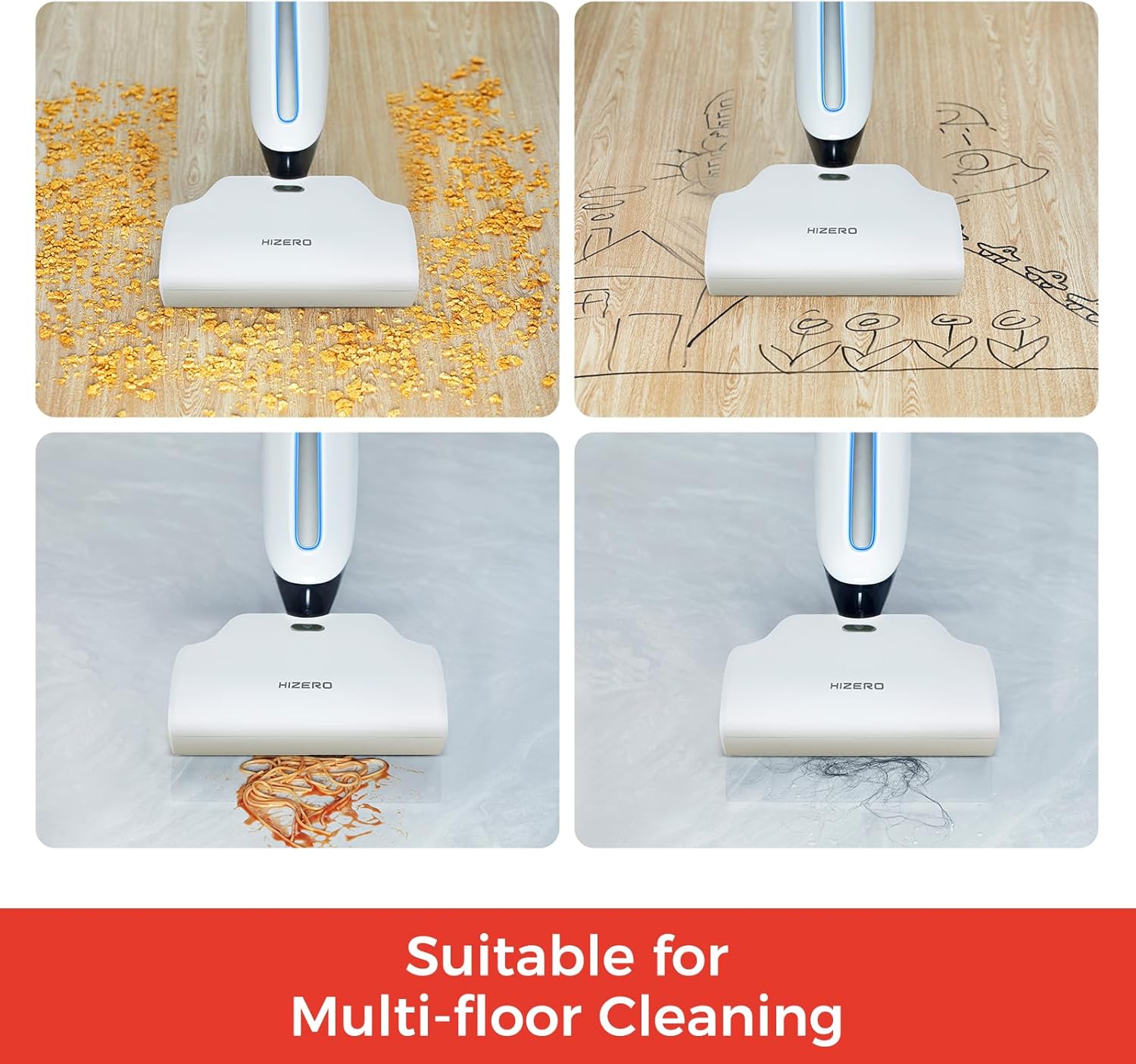
Figure 7: Suitable for Multi-floor Cleaning
5. Maintenance
Emptying the Dirty Water Tank and Solid Waste Tray
After each use, or when the dirty water tank indicator blinks, remove the dirty water tank and solid waste tray. Dispose of the collected dirty water and solid debris. Rinse both components thoroughly with clean water.

Figure 8: Solid-Liquid Separation for Easy Cleaning
Self-Cleaning Cycle
The Hizero F500 features a real-time self-cleaning system. Place the cleaner on its base dock. Press the self-cleaning button (refer to your handle's interface for exact button). The system will flush the polymer roller with clean water and squeeze out dirty water, ensuring only clean water touches your floors during operation.

Figure 9: Real-Time Self-Cleaning Technology

Figure 10: Clean Water Supply and Dirty Water Collection
Cleaning the Brush Roller
If the brush roller status indicator flashes red, it needs cleaning. Open the cleaning head cover, remove the brush roller, and clean any entangled hair or debris using the provided cleaning brush. Ensure the snap is properly installed when reinserting the brush roller.

Figure 11: Brush Roller Separation Mechanism
6. Specifications
| Feature | Detail |
|---|---|
| Brand | HIZERO |
| Model Name | Hizero Bionic Floor Cleaner F500 |
| Special Features | 60mins Long Runtime, Cordless, Dual Tank, Realtime Self-Cleaning, Wet/Dry |
| Surface Recommendation | Hard Floor, Hardwoods, Tile, Marble, Wood, Laminate, Multi Surface |
| Item Weight | 9 Pounds |
| Product Dimensions | 11.81 x 8.66 x 47.24 inches |
| Tank Volume | 500 Milliliters (Clean & Dirty) |
| Power Source | Battery Powered |
| Battery Type | Rechargeable Li-ion Battery (1 included) |
| Voltage | 18.5 Volts |
| Wattage | 40.7 Watt-hours |
| Color | White |
| Assembly Required | Yes |
7. Troubleshooting
If your Hizero F500 is not performing as expected, please check the following common issues:
- No Power: Ensure the unit is fully charged. Check if the adapter is properly connected to the base dock and power outlet.
- No Water Dispensing: Verify that the clean water tank is filled and correctly installed. Check for any blockages in the water dispensing nozzles.
- Poor Cleaning Performance: Ensure the dirty water tank is not full and the solid waste tray is empty. Clean the brush roller and polymer roller for any entangled debris.
- Excessive Noise: Check if any foreign objects are caught in the brush roller or cleaning head. Ensure all tanks and covers are securely in place.
- Indicator Lights: Refer to the indicator lights on the handle for specific alerts regarding tank levels, battery status, or brush roller issues.
For persistent issues, please contact customer support.
8. Warranty and Support
The Hizero F500 comes with a 2-year limited warranty. This warranty covers defects in materials and workmanship under normal use. For any questions, technical assistance, or warranty claims, please contact Hizero customer service. 24/7 local service centers are available to provide fast and reliable support.
You can reach out to Hizero USA via Amazon Message for product inquiries or support.