
Edifier WH700NB
Edifier WH700NB Wireless Active Noise Cancellation Over-Ear Headphones
Model: WH700NB | Brand: Edifier
Introduction
Welcome to the user manual for your new Edifier WH700NB headphones. These over-ear headphones are engineered to deliver an immersive audio experience with advanced features such as Active Noise Cancellation, seamless Bluetooth 5.3 connectivity, and convenient dual device connection. Designed for comfort and extended use, the WH700NB boasts an ultra-long battery life, making them ideal for travel, home office, and daily listening.

Figure 1: Edifier WH700NB Navy Blue Over-Ear Headphones.
Key Features
The Edifier WH700NB headphones are equipped with a range of features designed to enhance your audio experience:
- Ultra-Long Playback: Up to 68 hours with ANC off, 45 hours with ANC on. Fast charging provides 8 hours of listening from a 10-minute charge.
- Advanced Noise Cancellation: Active Noise Cancellation (ANC) for immersive audio and Ambient Mode for environmental awareness.
- Crystal-Clear Communications: Single microphone with DNN noise cancellation for clear calls in noisy environments.
- Versatile Dual Connection: Seamlessly switch between two connected devices.
- Gamer-Friendly Features: Ultra-low latency of 0.08s in Game Mode for a synchronized gaming experience.
- Foldable & Lightweight Design: Ideal for portability and comfortable for extended wear.
- Bluetooth 5.3: Ensures stable and efficient wireless connectivity.
- Edifier Connect App: Customize settings and controls via the dedicated mobile application.

Figure 2: Overview of key features of the Edifier WH700NB headphones.

Figure 3: Edifier WH700NB feature summary.
Ultra-Long Battery Life
Experience extended listening sessions with up to 68 hours of continuous playback when Active Noise Cancellation is off, and 45 hours with ANC activated. A quick 10-minute charge provides an additional 8 hours of playtime, ensuring your music is always ready when you are.
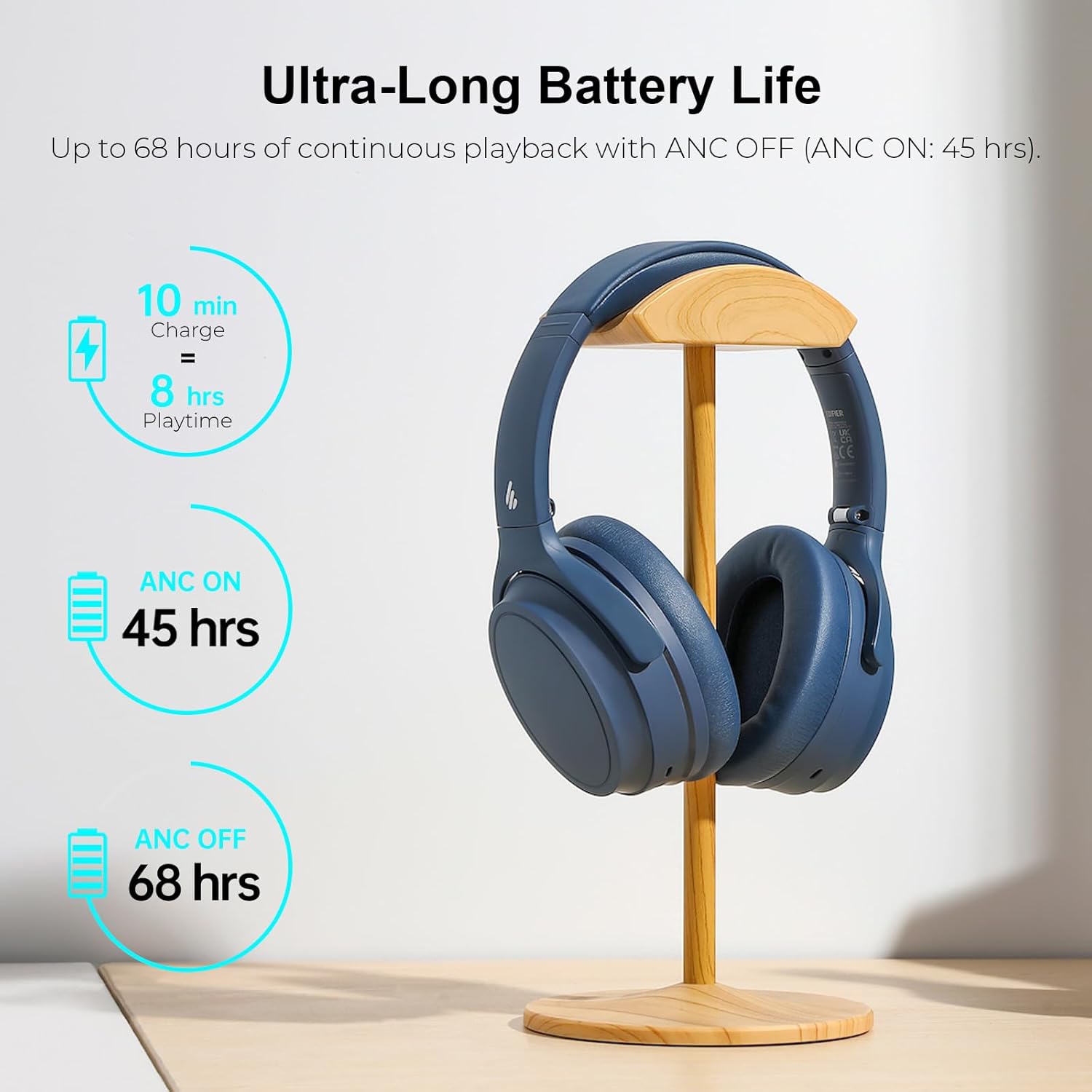
Figure 4: Battery performance details.
Active Noise Cancellation with Ambient Mode
Immerse yourself in your audio by activating the Active Noise Cancellation (ANC) feature, which effectively isolates unwanted environmental noise. For situations where you need to be aware of your surroundings, switch to Ambient Mode to hear external sounds without removing your headphones.

Figure 5: Active Noise Cancellation in action.
Crystal Clear Call Quality
The integrated single microphone with Deep Neural Network (DNN) noise cancellation ensures your voice is transmitted clearly during calls, even in environments with significant background noise.

Figure 6: Enhanced call clarity.
Dual Device Connection
Effortlessly connect your WH700NB headphones to two devices simultaneously. This feature allows you to seamlessly switch between listening to music on your laptop and taking a call on your smartphone without needing to re-pair.

Figure 7: Dual device connectivity setup.
Foldable & Lightweight Design
The WH700NB headphones feature a lightweight and foldable design, making them highly portable and easy to store. This design ensures comfort during long listening periods and convenience for travel.

Figure 8: Design features for comfort and portability.

Figure 9: Headphones folded for easy storage.
Game Mode & Bluetooth 5.3
Activate Game Mode for an ultra-low latency of 0.08 seconds, providing a highly synchronized audio-visual experience crucial for gaming. The headphones utilize Bluetooth 5.3 for a stable, efficient, and reliable wireless connection.

Figure 10: Immersive gaming experience with Game Mode.

Figure 11: Stable Bluetooth 5.3 connectivity.
Edifier Connect App
Unlock the full potential of your WH700NB headphones by downloading the Edifier Connect App. The app provides access to various settings, including sound modes, EQ adjustments, and control customization, allowing you to personalize your listening experience.

Figure 12: Edifier Connect App for personalized control.
Package Contents
Upon unboxing your Edifier WH700NB headphones, please verify that all components are present:
- Edifier WH700NB Wireless Active Noise Cancellation Over-Ear Headphones
- USB-C Charging Cable (Note: The product is listed as "without cable" in some specifications, but a charging cable is typically included for operation.)
- User Manual (This document)
Setup Guide
Charging the Headphones
Before first use, fully charge your headphones. Connect the USB-C charging cable to the charging port on the headphones and the other end to a USB power adapter (not included) or a computer's USB port. The indicator light will show charging status and turn off when fully charged.
Powering On/Off
- Power On: Press and hold the Power button for approximately 3 seconds until the indicator light illuminates.
- Power Off: Press and hold the Power button for approximately 3 seconds until the indicator light turns off.
Bluetooth Pairing
- Ensure the headphones are powered off.
- Press and hold the Power button for approximately 5 seconds until the indicator light flashes rapidly, indicating pairing mode.
- On your device (smartphone, tablet, computer), enable Bluetooth and search for available devices.
- Select "Edifier WH700NB" from the list of found devices.
- Once connected, the indicator light on the headphones will stop flashing and remain solid blue.
Operating Instructions
Button Controls
The Edifier WH700NB headphones feature intuitive button controls located on the earcup. Refer to the diagram below for a visual guide to each button's function:

Figure 13: Headphone control layout and functions.
| Button/Action | Function |
|---|---|
| Power Button (Press & Hold 3s) | Power On/Off |
| Power Button (Press & Hold 5s) | Enter Bluetooth Pairing Mode |
| Volume Up (+) (Single Press) | Volume Up |
| Volume Down (-) (Single Press) | Volume Down |
| Multi-function Button (Single Press) | Play/Pause Music, Answer/End Call |
| Multi-function Button (Double Press) | Next Track |
| Multi-function Button (Triple Press) | Previous Track |
| ANC Button (Single Press) | Cycle ANC On / Ambient Mode / ANC Off |
| Game Mode Button (Double Press) | Toggle Game Mode On/Off |
Active Noise Cancellation (ANC) and Ambient Sound Mode
Press the dedicated ANC button to cycle through the noise control modes:
- ANC On: Reduces ambient noise for an immersive listening experience.
- Ambient Mode: Allows you to hear your surroundings while still enjoying your audio, useful for awareness in public spaces.
- ANC Off: Standard listening mode without noise cancellation.
Dual Device Connection
To utilize the dual device connection feature:
- Pair the headphones with your first device (e.g., smartphone) as described in the "Bluetooth Pairing" section.
- After successful connection, disable Bluetooth on the first device.
- Put the headphones back into pairing mode (press and hold Power button for 5 seconds).
- Pair the headphones with your second device (e.g., laptop).
- Once connected to the second device, re-enable Bluetooth on your first device. The headphones should automatically connect to both devices.
- The headphones will intelligently switch audio sources between the two connected devices.
Game Mode
Double-press the designated Game Mode button to activate or deactivate the ultra-low latency Game Mode. This mode is optimized for gaming to minimize audio delay and provide a more synchronized experience.
Using the Edifier Connect App
Download the "Edifier Connect" app from your device's app store. Once installed and your headphones are connected via Bluetooth, open the app to access advanced features such as:
- Customizing sound modes and equalizer settings.
- Adjusting ANC and Ambient Sound levels.
- Firmware updates.
- Battery level display.
Care and Maintenance
- Cleaning: Use a soft, dry cloth to clean the headphones. Do not use liquid cleaners or aerosols.
- Storage: When not in use, store the headphones in a cool, dry place, ideally in their original packaging or a protective case. The foldable design allows for compact storage.
- Battery Care: To prolong battery life, avoid fully discharging the headphones frequently. Charge them regularly, even if not in constant use.
- Avoid Extreme Conditions: Do not expose the headphones to extreme temperatures, humidity, or direct sunlight.
- Handle with Care: Avoid dropping the headphones or subjecting them to strong impacts.
Troubleshooting
If you encounter any issues with your Edifier WH700NB headphones, refer to the following common problems and solutions:
| Problem | Possible Solution |
|---|---|
| Headphones do not power on. | Ensure the headphones are fully charged. Connect to a power source and try again. |
| Cannot pair with a device. |
|
| No sound or low volume. |
|
| Poor call quality. |
|
| ANC not working effectively. |
|
Technical Specifications
| Specification | Detail |
|---|---|
| Model Name | WH700NB |
| Connectivity Technology | Wireless (Bluetooth 5.3) |
| Bluetooth Version | 5.3 |
| Bluetooth Range | 10 Meters |
| Noise Control | Active Noise Cancellation |
| Battery Life | Up to 68 Hours (ANC Off), 45 Hours (ANC On) |
| Charging Time | 10 minutes for 8 hours playtime (Fast Charging) |
| Audio Driver Type | Dynamic Driver |
| Frequency Response | 20Hz - 20KHz |
| Sensitivity | 91 dB |
| Audio Latency (Game Mode) | 80 Milliseconds (0.08s) |
| Microphone | Single MIC with DNN noise cancellation |
| Control Type | Button Control, App Control |
| Material | Plastic (Headphones), Nylon (Carrying Case) |
| Color | Navy Blue |
| Item Weight | 1.1 pounds |
Warranty and Customer Support
Edifier products are manufactured to the highest quality standards and are backed by a limited warranty. For specific warranty terms and conditions, please refer to the warranty card included with your product or visit the official Edifier website.
For technical assistance, troubleshooting beyond this manual, or warranty claims, please contact Edifier Customer Support:
- Official Website: www.edifier.com
- Support Email: Refer to the website for regional support contacts.
- Phone Support: Refer to the website for regional phone numbers.
Please have your product model number (WH700NB) and purchase information ready when contacting support.
Related documentsWH700NB


Ask a question about this manual
Ask about setup, troubleshooting, compatibility, parts, safety, or missing instructions. Manuals+ will review the question and use this page’s manual context to help answer it.