
YESHOMY YH-TS23-213-GY
YESHOMY Fireplace TV Stand User Manual
Model: YH-TS23-213-GY
1. Introduction
Thank you for purchasing the YESHOMY Fireplace TV Stand. This product combines a TV table, storage cabinet, and an electric fireplace, designed to enhance your living space with both functionality and warmth. This manual provides essential information for assembly, operation, maintenance, and troubleshooting to ensure safe and efficient use of your new TV stand.
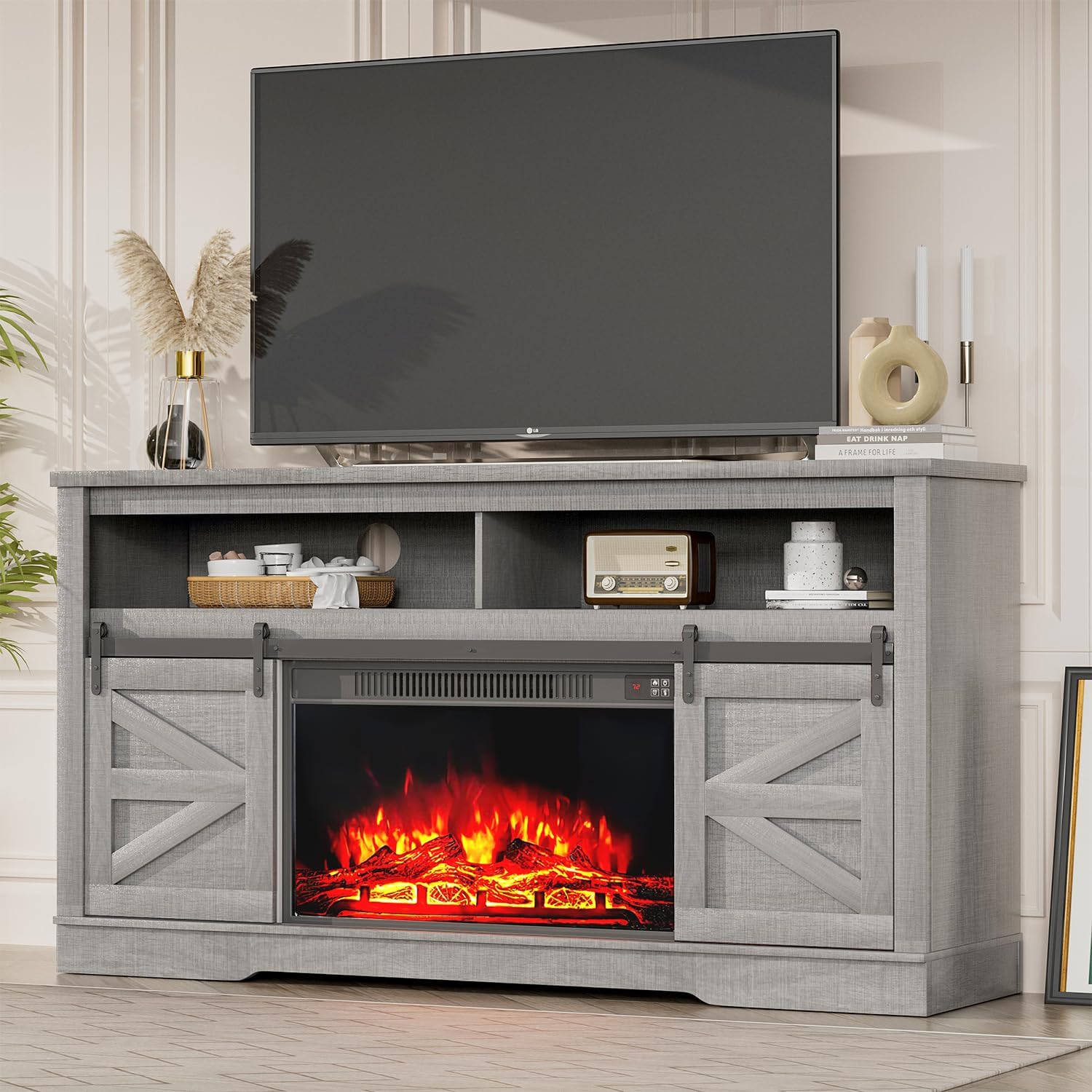
Image: Front view of the YESHOMY Fireplace TV Stand, showcasing its design with a television placed on top and the electric fireplace in operation. The stand features sliding barn doors and open shelving.
2. Safety Information
Please read all safety warnings and instructions carefully before assembling and using this product. Failure to follow these instructions may result in electric shock, fire, property damage, or personal injury.
- Assembly Safety: Always assemble the TV stand according to the provided instructions. Ensure all parts are correctly aligned and securely fastened.
- Tip-Over Prevention: To prevent tip-overs, it is crucial to secure the TV stand to the wall using appropriate safety hardware. This is especially important in households with children or pets.
- Weight Distribution: Ensure that any heavy objects, such as a television, are properly placed and balanced on the stand. Do not exceed the maximum weight capacity of the stand.
- Electrical Safety: The electric fireplace component requires a proper electrical connection. Do not overload electrical outlets. Keep flammable materials away from the fireplace.
- Ventilation: Ensure adequate ventilation around the fireplace unit to prevent overheating. Do not block air vents.
- Product Care: Wipe with a dry cloth only. Avoid using harsh chemicals or abrasive cleaners that may damage the finish.
3. Package Contents
The YESHOMY Fireplace TV Stand is delivered in two packages. Please verify that all components are present and undamaged before beginning assembly. If any parts are missing or damaged, contact customer support immediately.
- TV Stand components (wood panels, shelves, hardware)
- Electric Fireplace unit
- Assembly hardware (screws, dowels, cam locks, etc.)
- Technical Manual (this document)
- Remote control for fireplace (if applicable)

Image: A close-up view of the YESHOMY Fireplace TV Stand, emphasizing the central electric fireplace unit and the functional sliding barn doors on either side.
4. Setup and Assembly
Assembly of the YESHOMY Fireplace TV Stand is designed to be straightforward. Please follow the step-by-step instructions provided in the included technical manual. It is recommended to have two people for assembly.
4.1 Before You Begin
- Clear a spacious area for assembly.
- Lay out all parts and hardware, comparing them against the parts list in the technical manual.
- Gather necessary tools (e.g., Phillips head screwdriver, hammer).
4.2 Assembly Steps (General Overview)
- Assemble the main frame of the TV stand.
- Install the adjustable shelves into the designated slots.
- Attach the unique sliding track for the barn doors.
- Install the sliding barn doors onto the track.
- Insert the electric fireplace unit into the central opening.
- Secure the TV stand to the wall using anti-tip hardware (highly recommended).
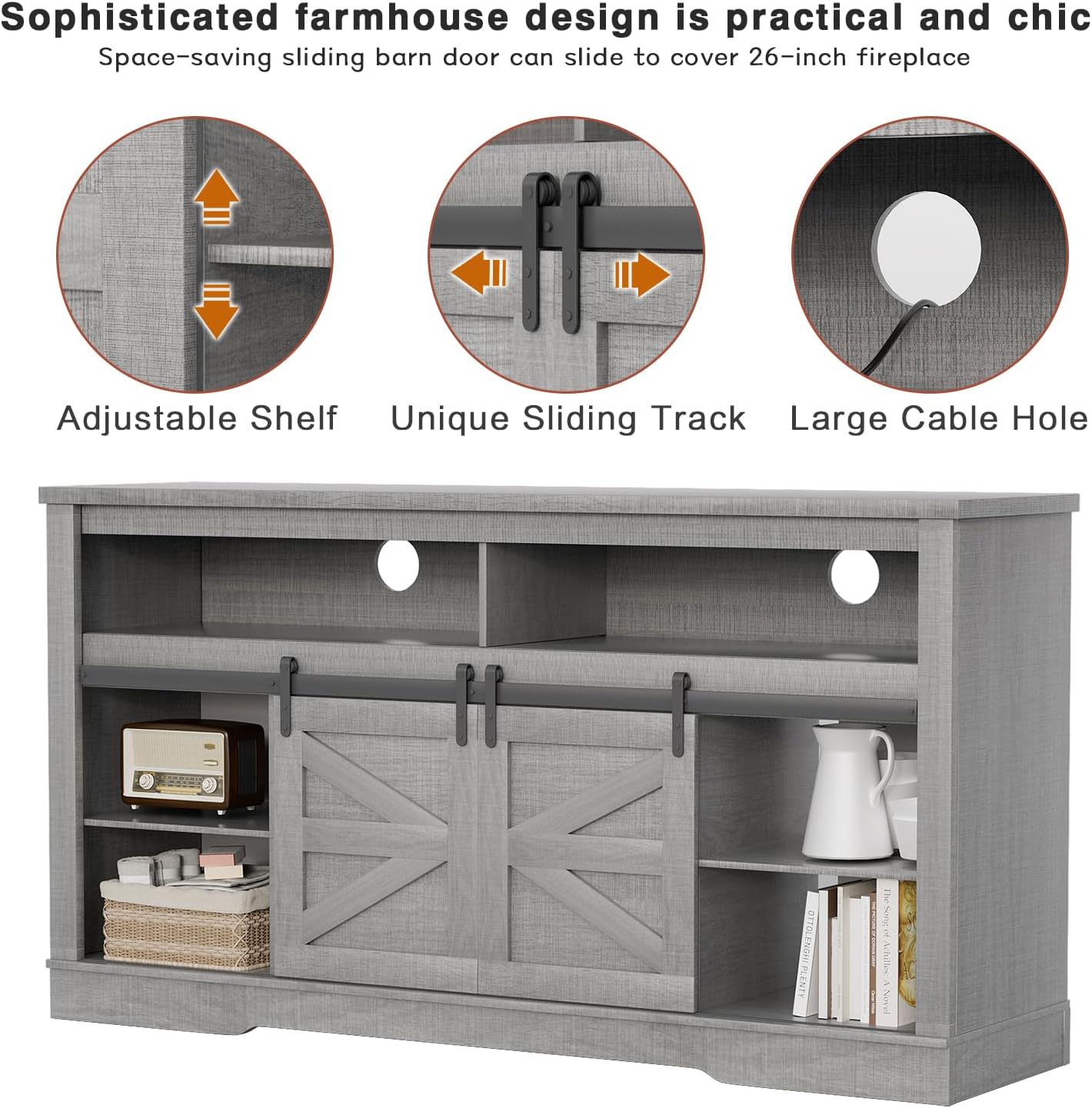
Image: The YESHOMY TV Stand with the electric fireplace removed, illustrating the internal storage compartments and the cable management holes for electronic devices.

Image: A diagram detailing the dimensions of the YESHOMY Fireplace TV Stand (59" L x 15.74" W x 32" H) and indicating compatibility with televisions up to 65+ inches, with a maximum weight capacity of 330 lbs.
5. Operating Instructions
5.1 Electric Fireplace Operation
The 26-inch electric fireplace provides both heat and a realistic flame effect. It can be operated via controls on the unit or a remote control.
- Power On/Off: Press the power button to turn the fireplace on or off.
- Heating Function: Activate the heating function to warm your room. The temperature can be adjusted from 65°F to 100°F.
- Flame Effect: The fireplace features a simulated 3D flame effect that can be used independently of the heating function.
- Timer Control: Set a timer for the fireplace to automatically turn off after a specified duration (1-8 hours).

Image: The YESHOMY Fireplace TV Stand integrated into a living room setting, demonstrating the electric fireplace's glowing embers and flame effect, adding warmth and ambiance.
5.2 TV Stand Features
- Sliding Barn Doors: The two removable sliding barn doors can be moved to cover either the central fireplace or the side storage compartments, offering flexible aesthetics and access.
- Storage Space: Utilize the two hidden storage spaces behind the doors for daily necessities and the two open storage spaces for media devices like DVDs and game consoles.
- Cable Management: Integrated cable holes help organize and conceal wires from your electronic devices.
6. Maintenance
Proper care will extend the life and appearance of your YESHOMY Fireplace TV Stand.
- Cleaning: Wipe the surfaces with a dry, soft cloth. Do not use liquid cleaners, abrasive cleaners, or polishes as they may damage the finish.
- Dusting: Regularly dust the unit to prevent buildup.
- Fireplace Unit: Ensure the fireplace vents are clear of dust and debris to maintain proper airflow and prevent overheating. Refer to the fireplace's specific manual for detailed cleaning instructions.
- Hardware Check: Periodically check all screws and fasteners to ensure they remain tight. Retighten if necessary.
7. Troubleshooting
This section addresses common issues you might encounter with your TV stand and fireplace.
| Problem | Possible Cause | Solution |
|---|---|---|
| Fireplace not turning on. | No power, power switch off, remote battery dead. | Check power cord connection, ensure wall switch is on, replace remote batteries. |
| No heat from fireplace. | Heat function not activated, thermostat setting too low, vents blocked. | Activate heat function, increase thermostat setting, clear any obstructions from vents. |
| Sliding doors are stiff or stuck. | Track dirty, misaligned, or damaged. | Clean the sliding track, check for debris, ensure doors are properly seated on the track. |
| Stand feels wobbly. | Loose fasteners, uneven floor, not secured to wall. | Retighten all assembly screws, move to a level surface, install or check wall anchor. |
If you encounter issues not listed here or if solutions do not resolve the problem, please contact YESHOMY customer support.
8. Specifications
| Feature | Detail |
|---|---|
| Brand | YESHOMY |
| Model Number | YH-TS23-213-GY |
| Material | Wood |
| Color | Grey |
| Product Dimensions (L x W x H) | 59 x 15.74 x 32 inches |
| Item Weight | 107 pounds |
| Compatible TV Size | Up to 65+ inches |
| Fireplace Size | 26 inches |
| Fireplace Heating Range | 65°F - 100°F |
| Included Components | TV Stand, Electric Fireplace, Technical Manual |
| Care Instructions | Wipe with Dry Cloth |
| UPC | 774816286360 |
9. Warranty and Support
For warranty information or technical support, please refer to the specific warranty card included with your product or contact YESHOMY customer service directly. Keep your purchase receipt for warranty claims.
Contact Information: Please visit the official YESHOMY website or refer to your purchase documentation for the most current customer support contact details.
Returns: This product is eligible for 30-day easy returns. Please refer to the retailer's return policy for details.
Ask a question about this manual
Ask about setup, troubleshooting, compatibility, parts, safety, or missing instructions. Manuals+ will review the question and use this page’s manual context to help answer it.