
1. Introduction
This manual provides detailed instructions for the installation, operation, and maintenance of your Binardat 11 Port Gigabit PoE Switch. This unmanaged switch is designed to provide reliable network connectivity and Power over Ethernet (PoE) capabilities for various devices in small to medium-sized network environments. Please read this manual thoroughly before using the device to ensure proper setup and optimal performance.

Image 1.1: Front view of the Binardat 11 Port Gigabit PoE Switch.
2. Package Contents
Verify that your package contains the following items:
- Binardat 11 Port Gigabit PoE Switch (Model: 11x1G PoE)
- Power Adapter
- User Manual (this document)

Image 2.1: Packaging of the Binardat 11 Port Gigabit PoE Switch.
3. Product Overview
3.1 Front Panel
The front panel of the switch features all network ports and LED indicators for status monitoring.

Image 3.1: Detailed view of the front panel, showing ports and LED indicators.
- Ports 1-8: 10/100/1000Mbps PoE+ Ports. These ports support IEEE 802.3af/at standards, providing both data and power to compatible PoE devices.
- Ports 9-10: 10/100/1000Mbps Gigabit Uplink Ports. These are standard Ethernet ports for connecting to a router, NVR, or other network devices. They do not provide PoE.
- Port 11: 1 Gigabit SFP Port. This port is for fiber optic connections, allowing for longer distance network links using an appropriate SFP module (not included).
- PWR LED: Power Indicator. Illuminates when the switch is powered on.
- Link/Act/PoE LEDs (for Ports 1-8): Indicate link status, activity, and PoE power delivery.
- Link/Act LEDs (for Ports 9-11): Indicate link status and activity.
3.2 Rear Panel
The rear panel contains the AC power input for the internal power supply.
- AC Input Port: Connect the provided power cable here. The switch has a built-in power supply (52V/2.6A, 135W).
4. Setup
The Binardat 11 Port Gigabit PoE Switch is an unmanaged, plug-and-play device, requiring no complex configuration.
4.1 Basic Connection
- Connect the power cable to the AC input port on the rear of the switch and then to a power outlet. The PWR LED on the front panel will illuminate.
- Connect your network devices (e.g., router, NVR, non-PoE devices) to the Gigabit Uplink Ports (9-10) using standard Ethernet cables.
- Connect your PoE-compatible devices (e.g., IP cameras, Wireless Access Points, IP phones) to the PoE+ Ports (1-8) using standard Ethernet cables. The switch will automatically detect and provide power to these devices if they are IEEE 802.3af/at compliant.
- For fiber optic connections, insert a compatible SFP module into the SFP Port (11) and connect the fiber optic cable.
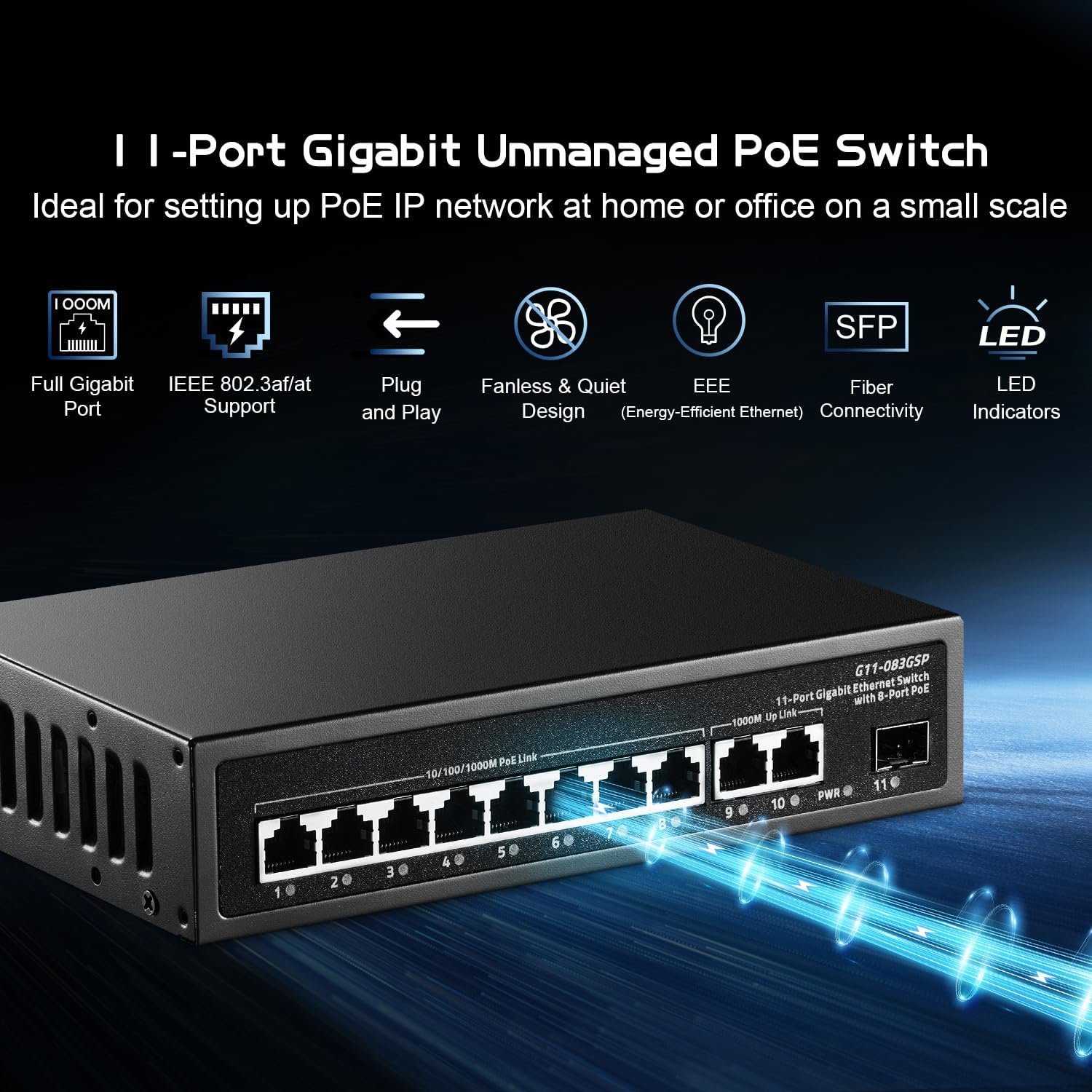
Image 4.1: Overview of switch features including plug-and-play setup.
4.2 Wall Mounting
The switch supports wall mounting for flexible placement. Ensure the mounting surface is stable and use appropriate screws (not included) for secure installation.
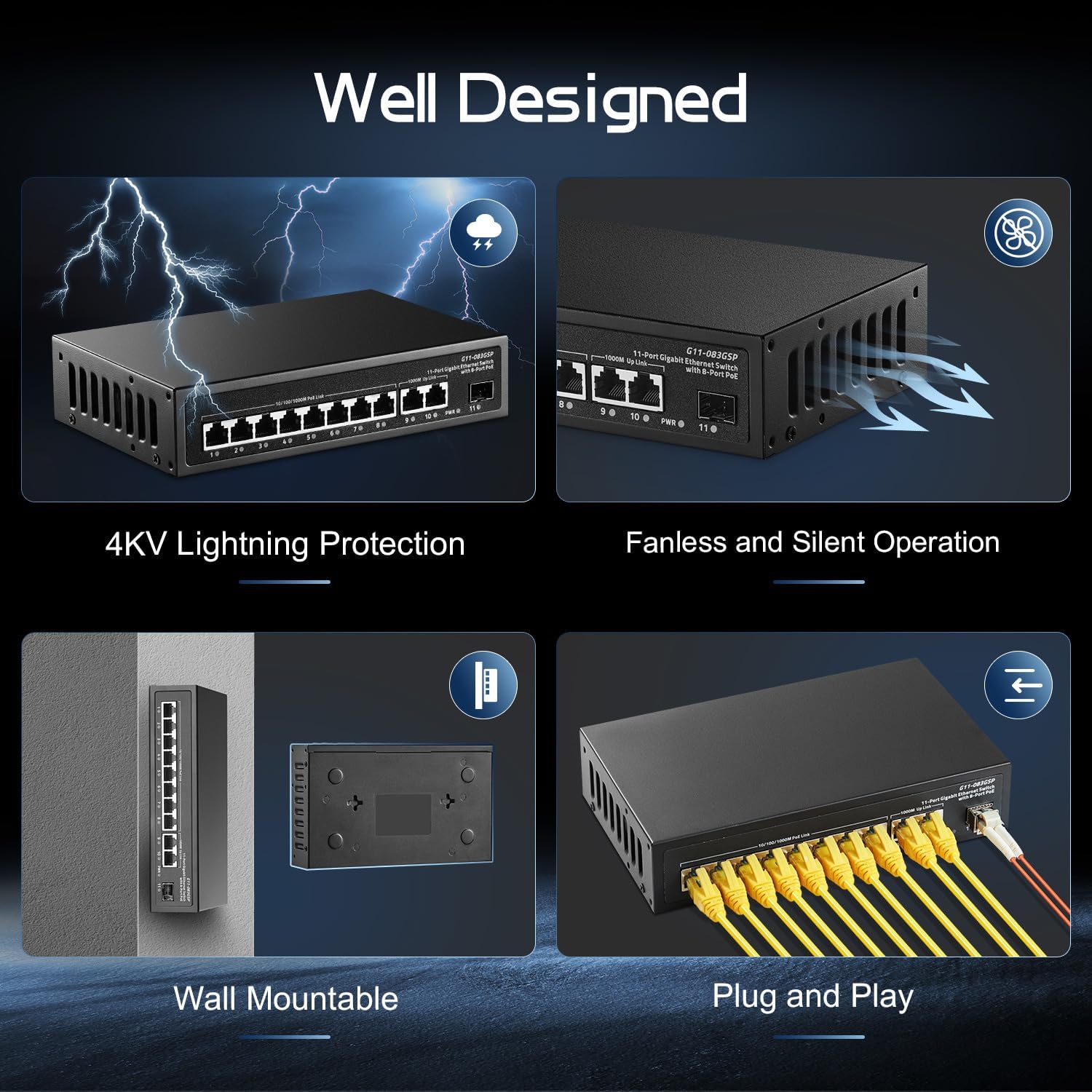
Image 4.2: Illustration of the wall-mountable design.
5. Operating Instructions
Once connected, the switch operates automatically. It provides full Gigabit speed across all ports and intelligently manages PoE power.
5.1 Power over Ethernet (PoE) Functionality
The switch supports IEEE 802.3af/at PoE standards. It automatically detects PoE-compatible devices and supplies power up to 30W per port, with a total power budget of 135W. Non-PoE devices connected to PoE ports will receive data only, without power, ensuring compatibility.

Image 5.1: Diagram illustrating PoE and non-PoE device compatibility.
5.2 Network Performance
The switch offers a total bandwidth of 22Gbps, ensuring high-speed data transmission for all connected devices. It supports jumbo frames up to 9216 bytes and has a packet forwarding rate of 16.368 Mpps.

Image 5.2: Performance specifications including backplane bandwidth and PoE budget.
5.3 Fanless Design
The switch features a fanless design, ensuring silent operation, which makes it suitable for various environments including offices and homes.
6. Maintenance
To ensure the longevity and optimal performance of your Binardat PoE Switch, follow these maintenance guidelines:
- Cleaning: Regularly clean the exterior of the switch with a soft, dry cloth. Avoid using liquid or aerosol cleaners.
- Ventilation: Ensure adequate airflow around the switch. Do not block the ventilation slots. Although fanless, proper heat dissipation is important.
- Environment: Operate the switch within its specified environmental conditions (temperature, humidity) to prevent damage.
- Cable Management: Keep network cables organized and free from kinks or excessive bends to prevent signal degradation.
7. Troubleshooting
If you encounter issues with your switch, refer to the following common troubleshooting steps:
| Problem | Possible Cause | Solution |
|---|---|---|
| No power (PWR LED off) | Power cable disconnected or no power from outlet. | Check power cable connection. Verify power outlet functionality. |
| Device not connecting (Link/Act LED off) | Ethernet cable faulty or disconnected; device not powered on. | Ensure Ethernet cable is securely connected. Try a different cable. Verify the connected device is powered on and functioning. |
| PoE device not receiving power (PoE LED off) | Device not PoE compatible; total PoE budget exceeded; faulty cable. | Confirm device is IEEE 802.3af/at compliant. Check total power consumption of all PoE devices. Try a different Ethernet cable. |
| Slow network speed | Cable quality; network congestion; device limitations. | Use Cat5e or Cat6 Ethernet cables for Gigabit speeds. Reduce network traffic if possible. Check the capabilities of connected devices. |
8. Specifications
Detailed technical specifications for the Binardat 11 Port Gigabit PoE Switch:
- Model: 11x1G PoE (G11-083GSP)
- Ports: 8 x 10/100/1000Mbps PoE+ Ports, 2 x 10/100/1000Mbps Gigabit Uplink Ports, 1 x 1 Gigabit SFP Port
- PoE Standard: IEEE 802.3af/at
- PoE Power Output: Up to 30W per port
- Total PoE Power Budget: 135W
- Backplane Bandwidth: 22Gbps
- Packet Forwarding Rate: 16.368 Mpps
- MAC Address Table Size: 2K
- Jumbo Frame Support: 9216 bytes
- Voltage: 57 Volts (internal power supply)
- Case Material: Metal
- Dimensions: Approximately 9.17 x 7.09 x 2.32 inches
- Item Weight: 1.94 pounds (0.88 Kilograms)
- Features: Unmanaged, Plug and Play, Fanless Design, 4KV Lightning Protection, Wall Mountable
- Compatible Devices: IP cameras, Wireless Access Points, IP phones, Desktops, Laptops, Printers, NVRs, Routers
9. Safety Information
Please observe the following safety precautions to prevent damage to the device or injury to yourself:
- Do not open or attempt to repair the device. Refer all servicing to qualified personnel.
- Keep the device away from water, fire, humidity, or hot environments.
- Use only the power adapter provided with the device.
- Ensure proper grounding for electrical safety.
- Avoid placing heavy objects on the switch.
10. Warranty and Support
Binardat provides lifelong technical support for this product. For assistance, please refer to the contact information provided with your purchase or visit the official Binardat website.

