
Introduction
Thank you for choosing the Timegyro Digital Alarm Clock. This battery-operated alarm clock features a clear LED display, adjustable brightness, and a convenient snooze function, making it ideal for bedrooms and various other settings. Its compact and cordless design offers flexibility in placement.

Image: The Timegyro Digital Alarm Clock, featuring a sleek black case and a bright blue LED display. The display shows '20:00', indicating the time. The clock is designed for clear visibility and ease of use.
Product Overview and Dimensions
The Timegyro Digital Alarm Clock is designed for portability and ease of integration into any space. Its compact size makes it suitable for nightstands, desks, or travel.

Image: A visual representation of the Timegyro Digital Alarm Clock with its key dimensions highlighted. The clock measures approximately 5.1 inches in length, 1.5 inches in width, and 2.6 inches in height, demonstrating its compact form factor.
Setup
1. Battery Installation
This alarm clock is powered by 4 AA batteries (not included). To install or replace batteries:
- Locate the battery compartment cover on the back of the clock.
- Slide the cover off.
- Insert 4 new AA batteries, ensuring correct polarity (+/-).
- Replace the battery compartment cover securely.
2. Initial Time Setting
The clock features intuitive controls on its back panel for setting the time and alarm.
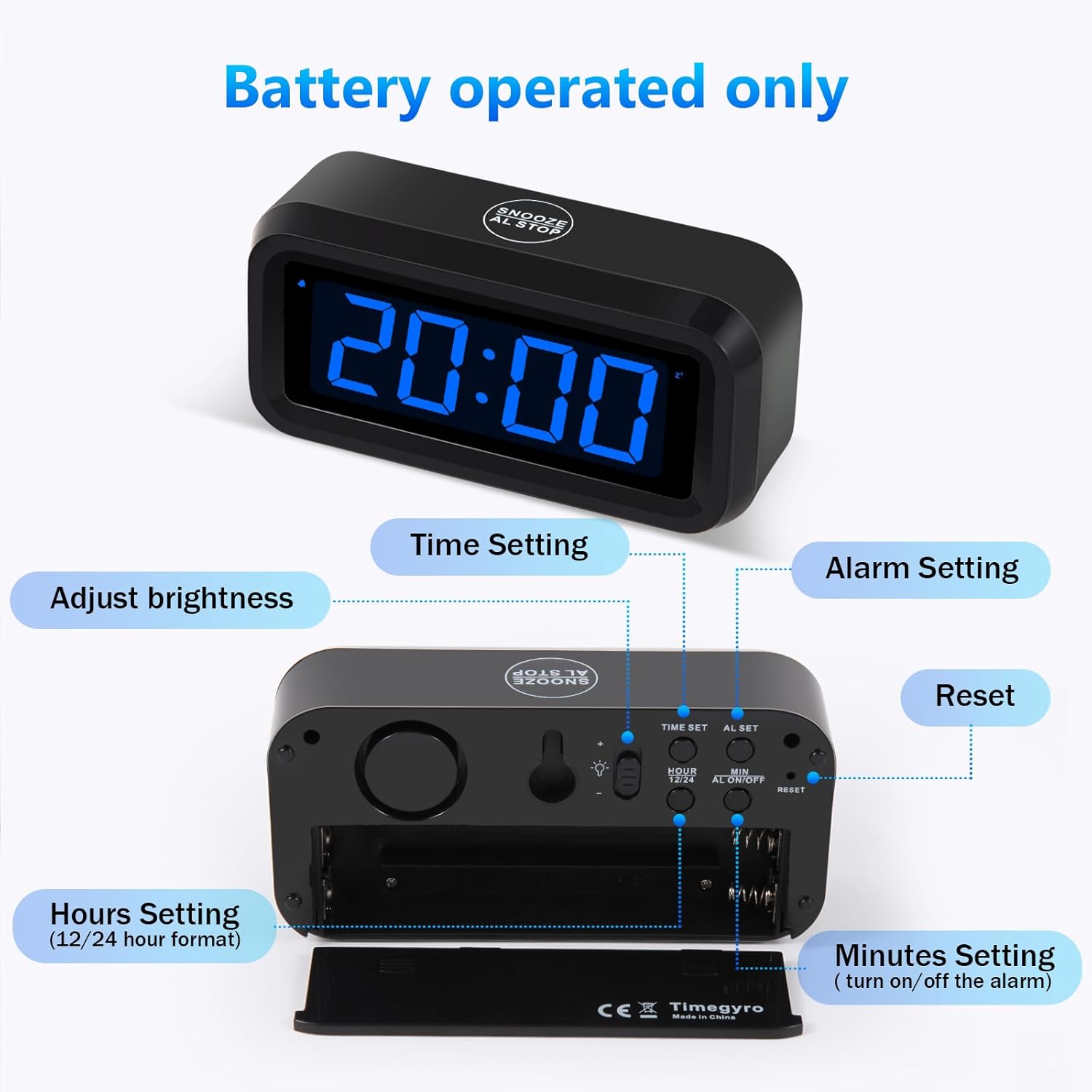
Image: The rear panel of the Timegyro Digital Alarm Clock, showing the battery compartment and various control buttons. Labels indicate functions such as 'Time Setting', 'Alarm Setting', 'Adjust Brightness', 'Hours Setting (12/24 hour format)', 'Minutes Setting (turn on/off the alarm)', and 'Reset'.
- Time Setting: Use the 'TIME SET' button to enter time setting mode.
- Hours Setting: Use the 'HOUR' button to adjust the hour.
- Minutes Setting: Use the 'MIN' button to adjust the minutes.
- 12/24 Hour Format: Toggle between 12-hour and 24-hour display modes using the dedicated switch.
3. Brightness Adjustment
The clock offers three brightness levels to suit your preference and environment. It also features a Night-Mode for automatic dimming.
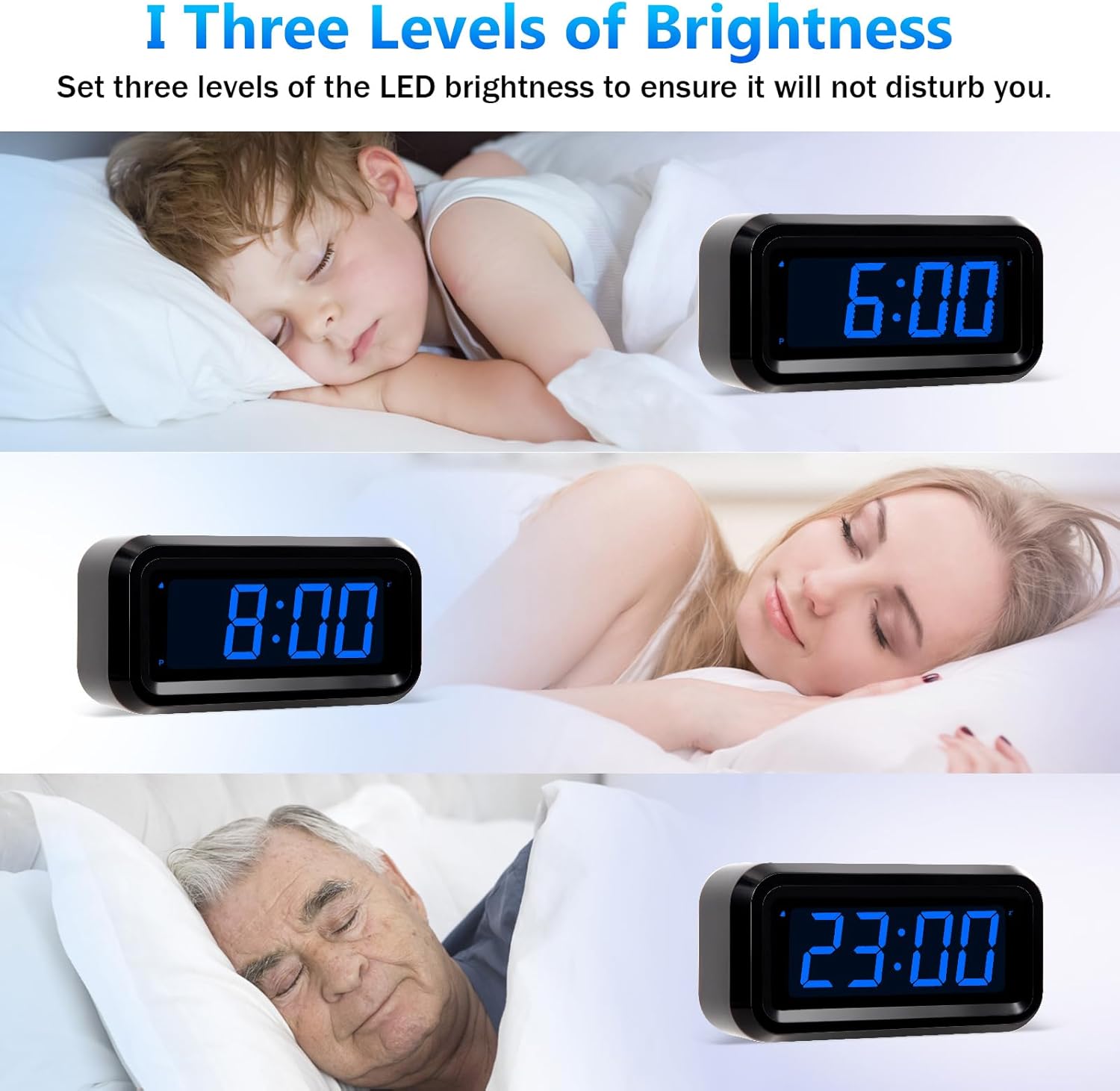
Image: Three examples illustrating the adjustable brightness levels of the clock's LED display. The top image shows the brightest setting, the middle image shows a medium setting, and the bottom image shows the dimmest setting, demonstrating how the display can be adapted for comfort, especially during sleep.
- Use the brightness switch on the back of the clock to cycle through the three available levels.
- The Night-Mode automatically dims the display between 8:00 PM and 6:00 AM to prevent excessive brightness during nighttime hours.
Operating Instructions
1. Setting the Alarm
- Press the 'AL SET' button on the back to enter alarm setting mode.
- Use the 'HOUR' and 'MIN' buttons to set your desired alarm time.
- To activate or deactivate the alarm, use the 'AL ON/OFF' switch.
2. Snooze Function
When the alarm sounds, you can activate the snooze function for an additional 7 minutes of sleep.
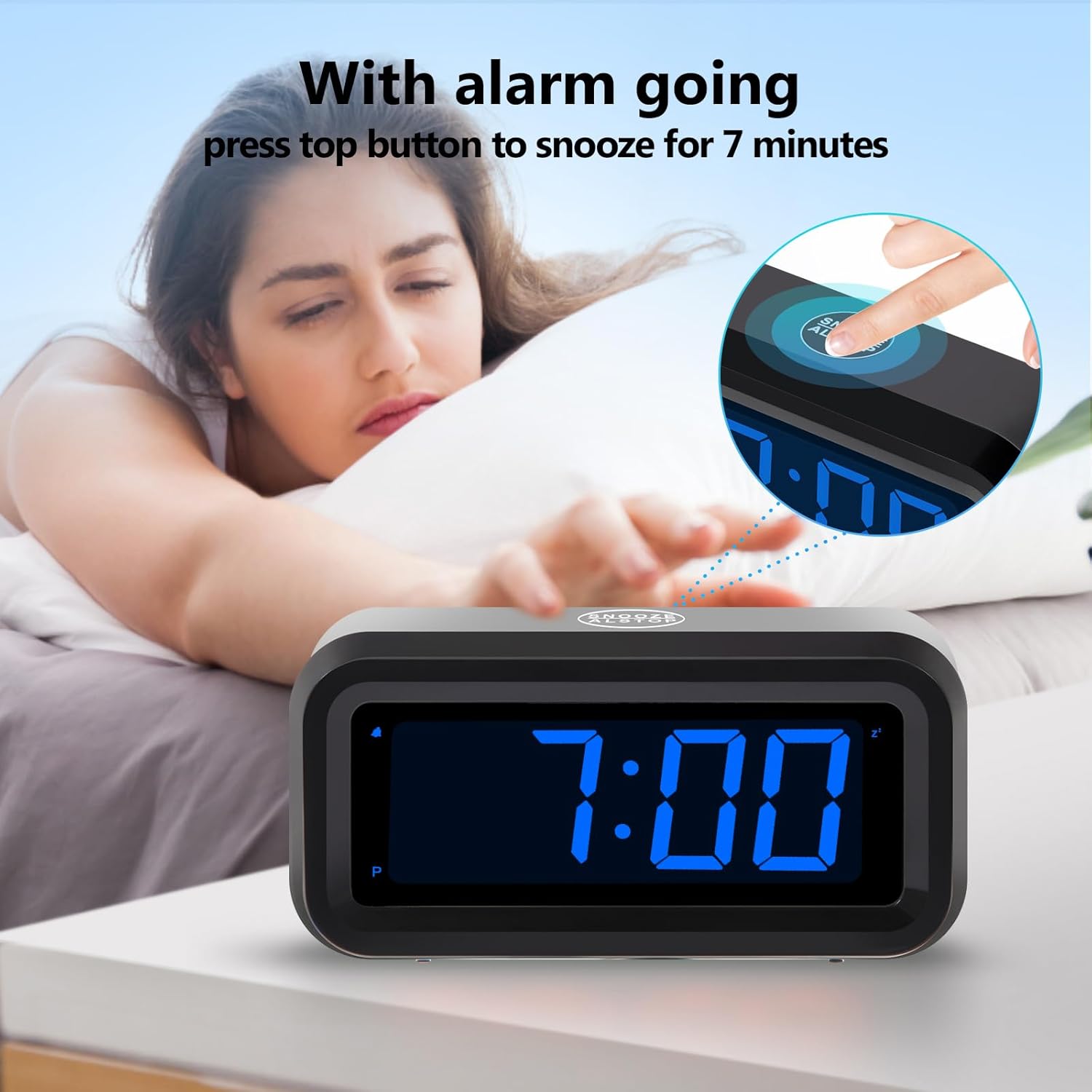
Image: A hand reaching to press the large 'SNOOZE/AL STOP' button located on the top of the Timegyro Digital Alarm Clock. The clock's display shows '7:00', indicating an active alarm, and text overlay states "With alarm going press top button to snooze for 7 minutes".
- Press the large 'SNOOZE/AL STOP' button located on the top of the clock.
- The alarm will pause for 7 minutes and then sound again. This can be repeated up to 3 times.
3. 12-hour / 24-hour Format
The clock supports both standard 12-hour and military 24-hour time formats.

Image: A comparison showing the Timegyro Digital Alarm Clock displaying time in both 12-hour (Standard Time, e.g., 10:30) and 24-hour (Military Time, e.g., 22:30) formats. This illustrates the switchable display option.
- Use the '12/24' switch on the back of the clock to select your preferred time display format.
Maintenance
1. Battery Replacement
When the display starts to dim significantly or the clock stops functioning, it's time to replace the batteries. Refer to the 'Battery Installation' section under Setup for detailed instructions.
2. Cleaning
To clean your Timegyro Digital Alarm Clock:
- Gently wipe the surface with a soft, dry cloth.
- Do not use abrasive cleaners, solvents, or chemical sprays, as these may damage the finish or internal components.
- Avoid exposing the clock to excessive moisture.
Troubleshooting
Common Issues and Solutions:
- Display is dim or not visible:
- Check battery levels and replace if necessary.
- Adjust the brightness setting using the switch on the back. Ensure it's not set to the lowest level, especially in brightly lit rooms. - Alarm is not sounding:
- Ensure the alarm is activated using the 'AL ON/OFF' switch.
- Verify that the alarm time is set correctly. - Clock is not keeping accurate time:
- Replace batteries with fresh ones.
- Perform a reset using the 'RESET' button on the back (refer to the diagram in the Setup section). - Snooze function not working:
- Ensure you are pressing the large 'SNOOZE/AL STOP' button on the top of the clock.
If you encounter issues not listed here, please refer to the Support section for further assistance.
Specifications
| Brand | Timegyro |
| Model Number | CRS1B |
| Color | Black-dark Blue |
| Display Type | Digital |
| Power Source | Battery Powered (4 AA batteries) |
| Product Dimensions | 5.5"W x 2.99"H |
| Item Weight | 5.9 ounces |
| Special Features | Snooze, Alarm, Auto Dimmable, Brightness Dimmer, Battery Operated, Cordless, 12/24Hr, Easy to use, Large Display |
| Material | Acrylonitrile Butadiene Styrene (ABS) |
| Indoor/Outdoor Usage | Indoor |
Warranty and Support
Warranty Information
For specific warranty details and terms, please refer to the documentation included with your purchase or contact Timegyro customer service directly. Standard return policies typically allow for returns or replacements within 30 days of purchase.
Customer Support
For further assistance, troubleshooting, or inquiries, please visit the official Timegyro Store or refer to the comprehensive User Manual available in PDF format.
- Timegyro Store: Visit the Timegyro Store on Amazon
- User Manual (PDF): Download PDF Manual
