
1. Introduction
The GuliTech CEM DT-9919 is a professional True RMS industrial digital multimeter designed for accurate and safe electrical measurements. It features a double-molded plastic housing and IP67 waterproof function, ensuring durability and reliability in various environments. With a 40,000 count high-resolution display and 0.03% basic DC accuracy, this device is suitable for a wide range of industrial and electrical applications.
This manual provides essential information for the safe and effective operation of your DT-9919 multimeter. Please read it thoroughly before use and retain it for future reference.
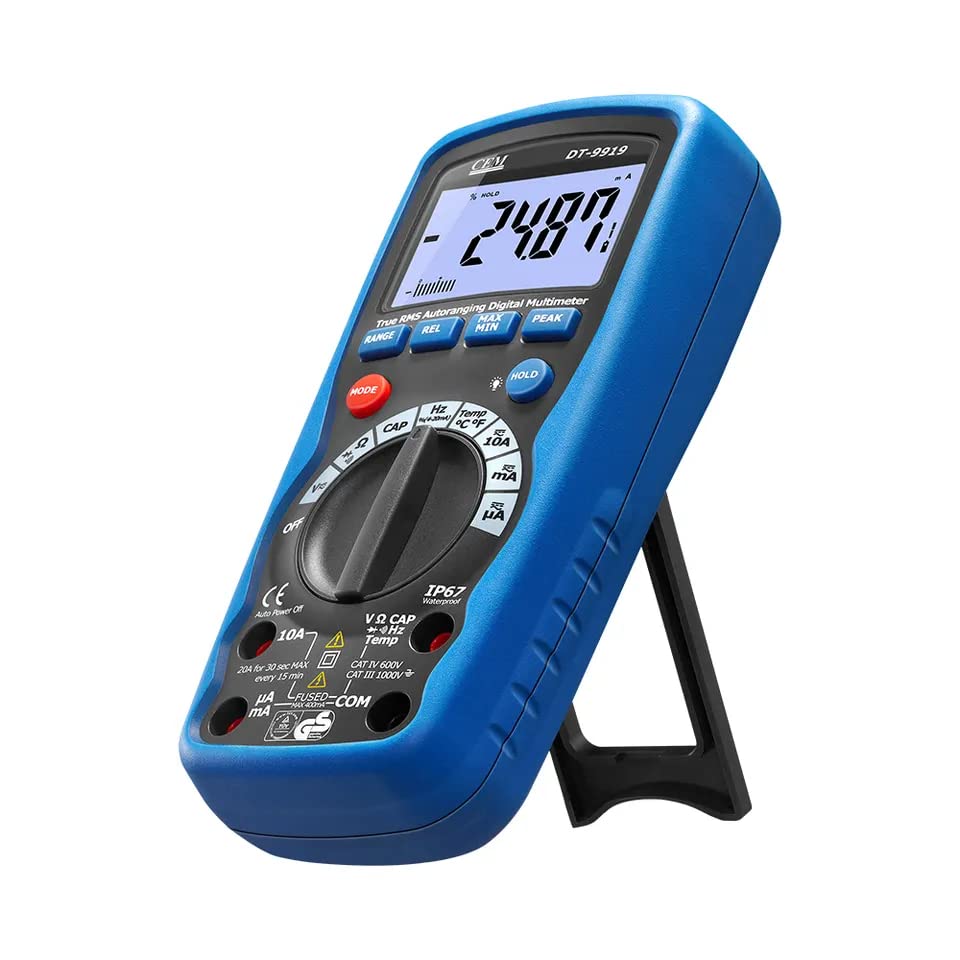
Figure 1: GuliTech CEM DT-9919 Digital Multimeter
2. Safety Information
Safety is paramount when working with electrical equipment. Always adhere to the following safety guidelines to prevent personal injury or damage to the multimeter.
- EN61010-1 Compliance: The DT-9919 is designed to meet EN61010-1 CAT IV 600V and CAT III 1000V safety standards. All inputs are protected to 1000V.
- Fuse Protection: Current ranges are protected by 10A/1000V and 0.5A/1000V fuses. Do not attempt to measure currents exceeding these limits.
- Insulation: The double-molded plastic housing provides enhanced insulation and protection.
- Waterproof Rating: The IP67 rating indicates protection against dust ingress and immersion in water up to 1 meter for 30 minutes. Ensure battery compartment is securely closed.
- Inspection: Before each use, inspect the multimeter, test leads, and accessories for any signs of damage. Do not use if damaged.
- Proper Connection: Always connect the common (COM) test lead first, then the live test lead. Disconnect the live test lead first, then the common test lead.
- Voltage Limits: Do not apply more than the rated voltage, as marked on the meter, between terminals or between any terminal and earth ground.
- Live Circuits: Never operate the meter on live circuits with the battery cover or any part of the casing open.
- Environmental Conditions: Operate the meter only in specified environmental conditions. The upper temperature rating is 50 degrees Celsius.
3. Product Features
The DT-9919 multimeter offers a range of advanced features for professional use:
- High Resolution: 40,000 counts (0.01mV, 0.01µA, 0.01Ω).
- True RMS Measurement: Provides accurate readings for non-sinusoidal waveforms.
- Peak Capture Mode: Captures transient peaks.
- Input Protection: 1000V input protection on all ranges.
- Process Loop Measurements: 4-20mA with percentage reading.
- Data Hold/MAX/MIN: Records maximum, minimum, and holds current readings.
- IP67 Waterproof: Dustproof and protected against water immersion.
- Auto Power Off: Conserves battery life.
- Wide Capacitance Range: For various capacitance measurements.
- Large LCD Display: With analog bargraph and backlight for easy readability.
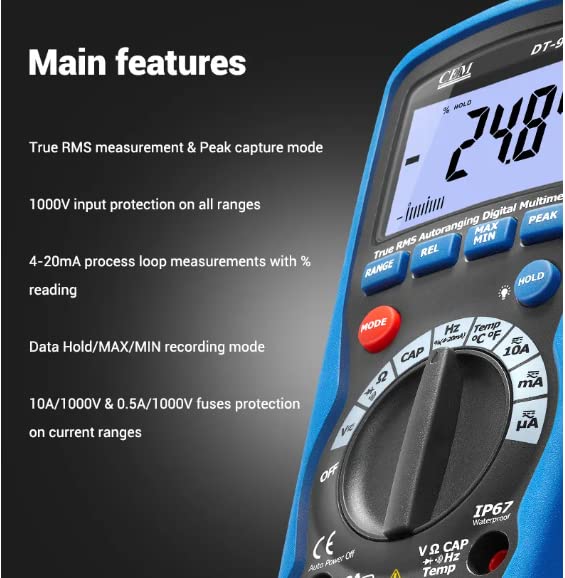
Figure 2: Key features highlighted on the DT-9919 display
4. Product Overview
Familiarize yourself with the components of your DT-9919 multimeter:
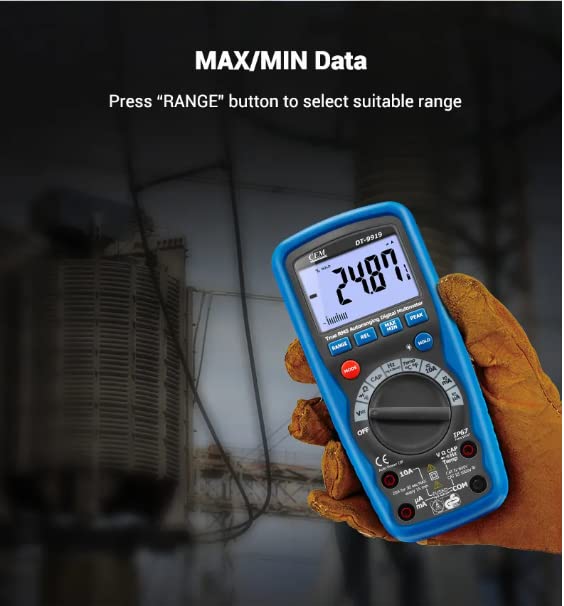
Figure 3: DT-9919 Multimeter Components
- 40,000 count LCD display
- REL (Relative) button
- RANGE button
- MODE button
- mA, µA, and 10A input jacks (for current measurements)
- VΩCAPHzTemp input jack (for voltage, resistance, capacitance, frequency, and temperature measurements)
- MAX/MIN button
- PEAK button
- HOLD (and Backlight) button
- Function switch (rotary dial)
- Positive input jack
- COM (Common) input jack
5. Setup
5.1 Battery Installation
The DT-9919 requires 1 Lithium Ion battery (included). To install or replace the battery:
- Ensure the multimeter is turned OFF and disconnect all test leads from any circuit.
- Locate the battery compartment on the rear of the multimeter.
- Use a screwdriver to open the battery compartment cover.
- Insert the Lithium Ion battery, observing the correct polarity (+/-).
- Securely close the battery compartment cover and tighten the screw. Ensure the seal is intact to maintain IP67 rating.
6. Operating Instructions
6.1 Basic Measurements
To perform measurements, rotate the function switch to the desired measurement type (e.g., V for voltage, A for current, Ω for resistance). Connect the test leads to the appropriate input jacks and to the circuit under test.
6.2 Automatic Switching Range
When measuring voltage, current, or resistance, the DT-9919 will automatically switch to the appropriate range based on the measured value. This eliminates the need for manual range selection and helps prevent damage to the multimeter from incorrect settings.
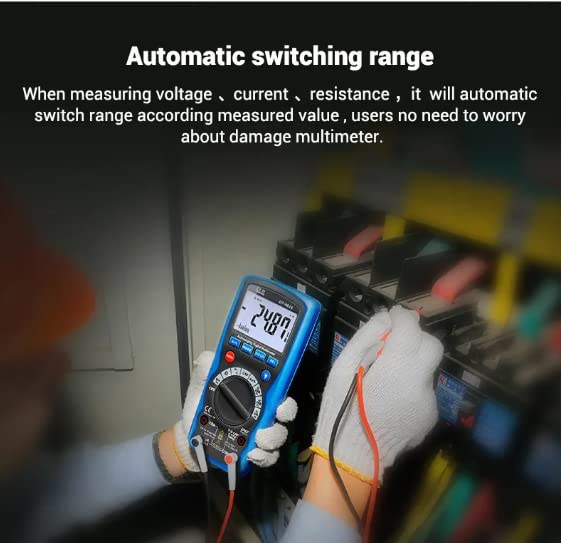
Figure 4: Automatic range switching in action
6.3 Data Hold, MAX/MIN, and Peak Capture
- HOLD Button: Press the HOLD button to freeze the current reading on the display. Press again to release. A long press typically activates the backlight.
- MAX/MIN Button: Press the MAX/MIN button to enter recording mode. The multimeter will display the maximum (MAX) or minimum (MIN) measured value since the mode was activated. Press repeatedly to cycle through MAX, MIN, and current readings.
- PEAK Button: Use the PEAK button to capture transient peak values. This is useful for detecting very short duration voltage or current spikes.
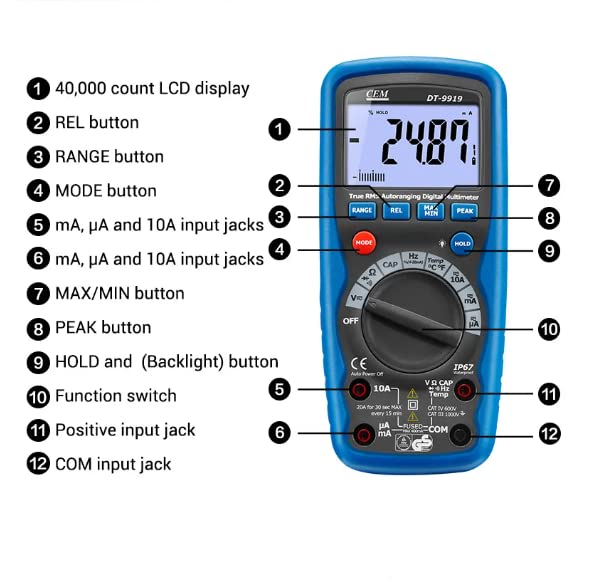
Figure 5: MAX/MIN Data function on the DT-9919
6.4 4-20mA Process Loop Measurements
The DT-9919 can measure 4-20mA process loops and display the reading as a percentage. This feature is valuable for industrial control system diagnostics. Refer to the specific section in the full manual for detailed instructions on connecting and interpreting these measurements.
7. Maintenance
Proper maintenance ensures the longevity and accuracy of your DT-9919 multimeter.
- Cleaning: Wipe the meter with a damp cloth and mild detergent. Do not use abrasives or solvents.
- Battery Replacement: Replace the battery when the low battery indicator appears on the display. Refer to Section 5.1 for instructions.
- Fuse Replacement: If the current measurement function fails, the fuse may need replacement. Refer to the full manual for fuse specifications and replacement procedures. Always use fuses of the specified type and rating.
- Storage: If the meter is not to be used for an extended period, remove the battery to prevent leakage. Store in a cool, dry place.
8. Troubleshooting
If the multimeter does not function correctly, consider the following basic troubleshooting steps:
- No Display/Low Battery: Check the battery. Replace if necessary.
- Incorrect Readings: Ensure test leads are properly connected and not damaged. Verify the function switch is set to the correct measurement type.
- Current Measurement Failure: Check the fuses. Replace if blown.
- No Response: Turn the multimeter off and then on again. If the issue persists, consult the full product manual or contact customer support.
9. Specifications
| Specification | Value |
|---|---|
| Model Number | G-DT-9919 |
| Display | 40,000 Counts LCD with Analog Bargraph |
| Safety Conformance | EN61010-1 CAT IV 600V, CAT III 1000V |
| Input Protection | 1000V on all ranges |
| Current Fuse Protection | 10A/1000V & 0.5A/1000V |
| Waterproof Rating | IP67 |
| Power Source | Battery Powered (1 Lithium Ion battery included) |
| Product Dimensions | 22 x 15 x 12 cm |
| Item Weight | 0.5 Kilograms |
| Upper Temperature Rating | 50 Degrees Celsius |
| Manufacturer | CEM |
| Country of Origin | China |
| Date First Available | Oct. 9 2023 |
10. Accessories
The following accessories are included with your DT-9919 multimeter:
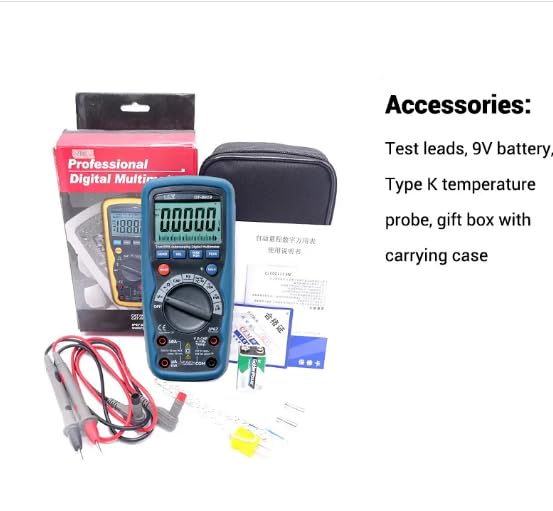
Figure 6: Included Accessories
- Test leads
- 9V battery (Lithium Ion)
- Type K temperature probe
- Gift box with carrying case
11. Warranty and Support
For warranty information and technical support, please refer to the documentation provided with your purchase or contact GuliTech customer service. Keep your proof of purchase for warranty claims.
EU Spare Part Availability Duration: 1 Year.