
Introduction
Thank you for choosing the MOOOV Bamboo-LED Alarm Clock. This manual provides detailed instructions for setting up, operating, and maintaining your device. Please read it carefully to ensure proper use and to maximize the clock's features.
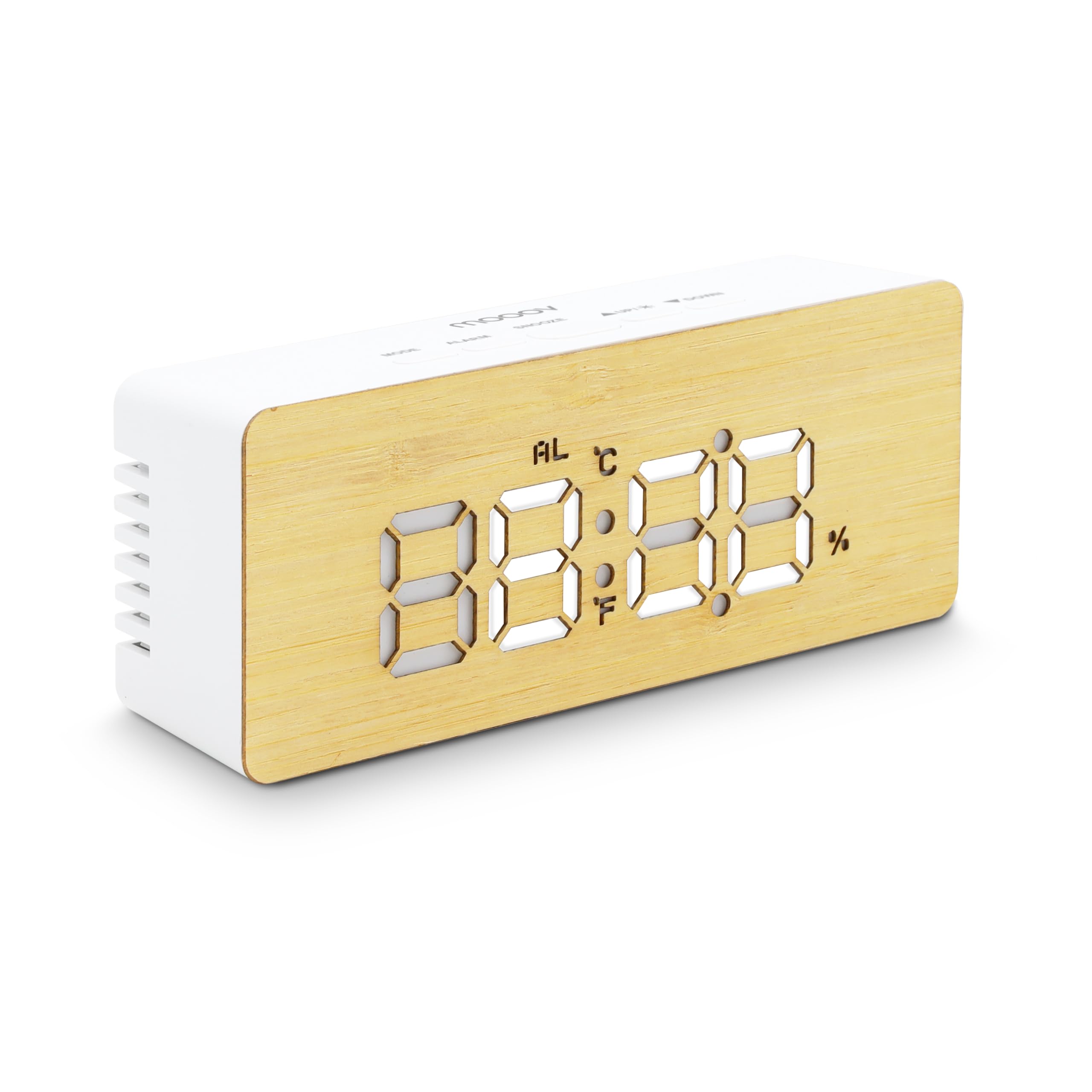
Image: Front view of the MOOOV Bamboo-LED Alarm Clock, showcasing its digital display for time, temperature, and humidity, set within a natural bamboo finish.
Package Contents
- MOOOV Bamboo-LED Alarm Clock
- USB Power Cable (adapter not included)
- User Manual (this document)
Device Overview
Familiarize yourself with the main components of your alarm clock.

Image: Top view of the alarm clock, showing the control buttons: MODE, ALARM, SNOOZE, UP/LIGHT, and DOWN.
- MODE Button: Switches between display modes (Time, Date, Temperature/Humidity) and enters setting modes.
- ALARM Button: Enters alarm setting mode.
- SNOOZE Button: Activates snooze during an alarm; also used for confirming settings.
- UP / LIGHT Button: Adjusts values upwards during settings; changes display brightness.
- DOWN Button: Adjusts values downwards during settings.

Image: Back view of the alarm clock, showing the battery compartment for AAA batteries and the 5V DC power input port.
Setup
Powering the Device
The MOOOV Bamboo-LED Alarm Clock can be powered in two ways:
- USB Power: Connect the provided USB cable to the 5V DC input port on the back of the clock and plug the other end into a USB power adapter (not included) or a powered USB port. This mode keeps the display continuously on.
- Battery Power: Open the battery compartment on the back and insert 3 x AAA batteries (not included), ensuring correct polarity. In battery mode, the display will automatically turn off after 1 minute of inactivity to conserve energy. To reactivate the display, press any button.
Note: For continuous display and optimal functionality, USB power is recommended. Battery power is ideal for portability or as a backup.
Operating Instructions
Setting Time and Date
- Press the MODE button repeatedly until the display shows the time.
- Press and hold the MODE button for 3 seconds to enter time setting mode. The hour digits will flash.
- Use the UP and DOWN buttons to adjust the hour.
- Press MODE again to move to minute setting. The minute digits will flash.
- Use the UP and DOWN buttons to adjust the minutes.
- Press MODE again to set the 12/24-hour format. Use UP or DOWN to select.
- Press MODE again to set the year. Use UP or DOWN to adjust.
- Press MODE again to set the month. Use UP or DOWN to adjust.
- Press MODE again to set the day. Use UP or DOWN to adjust.
- Press MODE one last time or wait 15 seconds for the settings to be saved automatically.
Setting the Alarm
- Press the ALARM button to view the current alarm time (if set).
- Press and hold the ALARM button for 3 seconds to enter alarm setting mode. The hour digits will flash.
- Use the UP and DOWN buttons to adjust the alarm hour.
- Press ALARM again to move to minute setting. The minute digits will flash.
- Use the UP and DOWN buttons to adjust the alarm minutes.
- Press ALARM again to set the alarm activation days (e.g., everyday, weekdays only). Use UP or DOWN to select.
- Press ALARM one last time or wait 15 seconds for the settings to be saved automatically.
To activate or deactivate the alarm, press the ALARM button once. An alarm icon (AL) will appear on the display when the alarm is active.
Snooze Function
When the alarm sounds, press the SNOOZE button to temporarily silence it. The alarm will sound again after approximately 5 minutes. To turn off the alarm completely, press any other button (e.g., MODE, ALARM, UP, DOWN).
Adjusting Display Brightness (Night Mode)
The clock features two levels of display brightness. Press the UP / LIGHT button to switch between the brighter and dimmer display settings. This is particularly useful for night mode, providing a softer illumination that is less disruptive to sleep.

Image: The alarm clock displaying time in a dimly lit room, demonstrating the reduced brightness setting for night use.
Temperature and Humidity Display
The clock automatically displays the current temperature and humidity. You can switch between Celsius (°C) and Fahrenheit (°F) for temperature display by pressing the DOWN button when the temperature is shown.
Energy Saving Mode (Battery Power Only)
When powered by batteries, the LED display will automatically turn off after 1 minute of inactivity to conserve power. To reactivate the display, simply press any button on the clock. The clock continues to keep time and alarm settings even when the display is off.
Maintenance
- Cleaning: The bamboo surface can be cleaned with a soft, dry cloth. Avoid using abrasive cleaners or solvents, as these may damage the finish.
- Battery Replacement: If using battery power, replace all three AAA batteries when the display becomes dim or unresponsive. Ensure correct polarity when inserting new batteries.
- Storage: If storing the clock for an extended period, remove the batteries to prevent leakage.
Troubleshooting
| Problem | Possible Cause | Solution |
|---|---|---|
| Display is off or dim (on battery power). | Energy-saving mode activated or low batteries. | Press any button to activate the display. Replace batteries if the display remains dim or unresponsive. Consider using USB power for continuous display. |
| Alarm does not sound. | Alarm is not activated or set incorrectly. | Ensure the alarm icon (AL) is visible on the display. Recheck alarm time and activation days in the alarm settings. |
| Incorrect temperature reading. | Sensor calibration or external factors. | Ensure the clock is placed in a stable environment away from direct heat sources or drafts. The sensor provides an approximate reading of the ambient temperature. |
| Buttons are unresponsive. | Low batteries or temporary malfunction. | Replace batteries or connect to USB power. If the issue persists, try a soft reset by temporarily removing all power sources (batteries and USB) for a few minutes, then reconnect. |
Specifications
- Brand: MOOOV
- Model: 477316
- Material: Wood (Bamboo finish)
- Display Type: Digital LED
- Functions: Time, Date, Temperature (°C/°F), Humidity, Alarm, Snooze, Adjustable Brightness
- Power Source: 3 x AAA Batteries (not included) or 5V DC USB (cable included, adapter not included)
- Product Dimensions: Approximately 15.5 x 3.81 x 8 cm
- Item Weight: Approximately 150 g
- Installation Type: Tabletop
- Room Type: Bedroom, Indoor Use
Warranty and Support
For warranty information or technical support, please refer to the retailer where the product was purchased or visit the official MOOOV website. Keep your proof of purchase for any warranty claims.