
1. Introduction
Thank you for choosing the Gillaway 4500A Peak Car Battery Charger Jump Starter. This device is designed to provide a reliable solution for jump-starting 12V vehicles, serving as a portable power bank, and offering emergency lighting. Please read this manual thoroughly before use to ensure safe and optimal operation.
Package Contents:
- Gillaway 012 Jump Starter x1
- Storage Case x1
- Jump Clamps x1
- Charging Cable x1
- User Manual x1

Image 1.1: Gillaway 4500A Jump Starter and included accessories.
2. Safety Information
Always observe the following safety precautions to prevent injury or damage to the device or vehicle.
- Read Instructions: Read all instructions before using this product.
- Eye Protection: Always wear safety glasses when working with batteries.
- Ventilation: Ensure adequate ventilation when jump-starting a vehicle.
- Keep Dry: Do not expose the jump starter to rain or wet conditions.
- Children: Keep out of reach of children.
- Correct Polarity: Connect the clamps to the correct battery terminals (red to positive, black to negative). Incorrect connections can cause sparks or damage.
- Engine Compatibility: Use only for 12V vehicles with gasoline engines up to 10.0L or diesel engines up to 8.0L.
- Protection Features: The device incorporates intelligent protection features including spark-proof, reverse polarity protection, low-temperature protection, high-temperature protection, over-load protection, short circuit protection, over discharge protection, overload protection, voltage regulation protection, over current protection, reverse charge protection, and reverse connection protection.
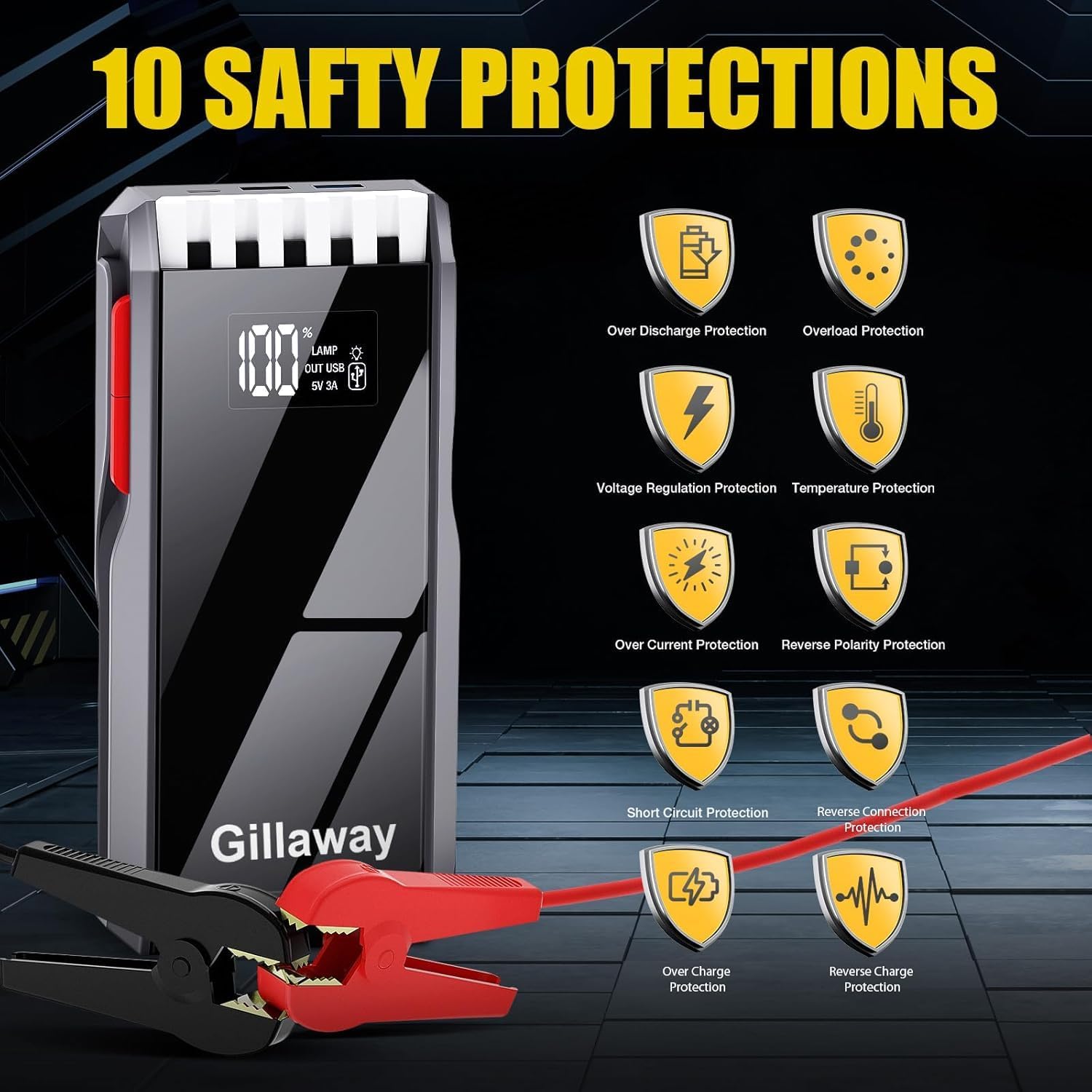
Image 2.1: Overview of the 10 integrated safety protections.
3. Product Overview
The Gillaway 012-4500A Jump Starter features a durable ABS resistant fuel casing and an Acrylic high-transparent lens. The full LCD screen displays the precise remaining power percentage and the status of input or output. It delivers a peak current output of 4500 amps, capable of up to 60 jump starts on a single charge.
Key Features:
- High Capacity: 4500A peak current for 12V vehicles.
- Engine Compatibility: Suitable for up to 10.0L gas and 8.0L diesel engines.
- LCD Screen: Displays battery percentage and operational status.
- Multi-functional Power Bank: Two USB outputs (9V/2A and 5V/2.1A, with USB2 supporting Quick Charge 3.0) for charging mobile devices.
- 3-in-1 LED Flashlight: Features Flashlight, Strobe, and SOS modes.
- Extreme Temperature Operation: Works well in temperatures ranging from -158°F to 284°F.

Image 3.1: Gillaway Jump Starter capabilities and vehicle compatibility.
4. Setup
Initial Charging:
Before first use, fully charge the jump starter. Connect the provided charging cable to the jump starter and a suitable power source. The LCD screen will indicate the charging status and battery percentage. It is recommended to charge the jump starter every 2-3 months to maintain battery longevity, especially if not in regular use.
5. Operating Instructions
5.1. Jump Starting a Vehicle
- Ensure Sufficient Power: Make sure the jump starter has sufficient power (check the LCD screen) and is plugged into the connector.
- Connect Clamps: Connect the Red clamp to the vehicle's positive (+) battery terminal and the Black clamp to the vehicle's negative (-) battery terminal.
- Start Vehicle: Once connected correctly, start your vehicle's engine.
- Remove Clamps: After the vehicle starts, immediately remove the jump clamps from the battery terminals.

Image 5.1: Step-by-step guide for jump starting a vehicle.
5.2. Using as a Power Bank
The jump starter can also function as a portable power bank to charge your electronic devices.
- Connect your device's USB charging cable to one of the two USB output ports (9V/2A or 5V/2.1A) on the jump starter.
- The USB2 port supports Quick Charge 3.0 for faster charging of compatible devices.

Image 5.2: Gillaway Jump Starter functioning as a power bank.
5.3. Using the LED Flashlight
The integrated LED flashlight offers three modes for various situations:
- Flashlight Mode: For general illumination.
- Strobe Light Mode: For signaling or attracting attention.
- SOS Light Mode: For emergency signaling.
Refer to the device's buttons for activating and cycling through the flashlight modes.

Image 5.3: The 3-in-1 LED flashlight modes.
6. Maintenance
- Regular Charging: To ensure optimal performance and extend battery life, charge the jump starter every 2-3 months, even when not in use.
- Storage: Store the device in its storage case in a cool, dry place, away from direct sunlight and extreme temperatures.
- Cleaning: Wipe the device with a dry, soft cloth. Do not use harsh chemicals or abrasive cleaners.
7. Troubleshooting
If you encounter issues with your Gillaway Jump Starter, please refer to the following common solutions:
- Device Not Turning On: Ensure the device is charged. If the battery is completely depleted, it may take a few minutes of charging before the screen activates.
- Vehicle Not Starting:
- Check that the jump starter has sufficient power.
- Verify that the clamps are securely connected to the correct battery terminals (red to positive, black to negative).
- Ensure the vehicle's battery is a 12V system and within the specified engine displacement limits (10.0L gas, 8.0L diesel).
- Charging Issues: Ensure the charging cable is properly connected to both the jump starter and the power source. Try a different charging cable or power adapter if available.
If problems persist after attempting these steps, please contact Gillaway customer service for further assistance.
8. Specifications
| Brand | Gillaway |
| Model | 012-4500A |
| Peak Output Current | 4500 Amps |
| Amperage | 4500 Amps |
| Product Dimensions | 4"D x 3"W x 5"H |
| Item Weight | 1 Kilograms (2.2 pounds) |
| Automotive Fit Type | Universal Fit |
| Engine Compatibility | Up to 10.0L Gas or 8.0L Diesel Engine |
| Battery Type | Lithium Polymer |
| USB Outputs | 2 (9V/2A, 5V/2.1A - USB2 with Quick Charge 3.0) |
| Operating Temperature | -158°F to 284°F |
9. Warranty and Support
Gillaway provides the following support for your product:
- Warranty: 1 Year quality warranty.
- Technical Support: Available 24 hours a day.
- Customer Service: Please do not hesitate to contact us if you have any questions or require assistance with your jump starter battery pack.