
1. Introduction
This manual provides detailed instructions for the assembly, operation, and care of your EUGAD Side Table with Charging Station, Model 0001CHJ. Please read all instructions carefully before assembly and use to ensure safe and proper functionality.
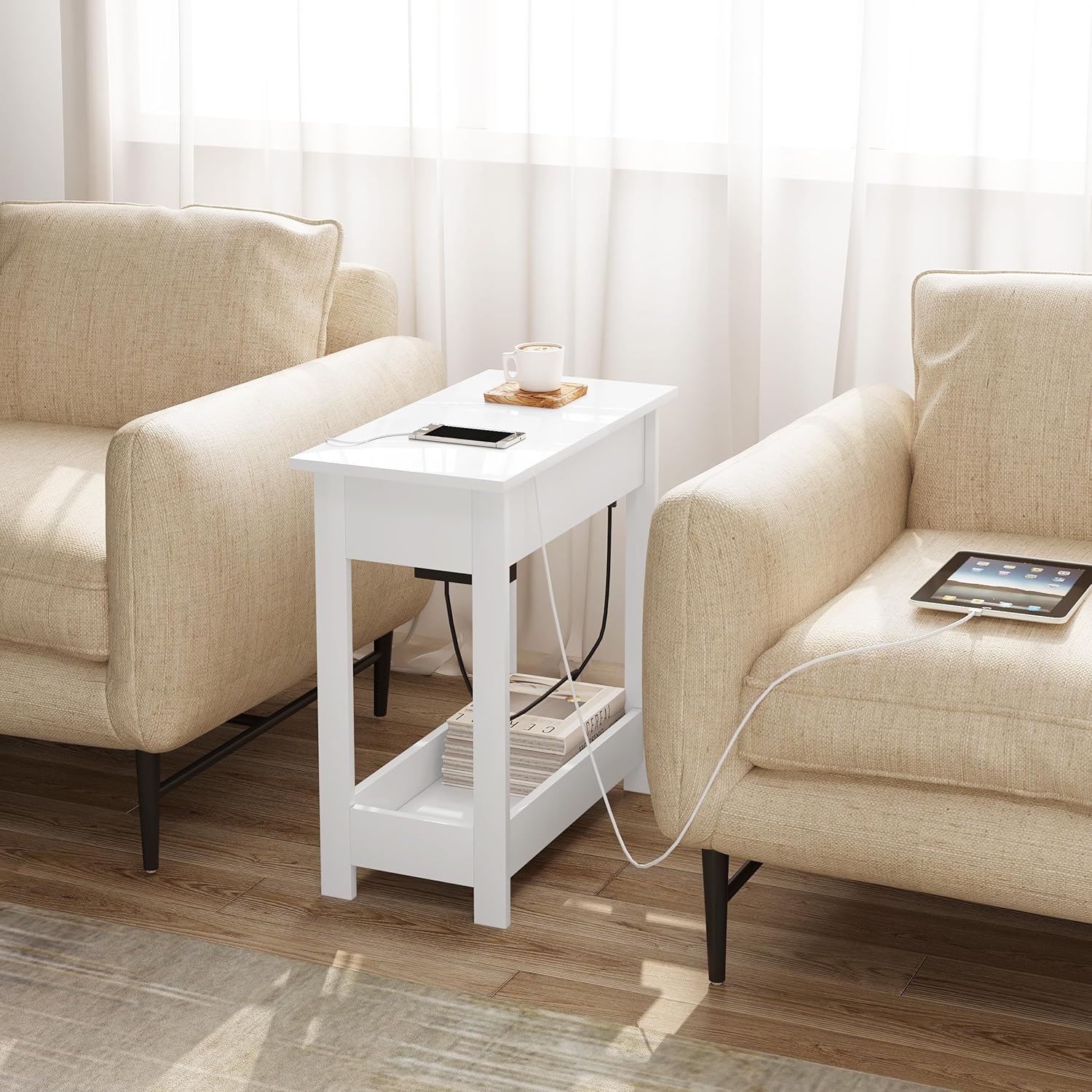
Image: The EUGAD Side Table with Charging Station, Model 0001CHJ, in a living room setting, demonstrating its compact design and integration.
2. Safety Warnings
WARNING:
- Use the electrical features of the table away from water or wet conditions.
- Ensure the table is properly grounded to prevent electric shocks.
- Do not overload the power outlets or USB ports. Refer to the specifications for maximum load.
- Keep children away from the electrical components. The hidden design helps, but supervision is always recommended.
- Do not attempt to modify or repair the electrical components yourself. Contact qualified personnel for service.
- Maximum weight recommendation for the tabletop is 25 kg. Do not exceed this limit.
3. Package Contents
Before beginning assembly, verify that all parts listed below are present and undamaged. If any parts are missing or damaged, please contact customer support.
- Table components (panels, legs)
- Hardware pack (screws, dowels, hinges)
- Power strip with 2 AC outlets and 2 USB ports
- Instruction manual

Image: Diagram illustrating the various components and dimensions of the EUGAD Side Table, including the power cord length.
4. Setup and Assembly
The EUGAD Side Table is designed for easy assembly. Follow the illustrated instructions provided in the package. All accessories are labeled for convenience.
- Unpack Components: Carefully remove all parts from the packaging and lay them out on a clean, soft surface to prevent scratches.
- Identify Parts: Match each component with the corresponding labels in the instruction manual.
- Assemble Frame: Connect the main frame components using the provided screws and dowels. Ensure all connections are secure.
- Install Shelves: Attach the lower shelf and the middle storage compartment.
- Install Charging Station: Secure the power strip within the designated compartment under the tabletop.
- Attach Hinged Top: Mount the partially foldable tabletop using the hinges. Ensure it opens and closes smoothly.
- Cable Management: Route the power cord through the side cutouts to prevent tangling and ensure a tidy appearance.
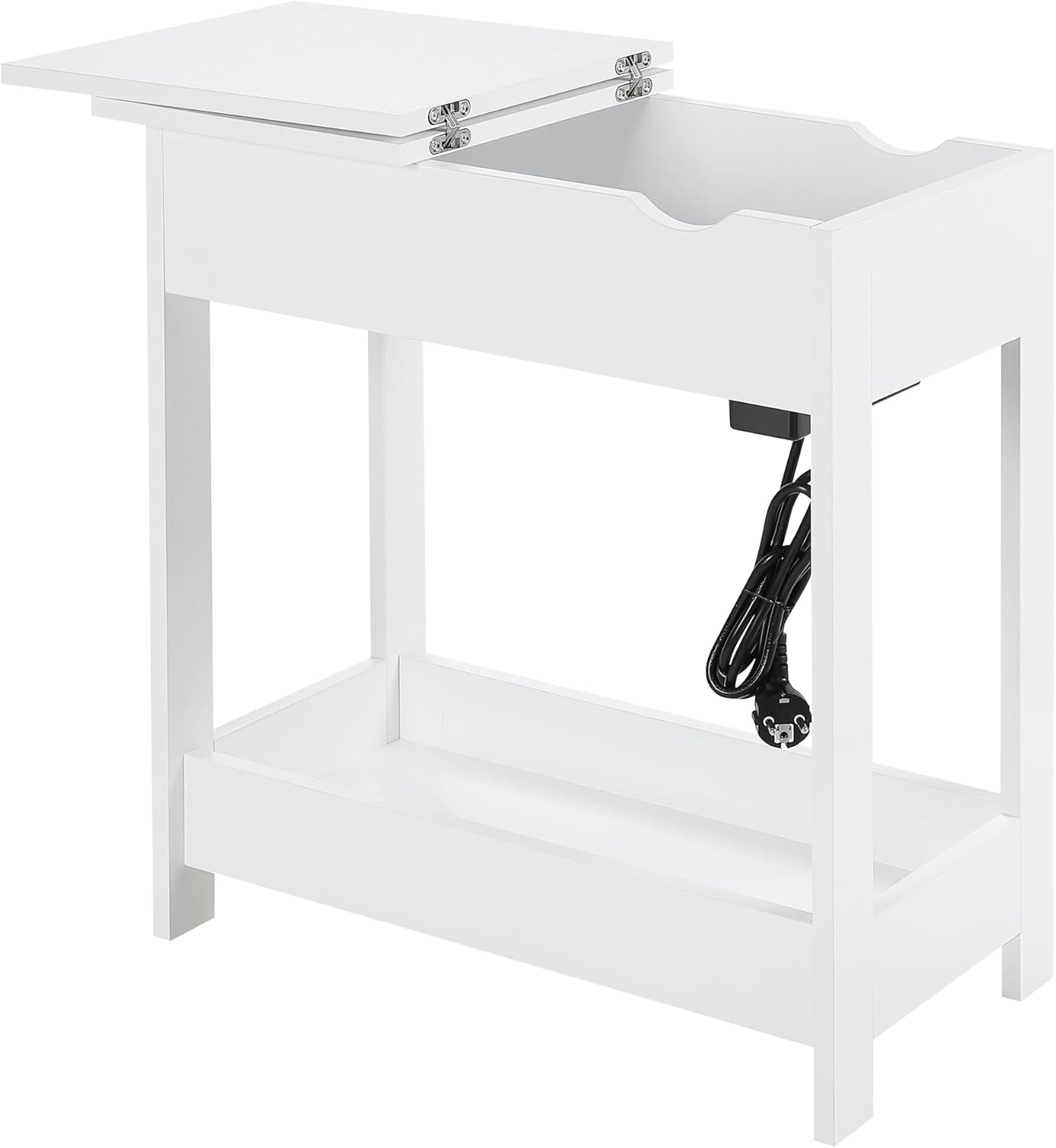
Image: The power strip is concealed beneath the hinged tabletop, with a cable cutout for routing the power cord.
5. Operating Instructions
The EUGAD Side Table offers convenient charging and storage solutions.
5.1. Using the Charging Station
- Connect to Power: Plug the table's power cord into a grounded wall outlet.
- Access Outlets: Lift the hinged section of the tabletop to reveal the power strip.
- Charge Devices: Connect your mobile phones, tablets, laptops, or lamps to the 2 AC outlets or 2 USB ports.
- Cable Management: Utilize the side cutouts to guide charging cables out of the compartment, keeping the surface tidy and preventing cable entanglement.
- Conceal Station: Close the hinged tabletop to hide the power strip and cables when not in use or for a cleaner look.

Image: Detail of the integrated power strip, showing two AC outlets and two USB ports for simultaneous charging of up to four devices. Also visible are the raised edges of the lower shelf.
5.2. Storage Features
- Top Surface: Use the main tabletop for frequently accessed items like drinks, books, or decorative pieces.
- Hidden Compartment: The area under the hinged tabletop provides discreet storage for personal items or to keep the charging station out of sight.
- Lower Shelf: The bottom shelf, with its raised side walls, is suitable for storing larger items such as storage boxes, bottles, or kitchen accessories, helping to maintain an organized space.

Image: The side table demonstrating its versatility as a coffee table in a living room, a bedside table in a bedroom, and a storage shelf in a kitchen.
6. Maintenance
Regular maintenance will help preserve the appearance and functionality of your side table.
- Cleaning: Wipe surfaces with a soft, damp cloth. Avoid abrasive cleaners or harsh chemicals that may damage the finish.
- Spills: Immediately wipe up any spills to prevent staining or damage to the material.
- Electrical Components: Ensure the power strip and cables are kept dry. Do not immerse in water.
- Tighten Fasteners: Periodically check and tighten all screws and fasteners to ensure stability.
7. Troubleshooting
| Problem | Possible Cause | Solution |
|---|---|---|
| Charging station not working |
|
|
| Table is wobbly |
|
|
| Hinged top does not close properly |
|
|
8. Specifications
| Feature | Detail |
|---|---|
| Brand | EUGAD |
| Model Number | 0001CHJ |
| Color | White |
| Dimensions (L x W x H) | 30 x 60 x 60 cm (11.8 x 23.6 x 23.6 inches) |
| Item Weight | 9.75 Kilograms (21.5 lbs) |
| Maximum Weight Recommendation | 25 Kilograms (55 lbs) |
| Material | Engineered Wood |
| Charging Station | 2 AC Outlets, 2 USB Ports |
| Features | Space-saving, Multifunctional, Storage, Foldable Top |
| Country of Origin | China |
9. Warranty and Support
9.1. Warranty Information
Specific warranty details are typically provided with your purchase documentation. Please refer to the warranty card or contact your retailer for information regarding warranty coverage and terms.
9.2. Customer Support
For assistance with assembly, missing parts, or any other product-related inquiries, please contact EUGAD customer support through the retailer where you purchased the product or visit the official EUGAD website for contact information.
You can visit the EUGAD store on Amazon: EUGAD Store