
1. Introduction
Thank you for purchasing the cheero Wireless Open Earphones Smart CHE-645. These earphones are designed to provide a comfortable listening experience while keeping you aware of your surroundings. This manual provides detailed instructions on how to set up, operate, and maintain your earphones.
2. Product Overview
The cheero Wireless Open Earphones Smart CHE-645 feature an innovative open-ear design, allowing you to enjoy audio without blocking ambient sounds. They are ultra-lightweight and designed for comfortable, long-term wear.
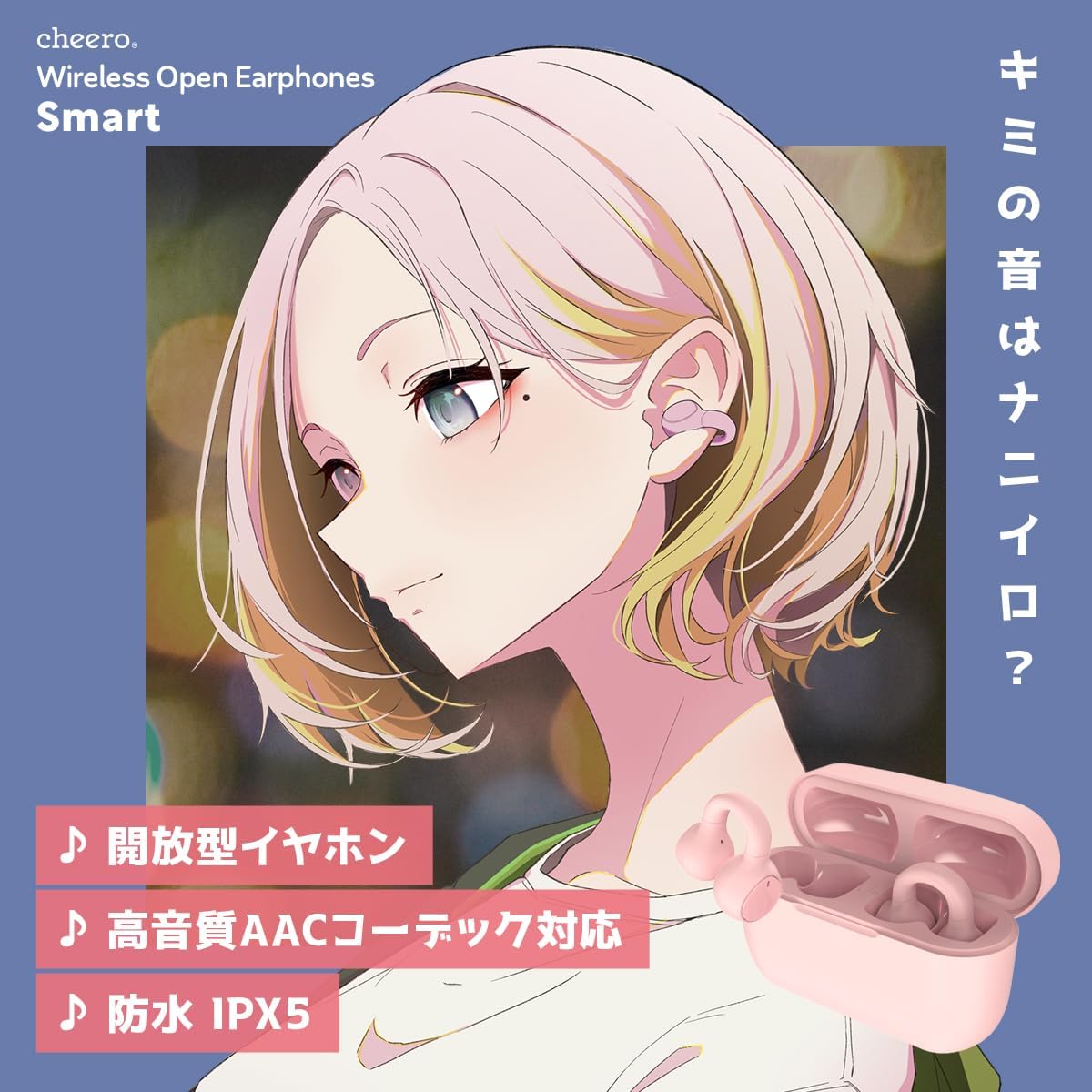
Figure 2.1: cheero Wireless Open Earphones Smart - Key Features
Key Features:
- Open-Ear Design for Ambient Awareness: These earphones do not completely block your ear canal, allowing you to naturally hear ambient sounds. This ensures safe movement during commutes or walks, as you remain aware of your surroundings. Unlike bone conduction earphones, there is no pressure sensation or uncomfortable vibrations.
- Accessory-Like Lightweight Comfort: Weighing approximately 3.6g per earbud, these ultra-lightweight earphones can be worn like ear cuffs. Simply clip them onto your ear for an accessory-like feel. The open design prevents stuffiness, ensuring a clean and comfortable experience even during extended use.
- IPX5 Water Resistance: With an IPX5 water resistance rating, these earphones can be used with confidence even in sudden rain. (Note: This rating protects against water splashes; prolonged submersion is not supported.)
- Physical Buttons for Reliable Control: Unlike touch-sensitive buttons that can lead to frequent accidental operations, this product features physical buttons to prevent unintended actions.
- Japanese Technical Conformity Certification (Tekigou) Acquired: This product has obtained technical conformity certification, proving compliance with Japanese radio law technical standards, ensuring safe and secure use. Certification Number: 219-239183.
- Japanese Manufacturer's Quality Standards: Products clear strict inspection standards, ensuring safety through thorough checks, including circuit board design verification by quality control managers.
Package Contents:
- cheero Wireless Open Earphones Smart (Left and Right)
- Charging Case
- USB-C Charging Cable
- User Manual (this document)
Parts Identification:

Figure 2.2: Earphone and Charging Case Parts
Earbuds:
- Multi-Indicator: Displays status (pairing, charging, etc.).
- Balance Port: For sound balance.
- Head: Main earbud body.
- Multi-Function Button: Controls playback, calls, and voice assistant.
- Body: Earbud housing.
- Charging Terminal: Connects to the charging case.
- Sound Output Port: Where audio is emitted.
Charging Case:
- Battery Indicator: Shows charging status and battery level.
- USB-C Input Port: For charging the case.
3. Setup
3.1 Charging the Earphones and Case
Before first use, fully charge the earphones and the charging case.
- Place the earphones into the charging case. Ensure they are correctly seated.
- Connect the USB-C charging cable to the charging case's USB-C input port and the other end to a USB power adapter (not included).
- The battery indicator on the charging case will show the charging status. Once fully charged, the indicator will change or turn off.

Figure 3.1: Charging the Earphones and Case
3.2 Pairing with a Device
The earphones support Bluetooth 5.3 for stable and efficient wireless connection.
- Open the charging case. The earphones will automatically power on and enter pairing mode. The multi-indicator on the earbuds will flash.
- On your device (smartphone, tablet, computer), go to Bluetooth settings and enable Bluetooth.
- Search for available devices and select "cheero Wireless Open Earphones Smart" from the list.
- Once connected, the multi-indicator on the earbuds will stop flashing, and you will hear a confirmation tone.
- For subsequent uses, the earphones will automatically connect to the last paired device when removed from the case.
4. Operating Instructions
The earphones feature physical multi-function buttons for easy control.

Figure 4.1: Earbud Button Functions
Music Playback:
- Play/Pause: Single click on either the Left (L) or Right (R) earbud button.
- Next Track: Double click on the Right (R) earbud button.
- Previous Track: Double click on the Left (L) earbud button.
Call Management:
- Answer/End Call: Single click on either L or R earbud button.
- Reject Call: Long press on either L or R earbud button.
Voice Assistant:
- Activate Siri/Voice Assistant: Triple click on either L or R earbud button. Triple click again to end.
Volume Control:
- Volume Up: Long press on the Right (R) earbud button.
- Volume Down: Long press on the Left (L) earbud button.
5. Maintenance
Proper maintenance ensures the longevity and optimal performance of your earphones.
Cleaning:
- Gently wipe the earbuds and charging case with a soft, dry cloth.
- Do not use abrasive cleaners, alcohol, or chemical solvents.
- Ensure the charging terminals are clean and free of debris for proper charging.
Water Resistance:
The earphones are IPX5 water-resistant, meaning they are protected against water jets from any direction. However, they are not designed for submersion in water. Avoid prolonged exposure to heavy rain or direct water streams.
6. Troubleshooting
If you encounter any issues, please refer to the following common solutions:
| Problem | Solution |
|---|---|
| Earphones do not power on. | Ensure the earphones and charging case are fully charged. Place earbuds in the case and close the lid, then open it again. |
| Cannot pair with a device. | Make sure Bluetooth is enabled on your device. Ensure the earphones are in pairing mode (flashing indicator). Try turning Bluetooth off and on again on your device. If previously paired, try forgetting the device and re-pairing. |
| No sound or intermittent sound. | Check the volume level on both the earphones and your device. Ensure the earphones are within Bluetooth range of your device. Try disconnecting and reconnecting the Bluetooth connection. |
| Earbuds not charging in the case. | Ensure the earbuds are correctly seated in the charging case. Check if the charging case itself has power. Clean the charging terminals on both the earbuds and the case. |
If the problem persists after trying these steps, please contact customer support.
7. Specifications
| Feature | Detail |
|---|---|
| Brand | cheero |
| Model Number | CHE-645 |
| Earphone Type | True Wireless Open-Ear |
| Ear Placement | Open-ear |
| Wireless Technology | Bluetooth 5.3 |
| Impedance | 32 Ohms |
| Water Resistance | IPX5 (Splash-proof, not for submersion) |
| Weight (per earbud) | Approx. 3.6g |
| Included Items | Earphones (L/R), Charging Case, USB-C Charging Cable, User Manual |
| Supported OS | iOS, Android, Windows |
8. Warranty and Support
Warranty:
This product comes with a 1-year warranty from the date of purchase. Please retain your proof of purchase (e.g., Amazon order number) for warranty claims.
Customer Support:
In case of initial defects or malfunctions during use, please contact our customer support team first. When contacting us, please provide your Amazon order number to facilitate faster service.
For support, please visit the cheero official website or contact us through your Amazon purchase history.
9. Product Video Demonstration
Video 9.1: cheero Wireless Open Earphones Smart - Usage Scenarios. This video demonstrates the earphones' lightweight design, open-ear comfort, and suitability for various daily activities, including work, commuting, and outdoor relaxation.
