
Introduction
This manual provides detailed instructions for the setup, operation, and maintenance of your Lume Cube 18-inch LED Ring Light. Designed for content creators, this ring light offers adjustable brightness and color temperature to enhance your videos, selfies, and live streams. Please read this manual thoroughly before using the product to ensure proper function and longevity.
What's Included
Carefully unpack the box and ensure all the following components are present:
- 18-inch LED Ring Light
- 6.5 ft Adjustable Tripod Stand
- Gooseneck Arm Mount
- Ball Head Swivel Knob
- Smartphone Clip
- AC Adapter
- Power Cord
- Premium Travel Case

Figure 1: All components included in the Lume Cube 18-inch LED Ring Light package.
Setup and Assembly
- Assemble the Tripod Stand: Extend the legs of the 6.5 ft tripod stand until they are fully spread and stable. Adjust the height of the stand by loosening the locking collars on the telescopic sections, extending to the desired height, and then tightening the collars securely.
- Attach the Ring Light: Mount the 18-inch LED Ring Light onto the top of the tripod stand. Ensure it is securely fastened to prevent accidental detachment.
- Install Gooseneck Arm and Ball Head: Attach the gooseneck arm to the designated mounting point on the ring light. Then, attach the ball head swivel knob to the end of the gooseneck arm.
- Mount Smartphone or Camera: Secure your smartphone using the smartphone clip onto the ball head. For cameras, use the appropriate camera mount (not included, but compatible with standard camera threads) on the ball head. Adjust the angle as needed.
- Connect Power: Connect the AC adapter to the ring light's power input port, then plug the power cord into a standard electrical outlet.

Figure 2: The Lume Cube 18-inch LED Ring Light fully assembled and ready for use.
Operation
Powering On/Off
Locate the power switch on the ring light. Toggle it to the 'ON' position to power on the device and to the 'OFF' position to power it off.
Adjusting Brightness and Color Temperature
The Lume Cube Ring Light allows for precise control over your lighting. Use the dedicated control knobs or buttons on the ring light to:
- Brightness: Adjust the light intensity from 1% to 100% to suit your environment and desired effect.
- Color Temperature: Change the color temperature from 3200K (warm light) to 5600K (cool daylight) to match ambient lighting or create specific moods.
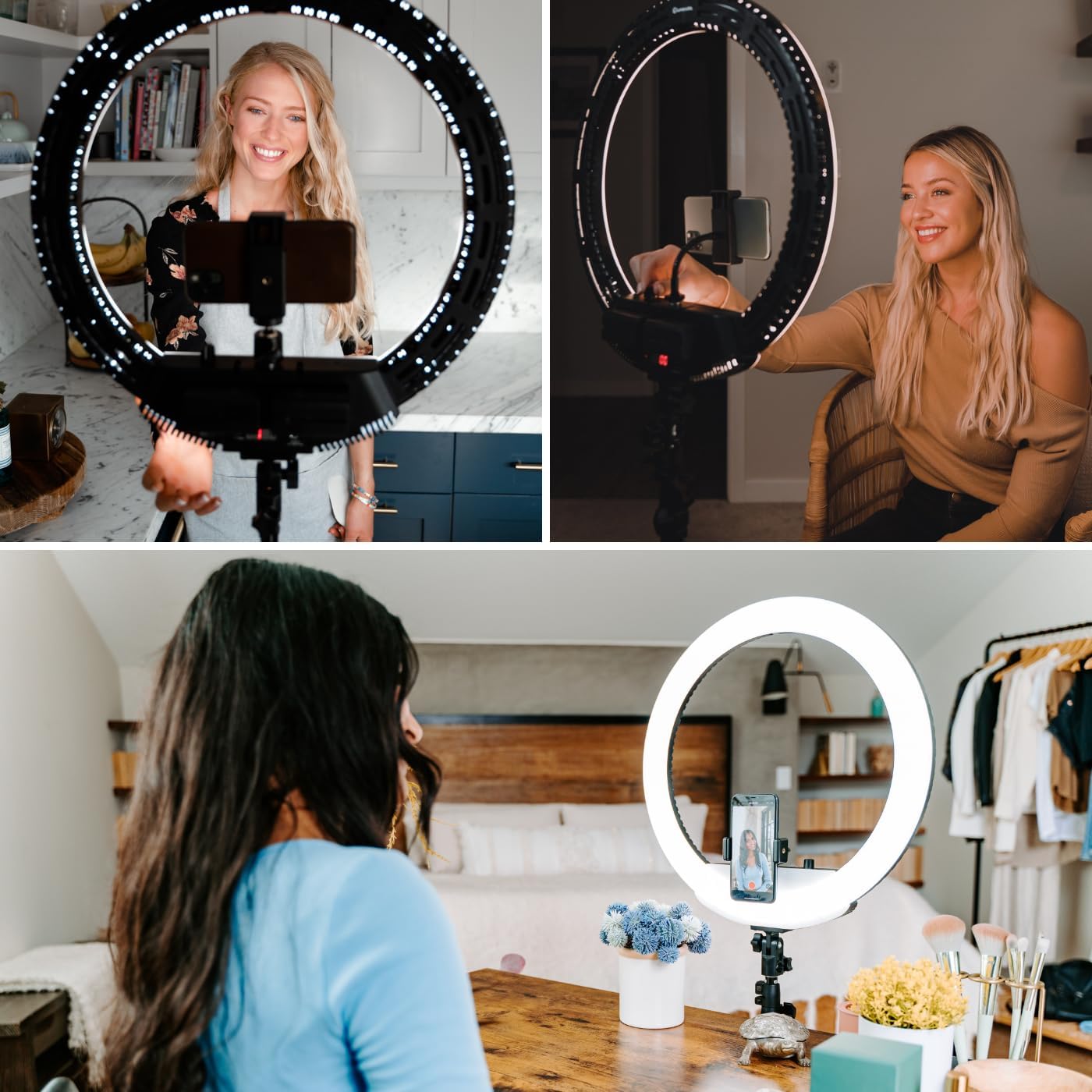
Figure 3: Controls for adjusting brightness and color temperature.
Tilting and Rotation
The ring light is designed for maximum versatility:
- Tilt: The ring light can tilt up to 180 degrees, allowing you to direct the light precisely where it's needed. Loosen the tilt adjustment knob, position the light, and then tighten the knob to secure.
- Rotation: The entire ring light assembly can rotate 360 degrees on the tripod stand, providing full directional control.

Figure 4: Demonstrating the 180-degree tilt feature for precise lighting angles.
Using with Batteries (Optional)
This model is compatible with Sony NP batteries (not included) for wireless operation. Insert two compatible batteries into the designated slots on the back of the ring light. This allows for portable use without needing an AC outlet.

Figure 5: Battery compartment for optional wireless operation.
Maintenance
Cleaning
- Ensure the device is powered off and unplugged before cleaning.
- Use a soft, dry cloth to wipe down the exterior of the ring light and tripod.
- For stubborn marks, a slightly damp cloth with mild soap can be used, followed by a dry cloth.
- Do not use abrasive cleaners, solvents, or harsh chemicals, as these can damage the finish or electronic components.
Storage
When not in use, store the Lume Cube Ring Light in its provided premium travel case. This protects the light and its components from dust, scratches, and impacts. Store in a cool, dry place away from direct sunlight and extreme temperatures.

Figure 6: The included premium travel case for storage and transport.
Troubleshooting
| Problem | Possible Cause | Solution |
|---|---|---|
| Light does not turn on | Power cord not securely connected; Power outlet issue; Faulty AC adapter; Batteries depleted (if using). | Ensure power cord is fully plugged into the light and outlet. Test outlet with another device. Try a different AC adapter if available. Recharge or replace batteries. |
| Light flickers or is unstable | Loose power connection; Low power supply; Internal issue. | Check all power connections. Ensure the power source is stable. If using batteries, ensure they are fully charged. If problem persists, contact customer support. |
| Cannot adjust brightness/color temperature | Control knob/button malfunction; Device error. | Ensure controls are not stuck. Power cycle the device (turn off, unplug, wait 30 seconds, plug back in, turn on). If issue persists, contact customer support. |
| Tripod or light feels unstable | Tripod legs not fully extended/locked; Light not securely mounted. | Ensure tripod legs are fully extended and all locking collars are tightened. Verify the ring light is securely fastened to the tripod mount. Place on a flat, stable surface. |
Specifications
- Product Dimensions: 78 x 18 x 78 inches
- Item Weight: 7.13 pounds
- Ring Light Diameter: 18 inches
- Color Temperature Range: 3200K - 5600K
- Brightness Adjustment: 1% - 100%
- Tilt Angle: Up to 180 degrees
- Connectivity Technology: USB (for certain accessories/charging, not primary power)
- Power Source: AC Adapter (included), Compatible with 2 Lithium Ion batteries (Sony NP type, not included)
- Water Resistance Level: Not Water Resistant
- Manufacturer: Lume Cube
Warranty and Support
For detailed warranty information and customer support, please refer to the official Lume Cube website or contact their customer service directly. Keep your purchase receipt as proof of purchase for any warranty claims.
Lume Cube Official Website: www.lumecube.com
For further assistance, please reach out to Lume Cube customer support through the contact methods provided on their website.