
Introduction
The Interstate Batteries PBK0020 is a 20,000mAh portable power bank designed to charge mobile phones, tablets, and other small electronic devices. This power bank features two USB output ports and one USB-C input port, along with LED indicators to display the current power supply and charging status. It incorporates built-in safety protections against overcharge, discharge, current overload, and short circuits.

Image: Overview of the Interstate Batteries Power Bank highlighting its key features.
Package Contents
Verify that all items are present in the package:
- Interstate Batteries 20,000mAh Portable Power Bank (Model PBK0020)
- USB-C Charging Cable
- User Manual (this document)
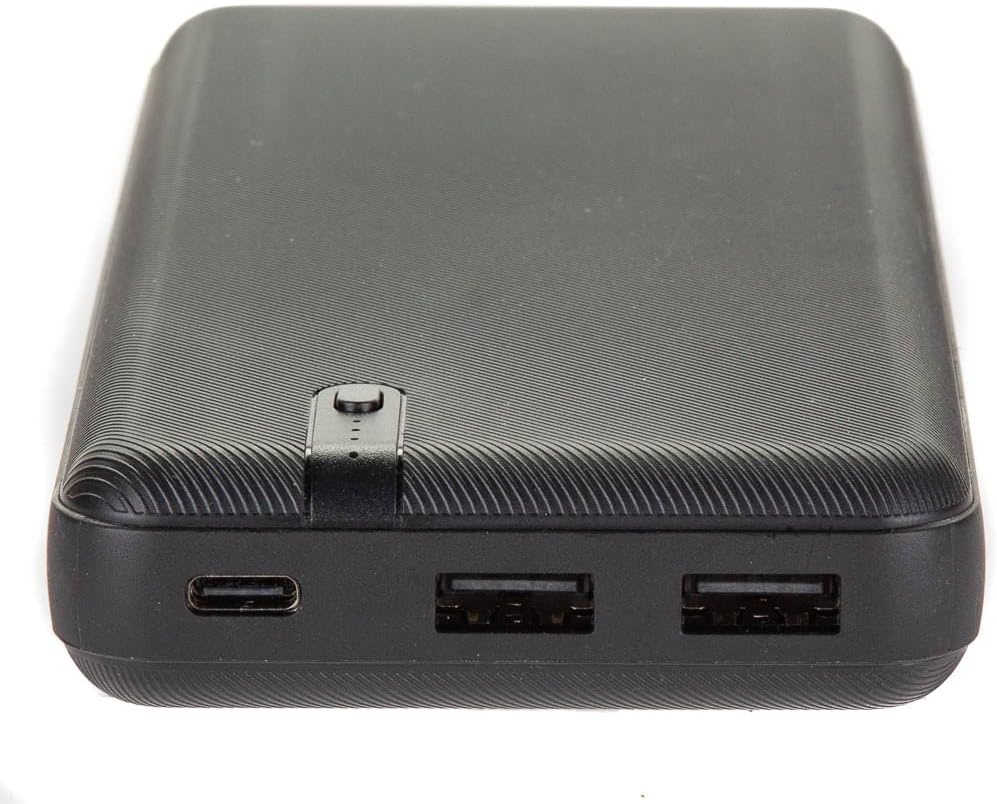
Image: Front of the product packaging for the 20K Power Bank.

Image: Back of the product packaging, showing product features and included accessories.
Setup
Charging the Power Bank
- Connect the included USB-C charging cable to the USB-C input port on the power bank.
- Connect the other end of the USB-C charging cable to a compatible USB power adapter (not included).
- Plug the USB power adapter into a wall outlet.
- The LED indicators on the power bank will illuminate to show the charging progress.
- Disconnect the power bank from the adapter once it is fully charged.
Note: The USB-C port on this power bank is for input (charging the power bank) only. It does not support output (charging other devices).
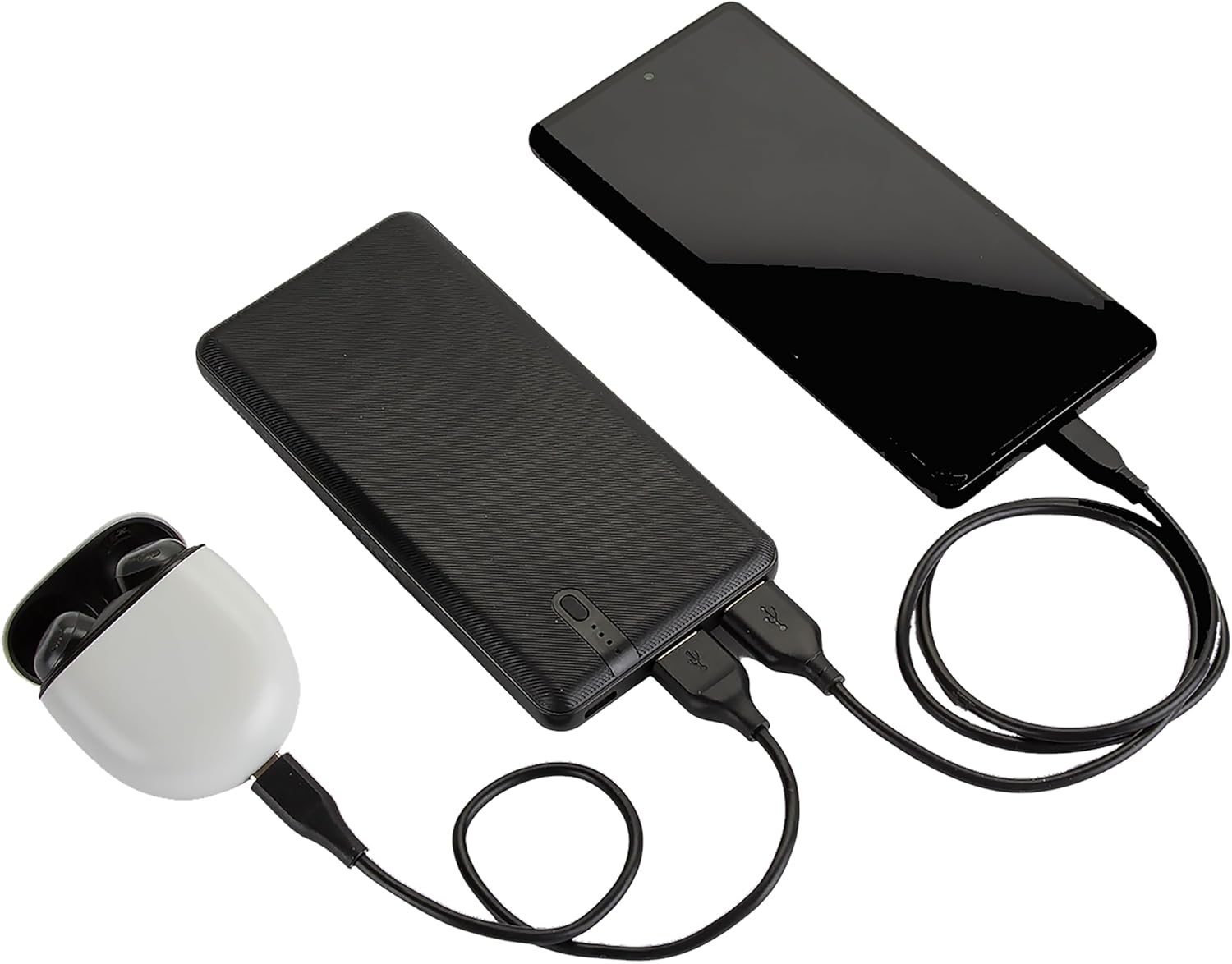
Image: Close-up of the power bank's ports, including the USB-C input and two USB-A output ports.
Operating Instructions
Charging External Devices
- Connect your device's USB charging cable to one of the two USB-A output ports on the power bank.
- Connect the other end of your device's charging cable to your mobile phone, tablet, or other electronic device.
- The power bank will automatically begin charging your device. The LED indicators will show the remaining battery capacity of the power bank.
- Disconnect your device from the power bank once it is fully charged.

Image: The power bank actively charging a smartphone and a pair of wireless earbuds.
LED Indicators
The power bank is equipped with LED indicators that display its current battery level and charging status. Refer to the indicators to monitor the power bank's capacity during use and charging.
Maintenance
- Store the power bank in a cool, dry place away from direct sunlight and extreme temperatures.
- Avoid dropping or subjecting the power bank to strong impacts.
- Clean the exterior of the power bank with a soft, dry cloth. Do not use harsh chemicals or abrasive cleaners.
- For optimal battery life, fully charge the power bank at least once every three months if not in regular use.
Troubleshooting
| Problem | Possible Cause | Solution |
|---|---|---|
| Power bank not charging | Charging cable or adapter faulty; power bank fully charged; loose connection. | Ensure connections are secure. Try a different USB-C cable or power adapter. Verify LED indicators. |
| Device not charging from power bank | Power bank battery depleted; device cable faulty; incorrect port used. | Recharge the power bank. Use a different USB-A cable. Ensure you are using one of the two USB-A output ports. The USB-C port is for input only. |
| Slow charging | Cable quality; device's charging requirements. | Use a high-quality USB charging cable. Ensure the power bank has sufficient charge. |
| LED indicators not working | Power bank malfunction. | Contact customer support if the power bank is not functioning as expected. |
Specifications
| Feature | Detail |
|---|---|
| Model Number | PBK0020 |
| Battery Capacity | 20,000 mAh |
| Input Port | 1 x USB-C (for charging the power bank) |
| Output Ports | 2 x USB-A (for charging devices) |
| Product Dimensions | 8.43 x 3.54 x 1.18 inches |
| Item Weight | 1.04 pounds |
| Special Features | LED Indicators, Built-in Safety Protection (overcharge, discharge, current overload, short circuit) |
Safety Information
- Do not expose the power bank to water, moisture, or high humidity.
- Avoid extreme temperatures, including direct sunlight and heat sources.
- Do not disassemble, puncture, or modify the power bank.
- Keep out of reach of children.
- Dispose of the power bank responsibly according to local regulations.
- This power bank is approved for airline travel.
Warranty and Support
The Interstate Batteries PBK0020 Portable Power Bank comes with a 12-month hassle-free performance warranty.
For questions or support, please contact Interstate Batteries directly through Amazon or visit their official website.
Manufacturer: Interstate Batteries
Website: interstatebatteries.com