
Introduction
This instruction manual provides detailed guidance for the installation, maintenance, and replacement of the SteFik Replacement Accessories Set. This set is designed for use with Xiaomi Robot Vacuum models S10, S12, and B106GL. Regular replacement and proper maintenance of these accessories are crucial for maintaining the optimal cleaning performance and longevity of your robot vacuum cleaner.
Important Note: These accessories are not compatible with Xiaomi Robot Vacuum S10 Plus models.
Product Overview
The SteFik Replacement Accessories Set includes essential components for your Xiaomi Robot Vacuum, ensuring comprehensive cleaning and efficient operation. The specific components included in your set may vary based on your purchase option.

Image: A complete set of replacement accessories including main brushes, side brushes, HEPA filters, and mop cloths.
Included Components:
- Main Brush: Designed for deep cleaning carpets and hard floors.
- Side Brush: Sweeps debris from edges and corners into the main cleaning path.
- HEPA Filter: Captures fine dust particles and allergens, improving air quality.
- Mop Cloths: For wet mopping and wiping hard floor surfaces.
- Dust Bag (if included in your specific set): For convenient dust collection and disposal.
Setup and Installation
Follow these steps to install or replace the accessories in your Xiaomi Robot Vacuum.
1. Main Brush Installation
- Turn off the robot vacuum and place it upside down on a flat surface.
- Locate the main brush cover, usually secured by two tabs or screws. Open or remove the cover.
- Remove the old main brush.
- Insert the new main brush, ensuring the ends align with the slots in the robot.
- Close the main brush cover securely.

Image: A single main brush with orange and black bristles.
2. Side Brush Installation
- Turn off the robot vacuum and place it upside down.
- Locate the side brush. It is usually held by a screw.
- Unscrew and remove the old side brush.
- Align the new side brush with the screw hole and secure it with the screw.

Image: A white three-armed side brush.
3. HEPA Filter Installation
- Open the top cover of your robot vacuum to access the dustbin.
- Remove the dustbin from the robot.
- Open the dustbin cover and remove the old HEPA filter.
- Insert the new HEPA filter into the designated slot in the dustbin, ensuring a snug fit.
- Close the dustbin cover and reinsert the dustbin into the robot.
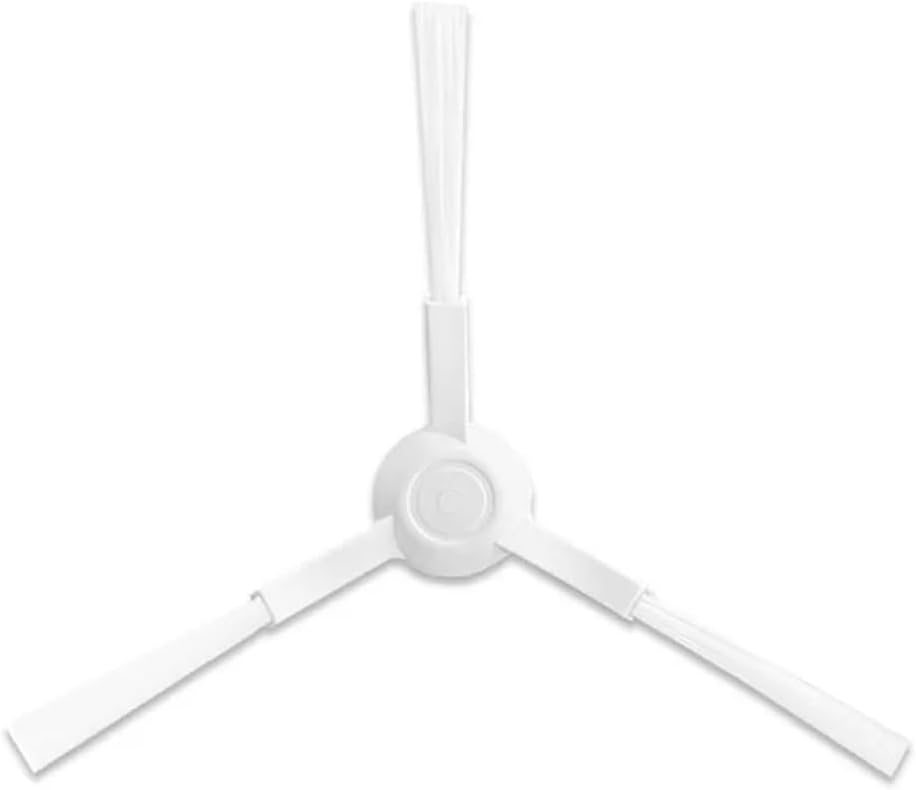
Image: A rectangular white HEPA filter.
4. Mop Cloth Installation
- Locate the mop pad attachment on your robot vacuum.
- Remove the old mop cloth, typically by detaching it from Velcro or clips.
- Attach the new mop cloth to the mop pad, ensuring it is evenly spread and securely fastened.
- Reattach the mop pad to the robot vacuum.

Image: A grey mop cloth with a distinctive shape.
Operating Considerations
Once the accessories are installed, your robot vacuum is ready for operation. These replacement parts are designed to integrate seamlessly with your Xiaomi Robot Vacuum, maintaining its cleaning efficiency. Ensure all parts are correctly installed before starting a cleaning cycle.
- Main Brush: Provides effective agitation and sweeping for various floor types.
- Side Brush: Helps gather debris from edges and corners, ensuring thorough coverage.
- HEPA Filter: Essential for trapping fine dust and allergens, contributing to cleaner air.
- Mop Cloths: Use for wet cleaning hard floors. Ensure the water tank is filled if your model supports it.
Maintenance
Regular cleaning and timely replacement of accessories are vital for optimal performance.
Main Brush Maintenance
- Cleaning: Remove hair and debris tangled around the brush and its bearings regularly (e.g., weekly). Use the cleaning tool provided with your robot vacuum.
- Replacement: Replace the main brush every 6-12 months, or sooner if visible wear or damage occurs.
Side Brush Maintenance
- Cleaning: Check for tangled hair or debris around the side brush and clean as needed (e.g., bi-weekly).
- Replacement: Replace the side brush every 3-6 months, or if bristles are bent or damaged.
HEPA Filter Maintenance
- Cleaning: Tap the filter gently over a trash can to remove accumulated dust. Do not wash the HEPA filter with water unless specified by your robot vacuum's manual.
- Replacement: Replace the HEPA filter every 3-6 months, depending on usage and pet presence.
Mop Cloth Maintenance
- Cleaning: After each use, remove the mop cloth and wash it thoroughly with water. It can be hand-washed or machine-washed. Allow it to air dry completely before reattaching.
- Replacement: Replace mop cloths every 1-3 months, or when they show signs of wear, reduced absorbency, or persistent staining.
Troubleshooting
If you encounter issues after replacing accessories, consider the following:
- Robot not cleaning effectively: Ensure all brushes are free of tangles and debris. Check if the HEPA filter is clogged and needs cleaning or replacement.
- Unusual noises: Verify that the main brush and side brushes are correctly installed and not obstructed. Remove any foreign objects.
- Mop not wetting floor: Ensure the mop cloth is properly attached and the water tank (if applicable) is filled and correctly installed.
- Parts not fitting: Double-check the compatibility of the accessories with your specific Xiaomi Robot Vacuum model (S10, S12, or B106GL).
Specifications
| Feature | Detail |
|---|---|
| Brand | SteFik |
| Compatible Models | Xiaomi Robot Vacuum S10, S12, B106GL |
| Included Components | Main Brush, Side Brush, HEPA Filter, Mop Cloth (Dust Bag if applicable) |
| Filter Type | Cloth (for HEPA filter) |
| Surface Recommendation | Hard Floor, Carpet |
| Item Weight (approx.) | 0.035 ounces (for the entire set) |
Warranty and Support
For any questions regarding the SteFik Replacement Accessories Set, including compatibility, installation, or performance issues, please contact the seller or manufacturer directly through your purchase platform. Please refer to your original robot vacuum manual for specific warranty information related to the main unit.