
Introduction
The Sharper Image Revel 6-in-1 Airflow Hair Styler is a versatile styling tool designed to provide salon-quality results at home. This multi-styler features a wand with six interchangeable attachments, enabling you to dry, detangle, smooth, curl, and style your hair with ease. It utilizes Coanda airflow technology to minimize heat damage and promote healthier hair, while ionic technology reduces static and boosts shine for a frizz-free finish.
This manual provides detailed instructions for the safe and effective use of your new hair styler, including setup, operation, maintenance, and troubleshooting.

Image: The Sharper Image Revel 6-in-1 Airflow Hair Styler with its complete set of attachments and packaging.
Safety Information
Please read all safety instructions carefully before using the appliance to reduce the risk of fire, electric shock, or injury to persons.
- Water Hazard: Keep away from water. Do not use this appliance near bathtubs, showers, basins, or other vessels containing water.
- Unplug When Not in Use: Always unplug the appliance immediately after use and before cleaning.
- High Heat Caution: Be cautious of high heat. The styling tool can become hot during use. Avoid direct contact with skin.
- Power Supply: Ensure the appliance is connected to a 120-volt power source.
- Supervision: Close supervision is necessary when this appliance is used by, on, or near children or individuals with certain disabilities.
- Damaged Cord/Plug: Do not operate any appliance with a damaged cord or plug, or if the appliance malfunctions or has been dropped or damaged in any manner.
- Ventilation: Do not block the air openings or place the appliance on a soft surface, such as a bed or couch, where the air openings may be blocked.
Product Components
Your Sharper Image Revel 6-in-1 Airflow Hair Styler comes with the main multi-styler handle and six versatile attachments:
- Multi-Styler Handle: The main unit housing the motor, controls, and power cord.
- Right & Left Airflow Curlers (1.25 in. barrel size): Designed to create stunning, damage-free curls using gentle airflow.
- Detangler & Dryer: For drying hair and gently detangling knots.
- Volumizing Brush: Adds volume and body to hair.
- Styling Brush: For general styling and shaping.
- Smoothing Brush: Helps to achieve a sleek, frizz-free finish.
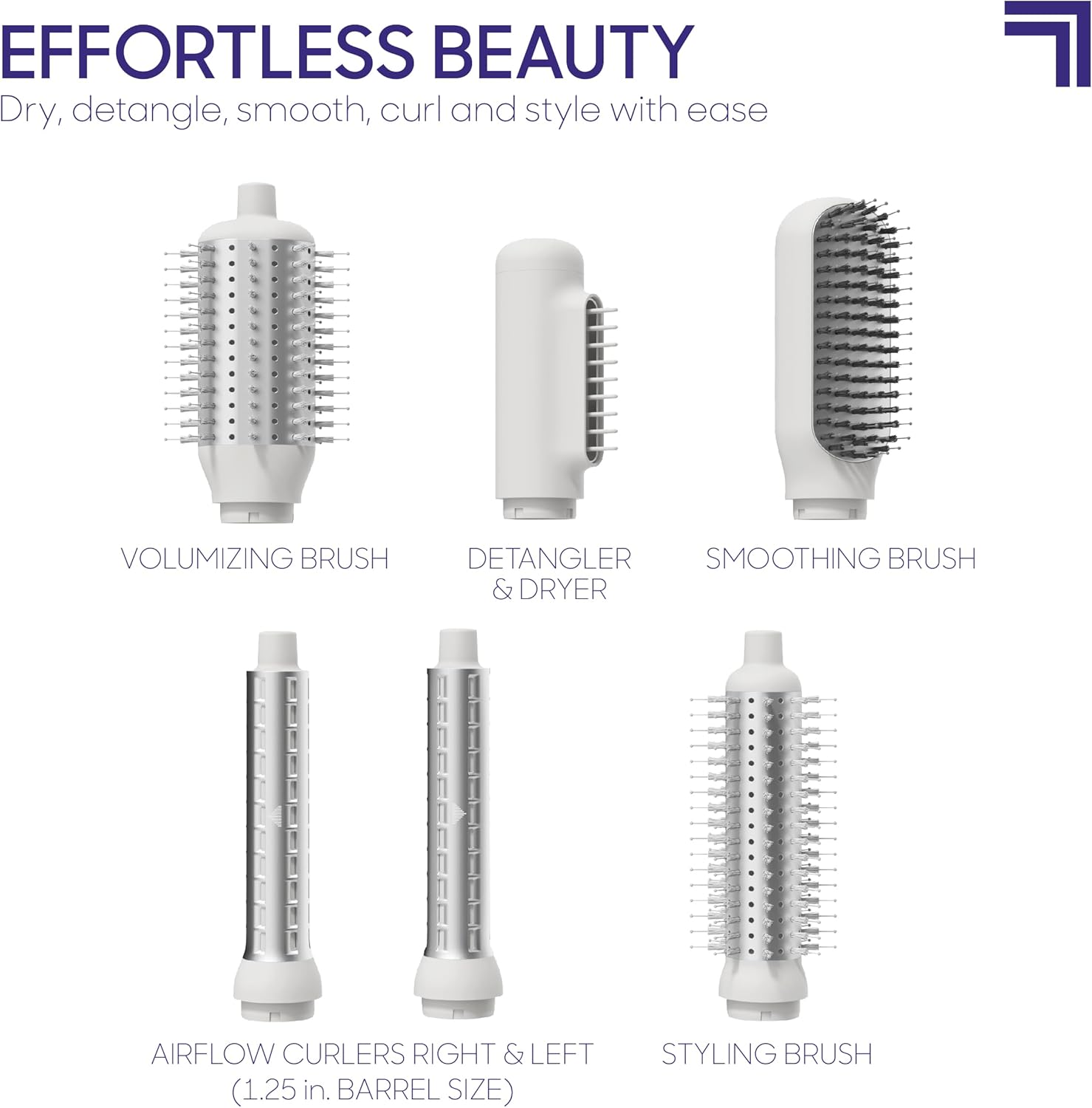
Image: A visual representation of all six attachments included with the styler, clearly labeled for identification.

Image: An overview of the multi-styler handle and the various attachments you receive.
Setup
- Unpack: Carefully remove all components from the packaging.
- Attach Head: Select the desired styling attachment. Align the attachment with the main multi-styler handle and push it firmly until it clicks into place. Ensure it is securely fastened before use.
- Connect to Power: Plug the power cord into a standard 120-volt electrical outlet.
Operating Instructions
The Sharper Image Revel Styler offers customized control with three heat levels and three speed settings, along with a cool shot function to lock in your styles.
General Operation:
- Power On/Off: Press the power button to turn the styler on or off.
- Adjust Settings: Use the dedicated buttons to cycle through the three heat and three power settings to suit your hair type and desired style.
- Cool Shot: Press and hold the cool shot button to deliver a burst of cool air, helping to set your hairstyle for lasting results.

Image: The styler's controls, highlighting the adjustable heat levels, speed settings, and the cool shot button.
Using Attachments:
- Airflow Curlers (Right & Left): These attachments use the Coanda effect to gently wrap hair around the barrel, creating curls with airflow rather than extreme heat. For best results, ensure hair is slightly damp. Hold a section of hair near the barrel, and the airflow will automatically draw the hair around it. Use the right curler for curls flowing clockwise and the left curler for counter-clockwise curls.
- Detangler & Dryer: Use this attachment to quickly dry hair and gently remove tangles. It's ideal for preparing hair before styling with other attachments.
- Volumizing Brush: For adding volume, especially at the roots. Work the brush through sections of hair, lifting at the root as you dry.
- Styling Brush: A versatile brush for general styling, smoothing, and shaping hair.
- Smoothing Brush: Designed to reduce frizz and create a sleek, smooth finish. The ionic technology within the styler emits negative ions to further reduce static and boost shine.
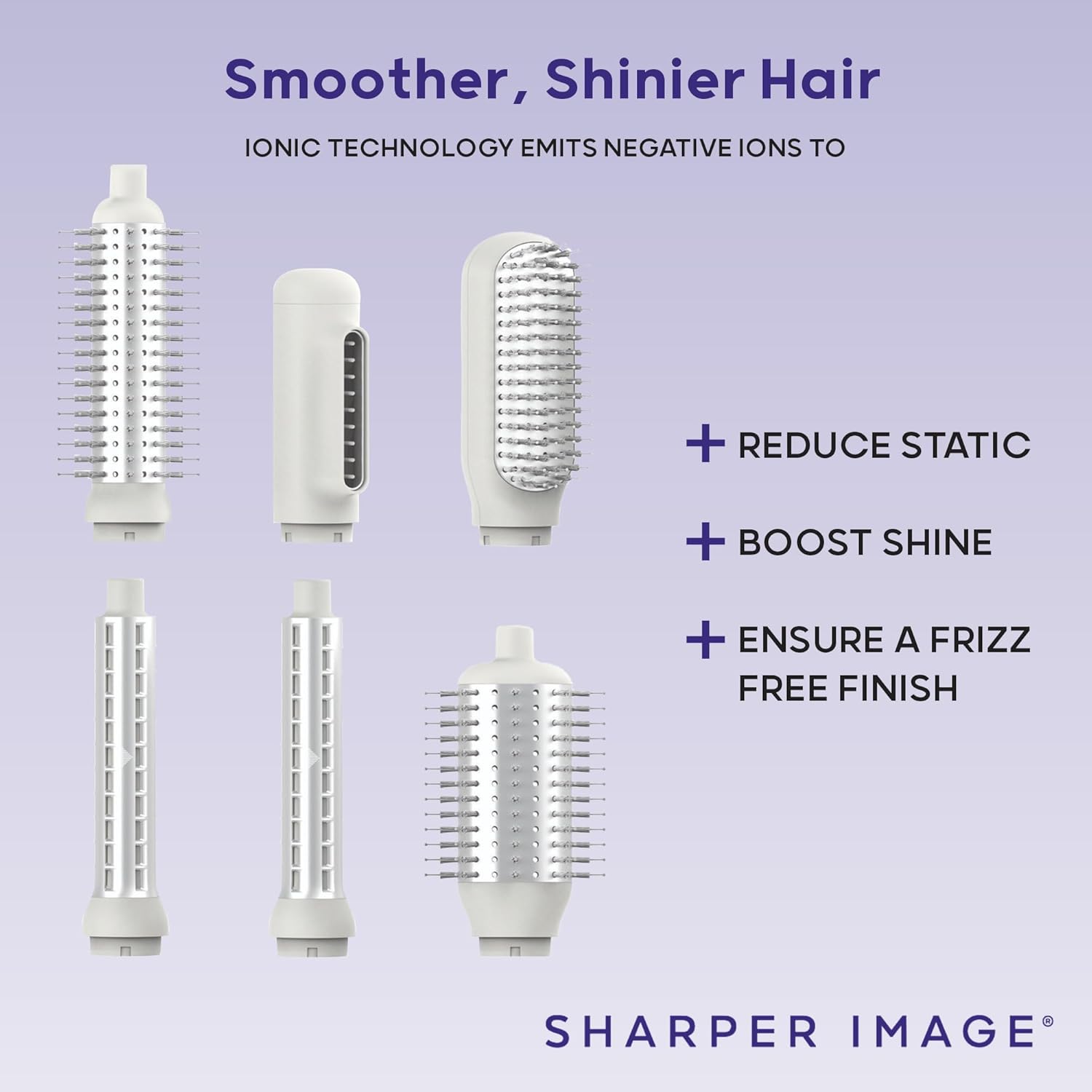
Image: An internal view demonstrating the Coanda Airflow Technology, which enables styling without high heat.

Image: The benefits of Ionic Technology, which helps reduce static, boost shine, and ensure a frizz-free finish.

Image: Examples of styling with the Airflow Curler Right and Volumizing Brush attachments.

Image: Examples of styling with the Airflow Curler Left and Detangler & Dryer attachments.
Maintenance
Proper maintenance ensures the longevity and optimal performance of your Sharper Image Revel Hair Styler.
- Cleaning: Always unplug the styler before cleaning. Allow the appliance to cool completely. Wipe the main unit and attachments with a soft, damp cloth. Do not use abrasive cleaners or immerse the unit in water.
- Attachment Care: Remove any hair buildup from the brushes and curlers regularly. Use a small brush or comb to gently clear bristles.
- Storage: Store the styler and its attachments in a cool, dry place. Do not wrap the power cord around the appliance, as this can damage the cord.
Troubleshooting
If you encounter issues with your Sharper Image Revel Hair Styler, refer to the following common problems and solutions:
| Problem | Possible Cause | Solution |
|---|---|---|
| Styler does not turn on. | Not plugged in; power outlet issue; internal fault. | Ensure the power cord is securely plugged into a working outlet. Test the outlet with another appliance. If the issue persists, contact customer support. |
| No airflow or weak airflow. | Air intake/outlet blocked; attachment not properly secured. | Check for any obstructions in the air intake or outlet. Ensure the attachment is fully clicked into place. |
| Styler trips circuit breaker. | Overload on circuit; internal electrical issue. | Unplug the styler and other appliances from the circuit. Try plugging the styler into a different outlet on a different circuit. If the problem continues, discontinue use and contact customer support. |
| Attachments are difficult to change. | Improper alignment; debris. | Ensure the attachment is aligned correctly with the handle. Check for any debris preventing smooth attachment. Apply gentle, firm pressure. |
Specifications
| Feature | Detail |
|---|---|
| Model Number | 1017177 |
| Power Source | Corded Electric |
| Wattage | 1800 watts |
| Voltage | 120 volts |
| Material | Plastic |
| Color | Grey |
| Package Dimensions | 19.75 x 11.75 x 4.5 inches |
| Item Weight | 6.15 Pounds |
| Manufacturer | Merchsource |
Warranty and Support
The Sharper Image Revel 6-in-1 Airflow Hair Styler is backed by a 1-year manufacturer warranty for added peace of mind. This warranty covers defects in materials and workmanship under normal use.
For any questions, issues, or warranty claims, please message us through Amazon for a quick resolution. You may also refer to the official User Manual PDF for additional details: Official User Manual (PDF).

