
1. Important Safety Instructions
Please read all instructions carefully before using your Zippi Sweeper Pro. Retain this manual for future reference.
- This appliance is for indoor use only. Do not use outdoors or on wet surfaces.
- Do not immerse the sweeper or charging cable in water or other liquids.
- Keep hair, loose clothing, fingers, and all parts of the body away from openings and moving parts.
- Use only the charging cable provided. Ensure the power adapter (not included) meets the required specifications.
- Do not operate the sweeper with a damaged cord or plug. If the appliance is not working as it should, has been dropped, damaged, left outdoors, or dropped into water, return it to a service center.
- Do not pick up flammable or combustible liquids, such as gasoline, or use in areas where they may be present.
- Do not pick up anything that is burning or smoking, such as cigarettes, matches, or hot ashes.
- Exercise extra care when cleaning on stairs.
- Unplug the charger from the outlet when not in use and before cleaning.
- This appliance is not intended for use by persons (including children) with reduced physical, sensory, or mental capabilities, or lack of experience and knowledge, unless they have been given supervision or instruction concerning use of the appliance by a person responsible for their safety.
2. Product Overview
The Zippi Sweeper Pro is a lightweight, cordless floor sweeper designed for efficient cleaning across various hard floor surfaces and low-pile carpets. Its unique triangular design and LED light enhance maneuverability and visibility.
Key Features:
- Cordless Operation: Freedom to clean without being tethered to an outlet.
- Lightweight Design: Easy to maneuver and carry, weighing approximately 1.8 pounds.
- Triangular Head: Specifically designed to reach into corners and along edges effectively.
- LED Light: Illuminates dark areas, making hidden dust and debris visible.
- Multi-Surface Cleaning: Suitable for hardwood, tile, marble, and short-pile rugs.
- Quick-Release Dirt Compartment: For easy and mess-free disposal of collected debris.
- Rechargeable Battery: 1 Lithium Ion battery (included) provides up to 60 minutes of cleaning time.

Figure 2.1: The Zippi Sweeper Pro, showcasing its triangular head and illuminated LED light.
3. Package Contents
Ensure all items are present in the package:
- Zippi Sweeper Pro Unit
- Handle Assembly
- USB-C Charging Cable (Power adapter not included)
- Instruction Manual
4. Assembly and Charging
4.1 Assembly
- Carefully remove all components from the packaging.
- Insert the handle sections together until they click securely into place.
- Attach the assembled handle to the main sweeper unit. Ensure it is firmly connected.

Figure 4.1: Illustration of the sweeper assembly process, connecting the handle to the main unit.
4.2 Initial Charging
Before first use, fully charge the Zippi Sweeper Pro battery.
- Locate the USB-C charging port on the sweeper unit.
- Connect the provided USB-C charging cable to the sweeper.
- Plug the other end of the USB-C cable into a compatible USB power adapter (not included).
- Allow approximately 10 hours for a full charge. The LED indicator light (if present and functional) may change color or turn off when fully charged.

Figure 4.2: The USB-C charging port on the Zippi Sweeper Pro, ready for connection to the charging cable.
5. Operating Instructions
5.1 Powering On/Off
- To turn on the sweeper, press the power button located on the unit.
- To turn off the sweeper, press the power button again.
5.2 Sweeping Surfaces
The Zippi Sweeper Pro is designed for optimal performance on:
- Hardwood floors
- Tile floors
- Marble floors
- Low-pile carpets and rugs
Avoid using on high-pile carpets or extremely rough surfaces, as this may reduce efficiency or cause damage.
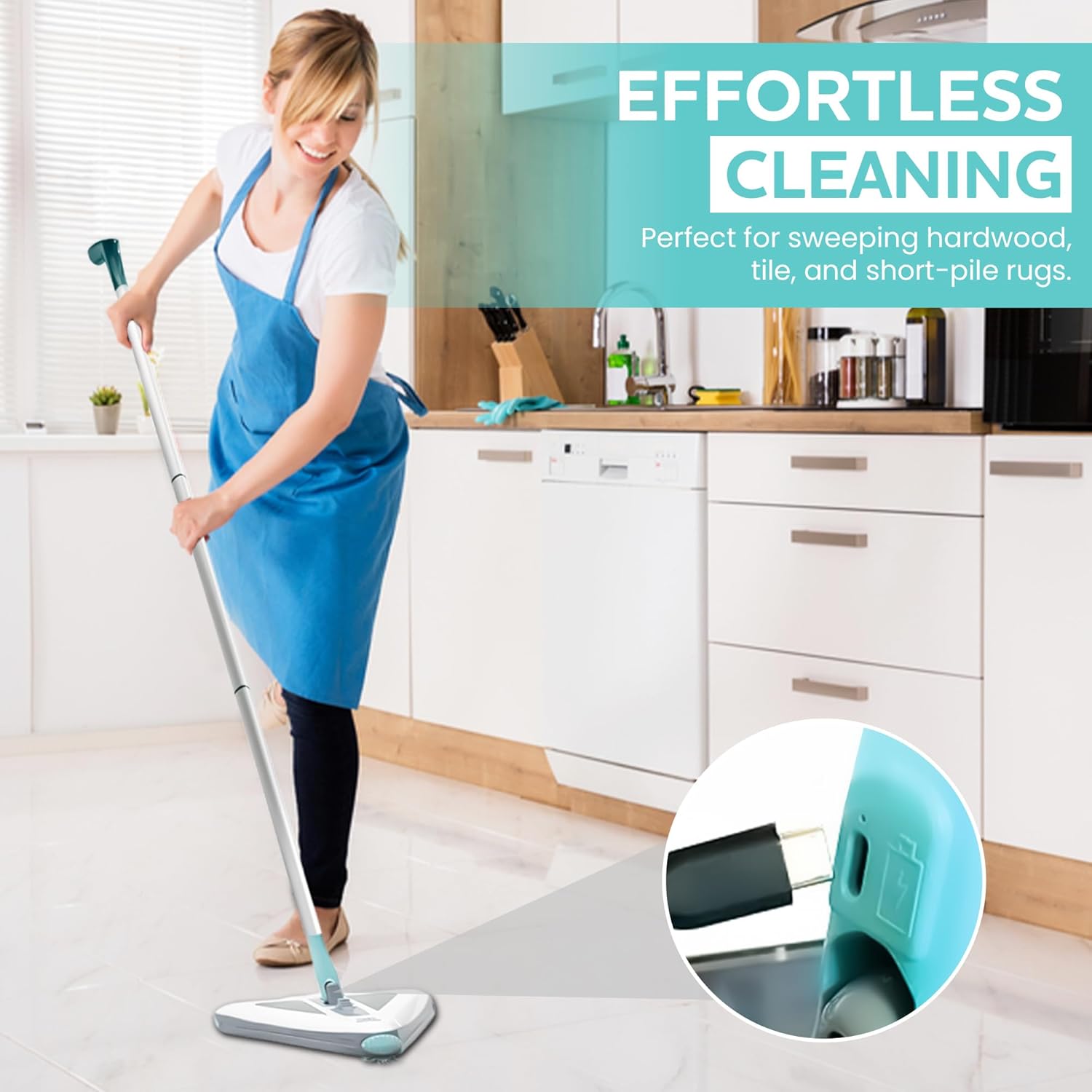
Figure 5.1: The Zippi Sweeper Pro in use on a tiled kitchen floor, demonstrating its suitability for hard surfaces.
5.3 Effective Cleaning Tips
- Move the sweeper slowly and steadily across the surface to allow the brushes to effectively collect debris.
- Utilize the triangular head to reach into corners and along baseboards. The 360° swivel action aids in maneuverability.
- The integrated LED light helps illuminate dust and debris in dimly lit areas or under furniture.

Figure 5.2: The Zippi Sweeper Pro's low profile and LED light allow for effective cleaning under furniture.

Figure 5.3: The unique triangular head of the Zippi Sweeper Pro navigating a tight corner.
6. Maintenance
Regular maintenance ensures optimal performance and extends the lifespan of your Zippi Sweeper Pro.
6.1 Emptying the Dirt Compartment
Empty the dirt compartment after each use or when it appears full.
- Ensure the sweeper is turned off.
- Locate the quick-release mechanism for the dirt compartment (usually on the underside).
- Press the release button/latch and open the compartment.
- Empty the collected debris into a waste bin.
- Close the dirt compartment securely until it clicks into place.

Figure 6.1: Demonstrating the quick-release dirt tray for easy disposal of collected debris.
6.2 Cleaning the Brushes
Periodically inspect and clean the rotating brushes to remove tangled hair, fibers, or large debris.
- Ensure the sweeper is turned off.
- Access the brush unit (refer to the diagram in Section 2 for location).
- Gently pull out the brush roller unit.
- Use scissors or a brush cleaning tool to carefully cut and remove any tangled hair or debris.
- Wipe the brushes clean with a damp cloth if necessary.
- Reattach the brush unit securely.

Figure 6.2: Instructions for removing, cleaning, and reattaching the detachable bristles.
6.3 Battery Care
- To prolong battery life, avoid completely draining the battery before recharging.
- Store the sweeper in a cool, dry place when not in use.
- If storing for an extended period, charge the battery every 3-6 months to maintain its health.
7. Troubleshooting
If you encounter issues with your Zippi Sweeper Pro, refer to the following common problems and solutions:
| Problem | Possible Cause | Solution |
|---|---|---|
| Sweeper does not turn on. | Battery is depleted. Power button not pressed correctly. | Charge the battery for 10 hours. Ensure the power button is pressed firmly. |
| Reduced sweeping performance. | Dirt compartment is full. Brushes are tangled with debris. Battery is low. | Empty the dirt compartment. Clean the rotating brushes (refer to Section 6.2). Recharge the battery. |
| Sweeper stops during operation. | Battery is depleted. Overload protection activated. | Recharge the battery. Turn off the sweeper, clear any obstructions from the brushes, and restart. |
| Charging indicator light not working. | Charging cable or adapter issue. Indicator light malfunction. | Ensure the charging cable and adapter are working correctly. Try a different USB-C cable/adapter. If the issue persists, contact customer support. |
8. Specifications
| Feature | Detail |
|---|---|
| Brand | Zippi |
| Model | Zippi Sweeper Pro |
| Special Features | Cordless, Lightweight, Rechargeable, LED Light, Triangular Design |
| Filter Type | Cartridge |
| Included Components | USB-C Charging Cable (Adapter Not Included), Zippi Pro Unit |
| Battery Type | 1 Lithium Ion battery (included) |
| Battery Capacity | 1500 mAh (approximate) |
| Cleaning Time | Up to 60 minutes (on full charge) |
| Charge Time | Approximately 10 hours |
| Item Weight | 1.8 pounds |
| Indoor/Outdoor Usage | Indoor |
| UPC | 817889014468 |
9. Warranty and Customer Support
Zippi stands by the quality of its products. If you experience any issues with your Zippi Sweeper Pro, please contact our customer support team.
Zippi Promise:
We are committed to ensuring your satisfaction. If you encounter any problems, we will work to resolve them.
Contact Support:
For assistance, please contact Zippi customer service through the Amazon messaging system or visit the official Zippi store page on Amazon for contact details.