
Introduction
This manual provides detailed instructions for the operation and maintenance of your Emerson EPB-4000 Portable CD Cassette Boombox. Please read this manual thoroughly before using the unit to ensure proper function and to maximize your listening experience. Keep this manual for future reference.
Safety Information
- Power Source: Operate the unit only from the power source indicated on the marking label.
- Ventilation: Ensure adequate ventilation. Do not block ventilation openings.
- Water and Moisture: Do not expose the unit to rain or moisture. Do not place objects filled with liquids, such as vases, on the unit.
- Heat: Do not place the unit near heat sources such as radiators, heat registers, stoves, or other apparatus (including amplifiers) that produce heat.
- Cleaning: Unplug the unit from the wall outlet before cleaning. Use a dry cloth for cleaning.
- Servicing: Do not attempt to service this product yourself as opening or removing covers may expose you to dangerous voltage or other hazards. Refer all servicing to qualified service personnel.
- Batteries: When using batteries, ensure they are inserted with correct polarity. Do not mix old and new batteries, or different types of batteries. Remove batteries if the unit is not used for extended periods.
Package Contents
Verify that all items are present in the package:
- Emerson EPB-4000 Portable CD Cassette Boombox
- AC Power Adapter
- User Manual (this document)
- Warranty Card
Product Overview
Familiarize yourself with the main components and controls of your boombox.

Figure 1: Front view of the Emerson EPB-4000 Boombox.
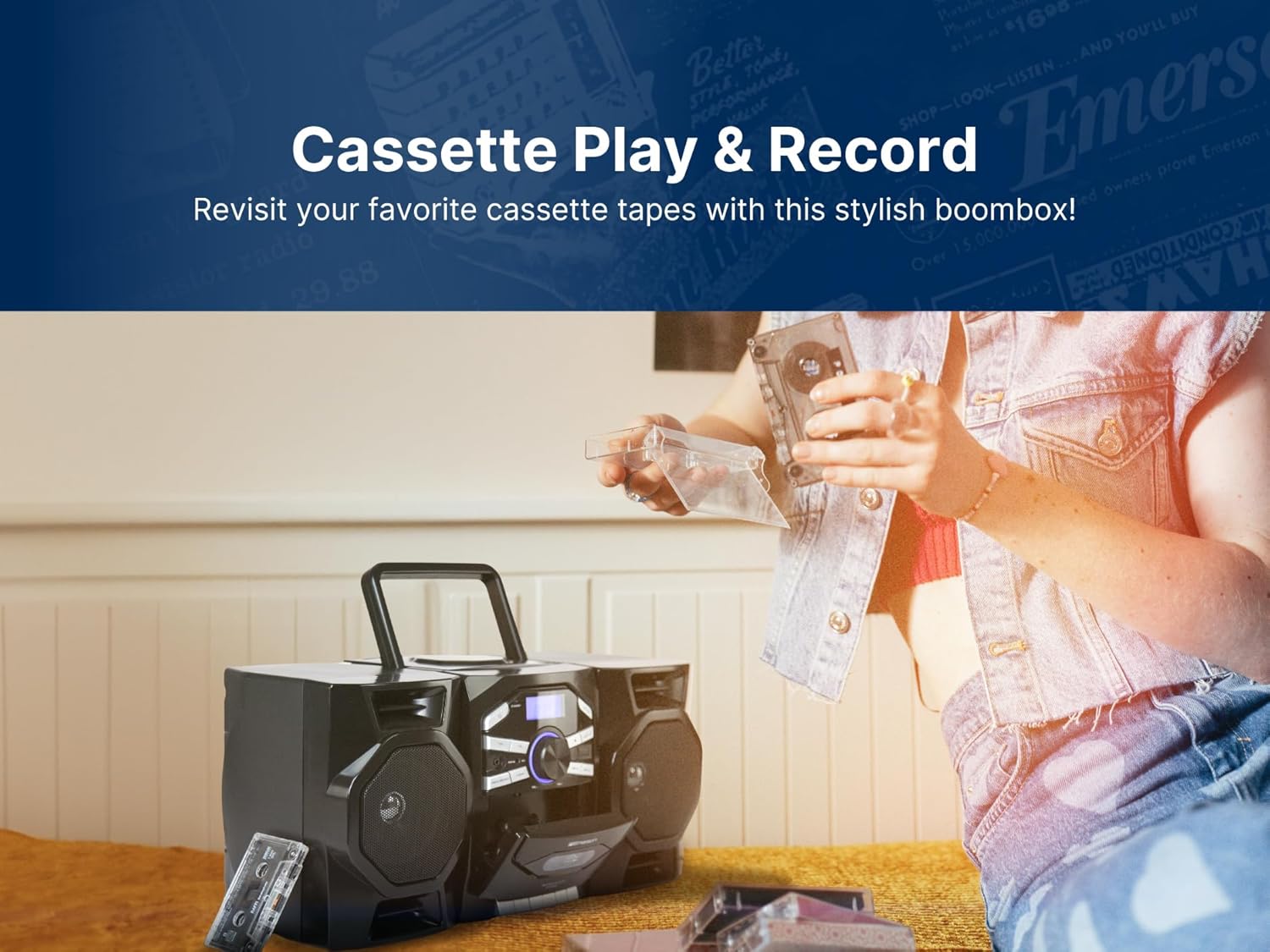
Figure 2: Back view of the Emerson EPB-4000 Boombox.
Control Panel
- POWER Button: Turns the unit on or off.
- FUNCTION Button: Selects between CD, Cassette, AM, FM, and AUX modes.
- VOLUME +/-: Adjusts the audio output level.
- TUNING +/-: Adjusts radio frequency in AM/FM mode.
- PLAY/PAUSE (CD/Cassette): Starts or pauses playback.
- STOP (CD/Cassette): Stops playback.
- SKIP/SEARCH (CD): Skips tracks or fast forwards/rewinds within a track.
- RECORD (Cassette): Initiates recording from CD, Radio, or AUX.
- X-BASS Button: Enhances bass response.
- PROGRAM (CD): Programs CD tracks for custom playback order.
- REPEAT (CD): Repeats current track or entire CD.
- AUX IN Jack: Connects external audio devices.
- Cassette Door: Opens to insert or remove cassette tapes.
- CD Compartment: Opens to insert or remove CDs.
Setup
Powering the Unit
The EPB-4000 can be powered by AC power or batteries.
AC Power Operation
- Ensure the unit is turned off.
- Connect the supplied AC power adapter to the AC IN jack on the back of the unit.
- Plug the other end of the AC power adapter into a standard wall outlet (120V AC, 60Hz).
Battery Operation
For portable use, the unit requires D batteries (not included).
- Open the battery compartment cover on the bottom of the unit.
- Insert the required number of D-size batteries, observing the correct polarity (+/-) as indicated inside the compartment.
- Close the battery compartment cover securely.
Connecting Detachable Speakers
The speakers can be detached for wider stereo separation.

Figure 3: Detachable speakers feature.
- To detach, gently slide the speakers away from the main unit.
- Ensure the speaker wires are securely connected to the corresponding jacks on the back of the main unit.
- Position the speakers as desired for optimal sound.
Operating Instructions
CD Player Operation

Figure 4: Loading a CD into the top-loading compartment.
- Press the POWER button to turn on the unit.
- Press the FUNCTION button repeatedly until 'CD' mode is selected.
- Open the CD compartment cover.
- Place a CD with the label side facing up onto the spindle.
- Close the CD compartment cover. The CD will spin briefly, and the total number of tracks will be displayed.
- Press the PLAY/PAUSE button to start playback.
- Use SKIP/SEARCH buttons to navigate tracks.
- Press STOP to end playback.
Cassette Player/Recorder Operation
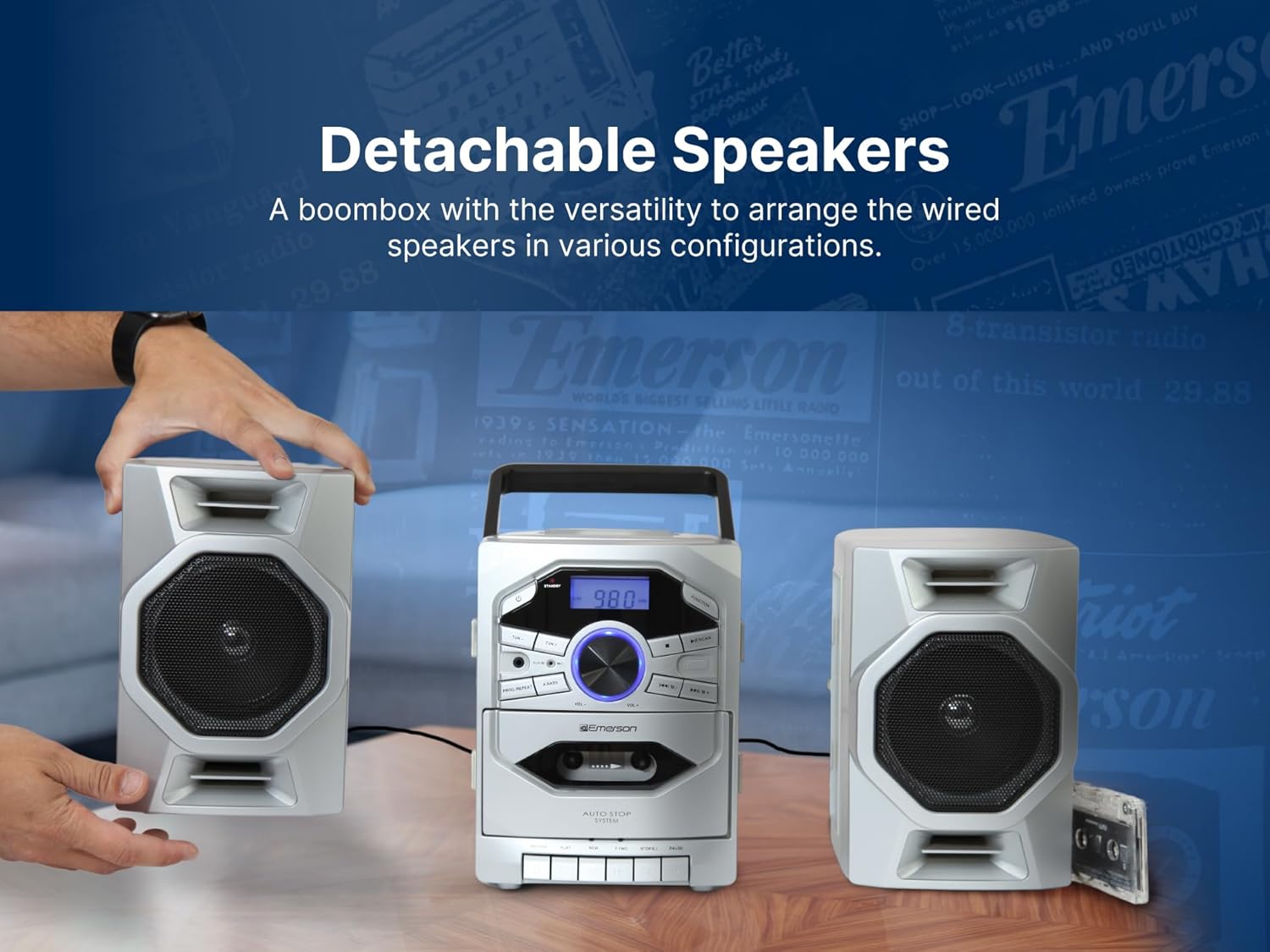
Figure 5: Inserting a cassette tape.
Playback
- Press the POWER button to turn on the unit.
- Press the FUNCTION button repeatedly until 'TAPE' mode is selected.
- Open the cassette door and insert a cassette tape.
- Close the cassette door.
- Press the PLAY button to start playback.
- Use the fast forward/rewind buttons to navigate the tape.
- Press STOP to end playback.
Recording
You can record from CD, AM/FM Radio, or AUX input onto a blank cassette tape.
- Insert a blank cassette tape into the cassette deck.
- Select the desired source (CD, AM, FM, or AUX) using the FUNCTION button.
- Start playback on the source (e.g., play a CD, tune to a radio station, start playing from AUX device).
- Press the RECORD button on the cassette deck. The PLAY button will also engage. Recording will begin.
- Press the STOP button on the cassette deck to end recording.
AM/FM Radio Operation

Figure 6: Boombox in radio mode with antenna extended.
- Press the POWER button to turn on the unit.
- Press the FUNCTION button repeatedly until 'AM' or 'FM' mode is selected.
- Extend the telescopic antenna for FM reception. For AM, rotate the unit for best reception.
- Use the TUNING +/- buttons to manually tune to your desired radio station.
- For automatic scanning, press and hold the TUNING +/- button for a few seconds. The radio will scan and stop at the next strong station.
AUX Input Usage
The AUX IN jack allows you to connect external audio devices.
- Press the POWER button to turn on the unit.
- Press the FUNCTION button repeatedly until 'AUX' mode is selected.
- Connect one end of a 3.5mm audio cable (not included) to the AUX IN jack on the boombox.
- Connect the other end of the audio cable to the headphone jack or audio output of your external device (e.g., smartphone, MP3 player).
- Start playback on your external device. The audio will be played through the boombox speakers.
- Adjust the volume using the VOLUME +/- controls on the boombox and/or your external device.
X-BASS Function

Figure 7: X-BASS feature for enhanced bass.
Press the X-BASS button to activate or deactivate the bass enhancement feature. This will provide a deeper and richer bass sound.
Maintenance
Cleaning the Unit
- Always unplug the unit from the power source before cleaning.
- Use a soft, dry cloth to clean the exterior surfaces.
- Do not use abrasive cleaners, waxes, or solvents as they may damage the finish.
- For the CD lens, use a specialized CD lens cleaner.
- For the cassette deck, periodically clean the tape heads and pinch rollers with a cotton swab lightly dampened with isopropyl alcohol.
Storage
If the unit is not used for an extended period, remove the batteries and store the unit in a cool, dry place away from direct sunlight and extreme temperatures.
Troubleshooting
Review the following common issues and solutions before seeking professional service.
| Problem | Possible Cause | Solution |
|---|---|---|
| No power | AC adapter not connected; Batteries depleted or incorrectly inserted. | Check AC adapter connection; Replace batteries or ensure correct polarity. |
| No sound | Volume too low; Speakers not connected; Incorrect function mode. | Increase volume; Ensure speakers are securely connected; Select correct function mode (CD, TAPE, AM, FM, AUX). |
| CD not playing | CD inserted incorrectly; CD dirty or scratched; CD compartment not closed. | Insert CD with label side up; Clean or replace CD; Close CD compartment firmly. |
| Poor radio reception | Antenna not extended/positioned; Weak signal. | Extend and adjust FM antenna; Rotate unit for AM reception; Try moving the unit to a different location. |
| Cassette not playing/recording | Cassette inserted incorrectly; Tape tangled or damaged; Cassette door not closed. | Ensure cassette is inserted correctly; Check tape condition; Close cassette door firmly. |
Specifications
Technical details for the Emerson EPB-4000 Boombox.
- Model Number: EPB-4000
- Power Source: AC 120V ~ 60Hz or D-size batteries (not included)
- Radio Frequencies: AM / FM
- CD Compatibility: CD, CD-R, CD-RW
- Cassette Functions: Play, Record, Fast Forward, Rewind
- Connectivity: 3.5mm AUX Input
- Speaker Type: Stereo, Detachable
- Product Dimensions (L x W x H): 17.7 x 9.92 x 8.7 inches
- Item Weight: 7.94 pounds
- Manufacturer: Naxa Electronics, Inc.

Figure 8: Product dimensions and weight.
Warranty and Support
Your Emerson EPB-4000 Boombox comes with a limited warranty. Please refer to the included Warranty Card for specific terms and conditions, including coverage duration and how to obtain service.
For technical assistance or customer support, please contact the manufacturer, Naxa Electronics, Inc., using the contact information provided on your Warranty Card or their official website.


