
DZiTech J8 Pro Wireless Earbuds User Manual
Model: J8 | Brand: Generic
1. Introduction
Thank you for choosing the DZiTech J8 Pro Wireless Earbuds. This manual provides essential information for setting up, operating, and maintaining your earbuds to ensure optimal performance and longevity. Please read this manual thoroughly before using the product.

Image 1.1: The DZiTech J8 Pro Wireless Earbuds, black and orange, resting in their open charging case, displaying a 100% charge on the LED screen.
2. What's in the Box
Please check the package contents to ensure all items are present:
- DZiTech J8 Pro Wireless Earbuds (Left and Right)
- Charging Case
- USB Charging Cable
- 3 Sets of Gel Tips (S, M, L)
- User Manual (this document)
3. Product Features
The DZiTech J8 Pro Earbuds are designed to provide a superior audio experience with advanced features:
- ANC (Active Noise Cancellation): Reduces ambient noise for immersive listening.
- ENC (Environmental Noise Cancellation): Enhances call clarity by suppressing background noise during calls.
- Double Noise Cancelling: Combines ANC and ENC for comprehensive noise reduction.
- Bluetooth 5.3: Provides stable, fast, and efficient wireless connectivity.
- Music / Game Dual Mode: Optimize audio performance for either music listening or gaming with low latency.
- 38dB Deep Noise Reduction: Significant reduction in unwanted sounds.
- Up to 38 Hours Total Usage Time: Extended battery life with the charging case.
- LED Built-in Power Display: Conveniently shows battery levels of the case and earbuds.
- Water Resistant: Designed to withstand splashes and sweat.
- Touch Control: Intuitive control over music, calls, and modes.

Image 3.1: The earbuds and charging case highlighting features like binaural noise reduction and intelligent automatic connection, with ANC+ENC capabilities.

Image 3.2: A close-up of the earbuds emphasizing enhanced in-ear bass, doubled sound quality, powerful bass, large metal diaphragm, and strong, transparent sound.
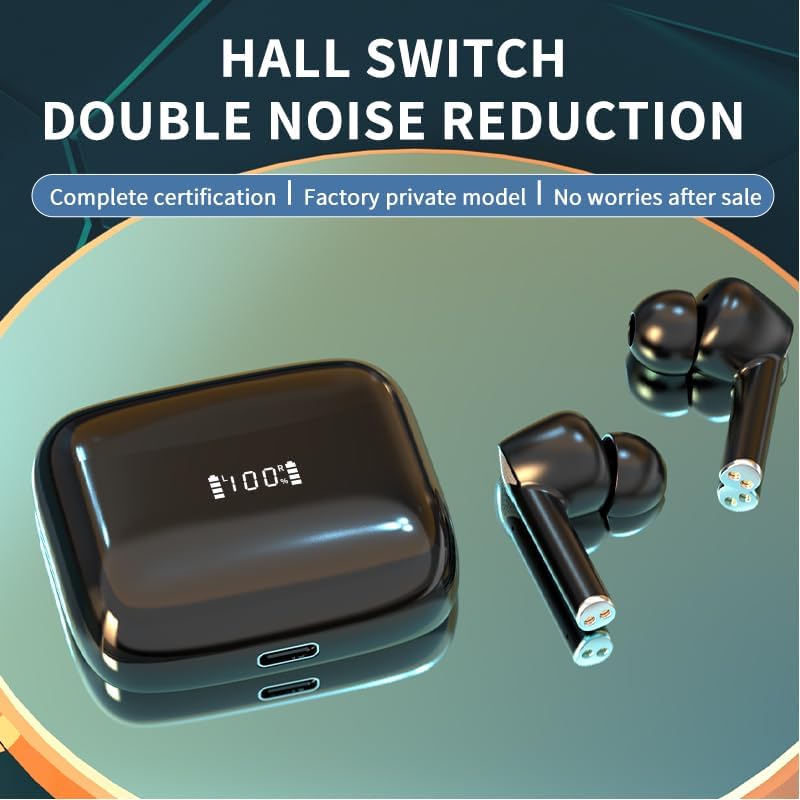
Image 3.3: The earbuds and case illustrating the Hall Switch feature for double noise reduction, ensuring complete certification and a factory private model.

Image 3.4: The earbuds and charging case with a large "36H" indicating the maximum usage time, highlighting the long battery life for all-day enjoyment with music/game dual mode and 38dB deep noise reduction.

Image 3.5: The earbuds and charging case showcasing the LED built-in display, indicating 100% charge, and emphasizing 38dB deep noise reduction and Game/Music Dual Mode.
4. Setup
4.1. Charging the Earbuds and Case
Before first use, fully charge the earbuds and charging case.
- Place the earbuds into the charging case. Ensure they are correctly seated.
- Connect the USB charging cable to the charging port on the case and the other end to a USB power source (e.g., computer, wall adapter).
- The LED display on the case will indicate the charging status. A full charge takes approximately 1 hour.
4.2. Pairing with Your Device
The earbuds will automatically enter pairing mode when taken out of the charging case.
- Open the charging case and remove both earbuds. They will automatically power on and attempt to pair with each other.
- On your device (smartphone, tablet, computer), enable Bluetooth.
- Search for "J8 Pro" or "DZiTech J8 Pro" in the list of available Bluetooth devices.
- Select "J8 Pro" to connect. Once connected, you will hear a confirmation tone.
- The earbuds will automatically reconnect to the last paired device when removed from the case, if Bluetooth is enabled on the device.
4.3. Choosing the Right Ear Tips
Selecting the correct size of gel tips is crucial for comfort, sound quality, and effective noise cancellation.
- Try all three sizes (S, M, L) included in the package.
- A good fit will create a seal in your ear canal, providing better bass response and noise isolation.
5. Operating Instructions
The DZiTech J8 Pro Earbuds feature intuitive touch controls. The control area is located on the outer surface of each earbud.
5.1. Power On/Off
- Power On: Open the charging case, and the earbuds will automatically power on. Alternatively, long-press the touch area for 3 seconds.
- Power Off: Place the earbuds back into the charging case and close the lid. They will automatically power off. Alternatively, long-press the touch area for 5 seconds.
5.2. Music Playback Control
- Play/Pause: Single tap on either earbud.
- Next Track: Double tap on the right earbud.
- Previous Track: Double tap on the left earbud.
5.3. Call Management
- Answer/End Call: Single tap on either earbud.
- Reject Call: Long-press on either earbud for 2 seconds.
5.4. Noise Control Modes (ANC/ENC)
- Switch Modes: Triple tap on the left earbud to cycle through ANC (Active Noise Cancellation), Transparency Mode, and Normal Mode.
- ENC (Environmental Noise Cancellation) is automatically active during calls to enhance voice clarity.
5.5. Game / Music Dual Mode
- Switch Modes: Triple tap on the right earbud to switch between Music Mode and Game Mode. Game Mode offers lower latency for a better gaming experience.
5.6. Voice Assistant
- Activate Voice Assistant: Long-press on either earbud for 2 seconds (when not on a call).
5.7. Volume Control
- Volume Up: Tap and hold on the right earbud.
- Volume Down: Tap and hold on the left earbud.
6. Maintenance
Proper maintenance ensures the longevity and optimal performance of your earbuds.
- Cleaning: Regularly clean the earbuds and charging case with a soft, dry, lint-free cloth. Do not use abrasive cleaners or solvents.
- Ear Tips: Remove and clean the ear tips periodically with water and mild soap. Ensure they are completely dry before reattaching.
- Charging Contacts: If charging issues occur, gently clean the charging contacts on both the earbuds and the case with a cotton swab.
- Storage: When not in use, store the earbuds in their charging case to protect them and keep them charged.
- Avoid Extreme Conditions: Do not expose the earbuds to extreme temperatures, humidity, or direct sunlight. While water resistant, avoid submerging them in water.
7. Troubleshooting
If you encounter issues with your DZiTech J8 Pro Earbuds, try the following solutions:
| Problem | Possible Solution |
|---|---|
| Earbuds not pairing with device. |
|
| Only one earbud is working. |
|
| No sound or low volume. |
|
| Charging case not charging. |
|
8. Specifications
| Feature | Detail |
|---|---|
| Model Name | J8 Pro Wireless Earbuds |
| Connectivity Technology | Wireless, Bluetooth 5.3 |
| Bluetooth Version | 5.3 |
| Noise Control | Active Noise Cancellation (ANC), Environmental Noise Cancellation (ENC), Sound Isolation |
| Sensitivity | 38 dB |
| Battery Life (Earbuds) | Up to 5 Hours (per charge) |
| Total Usage Time (with case) | Up to 38 Hours |
| Charging Time | Approx. 1 Hour (earbuds and case) |
| Water Resistance Level | Water Resistant |
| Control Method | Touch Control |
| Item Weight | 4.2 Ounces (total package) |
| Included Components | Earbuds, Charging Case, USB Cable, 3 Sets Gel Tips |
| Material | Plastic |
| Compatible Devices | Cellphones, Tablets, Desktops, Car Audio Systems, Music Production Equipment |
| Recommended Uses | Calling, Running, Exercising, Gaming, Music, Sport |
9. Warranty and Support
This product comes with a standard manufacturer's warranty. For specific warranty details, please refer to the warranty card included in your package or contact the seller/manufacturer directly.
If you require further assistance or have questions not covered in this manual, please contact our customer support team. Please have your product model number (J8) and purchase information ready when contacting support.


